 Skava
Skava

BindProof 1.2.0 — documentation
What it is for
A skinned mesh either follows its armature or it does not, and Blender willnot tell you which. BindProof checks the bind you already have — whoever madeit — and proves every finding by measurement. It never writes to yourweights.
Installing
Download the zip and leave it zipped. In Blender open Edit, then Preferences,then Add-ons. Click the arrow button in the top right corner of that window andchoose Install from Disk, then pick the zip. On Blender 4.0 and 4.1 the samebutton is called simply Install. Tick the checkbox next to the add-on name.Press N in the 3D Viewport: the BindProof tab appears in the sidebar.
Using it
- Select the skinned mesh.
- Press Check The Bind.
Select Unbound then selects the vertices carrying no weight, so you can pressTab and see where they are. That is the only thing the add-on changes, and onlywhen you ask. It refuses to run from inside Edit Mode, where a selectionwritten from the outside never reaches the mesh you are editing, and it refuseson a mesh whose data comes from a linked library, because that file belongs tosomeone else.
The findings
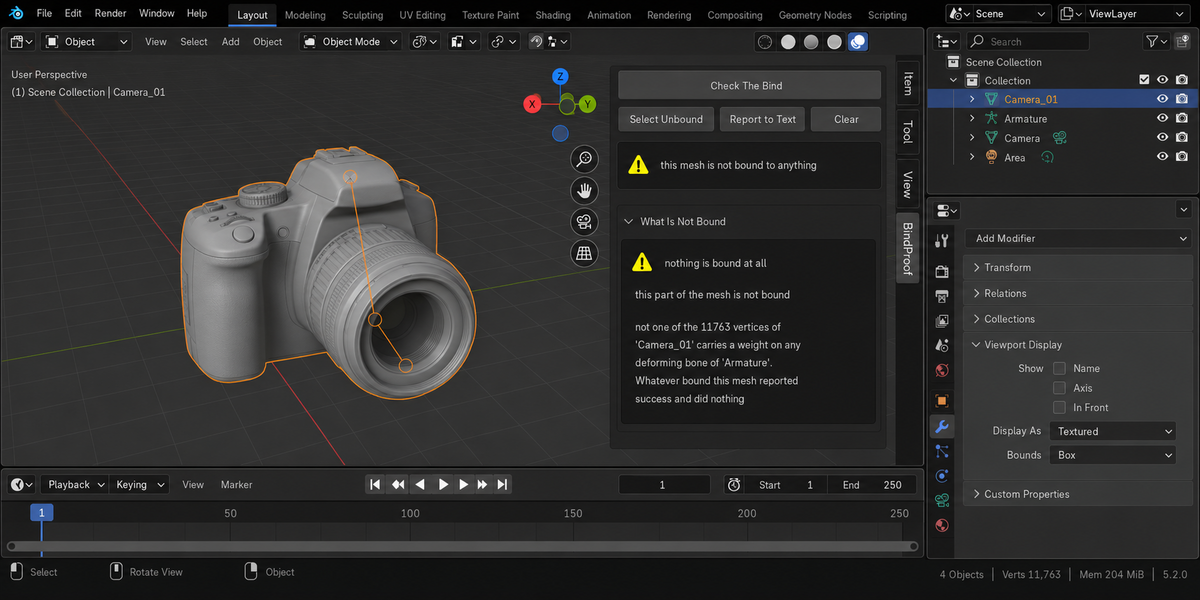
nothing is bound at all
Not one vertex carries a weight on any deforming bone. This is reported onits own rather than as a count, because it is not a patchy skin — it is anoperation that reported success and did nothing. Measured on a real productionmodel: Blender's Automatic Weights returned success having bound none of 11 763vertices.
part of the mesh is bound to nothing
Some vertices carry no weight on any deforming bone. They will stay exactlywhere they are while the rest of the mesh moves. The report names one of themand proves it: on frame N it moved 0.00 mm while the furthest vertex of the samemesh moved 460.39 mm.
If the mesh does not move anywhere in the scene's frame range, no proof isprinted — an empty comparison is worse than none.
some bones move nothing at all
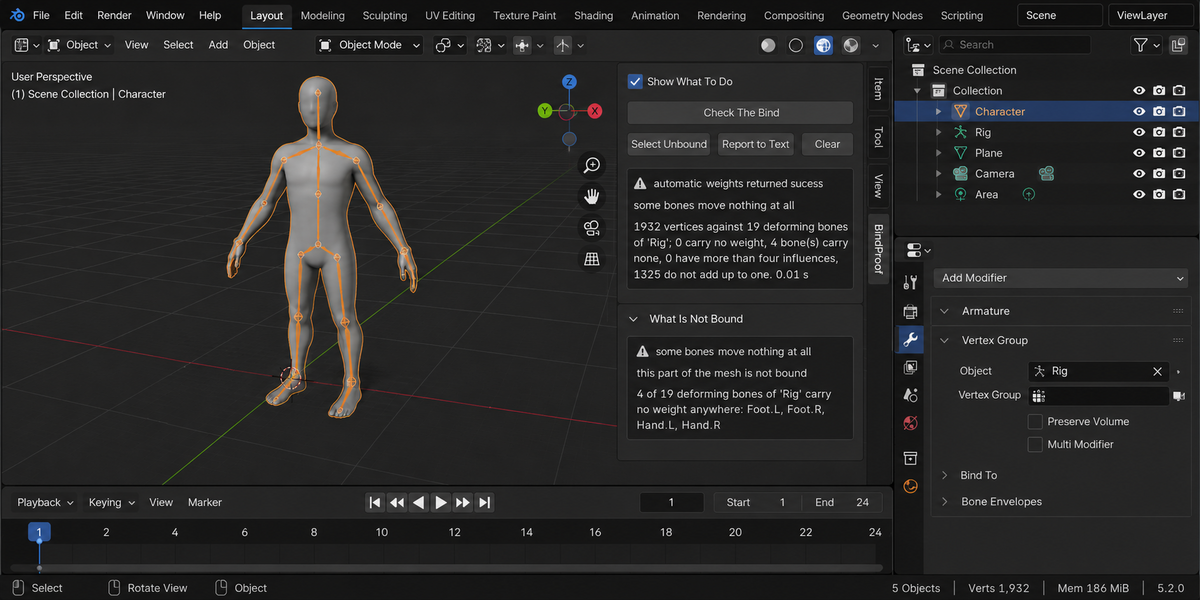
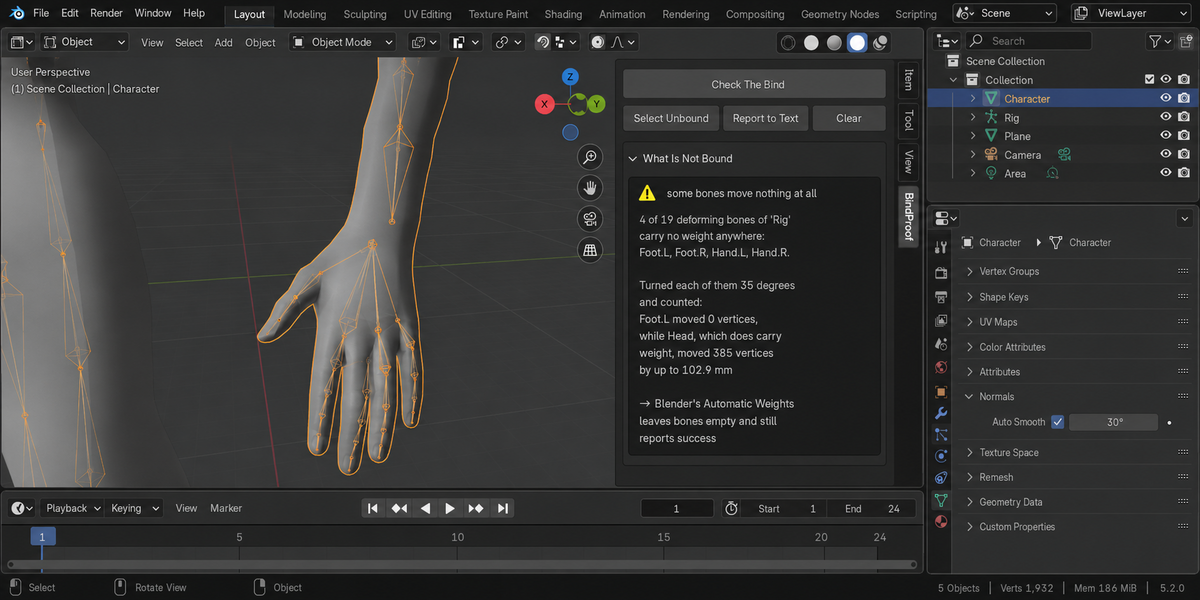
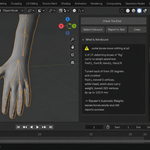
A deforming bone with no weight anywhere. Each one is turned 35 degrees andthe moved vertices are counted — zero — and beside it a bone that does carryweight, which moved 385 vertices by up to 102.9 mm. The pose is put straightback.
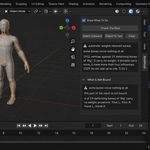
Measured on an ordinary humanoid, Blender's Automatic Weights leaves four ofnineteen deforming bones empty every time — both hands and both feet — and sixon a coarser mesh. The operator reports success.
more than four influences per vertex
Unity, Unreal and Godot read four influences per vertex and drop the restsilently on import. The report counts the vertices over the limit and works out,from the skinning maths, how far the worst one would move when the engine doesthat. Nothing is changed to find this out.
weights that do not add up to one
Blender normalises on the fly for its own armature modifier, so this isinvisible in the viewport, and Blender's own Automatic Weights leaves most of amesh this way — 1325 vertices out of 1932 on a measured character. It matters onexport, where the skin shrinks towards the rig or blows away from it. The reportsays how far the worst vertex would land, measured in the armature's own space,and says plainly that this is normal inside Blender.
weight groups that deform nothing
The group carries weights but no deforming bone of that name reads them —either the bone has Deform switched off, or the group is a modifier mask and notskin weights at all. Harmless if it is a mask; a hole in the skin if you thoughtit was bound.
When it refuses
- No armature modifier. Parenting alone is not a bind: an object can beparented to a bone with no weights at all, and that is a different thingentirely.
- An armature with no deforming bones. Every bone has Deform switchedoff, so nothing can be bound to it.
- Edit Mode. In it the evaluated mesh is not what the viewer sees andthe weights are not yet written back.
- An object with no evaluated mesh — switched off in the viewport bythe monitor icon, or held only in collections that are switched off or excludedfrom the view layer.
- Every armature modifier switched off in the viewport. Nothingdeforms the mesh there, so there is no bind to measure and nothing to praise.
When it says it cannot judge
The whole add-on rests on one control: a bone that does carry weight mustmove something when it is turned. Where that control gives zero, no verdict ispossible, and it says so instead of printing a zero it cannot stand behind.
- Rest Position. The armature is showing its rest pose, so no bonemoves anything at all. Switch it to Pose Position and measure again.
- A control rig. A driver or a constraint overrides the bone, soturning it directly proves nothing. Rigify, Auto-Rig Pro and mocap rigs arebuilt this way.
Things it names rather than blames
- Bones that move the mesh without carrying weight. A Mirror modifieror a parent bone does that, and it is not a fault — they are listed so a weightcounter does not talk you into rebinding a rig that works.
- Envelopes. If the modifier has Vertex Groups switched off, weightsare not what moves your mesh, and everything the panel says about weightsdescribes data the modifier never reads. That is said plainly.
- The modifier's own mask. A vertex group set in the Vertex Groupfield of the armature modifier shuts the vertices outside it out of thedeformation entirely, however much weight they carry. Those are counted andreported.
- The mesh that ships. Weights live on the mesh you edit; yourrenderer and your engine receive the evaluated one, which a Subdivisionmodifier can make fifteen times larger. Both numbers are given, and the secondone is measured by moving the whole rig and counting what stayed still.
What it does not do
It does not set weights and it does not fix them. There is a shelf of add-onsthat write weights and one of them is ours — and a tool that fixes cannot be thewitness that the fix worked. It also does not judge deformation quality: candywrapper, volume loss and weight leak are a different question, and comparing amesh before and after an edit is a different one again.
Repairing what the engine will drop
Fix What The Engine Will Drop keeps the four heaviest influences on everyvertex that carries more, drops the rest, and makes what is left add up to one.That is exactly the arithmetic a game engine performs while loading your mesh,done here where you can still see it.
The proof is two numbers from one measurement. Before the repair the add-onpredicts how far the worst vertex will sit out of place once the engine hasdropped the surplus. After the repair it measures how far the deformation inBlender actually moved. On the measured example the prediction was 893.917 mmand the movement was 893.917 mm, a difference of one ten-thousandth of amillimetre; at a scene scale of 0.01 the same pair read 8.9392 and 8.9392. Ifthose two numbers disagreed, the prediction would have been wrong and you wouldsee it.
What it deliberately leaves alone: vertices with no weight at all, and bonesthat carry no weight. Both are decisions an artist makes on purpose, and anadd-on that quietly reverses them is worse than one that does nothing.
What it changes, and only when you ask
Measuring changes nothing. A fingerprint that includes the weightsthemselves and the whole pose is taken before and after every check andcompared; the panel prints the result every time. The bone probes put theirpose back immediately.
Two buttons do write to your file, and only when pressed: Fix What TheEngine Will Drop, described above, and the selection when you press SelectUnbound. Report to Text writes a text block. Nothing else is touched.
Tested
108 checks on each of Blender 4.2.9, 5.1 and 5.2, zero problems, and tendeliberate sabotages of the product turn the suite red — among them treating azero weight as a bind, no longer telling deforming bones from ordinary vertexgroups, and looking for the armature through parenting instead of through themodifier.
License
GPL-3.0.
Checking a whole folder
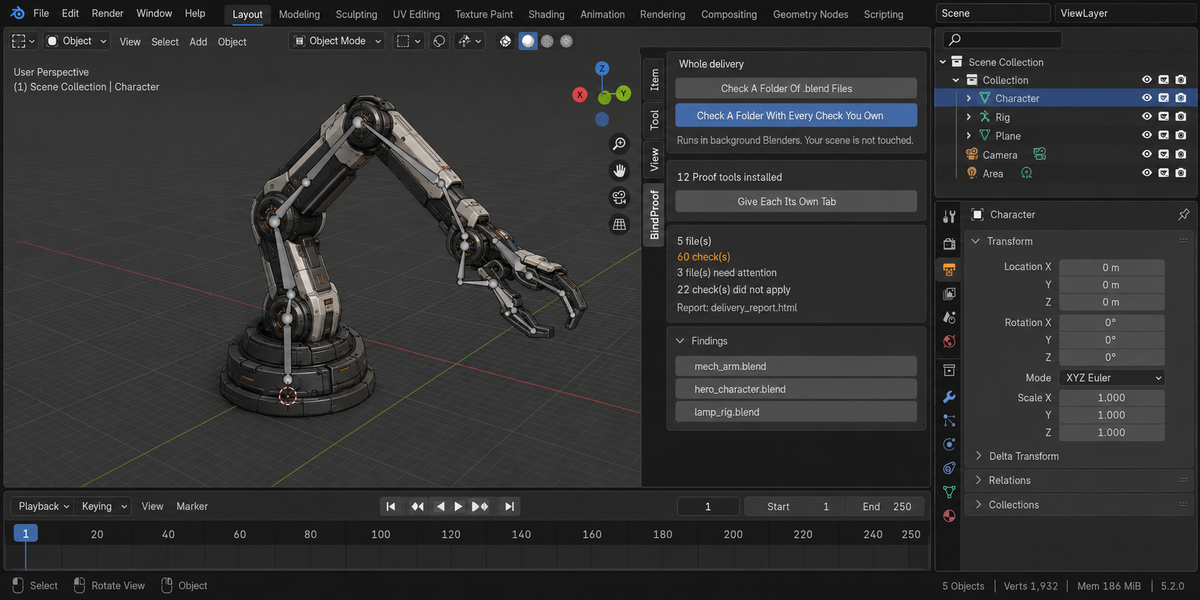
The sidebar has a Whole Delivery panel. It has two buttons.
Check A Folder Of .blend Files runs this product over every.blend in the folder you pick. Check A Folder With Every Check YouOwn runs every tool from this line that you have installed, over thesame files, in one pass — one report, one verdict.
Each file is opened in its own background Blender. Your open scene is nevertouched: not opened over, not saved, not modified in any way. This is also why afile that will not open costs you only that file — the rest of the delivery isstill checked. Press Escape to stop; nothing partial is written, because areport covering half a delivery is a report nobody should trust.
When it finishes you get an HTML report next to the folder. It is one filewith nothing loaded from the internet, so it can be attached to an email, put inthe delivery folder, or opened years later on a machine that has never seen thisadd-on.
Running it from a pipeline
The same check runs headless, with no interface and no person, and finisheswith a code your build system can read: one code for clean, another whensomething blocking was found, and a third when a file could not be checked atall. Those last two are deliberately different. A check that did not run has notpassed, and a gate that treats silence as success will one day wave through thedelivery it existed to stop. The exact command line is in the add-onpreferences.
Comparing against last week
Any run can be saved as a baseline. A later run then reports what changed:which numbers moved and in which direction, which findings are new, and whichones you have fixed since. Direction matters and is not guessed — eachmeasurement carries its own sense of which way is worse, so rising coveragereads as better and rising drift reads as worse.
Signing a file off
When a file is clean you can sign it off. The record lives inside the .blenditself, not in a folder next to it, so it travels with the file: open it nextmonth and it tells you when it was checked, by which version, and how it cameout. If the file is saved after that, the record says plainly that it is out ofdate — a sign-off that survives an edit it never saw would be worse than nosign-off at all.
One tab instead of twelve
Every tool in this line can put its panel under a single shared sidebar tabinstead of its own. One button does it for all of them at once, and each panelarrives collapsed, so twelve tools cost you one tab and no scrolling. Yourchoice is remembered, and a tool that you later use on its own can be given itsown tab back the same way.
What is deliberately not claimed
A check that could not run is reported as exactly that, never as a pass. If atool from this line is not installed, or is an older version that predates thecombined run, the report names it in a list of checks that did not take part,so the gap is visible rather than quietly absent.
Have questions about this product?
Login to message
| Published | 10 days ago |
| Blender Version | 4.2 - 5.2 |
| Extension Type | N/A |
| Render Engine Used | Cycles, Eevee |
| License | GPL |