Blaterna Studio
 BlaternaSoft


Do I need Blender experience?
No advanced experience is required.
Basic Blender knowledge is enough to get started quickly.
Does it work with Eevee and Cycles?
Yes, Blaterna Studio fully supports both Eevee and Cycles.
Does it fix transparency issues automatically?
Yes. Blaterna includes an alpha cleanup system that removes unwanted transparency artifacts with a single click.
What kind of assets can I create?
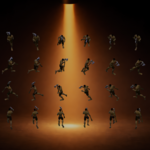
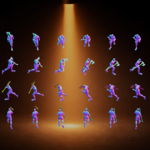
You can create sprite sheets from 3D characters, objects, and game assets, including animations and directional movement.
Can I customize sprite sheet layouts?
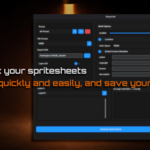
Yes. You can control direction order, layout, and export structure, including vertical arrangement of directions.
Are normal maps and PBR materials supported?
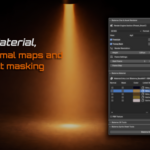
Yes. Blaterna Studio supports normal map rendering and PBR materials.
Can I edit animations after rendering?
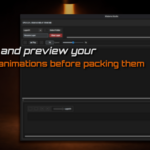
Yes. You can preview, edit, reorder, and disable frames per direction and per layer before export.
How does the export system work?
Each layer is exported as its own sprite sheet, with optional metadata support for game integration.
Can I save my project setup?
Yes. With the snapshot system, you can save and reload layers, frame states, and playback settings.
Is there a tutorial available?
Yes. A full free tutorial is available on YouTube:
@BlaternaSoft
Can I use this for commercial projects?
Yes. Blaterna Studio is released under the GNU General Public License v3 (GPL v3), which allows you to use the software and the generated assets in your own commercial projects.
Have questions about this product?
Login to message
| Published | 7 months ago |
| Blender Version | 4.5 - 5.0 |
| Extension Type | N/A |
| Render Engine Used | Cycles, Eevee, Freestyle |
| License | GPL |
Discover more products like this
sprite export game development character sprites blender addon Render Pipeline game assets sprite generator auto crop indie-dev sprite sheet alpha cleanup layered rendering