Super Easy Analytics (1.2.2)
 Blender Defender

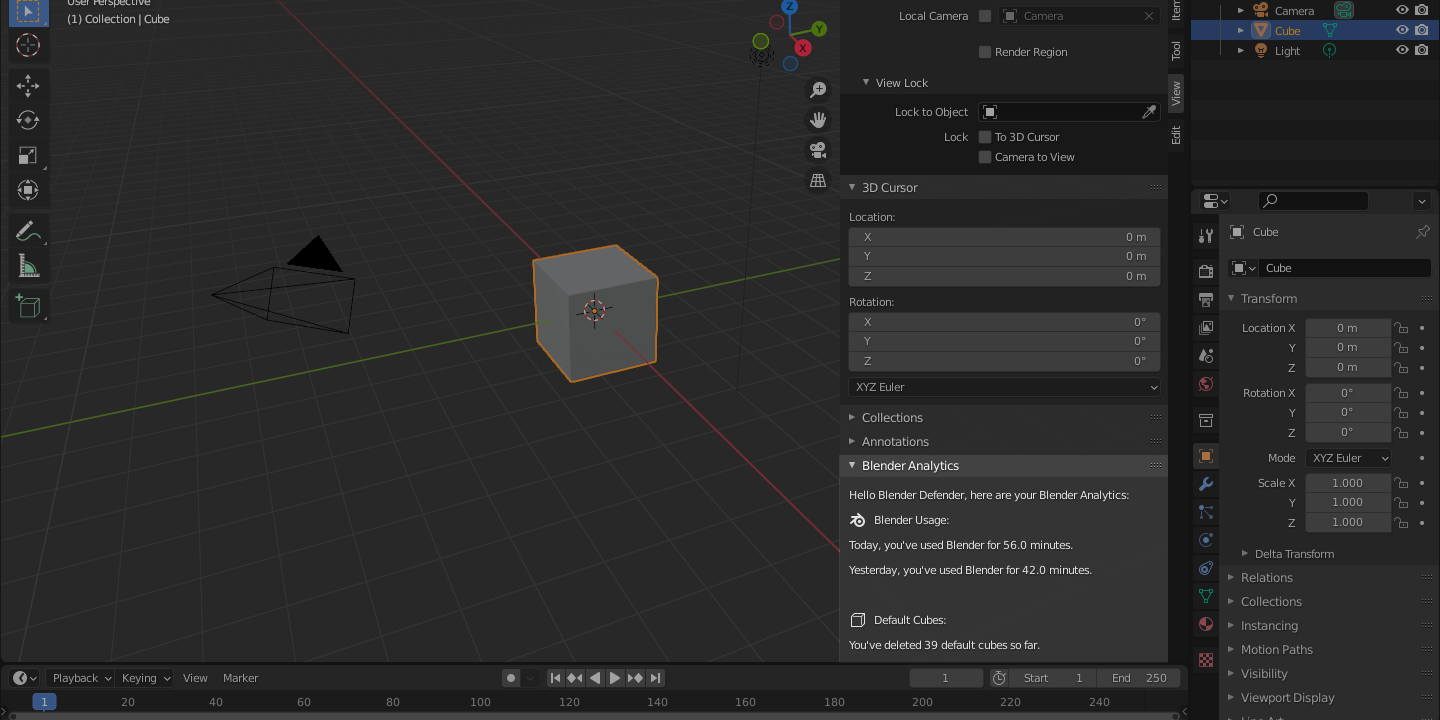
How to install this addon:
- In Blender, go to Edit->Preferences->Addons
- Click "Install"
- Select " SuperEasyAnalytics.zip" from your downloads folder
- Click "Install Addon"
- Enable the addon (Tick the checkbox on the left)
How to use Super Easy Analytics:
Using Super Easy Analytics is really simple: Just head over to the "View"-tab in the sidebar and see your Blender Analytics. Have you've been using Blender for less than 10 Minutes Today? I challenge you to do more!
Have questions about this product?
Login to message
| Blender Extension Compatible | Yes |
| Dev Fund Contributor | |
| Published | about 5 years ago |
| Blender Version | 2.83 - 4.5 |
| Extension Type | Add-on |
| License | GPL |

Discover more products like this
Super Easy Analytics motivation analytics organization sea pidgeon tools