Blender Bone Transform Pro - Edit Mode Local Matrix Tool
 OtakuWorks


⚙️ System Requirements
Blender Version
- Recommended: 3.6 or higher
- Supported: Works normally on 3.3 or higher
Operating System
- Windows 10/11, macOS 10.15+, Linux Ubuntu 20.04+
Note
- Compatible with all render engines (Edit mode only tool)
🧰 Troubleshooting
Panel Not Visible
-
Check add-on activation (
Edit → Preferences → Add-ons) - Verify Edit mode and Armature selection
-
Press
Nto open sidebar - Restart Blender if necessary
Unexpected Bone Movement
Cause: Gimbal lock phenomenon (XYZ rotation order)
Solution:
- Control using World coordinate system
- Add parent bone and control (with local rotation 0,0,0)
Other Issues
Contact: [email protected]
❓ Frequently Asked Questions
Q1: Does it work with objects other than bones?
A: Currently it's dedicated to Armature bones in Edit mode. Object transform support may be added in the future based on user requests.
Q2: Can I use it commercially?
A: Yes! Commercial license is included, allowing free use in client work and studio projects.
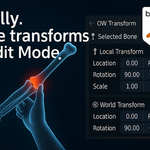
Q3: What's the difference between Local and World coordinates?
A:
- Local: Relative coordinates based on parent bone (maintains hierarchy)
- World: Absolute coordinates in 3D space (global position)
Q4: Does it affect performance?
A: No impact. Panel is only displayed in Armature Edit mode and updates values only on request.
Q5: Any issues with large number inputs?
A: Large rotation values may cause gimbal lock. See troubleshooting section for solutions.
📚 Additional Information
Support
- Contact: [email protected]
Updates
Version 1.0 (July 31, 2025)
- Initial release
- Basic transform controls
- Local/World coordinate systems
- Reset functionality
- Undo integration
Future Plans
- Stabilization and improvements based on user feedback
📄 License and Legal
Commercial License Included
- ✅ Personal and commercial use allowed
- ✅ Client work and studio projects allowed
- ✅ Attribution not required (but appreciated!)
- ✅ Lifetime license - no recurring payments
Restrictions
- ❌ Cannot redistribute the add-on itself
- ❌ Cannot reverse engineer or modify source code
- ❌ Cannot claim copyright of the add-on
Support Policy
- ✅ Free Updates: Minor versions (1.x) included
- ✅ Email Support: Response within 48 hours
- ✅ Bug Fixes: Critical issues resolved within 1 week
- ✅ Feature Requests: Community voting for new features
📧 Contact and Suggestions
If you need add-ons for your creative work, please feel free to contact us anytime.
Email: [email protected]
Experience more accurate and efficient rigging work with OW View Transform.
Have questions about this product?
Login to message
| Blender Extension Compatible | Yes |
| Published | about 1 year ago |
| Blender Version | 3.6 - 4.5 |
| Extension Type | Add-on |
| Render Engine Used | Cycles, Eevee |
| License | GPL |