Blender for Architecture With Bonsai BIM
 Blender 3D Architect


Is there a Portuguese version?
Yes. The Portuguese (Brazilian) edition is available separately. This Superhive listing is the English edition.
Will this workshop be updated for future versions?
The workshop is built on Blender 4.2 LTS or newer. The IFC concepts and Bonsai workflows taught here are stable across versions. Significant updates will be communicated through the product page.
Can I build my own templates for future projects?
Yes. Lesson 09 is dedicated to creating and managing reusable templates — wall types, doors, windows, furniture, and assets you can pull into any new project.
What are CSS drawing styles?
Bonsai uses CSS (the same language that styles websites) to control how elements appear in 2D drawings — line weights, dashes, hatching patterns. Lesson 15 covers the full CSS workflow, including editing styles in a web browser for instant visual feedback.
What is an IFC file?
IFC (Industry Foundation Classes) is an open international standard for BIM data. Unlike proprietary formats (RVT, PLN), an IFC file can be read by any compatible tool — Bonsai, Revit, Archicad, Solibri, BIMvision, or a text editor. When you model in Bonsai, your file is IFC from the start.
Are the output drawings production-quality?
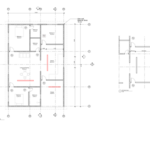
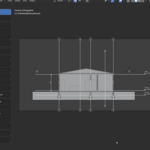
The workshop teaches you to produce floor plans, sections, and sheets with dimensions, intelligent tags, hatching, custom title blocks, and styled line work. Output quality depends on how much time you invest in styling. The tools and techniques are the same ones used in production.
What kind of project do we build?
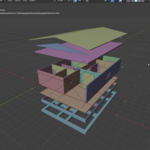
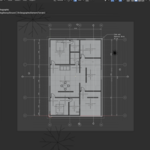
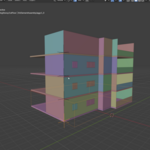
A residential building. You model walls, slabs, doors, windows, stairs, roofs, and footings, then generate the full documentation set: floor plans, sections, elevations, drawing sheets with annotations, and schedules.
Can I import my AutoCAD or SketchUp files?
Yes. Lesson 03 covers importing AutoCAD (DXF/DWG) files and SketchUp files into Blender as reference for modeling.
Do I need Revit, Archicad, or any paid BIM software?
No. This workshop uses no proprietary software. The entire pipeline — modeling, documentation, schedules — runs on Blender + Bonsai + Inkscape, all free.
Is the Bonsai add-on free?
Yes. Bonsai is free, open-source software (GPL). Install it from Blender's Extensions browser. No license key, no subscription, no account needed.
What version of Blender should I use?
Blender 4.2 LTS or newer. This is the version used throughout the workshop. The Bonsai add-on is installed from within Blender during Lesson 04.
Do I need any prior experience with BIM or IFC?
No. Lessons 04–06 introduce BIM concepts through practice — IFC elements and types, spatial containers, property sets, quantity take-offs, and aggregates. Everything is explained by doing, not through theory slides.
Do I need any prior experience with Blender?
No. Lessons 01–03 cover Blender from scratch — the interface, navigation, object creation, transformations, mesh modeling, and file imports. If you already know Blender, skip to Lesson 04.
$129
Have questions about this product?
Login to message
| Dev Fund Contributor | |
| Published | about 2 months ago |
| Blender Version | 4.2 - 5.2 |
| License | Editorial |

Discover more products like this
ifc Archiviz design 3D parametric interior-parametric-design blender BIM architecture 3d-exterior-modeling