 ThunderTools






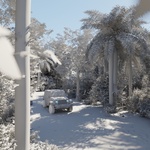


Instantly Isolate Scene Illumination & Calibrate Complex Lighting Layouts
Blender Lighting Mode Only brings the essential Unreal Engine style "Lighting Only" viewport diagnostic pass directly into your Blender environment look-dev pipeline. Designed specifically for lighting artists, environment designers, and look-dev specialists, this utility addon isolates scene illumination by stripping away distracting image textures and swapping them for a neutral, customizable clay baseline.
Analyze light bounces, shadow shapes, value contrast, and exposure levels with absolute clarity.
Key Production Features
Stable Root-Injection Engine: Applies a uniform clay overlay across your active scene geometry instantly with a single button click, without permanently altering or destructively editing your base project files.
Foliage & Alpha Card Protection: Tailored to work with advanced scatter setups and heavy vegetation asset packs. The script automatically isolates texture nodes to map leaf alpha channels through cleanly, preventing trees, weeds, and grass elements from rendering as solid, opaque geometry chunks.
Full Emission Restoration: Keeps your procedural neon networks and texture emissions completely intact. Glowing monitors, lasers, indicator lights, and sci-fi panels continue to shine and illuminate your scene geometry in real time.
Blender 5.x Glass Safety Engine: Built explicitly around the upgraded transparency pipeline requirements. Car headlights, window panes, and decorative glassware preserve their half-translucent structure, allowing underlying emissive elements to pass and reflect light correctly.
Lightweight UI Layout: Integrates seamlessly as a native standalone tab in your 3D viewport sidebar. Built with clean, isolated click logic and zero keyboard listener loops to avoid background shortcut hotkey conflicts.
Known Limitations
Collection Instances: The addon currently does not support linked collections or Collection Instances. To evaluate geometry hidden inside an instanced collection, the collection must first be converted into local, real mesh data (e.g., via Object > Apply > Make Instances Real).