 3D Tudor



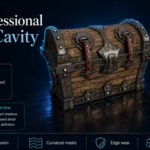
Stylized Interactive Pirate Chest
Getting started, resource-pack contents, workflow checkpoints, troubleshooting and support for the Blender 5.2 to Unreal Engine 5.8 course.
Start Here
- Download and extract the complete resource archive. Keep the Blender file, references, textures, decals and Python utility together in the extracted resource location.
- Install the demonstrated software versions. The course uses Blender 5.2 and Unreal Engine 5.8.
- Follow the production order. Model first, then prepare UVs, decals and masks before moving to GLB/FBX export, Unreal Engine materials and Blueprint interaction.
- Build alongside the lessons. The resource pack supports the workflow, but the course still teaches the modelling and preparation process step by step.
Software and Formats
|
|
Verified 65-File Resource Pack
The pack contains 1 Blender file, 1 Python utility and 63 PNG files:
- 1 Blender source file supporting the course workflow.
-
1 Python mask-baking utility named
bake_ao_cavity_Python.py. - 6 PNG reference images covering the open and closed chest.
- 25 PBR texture files across wood, metal, leather, moss and gold-trinket sets.
- 32 pirate decal files from 8 emblems, with Base Color, Alpha, Displacement and generated OpenGL Normal maps.
Recommended Course Workflow
Each stage prepares information needed by the next. Complete the checkpoints below in order for the cleanest Blender-to-Unreal hand-off.
1. Blender Modelling
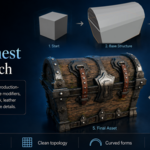
Build the wood, metal, leather, lock, hinge, bolt, strap and decorative components from simple forms. Maintain readable material separation and workable topology for UVs, masks and export.
2. Open and Closed Mesh States
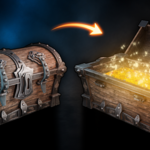
Create dedicated closed and open versions so the lid, lock, straps, lever flaps and interior forms can be art-directed separately. This course does not use a skeletal rig, strap physics or a hinge-only lid solution.
3. UVs, Decals and Generated Masks
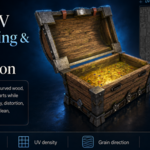
Unwrap curved, mirrored and multi-material parts while checking seams, stretching, density, orientation and wood-grain direction. Organise the pirate decals, then generate ambient occlusion and curvature or cavity data for contact detail, recessed forms, wear and edge definition.
Use the supplied Python utility as demonstrated in the mask-baking lessons. Keep a copy of the unmodified resource pack so you can return to the supplied files if needed.
4. GLB and FBX Export
Prepare material assignments, organise both mesh states and export through the GLB and FBX workflows shown in the course. Confirm that the closed and open versions remain recognisable and that the material groups required in Unreal Engine are preserved.
5. Unreal Engine Materials
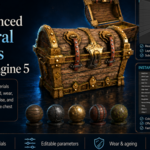
Build reusable master materials and instances with controls for wood, metal, gold, ageing, wear, cavity detail and procedural moss. Generated masks, noise and Substrate blending support the layered result.
6. Blueprint Interaction
Connect proximity detection, player input, Boolean state tracking, branches, a timeline and scaling motion. Time the closed/open mesh swap at the least noticeable point and test both opening and closing from the player view.
Troubleshooting Checklist
- Missing textures or references: confirm that the complete archive was extracted and that the resource files remain available together.
- Unexpected material results: check the UV orientation, material assignment, generated masks and imported texture connections before changing the master material.
- Wrong chest state: confirm that the closed and open meshes are separate and assigned to the correct Blueprint state.
- Visible swap: review the timeline and place the mesh-state change at the compressed point of the scaling motion.
- Version differences: compare your setup with Blender 5.2 and Unreal Engine 5.8, the versions used in the lessons.
Course Scope
The course builds the pirate chest, not the complete jungle-temple environment shown in the presentation artwork. The surrounding scene is an example environment used to test and present the finished prop. The course deliberately uses dedicated open and closed meshes rather than skeletal animation, strap physics or a hinge-only lid rotation.
Need Help?
Join the 3D Tudor Discord for course support, workflow questions, feedback and community discussion. When asking for technical help, include your software version, the lesson or stage, a screenshot and the exact result you are seeing.
Have questions about this product?
Login to message
| Sales | 10 |
| Dev Fund Contributor | |
| Published | about 2 months ago |
| Blender Version | 5.0 - 5.2 |
| Render Engine Used | Cycles |
| License | Royalty Free |
Discover more products like this
pbr-textures uv unwrapping environment art blender stylized procedural materials game development Game asset 3d modeling unreal-engine-5 blueprint Pirate Chest