Blender: Sketching in 2D Style
 Carlos Sosa 3D


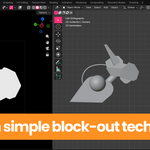
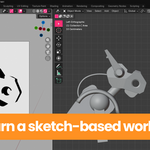
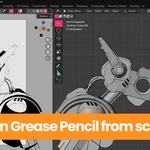
Blender: Sketching in 2D Style
A practical workflow for creating expressive 2D-style robot sketches inside Blender
Course Overview
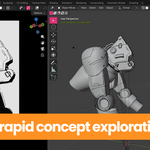
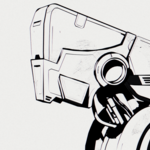
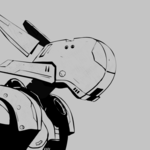
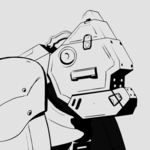
Blender: Sketching in 2D Style is a focused tutorial series designed to teach you how to create bold, expressive 2D-style sketches using Blender and Eevee.
Instead of following a highly technical or rigid modelling pipeline, this course introduces a free, design-oriented workflow that allows you to quickly explore ideas, block shapes, and transform them into professional-looking 2D robot and mech illustrations.
The emphasis is on:
-
Speed
-
Clarity
-
Strong silhouettes
-
Creative freedom
This is not a traditional hard-surface modelling course. It is a creative workflow course designed to help you generate ideas quickly and present them as polished 2D-style sketches.
Who This Course Is For
This course is ideal for:
-
Blender users with a basic understanding of the interface
-
Intermediate and advanced users who want a faster concept workflow
-
3D artists interested in 2D-style presentation
-
Designers who want to quickly explore robot and mech ideas
-
Artists who want to get clean sketch-like visuals directly from Blender
You should already be familiar with basic navigation, object manipulation, and the Blender interface.
Software Version
This course was created using Blender 5.0, but it can be followed using any version of Blender that includes Grease Pencil.
All rendering is done using Eevee.
Total Course Time: 110 minutes
Course Structure
The course is divided into four chapters:
1. Quick Modelling
Learn how to build strong foundations for sketching through fast and clean modelling.
1.1 Project Organization and References
How to structure your files and gather visual references efficiently.
1.2 Camera and Basic Shapes
Setting up the camera early and defining strong silhouettes using flat shading and simple forms.
1.3 Modelling Medium Details
Using booleans to define secondary shapes and cleaning the mesh to prepare it for Grease Pencil.
2. Lighting and Shading
Understanding how to use Eevee lighting and simple materials to enhance form, depth, and readability before sketching.
3. Grease Pencil
Turning 3D structure into expressive 2D-style drawings.
3.1 Introduction to Grease Pencil in Blender
Core tools and setup.
3.2 Sketching Details
Adding line work and details to transform your model into a clean 2D-style illustration.
4. Rendering and Post Processing
Final adjustments, rendering in Eevee, and post-processing techniques to achieve a polished 2D sketch look.
What You Will Learn
-
How to create fast block-outs for robots and mechs
-
How to control silhouette using flat shading
-
How to use booleans efficiently without overcomplicating topology
-
How to combine 3D modelling with Grease Pencil
-
How to achieve a strong 2D illustration style directly inside Blender
-
How to render and polish your final result using Eevee
Included in This Course
-
8 structured video lessons
-
Project files used throughout the course
-
Additional 3D project files for studying the full design process
-
English subtitles (.srt)
-
Spanish subtitles (.srt)
The course is entirely in English.
Workflow Philosophy
This course promotes a creative, design-focused workflow rather than a technical modelling pipeline. The goal is to help you:
-
Think visually
-
Move fast
-
Iterate freely
-
Present ideas clearly
By the end of the course, you will be able to transform simple 3D shapes into professional-looking 2D-style robot sketches inside Blender.
Have questions about this product?
Login to message
| Dev Fund Contributor | |
| Published | 7 months ago |
| Blender Version | 4.0 - 5.0 |
| Render Engine Used | Eevee |
| License | Royalty Free |
