 vfxblender

● Astra. Inside Blender.
The future is here.
Right in Blender.
ChatGPT in your 3D viewport.
Full Integration.
LAUNCH OFFER
Early Access. One-time purchase. No monthly BlenderChat fees.
What BlenderChat Can Do


Talk to your scene. Make changes inside Blender.
Create geometry, refine materials, work with selections and reuse your own assets from a conversation in your viewport.

Drag & Drop Image Planes
Generate an image and drag it directly into your 3D viewport as a plane.

Weight Paint
Refine weights on fingers, joints, and selected regions with AI-assisted control.

Asset Smart Manager beta

Build scenes with models, collections, and materials from your existing library or create something new when you need it.

AI Retopology beta
Rebuild cleaner topology around the shapes you create. Convert triangles to quads, preserve UVs, and reduce poly count.
Create Bones on Mesh
Tell BlenderChat to rig your mesh or add bones. Fix your bad finger weights.

36 Prompt Starters. Smart Suggestions.

Browse 36 curated Blender workflow prompts or let BlenderChat suggest the next useful action based on your scene.

Rig a character
Tell it to rig your character or generate clothes.

Intelligent Selection.

Astra GPT will edit the faces you select. Leave the rest untouched.

Animate Rig
One prompt can help animate your rig to walk or pick up items.
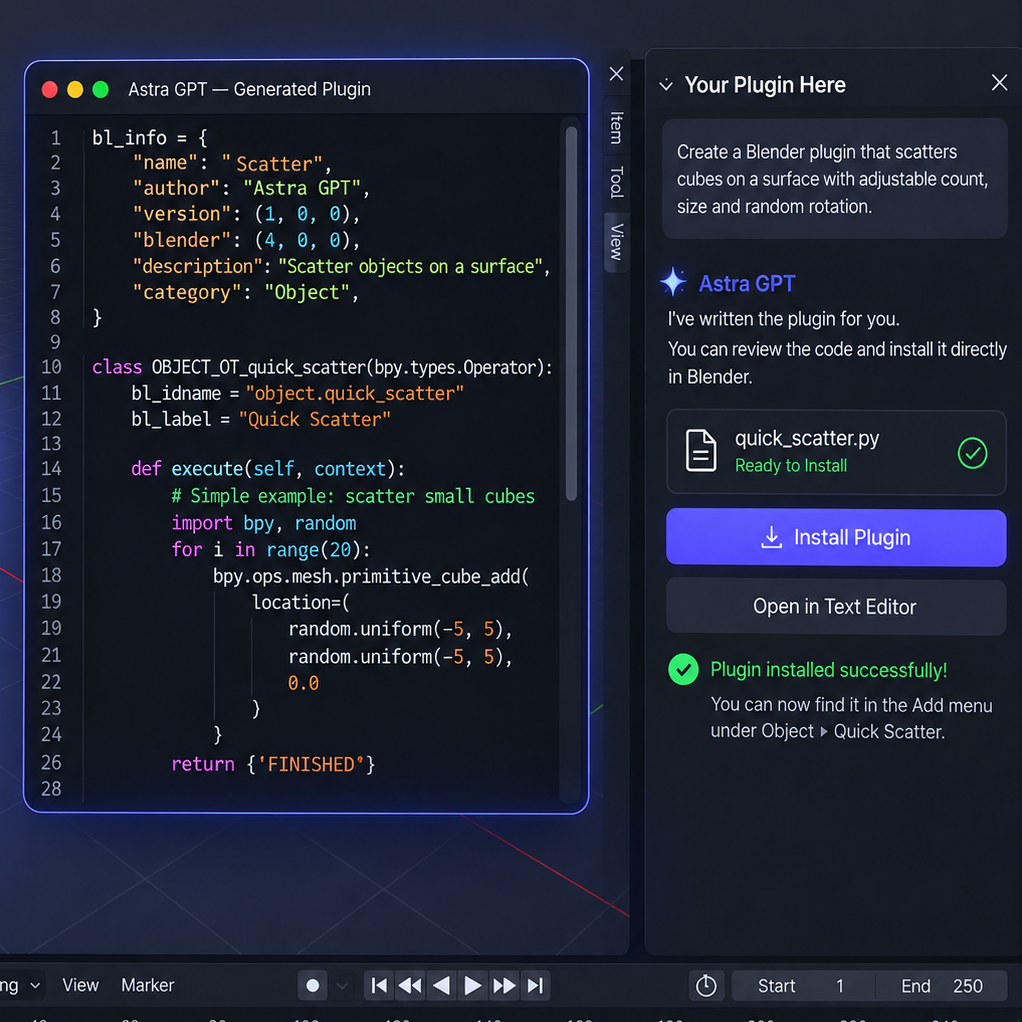
Write & Deploy
Astra GPT can write plugins and install the code in Blender, so you can keep working without leaving your scene.
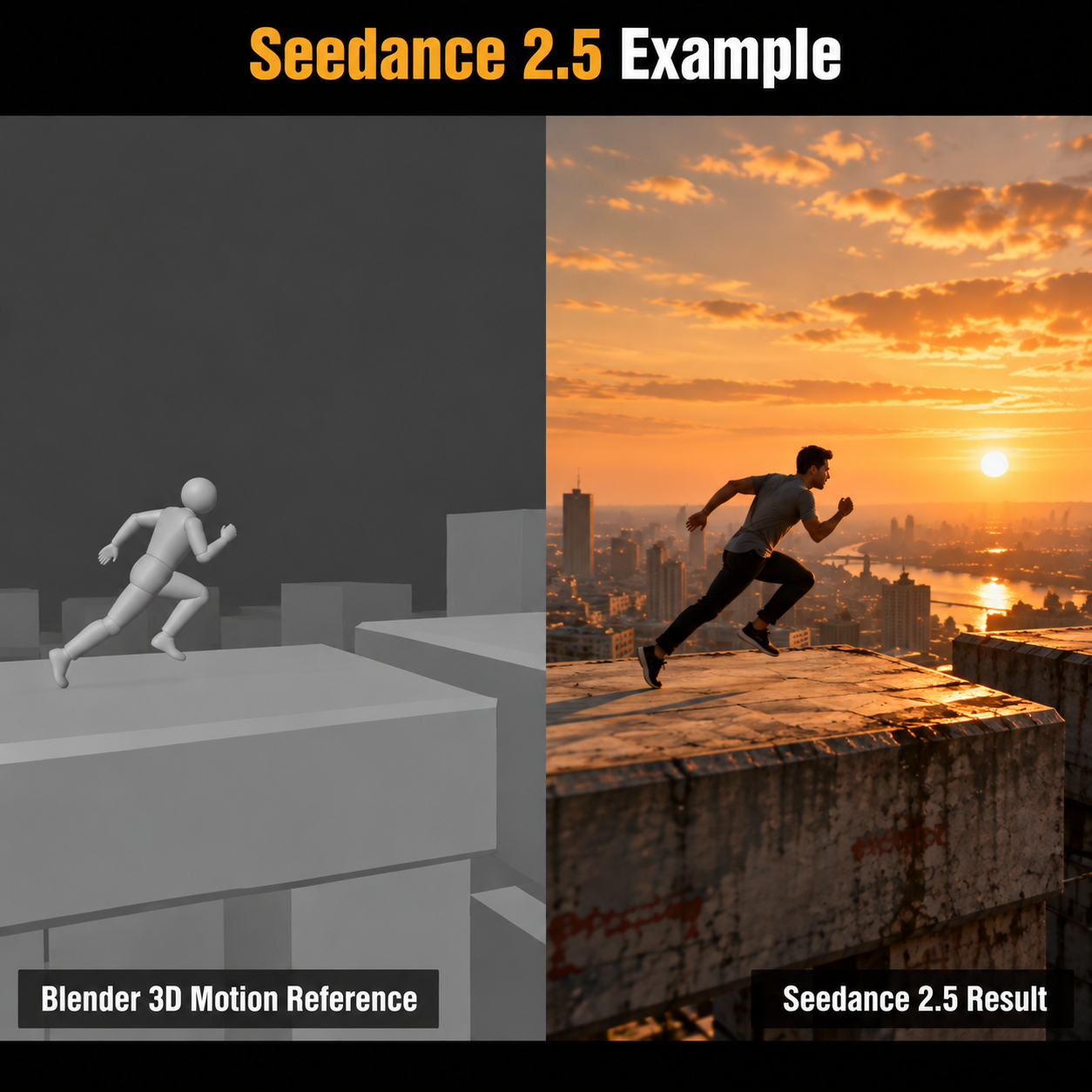
Render AI Reference Video
Export your animation as a gray-clay MP4. Add a scene description and reference images, then build a copyable, timed Seedance 2.5 prompt using sampled frames and Blender scene data.
SMART BACKEND
The smart part happens behind the chat
BlenderChat is more than chat. Its Blender-specific backend gives AI scene context and purpose-built tools so it can work more directly with your project.
Reads the target
Captures your active objects, selections, faces, UVs, materials, rig and current frame so “this” has useful meaning.
Uses Blender tools
Material, UV, rig, image, asset, render, checkpoint and other workflows are exposed as purpose-built operations instead of relying only on generated code.
Suggests what comes next
Suggestion bubbles are chosen locally from your current context—mesh, rig, render, image, glass, region, or object.
36 PROMPT TOOLS
Start with proven workflow prompts.
Open the prompt toolkit when you do not want to start from a blank box. The 36 included prompt starters are grouped by the kind of Blender work you are doing.
Model & Topology · 5
Create a model · Reduce polygons · Quad retopology · Diagnose & repair mesh · Add clean bevels
Materials & UVs · 6
Texture this selection · Unwrap selected mesh · Make rougher · Make shinier · Add surface detail · Fix glass in Eevee
Weights & Rigging · 4
Diagnose weights · Fix finger deformation · Clean & normalize weights · Inspect rig controls
Pose & Animation · 5
Pose this character · Animate selection · Polish existing animation · Help with a walk cycle · Diagnose keyframe problems
Lighting & Camera · 5
Light this scene · Cinematic lighting · Product lighting · Fix distracting shadows · Improve composition
Images & Rendering · 4
Generate an image · Create an image plane · Judge my render · Plan a reference video
Assets & Scene Care · 4
Build with my library · Find a reusable asset · Speed up rendering · Inspect scene clutter
Code & Custom Tools · 3
Write a Blender script · Build & install an add-on · Diagnose a Python error
THE WORKFLOW DIFFERENCE
BlenderChat doesn’t replace the artist.
It amplifies the artist.
See how BlenderChat changes the browser copy-and-paste workflow.
| BlenderChatConnected to your Blender scene. | Browser chatThe manual copy-and-paste workflow. | |
|---|---|---|
| Where you chat |
✓In your 3D viewport.
|
↗Switch out of Blender and open a browser tab.
|
| Scene changes |
✓Apply edits in Blender with more control.
|
↗Copy and run suggested code.
|
| Your selection |
✓Add selections of objects or specific vertices to chat for better control in prompting.
|
↗Describe or screenshot the region manually.
|
| Your asset library |
✓BlenderChat finds all the saved blend assets. The Smart manager builds scenes with your existing assets in mind.
|
↗Find and import assets yourself.
|
| Image to plane |
✓Drag from chat into the scene.
|
↗Generate the image, save it, then import it as a plane in Blender.
|
| Production workflow |
✓Use scripts and cast from Production Library to customize tools for your workflow and story.
|
↗Move story notes between chat and Blender.
|
How BlenderChat Works
No monthly BlenderChat fees. One purchase.
Powered by your ChatGPT account. BlenderChat combines the BlenderCodex connection with purpose-built tools to work with your scene, selections, and assets.
01

ChatGPT +
Codex
Your AI engine
02
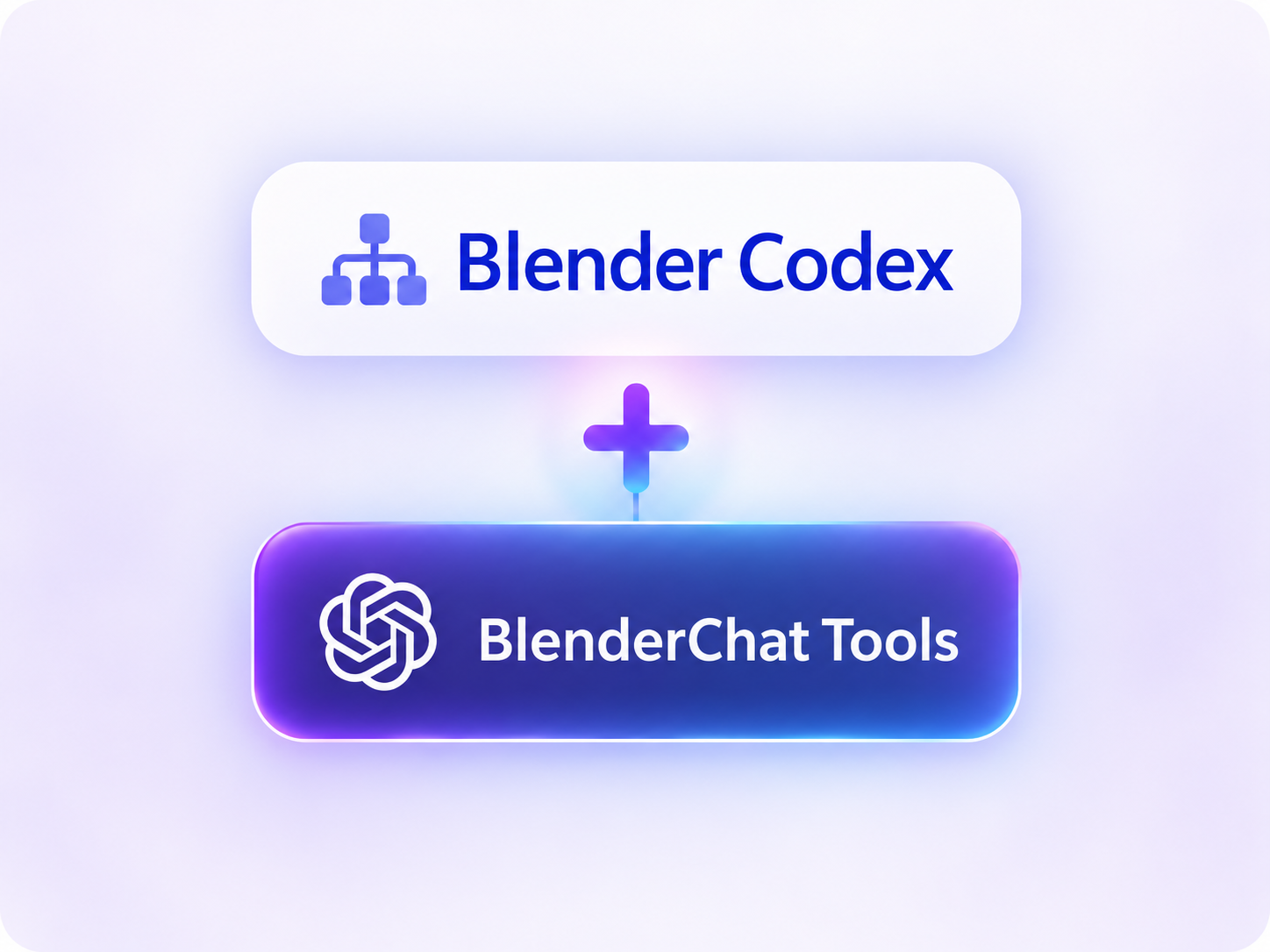
BlenderCodex +
BlenderChat Tools
Purpose-built backend tools help ChatGPT understand your scene and streamline Blender tasks—giving it more useful context and Blender-specific controls.
03

Blender
Create, edit, and build in your scene
Requirement: Active ChatGPT subscription.
A NOTE FROM THE CREATOR
Why I built
BlenderChat.
I created BlenderChat for a seamless ChatGPT experience inside Blender. No more minimizing windows or bouncing between chat and your scene.
I wanted ChatGPT to work with your actual scene, not rely on screenshots alone. So I built an integrated backend designed to give it the context and tools to understand your concerns, carry out tasks, and help solve problems where you create. The goal is simple: keep your creative flow in Blender, so you can get back to what you love.
Creating.
- Peace.
BLENDERCHAT
Blender is your canvas.
Bring a million paintbrushes.
Limited Offer ↗LAUNCH OFFER
Early Access Price. One-time purchase. No monthly BlenderChat fees.
Less clicking. More creating
Release notes: 9/23/2026 BlenderChat version 1.20 just added Multi-Langage support Beta: Automatic follows Blender’s language, or your system language when Blender uses its default. Beta languages may have text-display limitations in Blender.
- English
- Spanish
- Japanese
- Simplified Chinese
- Korean
- Russian
- Arabic — Beta
- Hindi — Beta
- Thai — Beta
- Hebrew — Beta
- Bengali — Beta
- Tamil — Beta
Any features requests or support feel free to reach out.