 Anvil Interactive Solutions






BlenderMCP Pro — Blender Add-on — v2.7.0
Stop doing Blender busywork by hand. Tell your AI what you need, and it does it in Blender.
Cleanup, UVs, lighting, cameras, LODs, validation, export, renders: the repetitive work between you and a finished asset. BlenderMCP Pro lets Claude, ChatGPT or your own AI do that work with real Blender tools, check the result, and leave every step undoable. Use the built-in chat, or connect the AI you already pay for.
Get BlenderMCP Pro ✓ Every tool included — no tiers, no license key
NEW IN 2.7 — PROBLEMS WE FIXED
"I connected Claude to Blender, restarted, and had to set it all up again."
Connect claude.ai once. It stays connected.
2.7 Your Blender now has a permanent connection address. Add it to claude.ai once and it keeps working after you restart Blender or update the add-on. No new link to paste and no reconnecting.
"The AI says it's done, but I can't tell what it actually did."
The AI looks at your viewport and checks its own work
2.7 It can take a screenshot of the viewport to see what is really there, instead of guessing from object names. Every action shows in the Activity log, and Ctrl+Z undoes it.
"AI can add a cube, but it can't do real modelling."
Edit-mode modelling: extrude, inset, bevel, loop cut
2.7 "Extrude the top face up by 1 unit", "Bevel the sharp edges with 3 segments", "Add 3 edge loops". These are real geometry edits, not modifiers you have to apply afterwards.
"Asking for a render freezes Blender until it's finished."
Renders run in the background, plus camera control
2.7 "Add an 85 mm camera that frames the product and render it with Cycles to promo.png." The AI places and aims the camera, starts the render, follows its progress and tells you when the file is saved. Blender stays responsive the whole time.
TESTED, NOT PROMISED
Before release, every version runs a suite of everyday requests through Claude in a live Blender session. Examples: "make the cube red and metallic", "animate it spinning one full turn", "generate LODs", "export only the cube as FBX", "light it for a moody look", "render it with Cycles". Each result is checked in the scene, not just in the AI's reply. 2.7.0 passed all 27 tasks, at a total of about $0.78 in API cost for the whole run.
"I DON'T TRUST AI WITH MY FILE"
"What if it deletes something or runs a script I didn't ask for?"
You approve the risky steps
Before the AI runs its own Python, deletes, clears, joins or applies anything, BlenderMCP Pro asks you first. Every change can be undone with Ctrl+Z, and the Activity log keeps the last 200 actions.
"It worked for a few messages, then the chat just broke."
Long sessions that keep working, and errors in plain language
Conversations are repaired automatically. Busy servers and network drops are retried with a visible countdown, and an optional backup provider can take over. When something does fail, you see what happened and what to do next, plus Retry and Stop buttons. If Blender is busy with a dialog or a render, the AI waits and tells you instead of hanging.
"MY ASSETS FAIL WHEN THEY HIT THE ENGINE"
"I only find the bad UVs, wrong scale and broken geometry after export."
Catch it before it leaves Blender
Validation checks polygon budget, UV overlap and naming against your rules and gives a pass/warn/fail report for one mesh or the whole scene. Scene Co-Pilot flags unapplied scale, missing UVs and non-manifold geometry as they appear, with a one-click fix where that's safe.
"Forty props need LODs, decimation and export, one at a time."
Batch the whole folder
Generate LOD chains, decimate to a face budget and export to FBX, glTF or OBJ for Unreal, Unity or Godot, with the scale and triangulation each one expects. Do it for one object or a whole folder of files.
"The mesh is over budget and full of doubles."
Cleanup on command, with before and after numbers
"Merge doubles, then decimate to under 8,000 tris" runs the real cleanup and shows the vertex, face and n-gon counts before and after. Origins, modifiers and transforms can be fixed across many objects at once.
"AI SCENES LOOK WRONG"
"It built a room, but the chair is through the wall and the books float."
Layouts that are checked, not guessed
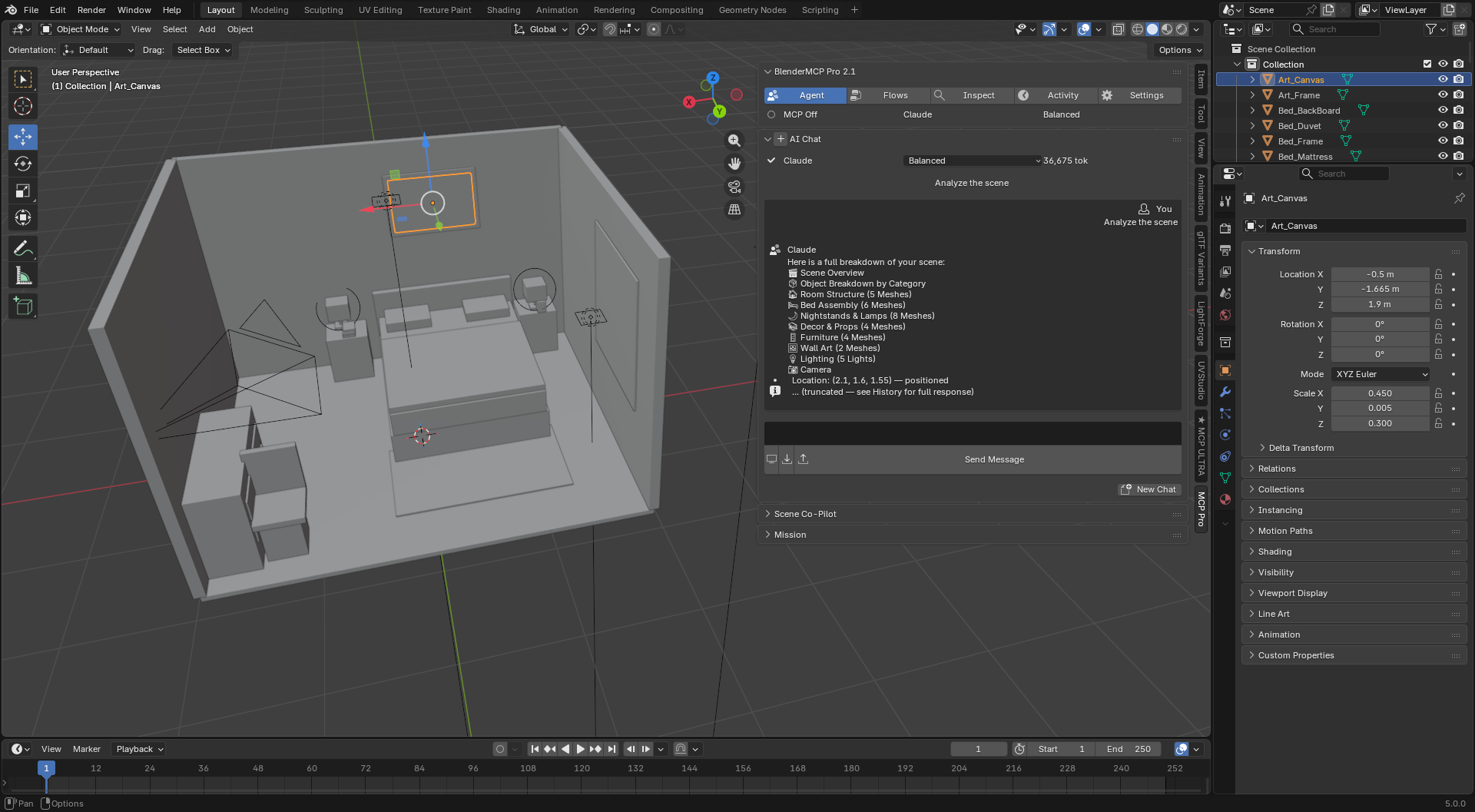
You describe how things relate ("on top of", "against the wall", "keep walking clearance") and BlenderMCP Pro works out the placement in Blender using real dimensions. It then checks support, collisions and room boundaries, and tells you whether the layout passed.
Example — A furnished room, checked
"Build a modern bedroom — bed, nightstands, lamps, rug, dresser, chair, wall art and a window. Keep everything inside the room, avoid intersections, keep walking clearance, and check the final layout."
"THE BORING PARTS TAKE ALL DAY"
"I put off unwrapping until the last possible moment."
UVs unwrapped, packed and checked
Smart UV Project or a standard unwrap, island packing with your margin, and coverage stats so you catch a bad layout before you texture it.
"Every glass or emissive material means wiring the same node graph again."
Materials, lighting and scatter in one sentence
PBR, glass and emission materials, three-point or product lighting rigs, and Geometry Nodes scatter setups in one request. Full node-level control is there when you need something custom.
"Building a rig and painting weights from scratch eats my day."
Armatures, IK and starting weights
AUTO-FIT IN BETA Bones, chains, IK, constraints and custom shapes from a prompt, then distance-based starting weights and weight cleanup. Auto-fitting a biped or quadruped rig to your mesh is in beta: on raw AI-generated meshes, do a pose test before you rely on it.
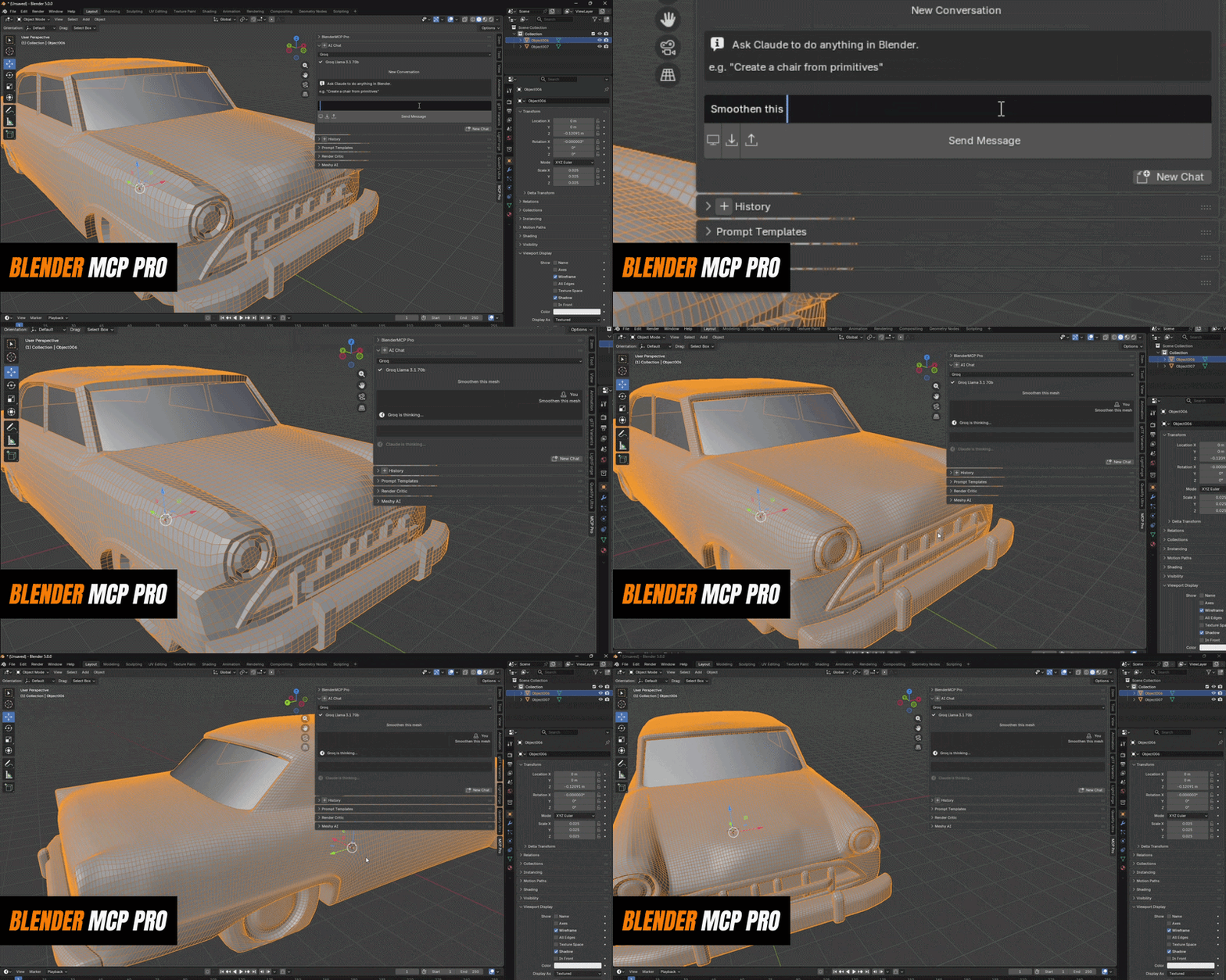
Example — Product shot without the manual setup
"Set up a product render — clean background plane, three-point lighting, camera at 35mm aimed at origin"
"I KEEP REPEATING MYSELF"
"Every session I explain the poly budget and naming rules again."
Project Memory
Tell it once, for example "this targets mobile VR, meshes under 5,000 tris". The rule is saved in the .blend file and remembered in every future session.
"I run the same prep steps on every new prop."
Macros
Save any sequence of steps as a named tool, then say "run my LOD pipeline on this prop" to replay it on a new object.
"AI COSTS ADD UP"
Simple commands can run with no AI call at all. The AI gets a compact summary of your scene instead of the whole file, loads tool details only when it needs them, and can plan many steps in one call. Choose Economy, Balanced or Maximum to set how hard it works per message. Or use free options: Gemini and Groq free tiers, or Ollama running fully offline on your machine.
|
Claude
Most reliable for multi-step work
|
OpenAI
Choose your model
|
Gemini
FREE TIER
|
Groq
FREE TIER
|
Ollama
Fully local, offline
|
"I already pay for an AI. Why would I need another chat?"
You don't. Use the AI you already have. The Connection Hub connects BlenderMCP Pro to claude.ai on the web with a permanent link. Claude Desktop, Claude Code, Cursor and Windsurf are one-click setups, and ChatGPT and any other MCP client are also supported. Test Connection runs a real handshake, so you know it works before you start. If you also run UnrealMCP Pro or UnityMCP Pro, their tools appear in the same conversation.
claude.ai Claude Desktop Claude Code ChatGPT Cursor Windsurf UnrealMCP Pro UnityMCP Pro Any MCP client
REQUIREMENTS & SETUP — 2 MINUTES
Blender 4.2 or newer
Standard Extension install: Edit > Preferences > Get Extensions > Install from Disk.
One AI
An API key from Claude, OpenAI, Gemini or Groq, Ollama running locally, or your claude.ai, ChatGPT or other MCP client connected through the Connection Hub.
Anvil Interactive Solutions — [email protected]
theanvilstore.com → 