 Anvil Interactive Solutions


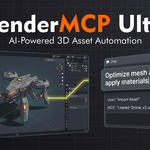
Generic AI connectors forget your pipeline the moment you close the file.
Ultra remembers it.
An AI assistant that lives inside Blender, learns your studio's naming conventions and poly budgets, and enforces them on everything it creates — instead of generating whatever the model felt like and leaving you to clean it up.
It remembers facts about your project across sessions, logs exactly what it did during every multi-step task, and can hand assets to Unreal or Unity with the unit and axis conversion applied automatically instead of silently.
It enforces your pipeline before, not after
Most AI-in-Blender tools generate whatever the model produces and leave the naming, scale, and material conventions to you to fix afterward. Ultra reads your studio's actual conventions first and checks its own output against them before calling anything done.
| Learned, not assumed Studio Profiles can be hand-written or inferred by pointing Ultra at your current scene — it reads the naming pattern, poly counts, and material use actually present and drafts a profile from real evidence, not a generic template. | A memory that outlives the session Facts the AI learns about your project persist across every file in the same project folder, not just the current conversation. Ask it next month why a rig is named the way it is. |
| Every multi-step task, logged Agent Missions record exactly what happened — every task, every tool call, every argument, every validator note — browsable afterward. Not a black box you have to trust blind. | Cross-engine handoffs that check units first Handing an asset to Unreal or Unity computes the actual scale factor and axis correction from your scene's real unit settings before export — the single most common way a Blender-to-game-engine pipeline silently breaks. |
One assistant. Five providers. Your call on cost.
Built for a single artist or freelancer who wants an AI assistant that respects the conventions they've already established, not one that has to be re-explained every session.
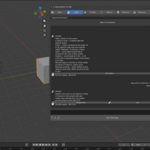
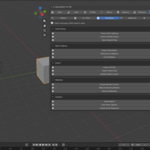
| Tabbed interface, not a stacked sidebar Main, Chat, Profile, Refine, Memory, and Missions each get their own tab instead of every feature competing for space in one long scroll. | Regenerate and edit, not just retype Wrong response? Regenerate asks again with the same message. Edit lets you fix your wording and try again without losing the conversation. |
| Closed-loop render refinement Render, get a scored AI critique with a specific fix, apply it, re-render — automatically, up to a target quality score, with a cancel button that actually works. | Cost visible per message Every response shows its token count and estimated cost underneath it, not buried in a separate usage dashboard you have to go check. |
The pipeline governance layer, licensed for a team.
Everything in Personal, with team usage rights, so a Studio Profile one artist builds becomes the pipeline the whole team's AI assistant enforces — not a personal preference that dies when they're not the one at the keyboard.
| One profile, every seat Naming conventions, poly budgets, and material rules defined once apply to every artist's AI sessions on the project, not just the machine that authored them. | An audit trail a lead can actually check Before trusting an AI agent near a shared production file, a team lead can open Mission History and see exactly what it touched, in what order, and why the validator flagged what it flagged. |
| Cross-engine missions If your studio also runs UnrealMCP Pro or MCP Pro for Unity, Ultra detects them and routes mission tasks that hand work off between engines, with unit/axis conversion applied automatically. | Multi-agent missions at scale Describe a large goal; a planner splits it into tasks dispatched across parallel specialist agents — layout, modeling, materials, lighting, rigging — with automatic validation and a fix pass against your Studio Profile. |
Real numbers from our own testing, not marketing estimates. Your figures will vary with provider, scene complexity, and conversation length.
| Test | Before | After | Change |
| Chat cost, single message | 66,313 tokens · $1.0098 | 14,405 tokens · $0.0568 | ~94% cheaper |
| Blender→Unreal unit conversion (default 1 unit = 1m) | manual guesswork | 100× scale factor, computed | exact, not guessed |
| Blender→Unity unit conversion | manual guesswork | 1× scale factor + Y-up flag, computed | exact, not guessed |
| Tool catalog sent per message | entire catalog, every message | capped, with essentials protected | fewer tokens, same reliability |
Every AI tool has edges. Here are ours, stated up front.
| The cross-DCC bridge needs the other product actually running Handing assets to Unreal or Unity requires UnrealMCP Pro or MCP Pro for Unity installed and running in that engine at the same time. Ultra can't reach into an engine that isn't there. |
| DeepSeek doesn't support vision Render Refinement and the render critique feature need a vision-capable provider — Claude, Gemini, or GPT-4o-mini. DeepSeek works for chat and missions, not render review. |
| Cross-DCC tool parameters aren't always fully known If the connected engine's bridge only reports tool names, not full parameter schemas, the AI works from the task description rather than a strict spec. Full schemas are supported when the other product provides them. |
| It's not a substitute for reviewing what an agent did Mission History tells you exactly what happened. It doesn't replace looking at the result before you commit it to a shared file. |
Works with your existing pipeline
Connect through the built-in chat panel, or expose Blender's tools to any MCP-compatible client.
Cross-DCC bridges are auto-detected when the corresponding product is installed and running — no manual configuration.
| Generic MCP connector | BlenderMCP Ultra | |
| Studio conventions | Not aware of any — every session starts from zero | Learned once as a Studio Profile, enforced on every action after |
| Memory | Ends with the conversation | Persists across sessions and every file in the project folder |
| Multi-step task record | Whatever's left in your chat scrollback | Structured Mission History — every task, every tool call, every verdict |
| Cross-engine handoff | Not supported | Detects and routes to Unreal/Unity, with unit and axis conversion computed automatically |
| Provider choice | Whatever the client app supports | Five providers built in, including free and local options |
| Do I need to write a Studio Profile by hand? No. You can, or you can point Ultra at your current scene and use "Infer from Existing Work" — it reads the actual naming, poly counts, and material use present and drafts a profile from that. It opens for your review before anything is saved or activated; it never silently applies conventions it invented. |
| Does memory work across different .blend files? Yes — memory is scoped to the project folder, not the individual file. Anything the AI learns while working in one file in a project is available when you open another file in that same folder. |
| Why does chat cost less now than it used to? A routing bug meant ordinary chat always used the most expensive available model regardless of your cost setting. It's fixed and verified — see Measured Results above for the actual before/after numbers from our own testing. |
| Do I need UnrealMCP Pro or MCP Pro for Unity to use Ultra? No — Ultra works standalone in Blender with no other products installed. The cross-DCC bridge is an additional capability that activates automatically if you also have UnrealMCP Pro and/or MCP Pro for Unity running. |
| Which Blender versions are supported? Blender 4.2 and newer. Windows, macOS, and Linux. |
| What if something doesn't work as expected? Send us what happened, your Blender version, and which AI provider you were using — that combination usually identifies the issue quickly. Refunds are handled per Superhive's marketplace refund policy. |
