 Ihlo
Ihlo


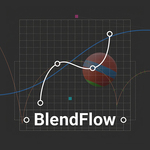
BlendFlow: Live Motion Path & Timing Curve Editor for Blender
Stop fighting the Graph Editor. Edit your animation trajectory and timing curves live, on-the-fly, and directly in the 3D Viewport.
For animators, spacing and timing are everything. But constantly jumping back and forth between the 3D Viewport and the Graph Editor breaks your creative flow.
BlendFlow solves this by bringing advanced, interactive animation controls directly to where you work. Adjust your motion paths and timing curves in real-time, getting instant visual feedback on speed and spacing.
---
Key Features
🎬 Live 3D Motion Path Editing
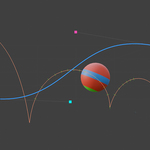
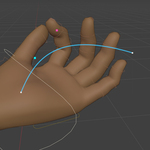
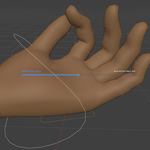
Refine your animation trajectories directly in the viewport.
Edit motion paths as interactive 3D curves.
Insert, delete, scale, and rotate keyframes directly on the path.
Jump to any frame instantly by clicking on a path point.
⏱️ On-the-Fly Timing & Easing Curves
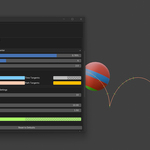
Control the flow of your animation with the interactive HUD Easing Editor
Adjust Cubic Bezier easing curves directly overlaying your 3D Viewport.
Features Auto-Mirror (symmetric tangents), overshoot controls, and adjustable easing strength.
Changes apply instantly, letting you feel the timing immediately.
📐 Real-Time Spacing & Velocity Guides
Never guess your spacing again.
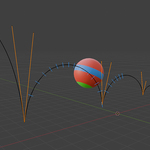
Interactive tick marks run along your motion path in the viewport.
Spacing marks adjust dynamically as you change your tangents or timing curves, showing you keyframe velocity in real-time.
Fully customizable colors, thickness, and playhead range.
🎛️ Interactive Tween HUD Slider
Need a quick ease-in or ease-out between keyframes?
Hotkey to summon a clean, floating tween slider.
Slide to blend between keyframe positions on-the-fly.
---
Why Choose BlendFlow?
Keep Your Eyes on the Animation: Refine both the spacing (how it moves) and the timing (when it moves) without ever looking at the Graph Editor.
Instant Feedback: Every tweak to your curves and paths updates in real-time. What you see is exactly what you get.
Non-Destructive & Clean: BlendFlow works on top of Blender's native keyframe system. It doesn’t clutter your scene with extra custom properties.
