Blendoptimizer
 Steven Seidler (Blendscapes3D)


# BlendOptimizer
**Shrink bloated `.blend` files with one click.** A Blender 4.2+ extension that finds and removes the things slowing your projects down: duplicate materials, orphan datablocks, unused images, empty collections, oversized textures.
## What it does
| Feature | What it does |
|---|---|
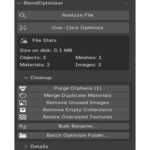
| **Analyze** | Scans the current file and reports size, datablock counts, orphans, oversized textures |
| **Merge Duplicate Materials** | Hash-based detection of materials with identical node setups — merges them safely (uses `user_remap`) |
| **Purge Orphans** | Recursively removes unused datablocks across all types |
| **Remove Unused Images** | Deletes image datablocks not referenced anywhere |
| **Remove Empty Collections** | Sweeps collections with no objects and no children |
| **Resize Oversized Textures** | Downscales images larger than your threshold |
| **Bulk Rename** | Regex-based rename across objects, materials, images, etc. |
| **One-Click Optimize** | Runs all safe operations in sequence, with auto-backup and HTML report |
| **Batch Processor** | Optimize an entire folder of `.blend` files via background Blender instances |
## Safety
- **Auto-backup** before any destructive operation (timestamped, in `_backups/` next to your file)
- **Undo support** for all operations (Ctrl+Z)
- **Dry-run mode** for material dedup, texture resize, and bulk rename
- Never touches datablocks marked `use_fake_user = True`
## Install
1. Download `BlendOptimizer-1.0.0.zip` from your Gumroad receipt
2. In Blender: **Edit → Preferences → Get Extensions → Drop Down (top-right) → Install from Disk**
3. Pick the `.zip`
4. Open any 3D Viewport → press **N** → click the **Optimize** tab
Requires **Blender 4.2 or later**. Tested through 5.1.
## Usage
### Single-file
1. Open your bloated `.blend`
2. N-Panel → **Optimize** tab → **Analyze File**
3. Click **One-Click Optimize** for the lazy path, or use the individual cleanup buttons
### Batch
1. Open a fresh Blender (recommended — close any unsaved work first)
2. N-Panel → **Optimize** → **Batch Optimize Folder...**
3. Pick a folder, choose options, hit OK
4. CSV report is written to the folder when done
## Configuration
**Edit → Preferences → Add-ons → BlendOptimizer**
- **Auto-Backup Before Cleanup** (default: ON)
- **Backup Folder** — leave empty for `_backups/` next to each file
- **Texture Size Threshold** — flag images larger than this (default 2048px)
- **Texture Resize Target** — what to resize to (default 2048px)
## Support
Email: [email protected]
## License
GPL-2.0-or-later. See `LICENSE`.
$7.49
Have questions about this product?
Login to message
| Blender Extension Compatible | Yes |
| Sales | 10+ |
| Published | 5 months ago |
| Blender Version | 4.2 - 5.1 |
| Extension Type | Add-on |
| Render Engine Used | Blender-Game-Engine |
| License | GPL |