Blendoptimizer
 Steven Seidler (Blendscapes3D)


Does it support headless / command-line use?
The Batch Optimize Folder operator runs via a background Blender subprocess — so yes, you can optimize hundreds of files
without opening Blender manually.
I accidentally purged something important. Can I recover it?
Yes — check the _backups/ folder next to your .blend file (or the custom backup location you set in preferences).
BlendOptimizer saved a copy before touching anything.
It didn't optimize as much as I expected — why?
Your file was probably already clean 🎉. Run Analyze File first — if orphan count is near zero and no textures are oversized,
there isn't much to compress. Try the Resize Oversized Textures operator with a lower target resolution for more aggressive
savings.
What's the license?
GPL-2.0-or-later (required for all Blender addons). This doesn't restrict how you use the results — you own everything you
produce with it.
Do I get free updates?
Yes. All future 1.x updates are included in your purchase.
Can I use this on commercial projects?
Yes, absolutely. Use it on any project — client work, asset packs, game assets, animations, whatever. There are no runtime
restrictions.
How much file size can I actually save?
Depends on the file. Typical results:
- Sculpt / photogrammetry scenes: 40–70% smaller
- Studio asset files with unused variants: 20–40% smaller
- Already-clean files: 5–10% (orphan buildup over time)
Will this change how my scene looks?
No. All operations are non-visual:
- Duplicate materials are merged (identical ones only — compared via hash)
- Textures resize to the target resolution you choose (default 2048)
- Orphans are unused data by definition — removing them can't change your render
Does it work on linked/referenced assets?
Yes. The orphan purge respects linked data (do_linked_ids, do_recursive) and won't break library overrides.
How is this different from Blender's built-in "Purge Orphans"?
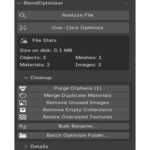
Blender's built-in purge only handles one piece of the puzzle. BlendOptimizer also:
- Merges duplicate materials (Material.001, Material.002 → single material)
- Resizes oversized textures to your target resolution
- Removes unused images from memory (not just orphans)
- Cleans empty collections
- Batch-processes entire folders of .blend files at once
- Gives you a full file analysis with size breakdown
Is it safe to run on my files? Will I lose data?
Yes, it's safe. BlendOptimizer automatically creates a timestamped .blend backup before any destructive operation (purging
orphans, removing images, resizing textures, etc.). You can disable auto-backup in preferences, but it's on by default. You
can also "Dry Run" most operations to preview changes.
Which Blender versions does this work with?
Blender 4.2 LTS and newer. Works on Windows, macOS, and Linux
$7.49
Have questions about this product?
Login to message
| Blender Extension Compatible | Yes |
| Sales | 10+ |
| Published | 5 months ago |
| Blender Version | 4.2 - 5.1 |
| Extension Type | Add-on |
| Render Engine Used | Blender-Game-Engine |
| License | GPL |