The Modular Environment Kit Foundry for Blender · v1.0.0
Blockstart is the tool you open before you model anything. It sets up your scene for your game engine, plans your kit's measurements, generates starter blockout pieces, and builds grid-perfect modular stairs with collision — so every module you make snaps together in engine on the first try.
This guide walks you through everything in v0.1: installation, your first kit, the Stair Lab, and keeping your kit disciplined.
1. Installation
- Open Blender 4.2 or newer.
- Go to Edit → Preferences → Add-ons.
- Click the dropdown arrow (top-right) → Install from Disk…
- Select
blockstart_v1.0.0.zip (do not unzip it first).
- Enable the checkbox next to Blockstart.
- In the 3D Viewport, press N to open the sidebar. You'll see a new Blockstart tab with three sections: Kit Genesis, Stair Lab, and Kit Discipline.
Updating: to install a newer build, remove the old version first (Preferences → Add-ons → Blockstart → Remove), then install the new zip.
2. Five-Minute Quickstart
The fastest path from empty scene to a walkable modular staircase:
- Open the Blockstart N-panel → Kit Genesis.
- Set Kit Name (e.g.
Warehouse) and pick your Engine.
- Click Generate / Update Kit Pieces — one button, whole kit.
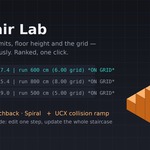
- Open Stair Lab → click Generate Stairs (it joins the end of the row).
- Play with Type (Straight / L / U / Spiral) and the Solution dropdown right in the panel, then generate again.
That's it — starter modules on a clean row, live-updating from the sliders, plus a legal, comfortable, grid-locked staircase with a collision ramp.
 KacaDev