Q: Does it work with my engine?
Q: Does it use geometry nodes?
A: No - pure mesh generation. Nothing breaks when Blender's node system changes, and the output is editable everywhere.
Q: Can I edit the generated pieces?
Q: Can I edit the generated pieces?
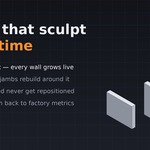
A: Everything is a plain mesh. Move pieces anywhere (Blockstart never repositions a piece you've moved), duplicate them into final art, or edit them directly. Note that regenerating rebuilds starter-piece geometry, so do final detailing on copies.
Q: Does it use geometry nodes?
A: No - pure mesh generation. Nothing breaks when Blender's node system changes, and the output is editable everywhere.
Q: Do I need to know Blender's redo panel (F9)?
Q: Which Blender versions are supported?
Q: Do I need to know Blender's redo panel (F9)?
A: No. Every control lives directly in the panel - stair type, solver solutions, widths, profiles, all of it.
Q: Do I need to know Blender's redo panel (F9)?
A: No. Every control lives directly in the panel - stair type, solver solutions, widths, profiles, all of it.
Q: Which Blender versions are supported?
A: Blender 4.2 LTS and newer, including the 5.x series.
Q: Which Blender versions are supported?
A: Blender 4.2 LTS and newer, including the 5.x series.
Q: Which Blender versions are supported?
A: Blender 4.2 LTS and newer, including the 5.x series.
Q: Can I edit the generated pieces?
A: Everything is a plain mesh. Move pieces anywhere (Blockstart never repositions a piece you've moved), duplicate them into final art, or edit them directly. Note that regenerating rebuilds starter-piece geometry, so do final detailing on copies.
Q: Can I edit the generated pieces?
A: Everything is a plain mesh. Move pieces anywhere (Blockstart never repositions a piece you've moved), duplicate them into final art, or edit them directly. Note that regenerating rebuilds starter-piece geometry, so do final detailing on copies.
Q: Will it change my scene or preferences?
A: No. Blockstart never modifies scene settings. The one exception is the clearly-labeled "Apply Engine Units to Scene" button, which does exactly what it says, only when you click it.
Q: Will it change my scene or preferences?
A: No. Blockstart never modifies scene settings. The one exception is the clearly-labeled "Apply Engine Units to Scene" button, which does exactly what it says, only when you click it.
Q: Will it change my scene or preferences?
A: No. Blockstart never modifies scene settings. The one exception is the clearly-labeled "Apply Engine Units to Scene" button, which does exactly what it says, only when you click it.
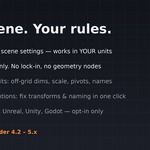
Q: Does it work with my engine?
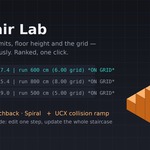
A: Yes - output is standard meshes. Presets exist for Unreal, Unity, and Godot conventions, but nothing is engine-locked. Collision ramps use the UCX_ naming convention Unreal auto-imports; Unity/Godot users can use or delete them.
Q: Do I need to know Blender's redo panel (F9)?
A: No. Every control lives directly in the panel - stair type, solver solutions, widths, profiles, all of it.
Q: Do I need to know Blender's redo panel (F9)?
A: No. Every control lives directly in the panel - stair type, solver solutions, widths, profiles, all of it.
Q: Can I edit the generated pieces?
A: Everything is a plain mesh. Move pieces anywhere (Blockstart never repositions a piece you've moved), duplicate them into final art, or edit them directly. Note that regenerating rebuilds starter-piece geometry, so do final detailing on copies.
Q: Will it change my scene or preferences?
A: No. Blockstart never modifies scene settings. The one exception is the clearly-labeled "Apply Engine Units to Scene" button, which does exactly what it says, only when you click it.
Q: Does it work with my engine?
A: Yes - output is standard meshes. Presets exist for Unreal, Unity, and Godot conventions, but nothing is engine-locked. Collision ramps use the UCX_ naming convention Unreal auto-imports; Unity/Godot users can use or delete them.
Q: Does it work with my engine?
A: Yes - output is standard meshes. Presets exist for Unreal, Unity, and Godot conventions, but nothing is engine-locked. Collision ramps use the UCX_ naming convention Unreal auto-imports; Unity/Godot users can use or delete them.
Q: Does it work with my engine?
A: Yes - output is standard meshes. Presets exist for Unreal, Unity, and Godot conventions, but nothing is engine-locked. Collision ramps use the UCX_ naming convention Unreal auto-imports; Unity/Godot users can use or delete them.
Q: Do I need to know Blender's redo panel (F9)?
A: No. Every control lives directly in the panel - stair type, solver solutions, widths, profiles, all of it.
Q: Will it change my scene or preferences?
A: No. Blockstart never modifies scene settings. The one exception is the clearly-labeled "Apply Engine Units to Scene" button, which does exactly what it says, only when you click it.
Q: Can I edit the generated pieces?
A: Everything is a plain mesh. Move pieces anywhere (Blockstart never repositions a piece you've moved), duplicate them into final art, or edit them directly. Note that regenerating rebuilds starter-piece geometry, so do final detailing on copies.
Q: Can I edit the generated pieces?
A: Everything is a plain mesh. Move pieces anywhere (Blockstart never repositions a piece you've moved), duplicate them into final art, or edit them directly. Note that regenerating rebuilds starter-piece geometry, so do final detailing on copies.
Q: Does it work with my engine?
A: Yes - output is standard meshes. Presets exist for Unreal, Unity, and Godot conventions, but nothing is engine-locked. Collision ramps use the UCX_ naming convention Unreal auto-imports; Unity/Godot users can use or delete them.
Q: Does it work with my engine?
A: Yes - output is standard meshes. Presets exist for Unreal, Unity, and Godot conventions, but nothing is engine-locked. Collision ramps use the UCX_ naming convention Unreal auto-imports; Unity/Godot users can use or delete them.
Q: Can I edit the generated pieces?
A: Everything is a plain mesh. Move pieces anywhere (Blockstart never repositions a piece you've moved), duplicate them into final art, or edit them directly. Note that regenerating rebuilds starter-piece geometry, so do final detailing on copies.
Q: Will it change my scene or preferences?
A: No. Blockstart never modifies scene settings. The one exception is the clearly-labeled "Apply Engine Units to Scene" button, which does exactly what it says, only when you click it.
Q: Does it work with my engine?
A: Yes - output is standard meshes. Presets exist for Unreal, Unity, and Godot conventions, but nothing is engine-locked. Collision ramps use the UCX_ naming convention Unreal auto-imports; Unity/Godot users can use or delete them.
Q: Will it change my scene or preferences?
A: No. Blockstart never modifies scene settings. The one exception is the clearly-labeled "Apply Engine Units to Scene" button, which does exactly what it says, only when you click it.
Q: Will it change my scene or preferences?
A: No. Blockstart never modifies scene settings. The one exception is the clearly-labeled "Apply Engine Units to Scene" button, which does exactly what it says, only when you click it.
Q: Will it change my scene or preferences?
A: No. Blockstart never modifies scene settings. The one exception is the clearly-labeled "Apply Engine Units to Scene" button, which does exactly what it says, only when you click it.
Q: Does it work with my engine?
A: Yes - output is standard meshes. Presets exist for Unreal, Unity, and Godot conventions, but nothing is engine-locked. Collision ramps use the UCX_ naming convention Unreal auto-imports; Unity/Godot users can use or delete them.
Q: Does it work with my engine?
A: Yes - output is standard meshes. Presets exist for Unreal, Unity, and Godot conventions, but nothing is engine-locked. Collision ramps use the UCX_ naming convention Unreal auto-imports; Unity/Godot users can use or delete them.
Q: Does it work with my engine?
A: Yes - output is standard meshes. Presets exist for Unreal, Unity, and Godot conventions, but nothing is engine-locked. Collision ramps use the UCX_ naming convention Unreal auto-imports; Unity/Godot users can use or delete them.
 KacaDev