 Budo3D


📘 Blueprint Importer – INFO & FAQ
Addon Name: Blueprint Importer
Version: 1.0.2
Blender Version: 4.4+
🔹 What is Blueprint Importer?
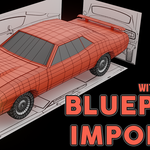
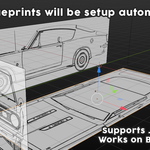
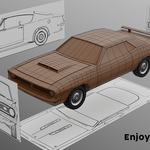
Blueprint Importer is a Blender addon designed to speed up and simplify the process of setting up reference images in the 3D Viewport based on common blueprint naming conventions. Instead of manually positioning and rotating image empties for each view (front, side, top, etc.), this addon does it all automatically.
It’s ideal for artists working on modeling vehicles, architecture, or mechanical assets using technical drawings or image-based blueprints.
🔹 How does it work?
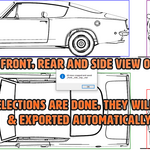
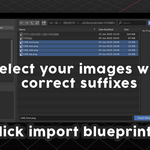
The addon scans the selected image files and identifies their orientation by detecting specific suffixes in their filenames, such as _front, _side, _top, _rear, etc.
Each recognized image is imported as an image empty and automatically:
-
Rotated correctly in 3D space
-
Positioned in logical 3D coordinates
-
Aligned for modeling reference
-
Organized in a new collection for convenience
🔹 Supported Suffixes
To be correctly imported, filenames must include one of the following suffixes:
For example:
-
car_front.png -
tank_side.jpg -
jet_top.jpeg
🔹 Installation
-
Download the ZIP file of the addon (do not unzip).
-
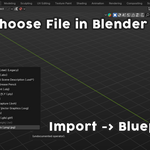
In Blender, go to Edit > Preferences > Add-ons.
-
Click Install, select the ZIP, and enable the addon.
-
Find it in the 3D Viewport > Sidebar > Blueprint Importer tab.
🔹 FAQ
Q: The images aren't showing up – what's wrong?
A: Make sure you're importing supported image types (.png, .jpg, .jpeg) and that filenames include a valid suffix like _front or _side.
Q: Some images are rotated incorrectly.
A: Ensure suffixes are correct and spelled as expected. If needed, you can adjust rotations manually after import.
Q: Can I use it with a single image?
A: Yes. Even if you import just one image, it will still be placed and oriented based on the filename.
Q: Will it change the image scale?
A: No, the addon respects original image dimensions. You can adjust the size manually using the Empty's scale.
Q: Can I reposition the images later?
A: Absolutely. The images are standard image empties and fully editable.
Q: Does it support collections or naming conventions?
A: All imported images are placed in a new collection named Blueprint_Images for easy visibility and cleanup.
🧰 Tips
-
Rename your blueprint files before importing to include view suffixes.
-
Use multiple image sets in different collections for separate objects or references.
Have questions about this product?
Login to message
