 Mohamed Targam


Keep Your References
Inside Blender.
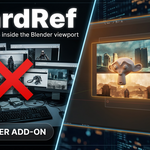
A focused reference-board workflow built directly into Blender’s 3D Viewport. Organize images and notes beside your work without constantly switching applications.
BoardRef Has Evolved.
What began as a simple early release has grown into a more complete and refined reference workflow for Blender. Version 1.1 brings a redesigned interface, independent boards, saved project layouts, better image organization, and more precise control—all while keeping the original workflow fast and easy to use.
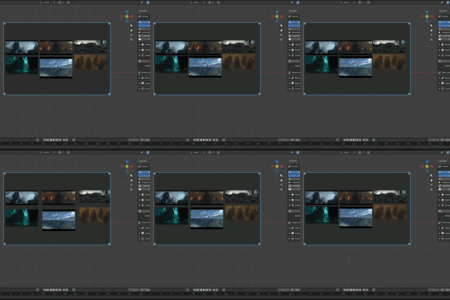
One workspace. Up to four independent boards.
Build separate boards for concepts, materials, characters, environments, or any other part of your project. Every board keeps its own images, notes, appearance, layout settings, visibility, and position.
Organize without clutter
Create up to four boards, switch between them quickly, and hide individual boards without deleting their contents.
Continue exactly where you stopped
Boards, notes, layouts, visibility, colors, and image links are restored with your saved Blender project.
No duplicate overlays
Choose exactly which 3D Viewport displays BoardRef with the dedicated Show in This Viewport control.
Edit only what you select
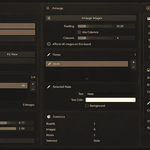
Apply Arrange, Padding, and Columns to selected images only, or to the complete active board when nothing is selected.
Keep project references together
Copy every board image into a BoardRef_Images folder beside the Blend file and keep the links portable with relative paths.
Plan beside your artwork
Add clear notes, move and scale images freely, zoom and pan inside the board, then disable interaction to lock the layout.
Built to stay out of the way.
Load your references, arrange the board, add notes, and lock interaction when you are ready to focus. BoardRef keeps the workflow close without turning the viewport into another complicated editor.
Useful across the full Blender workflow.
Modeling • Sculpting • Texturing • Look Development
Environment Art • Character Work • Visual Planning
References where the work happens.
BoardRef brings images, notes, and project organization directly into the 3D Viewport while keeping the interface focused, compact, and easy to control.