 SkyVFX







Body Tracker: documentation (v0.5 Early Access)
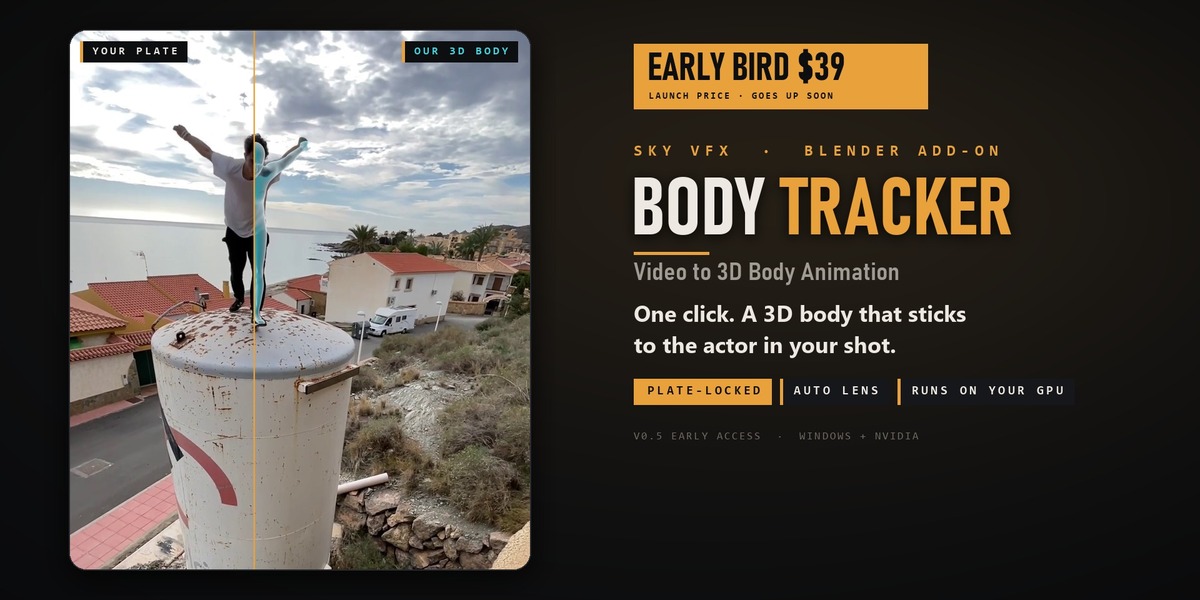
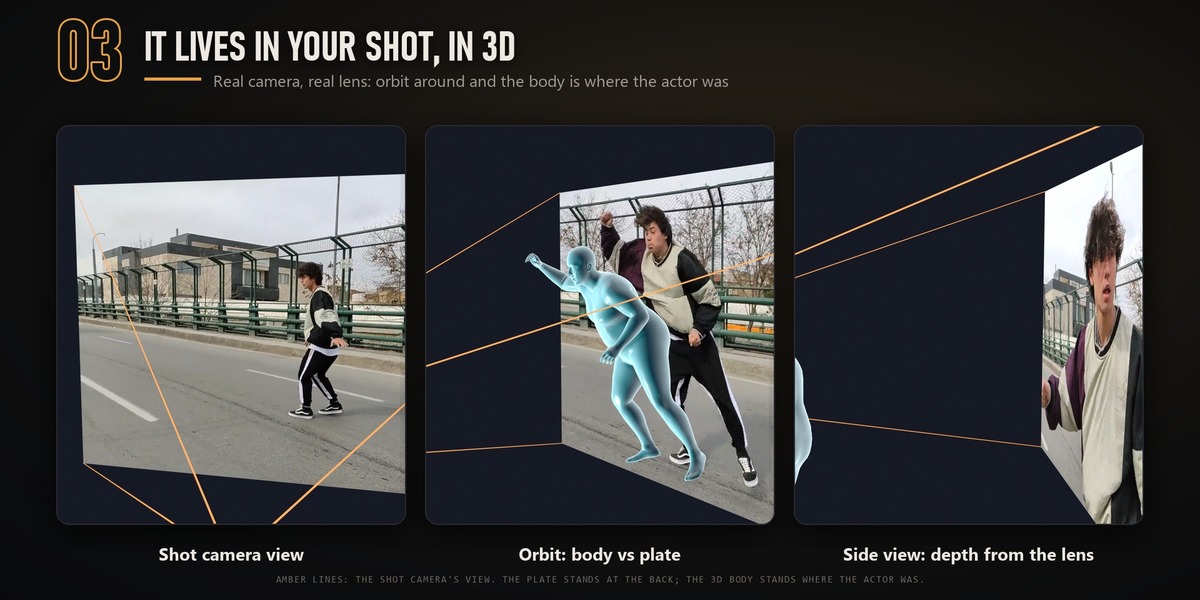
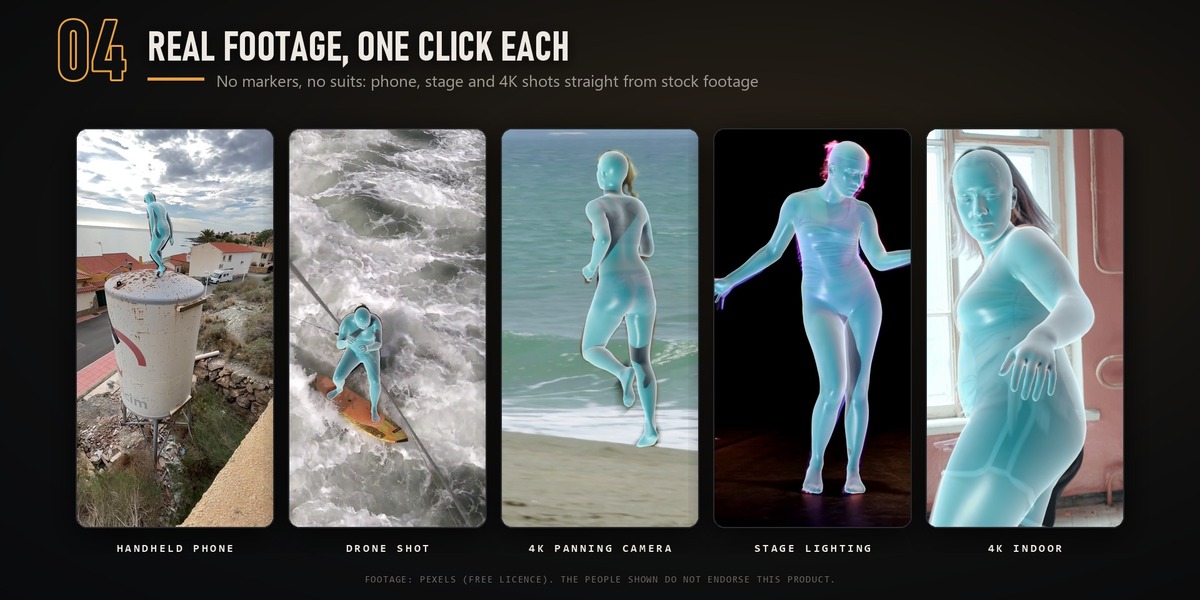
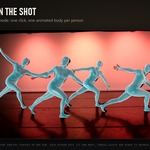
Body Tracker has two parts:- A local engine. It does the AI work on your NVIDIA GPU.- The add-on. It sends a shot to the engine and imports the result into your scene.
Nothing is uploaded anywhere.
Requirements
- Windows 10 or 11, 64-bit.
- NVIDIA RTX GPU with 8 GB of memory or more and a current driver (570 or newer). Tested from an RTX 3060 Ti 8 GB up; RTX 20-series cards are untested.
- 16 GB of RAM is enough (tested).
- About 15 GB of free disk space, and an internet connection for the first install.
- Blender 4.2 or newer. Tested on 4.2 LTS, 4.4, 4.5, 5.0 and 5.2. A portable (zip) Blender works too: the installer asks for its path.
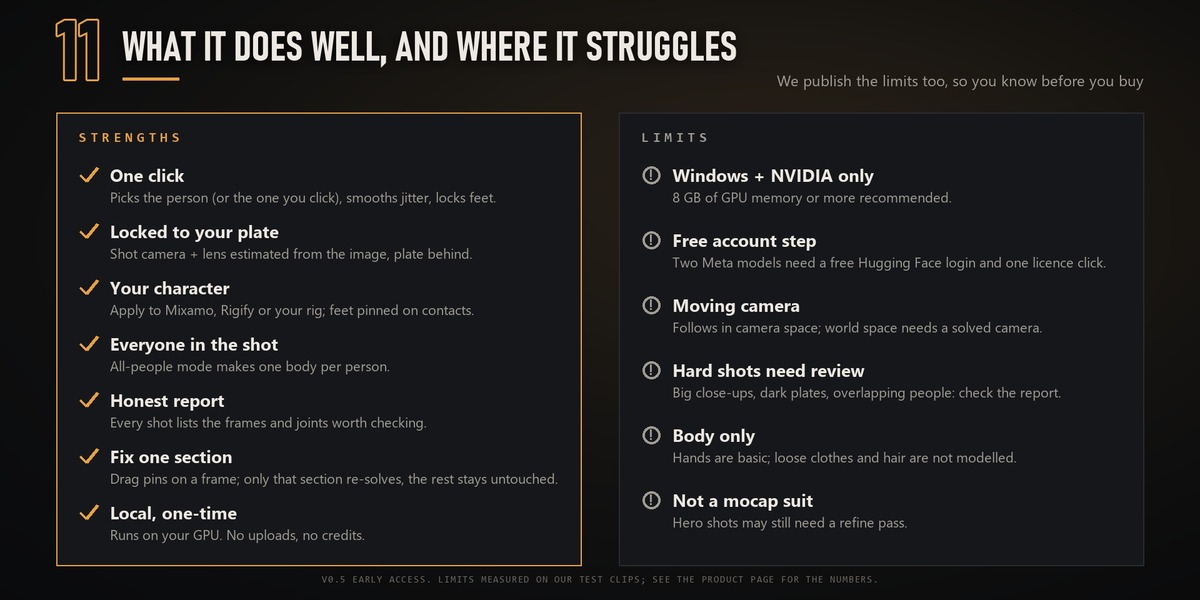
- A free Hugging Face account. You must accept Meta's SAM License for two models (SAM 3D Body and SAM 3), a one-time click on their Hugging Face pages.
Tested PCs (same 481-frame shot, one click)
| GPU | VRAM | RAM | CPU | Time |
|---|---|---|---|---|
| RTX 3060 Ti | 8 GB | 16 GB | Intel Core i5-9400F | 13:35 |
| RTX 4070 | 12 GB | 64 GB | AMD Ryzen 7 3800X | 13:31 |
| RTX 5070 Ti | 16 GB | 128 GB | AMD Ryzen 9 7950X | 12:42 |
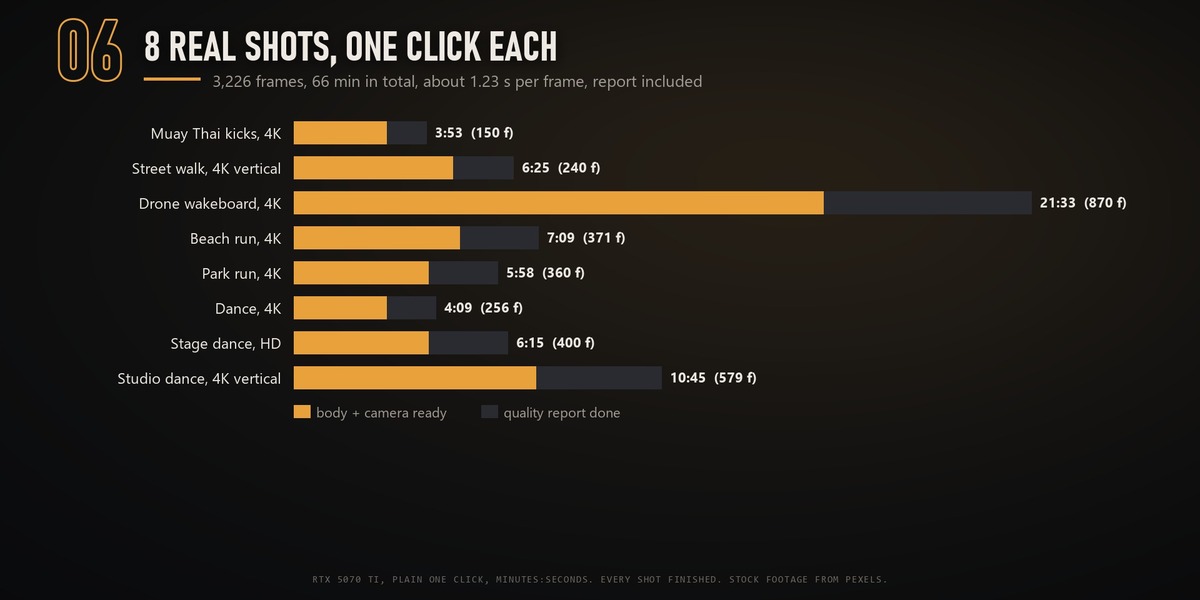
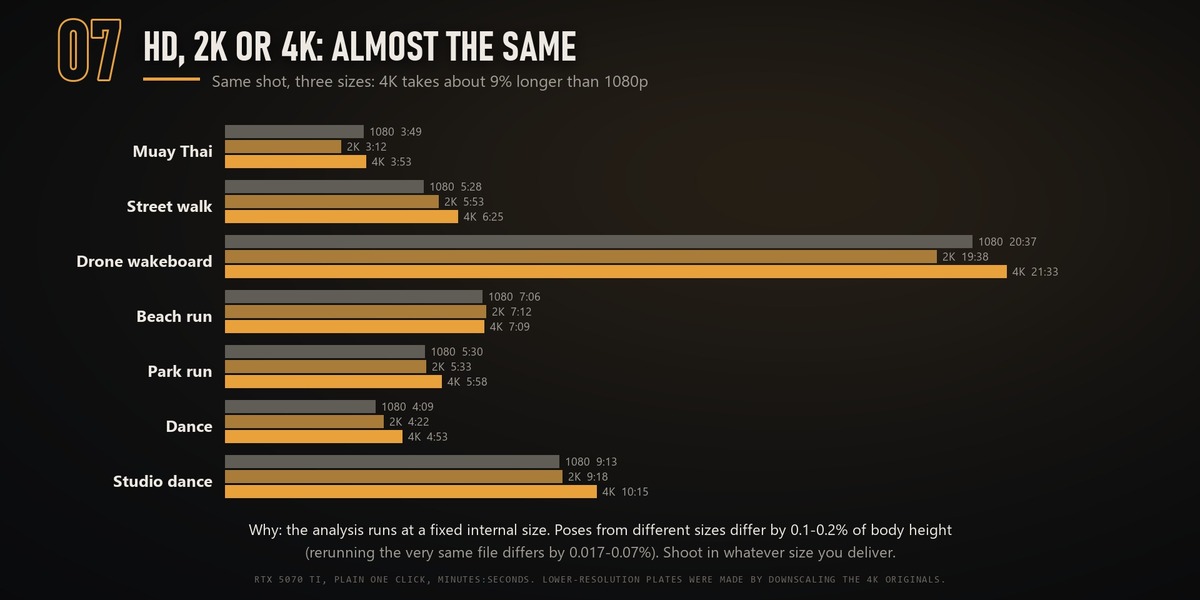
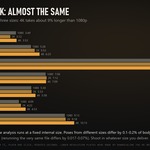
All three gave the same result. Plan on about 1.2 seconds per frame (0.9–1.6 over 8 real shots): a 10-second shot takes about 5 minutes. HD, 2K and 4K plates take about the same time (4K about 9% longer).
Install (about 20 minutes, mostly download)
Download BodyTracker_Engine_v0.5.3.zip. It has everything, including the add-on. The second file, s_track_rotomate-0.5.3.zip, is the same add-on on its own (its file name comes from the add-on's internal id); you only need it to reinstall the add-on by hand.
- Unzip
BodyTracker_Engine_v0.5.3.zipanywhere, on any drive. The folder path must be 80 characters or fewer (a Windows limit for the Python libraries), for exampleC:\BodyTracker_Engine_v0.5.3orD:\Tools\BodyTracker. - Used Extract All in Downloads? That makes a path that is too long (the folder name twice). Run Install.cmd anyway: it offers to copy the engine to a short folder. Press Enter for
C:\BodyTracker_Engine_v0.5.3, or type a folder on another drive. - Spaces are fine; use English letters and digits only (a Thai or other non-English folder name breaks PyTorch). The installer checks this too.
- With your Hugging Face account, open both pages below and press Agree and access (same account for both):
- huggingface.co/facebook/sam-3d-body-vith
- huggingface.co/facebook/sam3
- Double-click Install.cmd. When it asks how to log in to Hugging Face, press Enter (Log in with your browser), open the link it shows and press Authorize. You can also choose Paste an access token and paste a Read token from huggingface.co/settings/tokens. If it says no answer from huggingface.co, press Enter to try again with a new code. The installer:
- checks your GPU
- installs Python packages
- downloads the models
- runs a self-test and a one-minute test shot
- can install the add-on for you
- Open Edit › Preferences › Add-ons › Body Tracker and set Engine folder to the folder from step 1. The installer copied the path to your clipboard.
Running the installer again is safe: it skips the steps that are already done. If a step fails, the window says what to fix, and the full log is in install\install.log.
Every download (Python packages, source archives, model weights, uv) is checked against a SHA-256 stored in the engine folder before it is used. Everything the installer makes stays in the engine folder, except:- your Hugging Face login and the SAM 3 model in the Hugging Face cache (%USERPROFILE%\.cache\huggingface);- the Blender add-on, if you let the installer add it.
Nothing is added to PATH, the registry or startup. Small C: drive? Set a user environment variable HF_HOME to a folder on another drive before installing, and the Hugging Face login and SAM 3 model go there. See README_INSTALL.md in the engine folder for the details.
Uninstall
- Double-click Uninstall.cmd in the engine folder. It stops the engine and asks before it removes the add-on, deletes the SAM 3 cache and logs you out of Hugging Face.
- Delete the engine folder.
One click
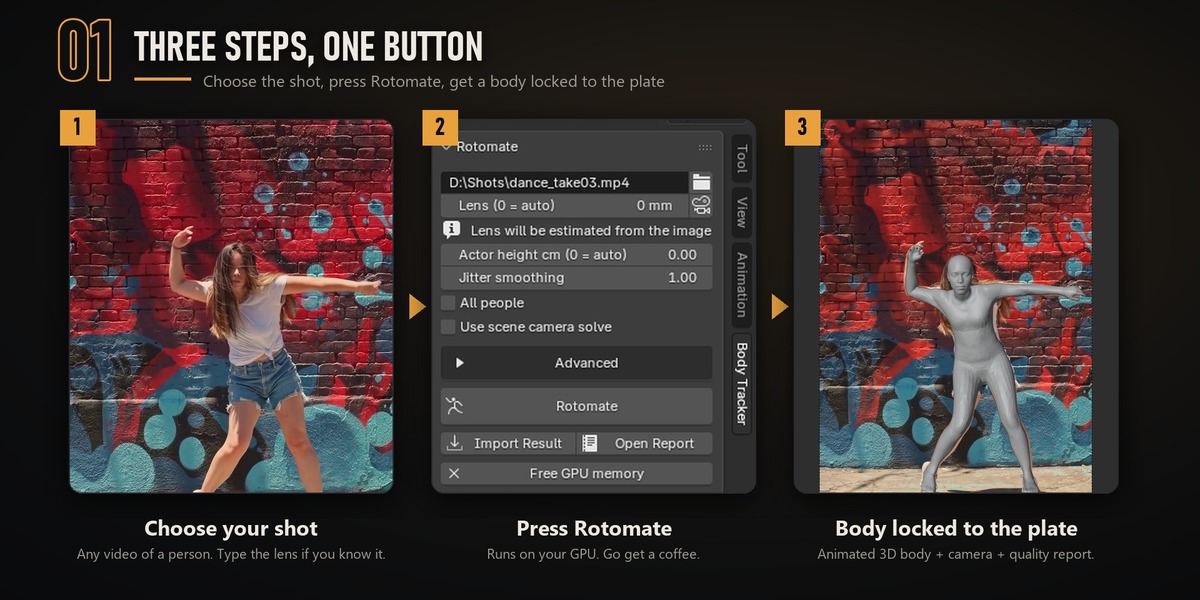
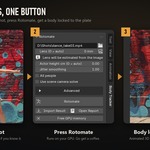
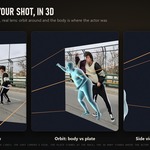
Open the 3D Viewport side panel (N) › Body Tracker tab.1. Plate: choose the video (mp4, mov, avi or mkv).2. Lens: leave it at 0 to estimate the lens from the image, or type your real lens in mm (36 mm sensor width).3. Press Rotomate. When it finishes, the result is imported: - an animated body mesh - a camera with the plate as its background - a quality report
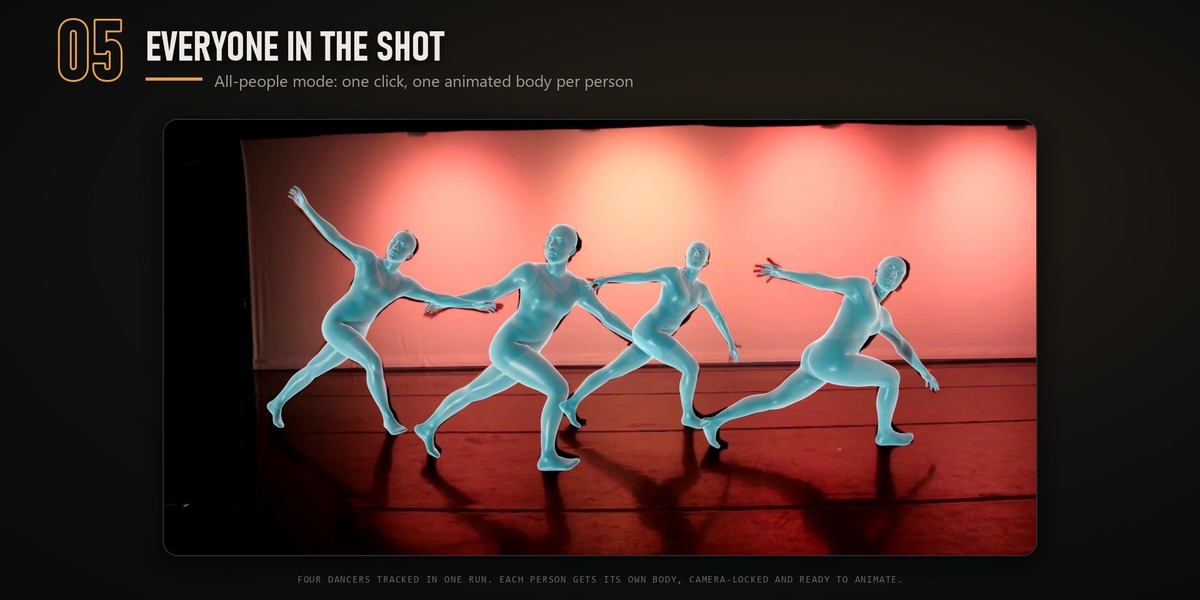
Options in the panel- All people: one body per prominent person.- Actor height: leave it at 0 (auto).- Use scene camera solve: if you tracked the camera already (e.g. a SynthEyes solve imported into your scene), the engine uses its lens and attaches the body to it.
The Advanced section holds options you normally never need:- skin lock (less sliding on visible skin, about +1 s per frame)- hands- smoothing- foot lock- rig + FBX export
Read the report
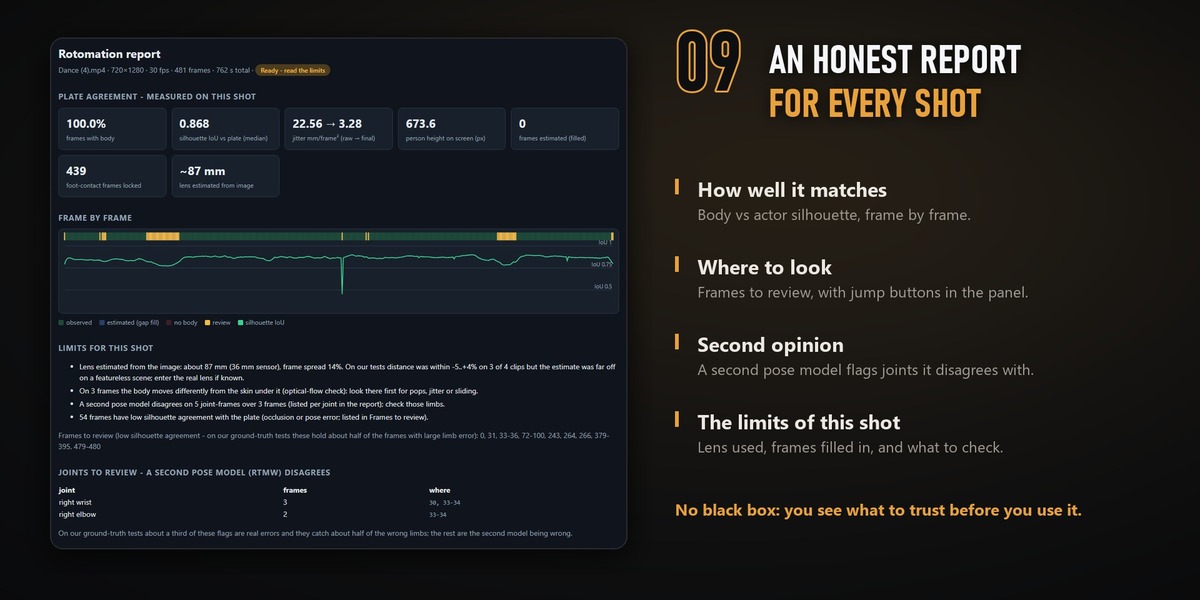
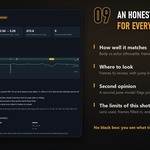
Open Report shows:- how well the body matches the actor's silhouette, frame by frame- the frames worth reviewing- the joints a second pose model disagrees with- the limits of this shot, such as the lens estimate and frames filled in
Jump buttons take you to those frames.
Fix a section
- Go to a frame and drag pins onto joints that are off.
- Run Refine. Only the section around your pins re-solves; the rest of the shot stays exactly as it was.
- Clear restores a section.
Apply to Character
- Import your character, for example a Mixamo FBX, Rigify or a custom humanoid rig.
- Pick its armature in Apply to character and press Apply to Character.
What it does:- It keys a new action and keeps the old one.- It keeps the joint angles of the solve.- It keeps the hips on the plate.- It pins planted feet with IK.
Bone names are detected automatically (Mixamo, Rigify or common names). A custom mapping file can be set in Advanced.
The character's proportions differ from the actor's. Hips and feet stay on the plate; arms and shoulders follow the actor's angles.
GPU busy?
- If another app holds most of the GPU memory, the add-on warns you before starting.
- The person-identity step may then be skipped, and in that case some people can be missed.
- Close the other app, or press Free GPU memory, then use Retry people (SAM 3).
Tips for the best result
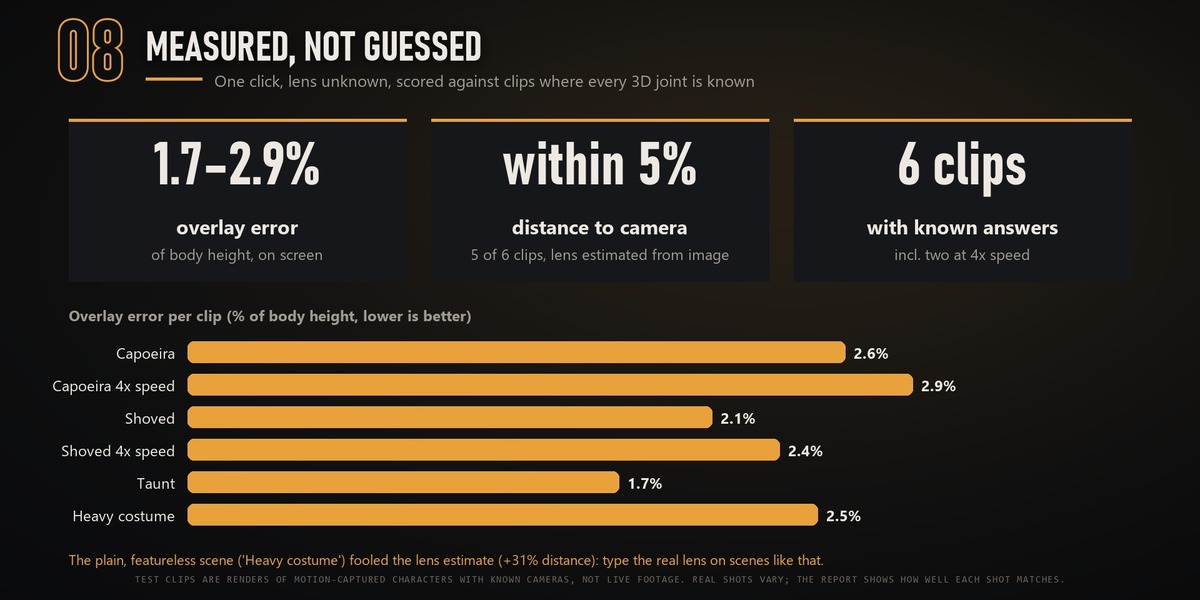
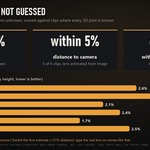
- Lens: type the real lens if you know it. That gives the best distance to camera.
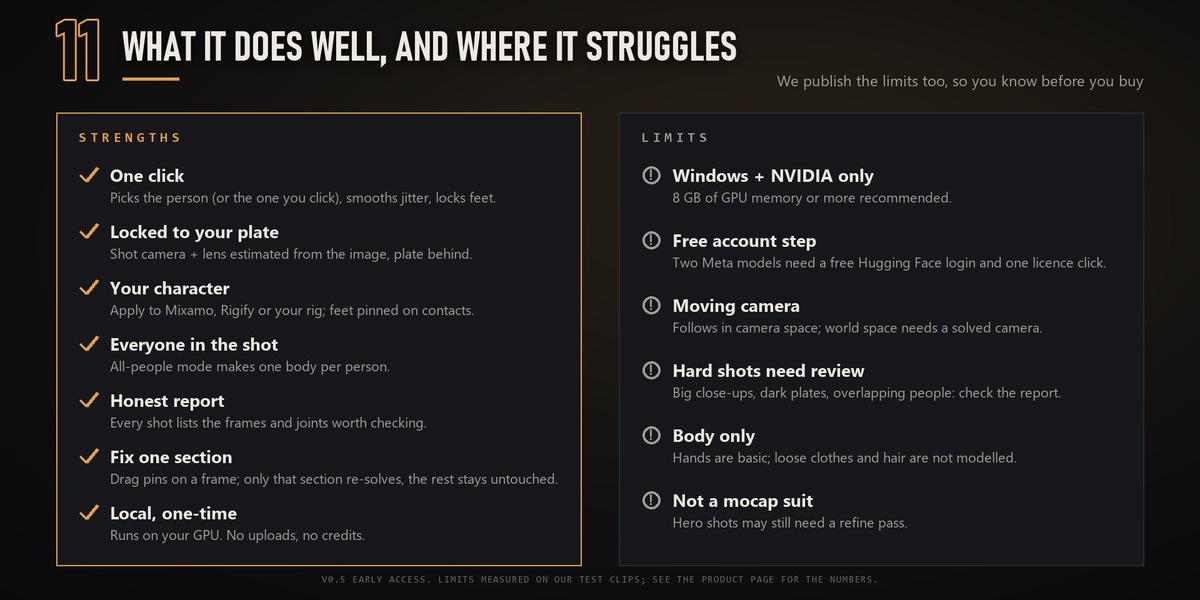
- Framing: whole-body or three-quarter shots work best. Big close-ups and very dark plates need more review.
- Moving camera: the body follows in camera space. For a body in world space, attach a solved camera.
Getting help
Send a message from your Superhive inbox (Messages, or Contact Creator on this page) and attach install\install.log from the engine folder, or the engine log in the shot's output folder. We answer within 3 business days (12-month Support Period, included with your purchase).
Licences
- Add-on: GPL.
- Models: the Meta models are downloaded by you under the SAM License, which allows commercial use.
-
Third-party components: see
THIRD_PARTY_NOTICES.mdin the engine folder.
Video walkthrough
 Included
Includes 12 months of
- Support from SkyVFX
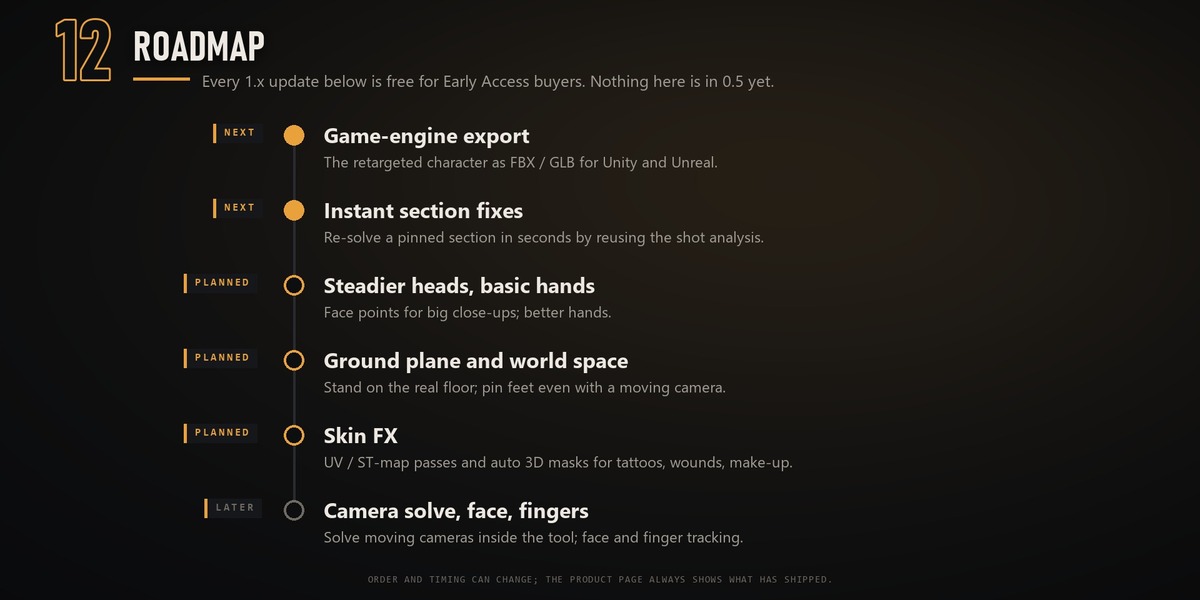
- Product updates
Extend this product’s Support Period +12 months: 25% of product price
Have questions before purchasing?
Login to message
| Blender Extension Compatible | Yes |
| Dev Fund Contributor | |
| Published | about 22 hours ago |
| Blender Version | 4.2 - 5.2 |
| Extension Type | Add-on |
| License | GPL |
Discover more products like this
ai retarget VFX video to 3d body tracking matchmove mocap mixamo rotomation motion capture Camera Tracking animation