 SkyVFX


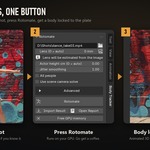



Is it really one click?
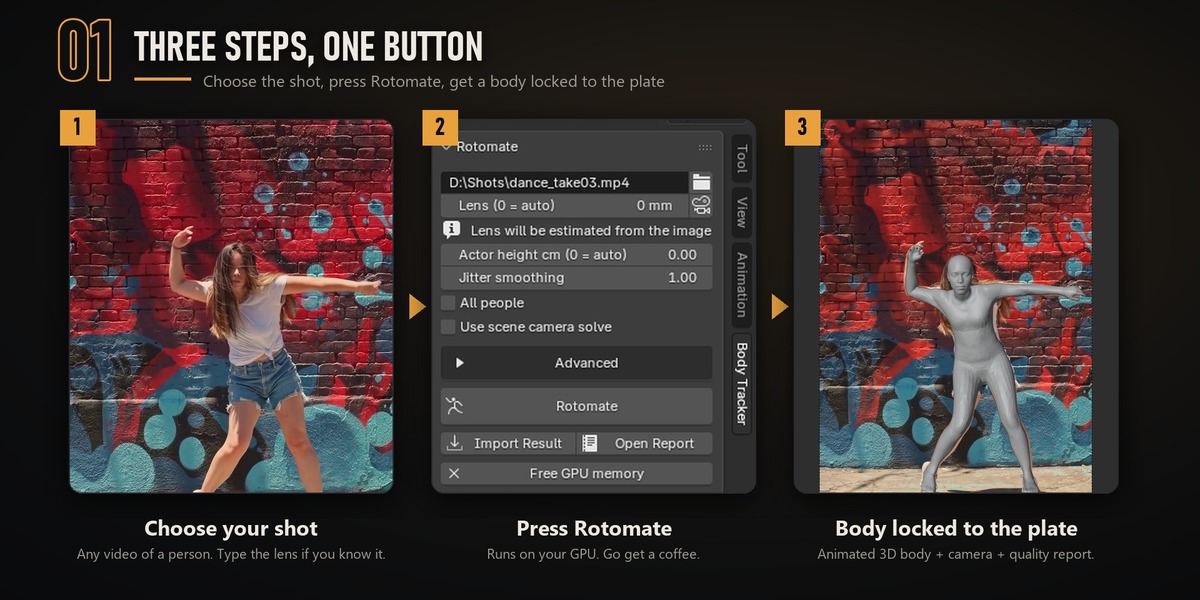
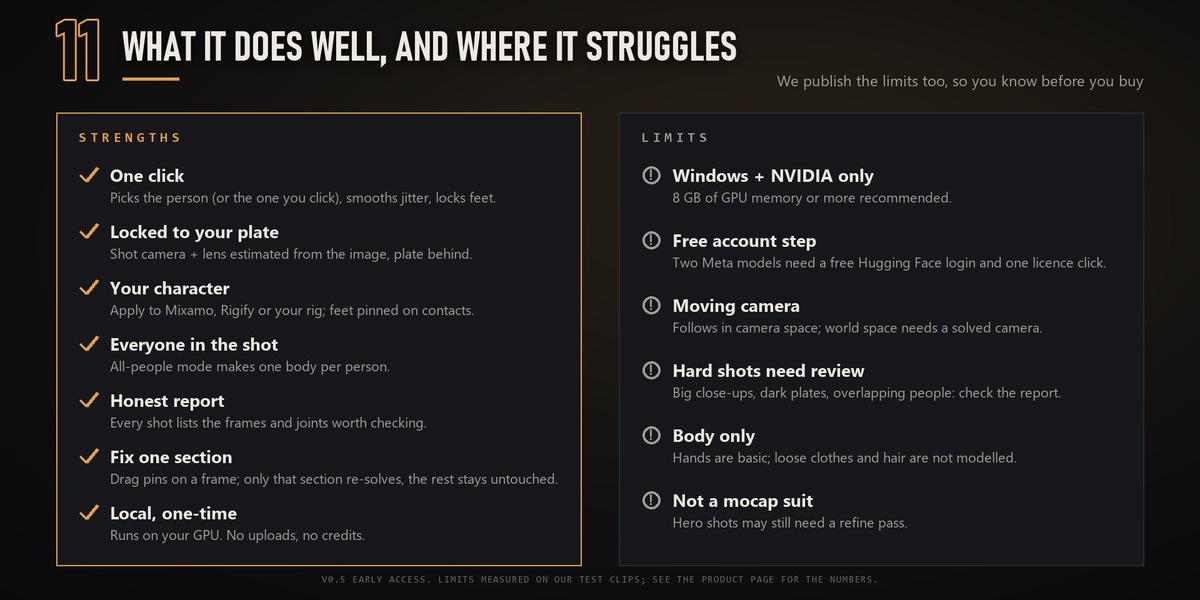
Yes. Choose the plate and press Rotomate. Lens, person selection, smoothing, foot lock and the quality report are automatic. The Advanced options are there if you want them.
How do I get help?
Send a message from your Superhive inbox (Messages, or Contact Creator on this page) and attach `install\install.log` from the engine folder, or the engine log in the shot's output folder. We answer within 3 business days (12-month Support Period, included with your purchase).
How is this different from AI mocap add-ons?
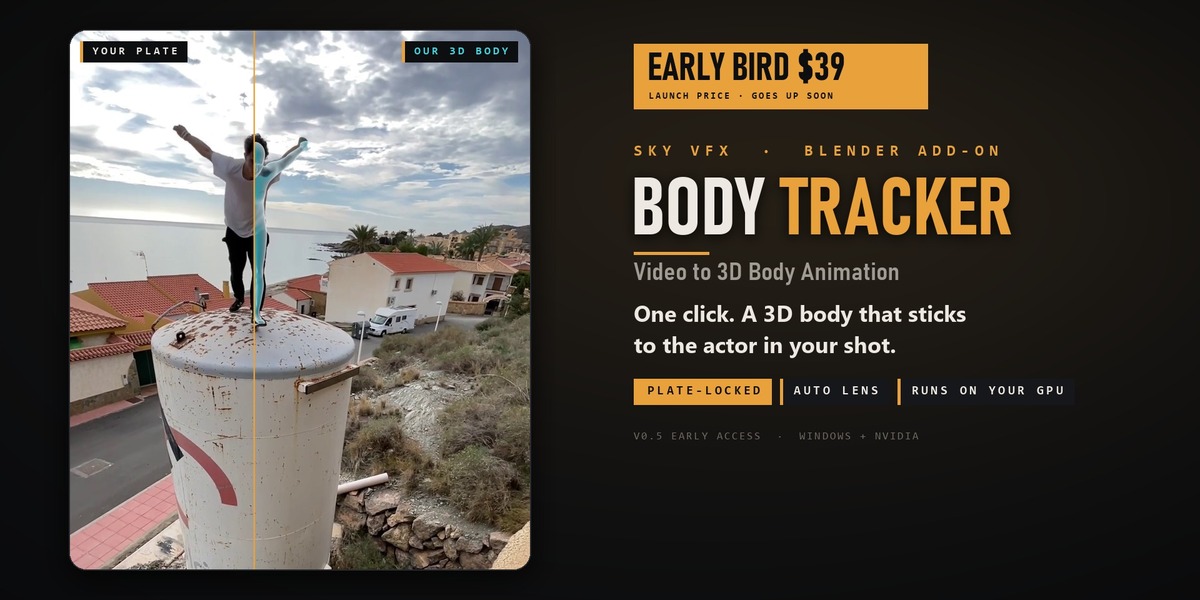
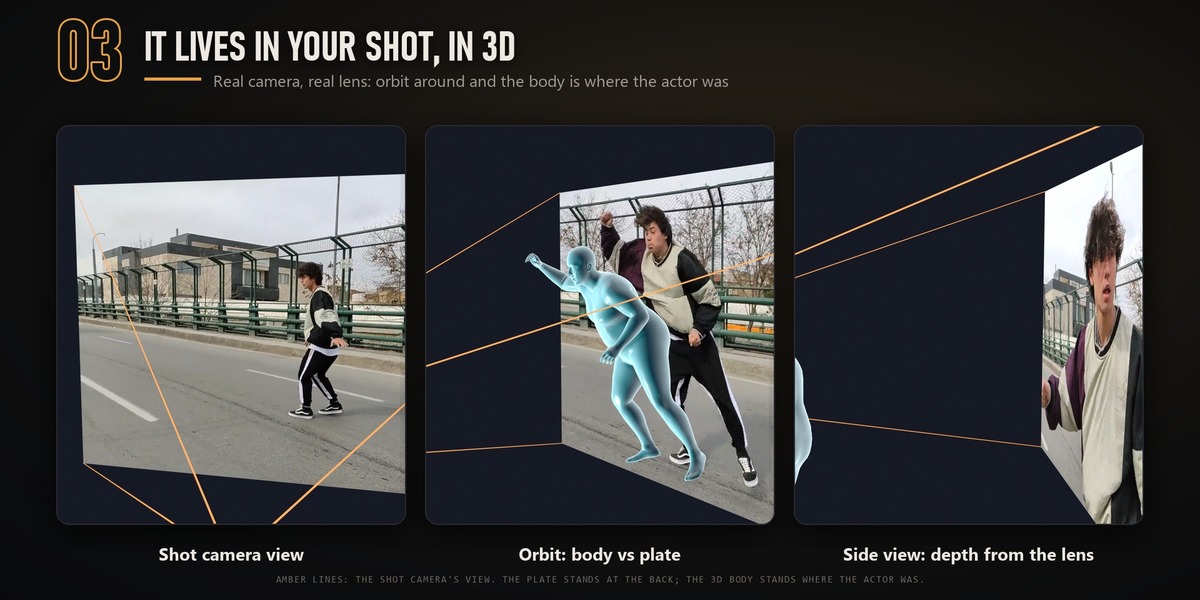
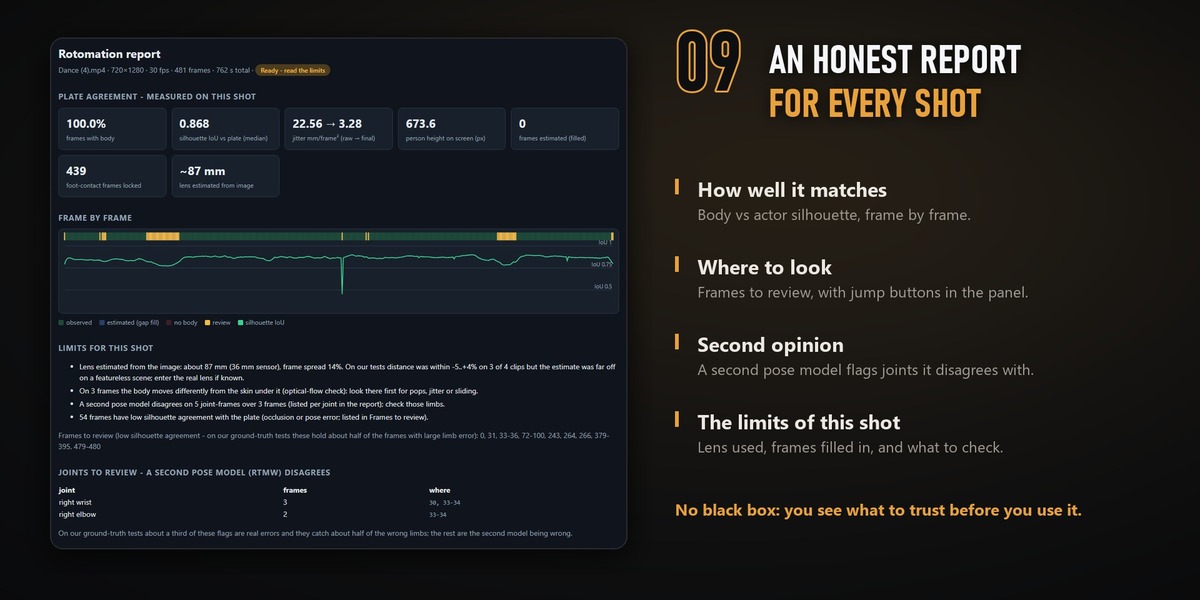
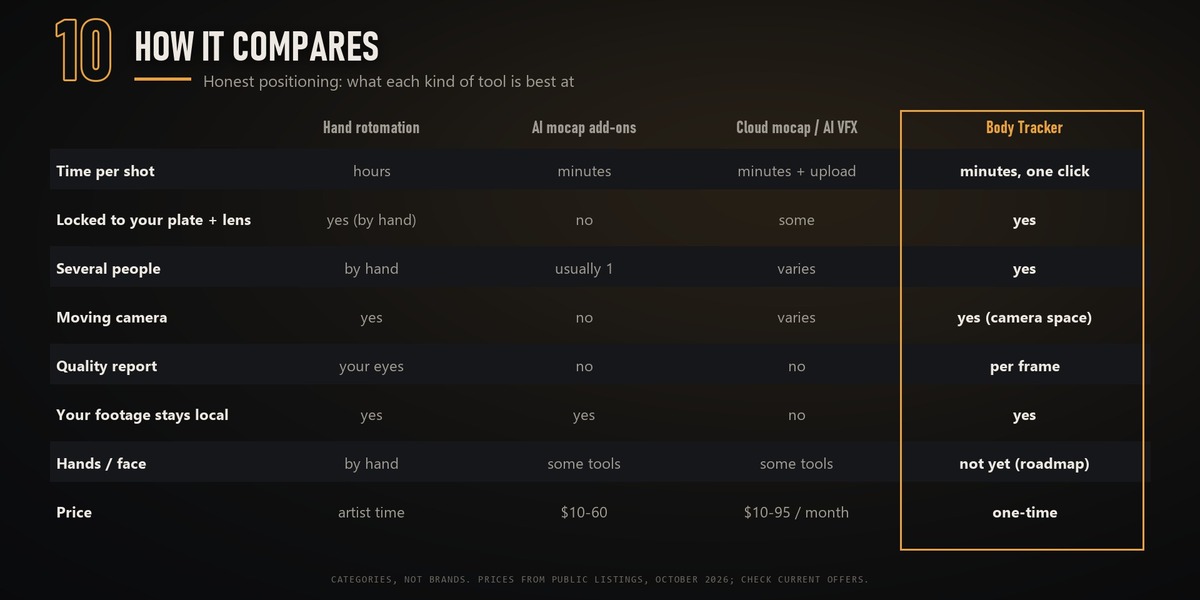
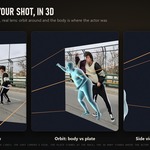
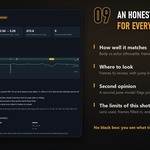
Mocap gives you a motion in its own space. Body Tracker solves the body in your shot camera with the plate behind it, so it lines up with the actor, and it tells you how well it matches. You can use it for VFX work: shadows, holdouts, CG costumes.
Does my footage leave my computer?
No. Everything runs on your own GPU. The only downloads are the models at install time.
What does the installer change, and how do I remove it?
Almost everything stays inside the engine folder you choose (any drive). Outside it: your Hugging Face login and the SAM 3 model in the Hugging Face cache, plus the Blender add-on if you let the installer add it. Nothing goes to PATH, the registry or startup. To remove it, run Uninstall.cmd (it asks before each step), then delete the engine folder.
What hardware do I need?
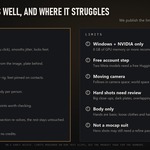
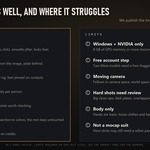
Windows 10/11 and an NVIDIA RTX GPU with 8 GB of memory or more. We tested an RTX 3060 Ti 8 GB with 16 GB of RAM, an RTX 4070 and an RTX 5070 Ti: the same 481-frame shot took 13:35, 13:31 and 12:42, with the same result. Mac and AMD GPUs are not supported yet.
How long does a shot take?
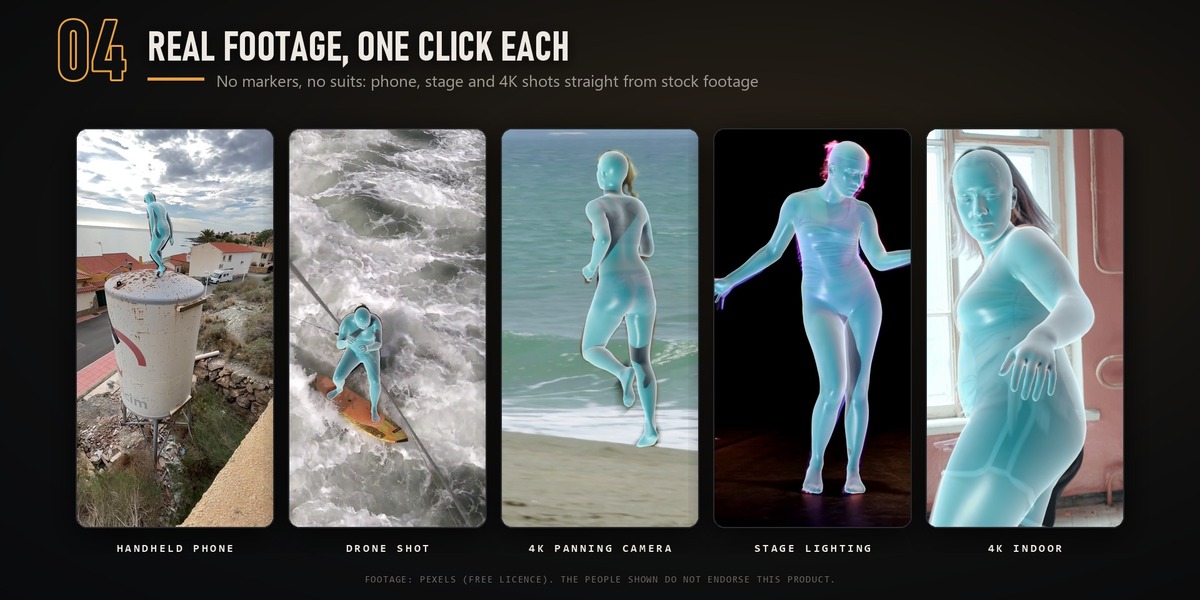
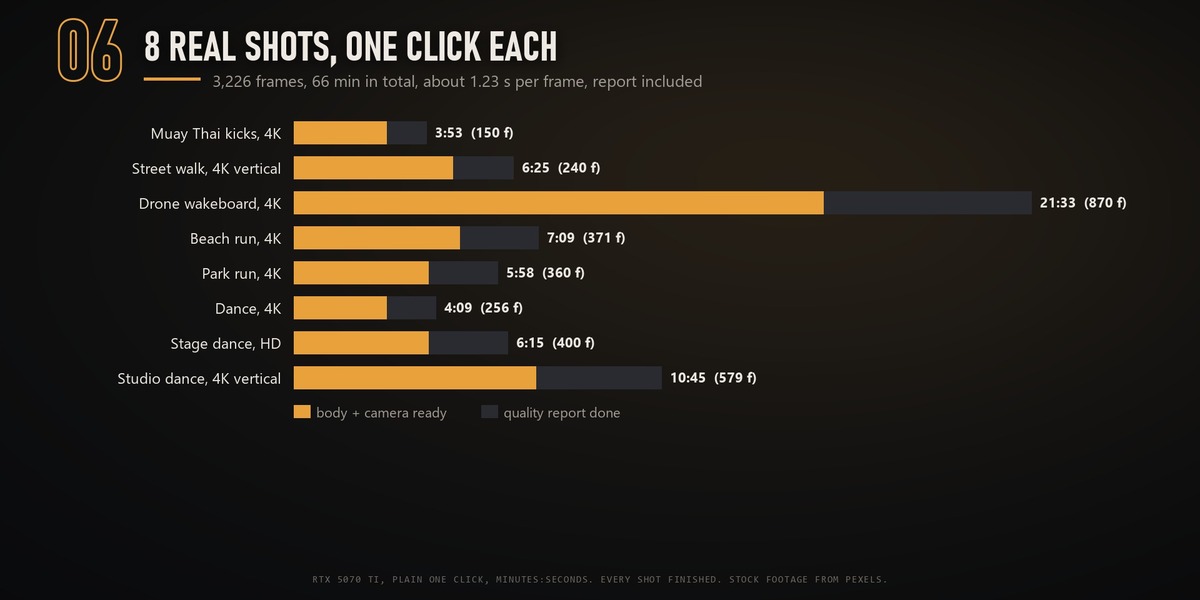
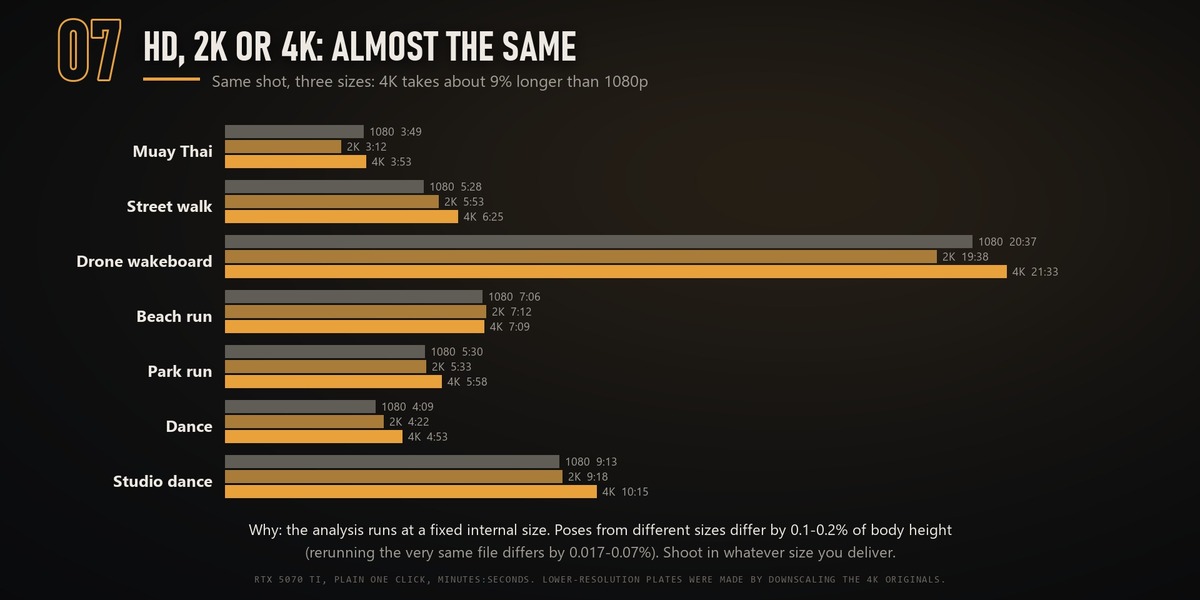
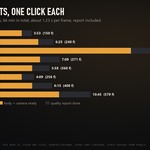
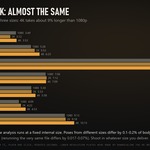
On an RTX 5070 Ti, 8 real shots averaged about 1.2 seconds per frame (0.9–1.6), quality report included: a 150-frame shot takes 2–4 minutes. The analysis runs at a fixed internal size, so 4K takes only about 9% longer than 1080p (measured on 7 shots).
Does it work with a moving camera?
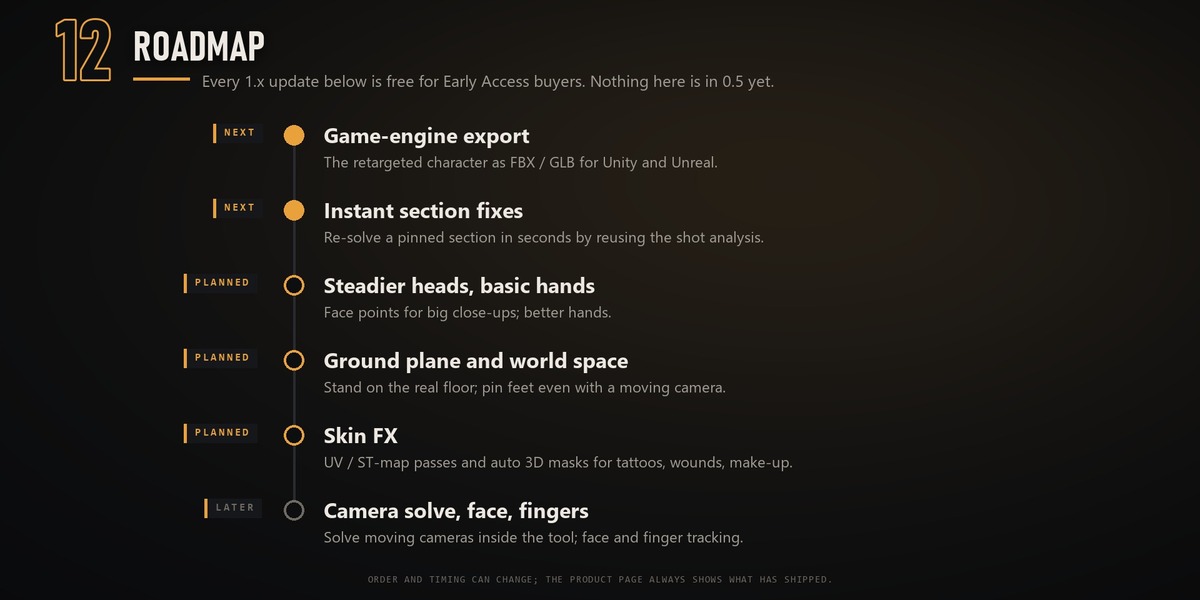
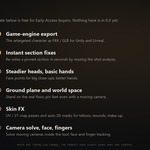
Yes, in camera space: the body follows the actor in the shot camera (tested on a panning 4K shot). For a body in world space, attach a solved camera. Foot pinning needs a still camera for now.
Several people in the shot?
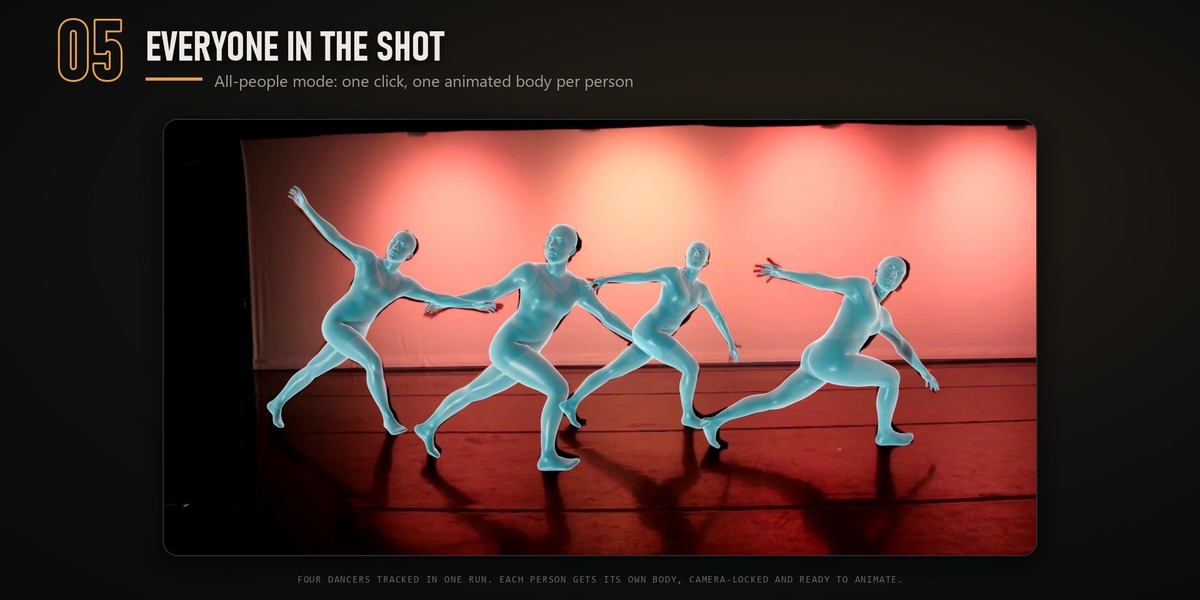
Tick All people: you get one body per prominent person. When two people overlap heavily, the default single-person mode can swap between them, so use All people or click the person you want.
Can I put the motion on my own character?
Yes. Apply to Character works with Mixamo, Rigify and custom humanoid rigs, and pins the feet on contacts.
Hands and face?
Body first. Hands are basic and the face is not tracked yet. Both are on the roadmap.
How accurate is it?
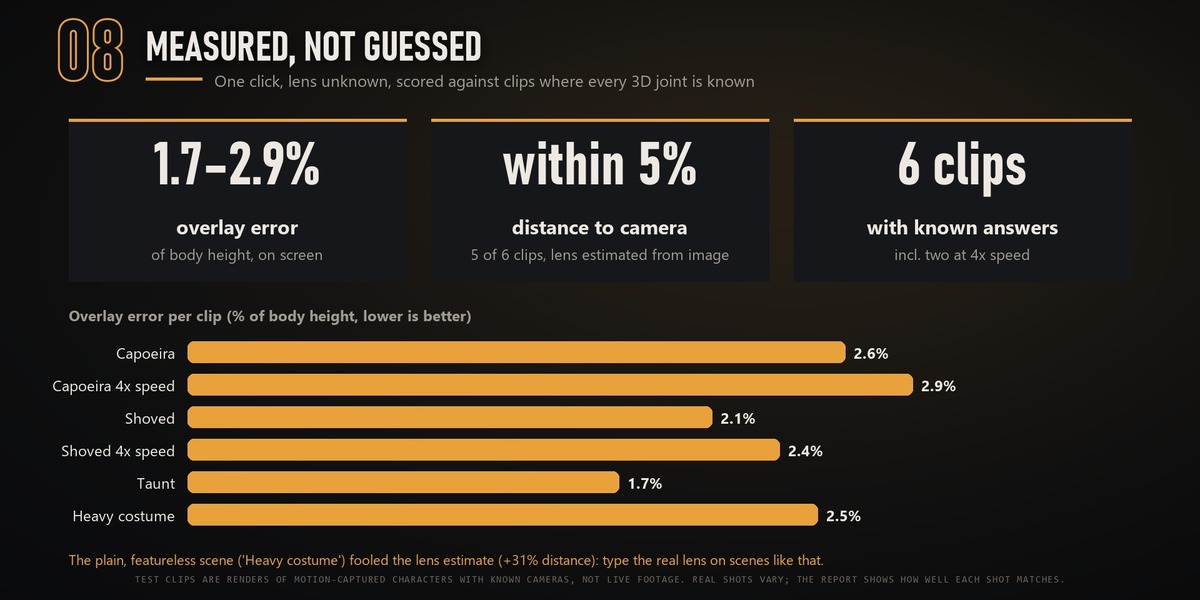
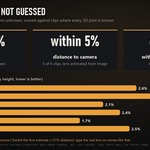
On test clips with known answers, the overlay lands within 1.7–2.9% of body height. Real shots vary, and every shot gets a report so you can see how well it matches.
What is Early Access?
The tool is complete and in production use, and it keeps improving. Early buyers keep their price and get every 1.x update free.
Will the price go up?
Yes. Early Bird is $39 for the first 100 buyers or the first 2 weeks, whichever comes first. After that it is $59 until version 1.0, and $89 from 1.0. If you buy now you pay once, and every 1.x update is free.
Why do I need a Hugging Face account?
Two of the models come from Meta under the SAM License. Its terms require each user to accept them and download the models. It is free.
 Included
Includes 12 months of
- Support from SkyVFX
- Product updates
Extend this product’s Support Period +12 months: 25% of product price
Have questions before purchasing?
Login to message
| Blender Extension Compatible | Yes |
| Dev Fund Contributor | |
| Published | about 22 hours ago |
| Blender Version | 4.2 - 5.2 |
| Extension Type | Add-on |
| License | GPL |
Discover more products like this
video to 3d Camera Tracking mixamo VFX rotomation body tracking motion capture retarget matchmove mocap animation ai