 SkyVFX
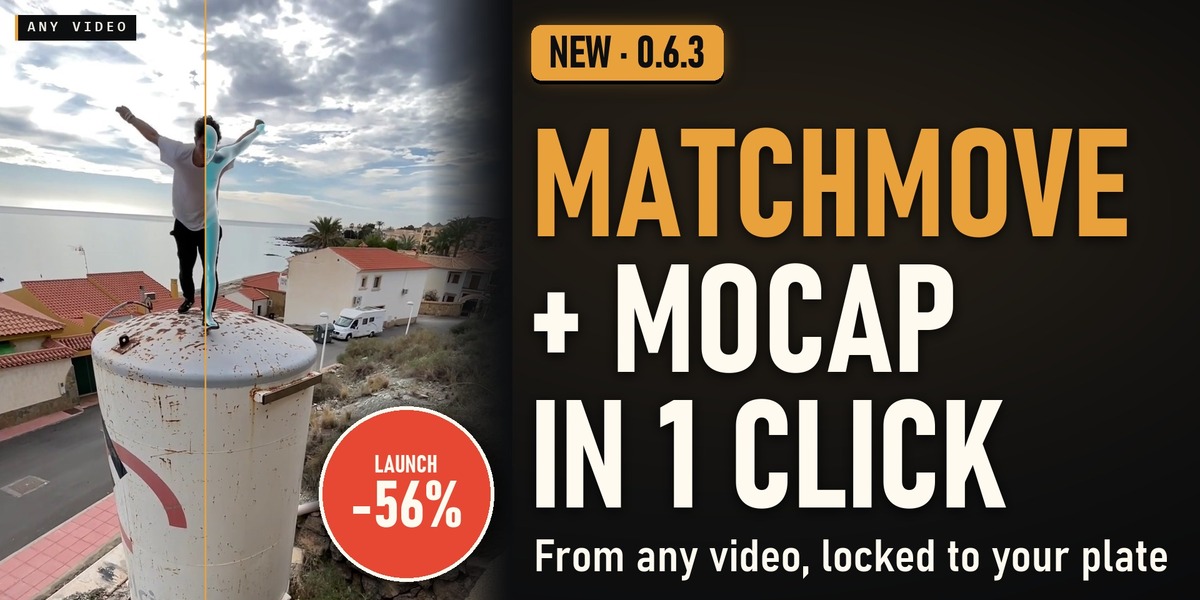
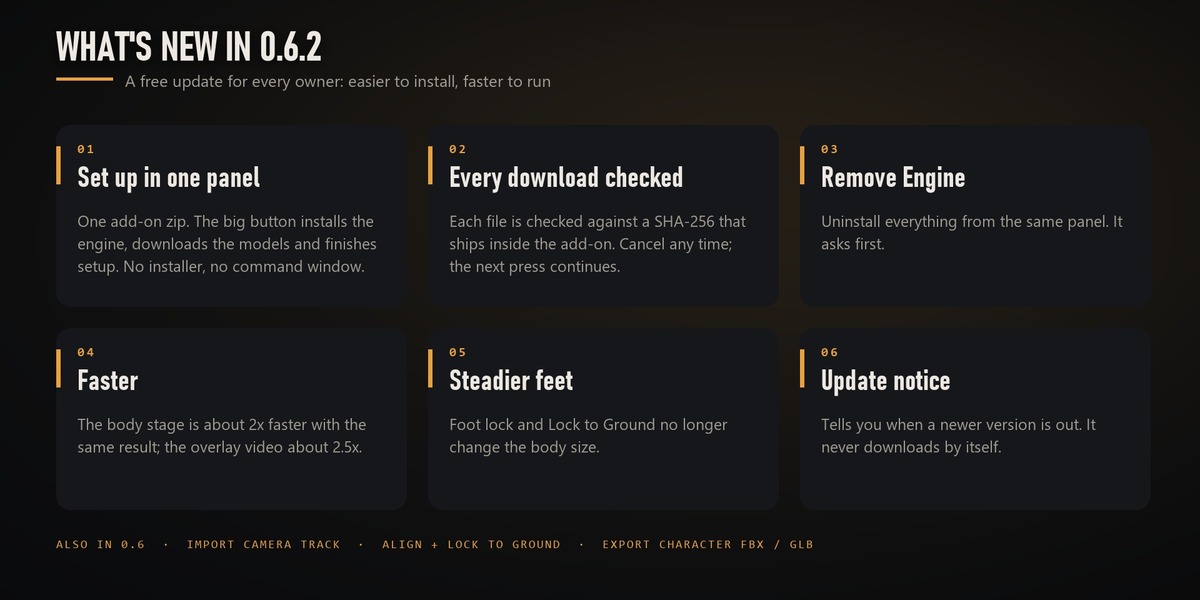
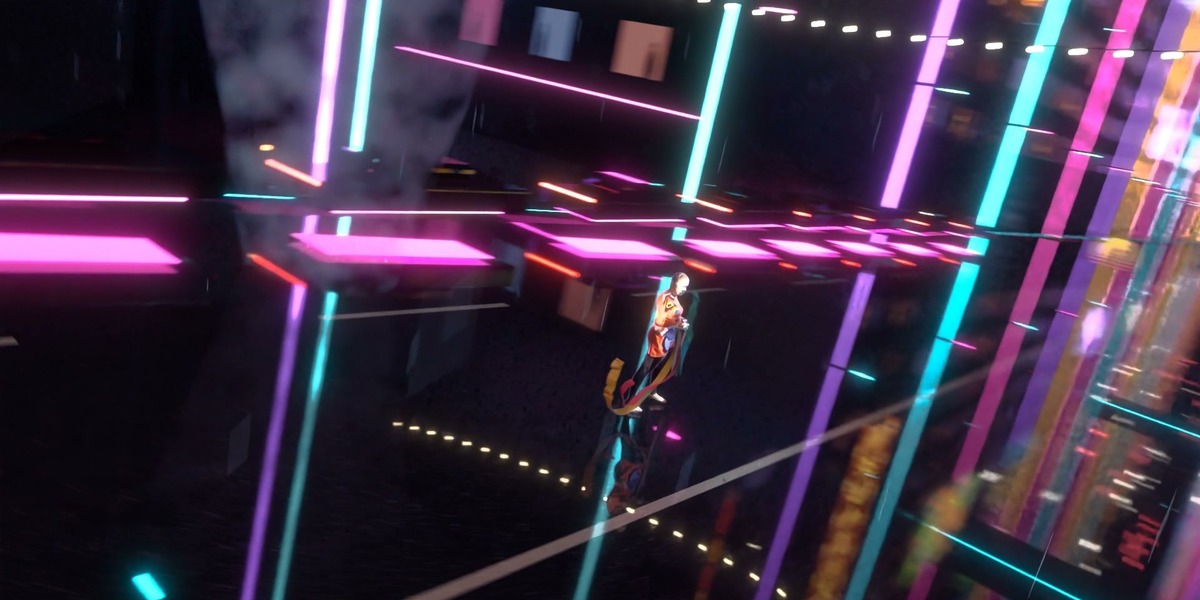


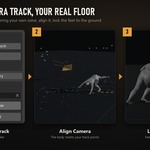
Track Camera → Align Camera → Ground Pass (beta), all from the one Rotomate click. Steadier locked-off shots. Faster.
Linux beta (separate zip, server-tested, not yet on a Linux desktop) · Blender 4.4 – 5.3 · Own 0.6.2? Install the new zip over the old one.
Body Tracker
AI video mocap & rotomation. One click, from any shot.
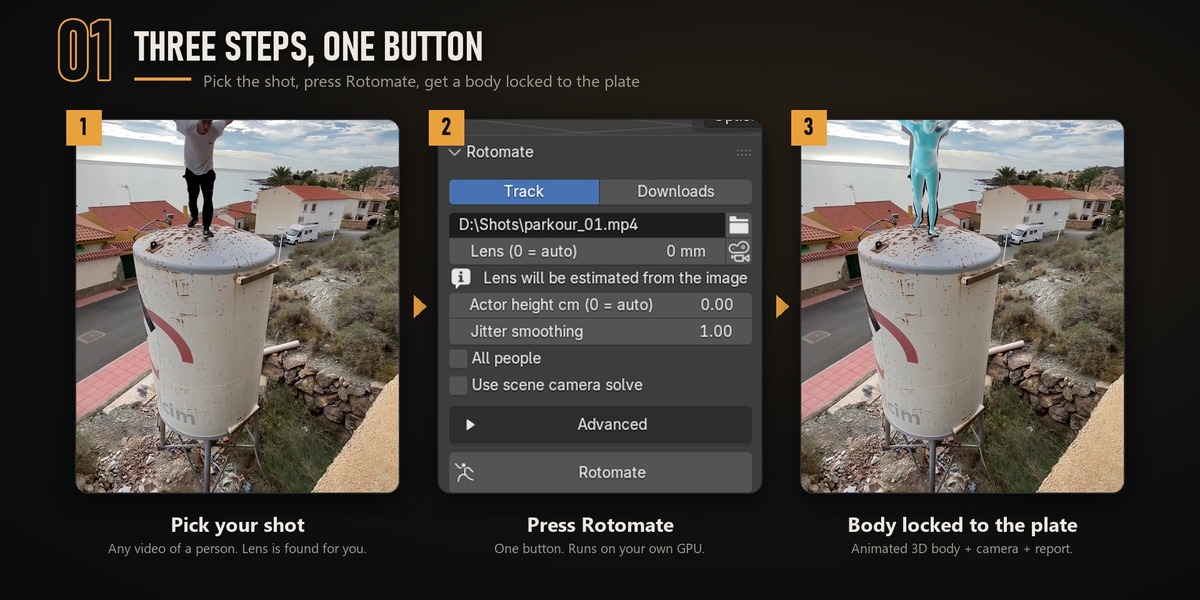
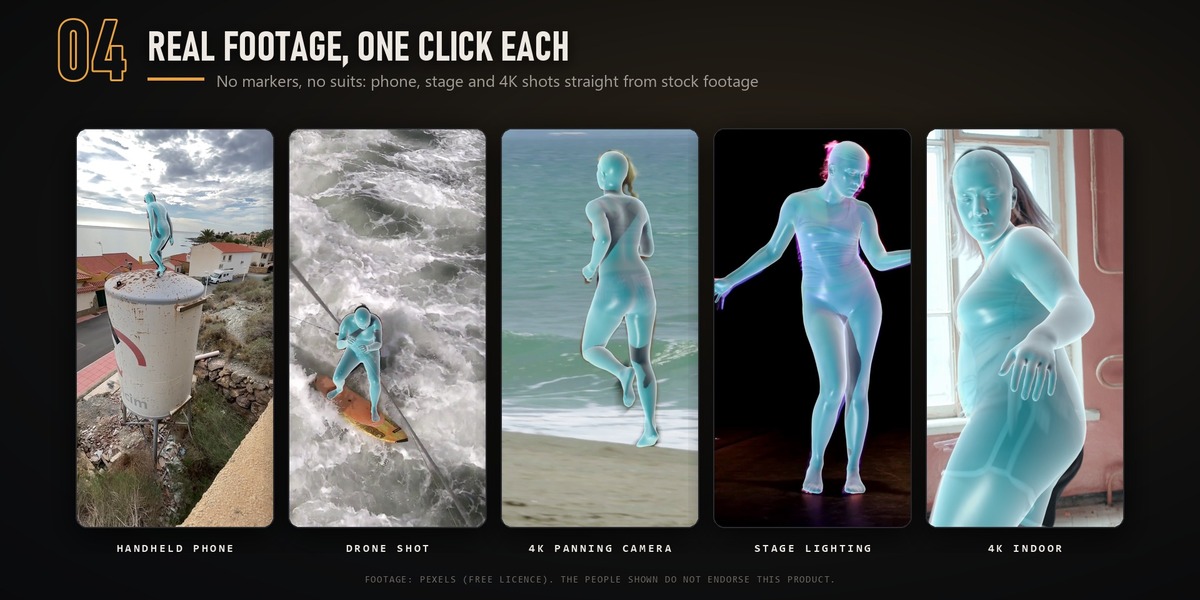
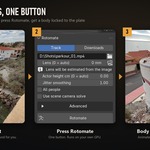
Pick a shot and press Rotomate. You get an animated 3D body that sits on the actor in the plate, a camera with the estimated lens, and a report that tells you which frames to check. No markers, no suit, no uploads.
Check the requirements before you buy. Setup not working? Message us on Superhive with the file from Save Report and we help until it runs.
| ONE CLICK | PLATE-LOCKED CAMERA | EVERY PERSON | APPLY TO YOUR RIG |
Every shot: one ordinary video
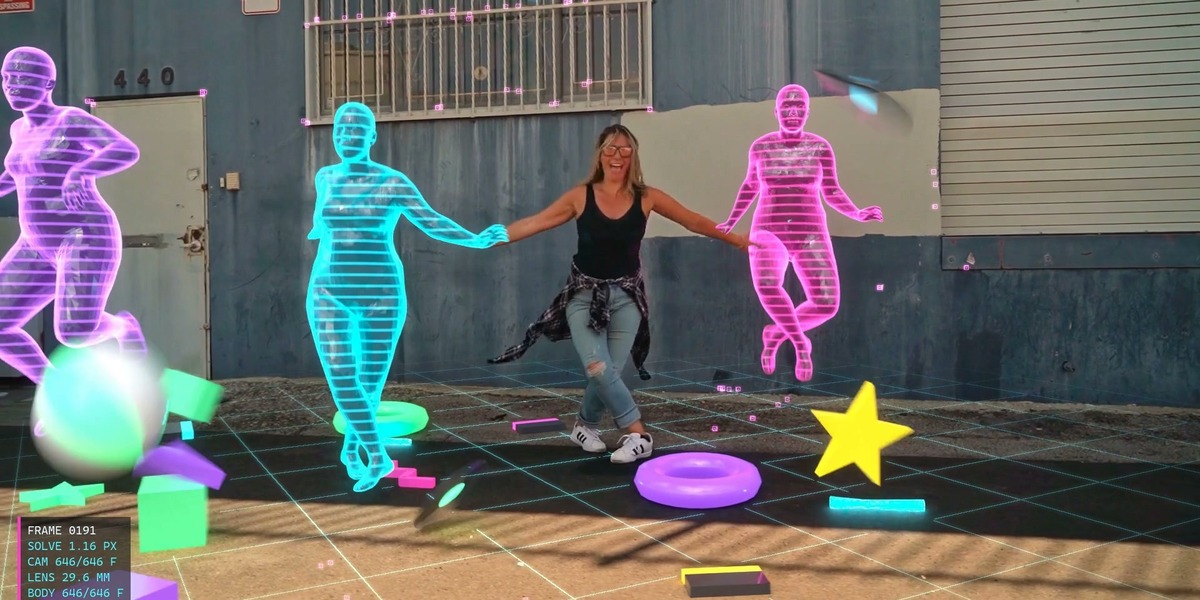
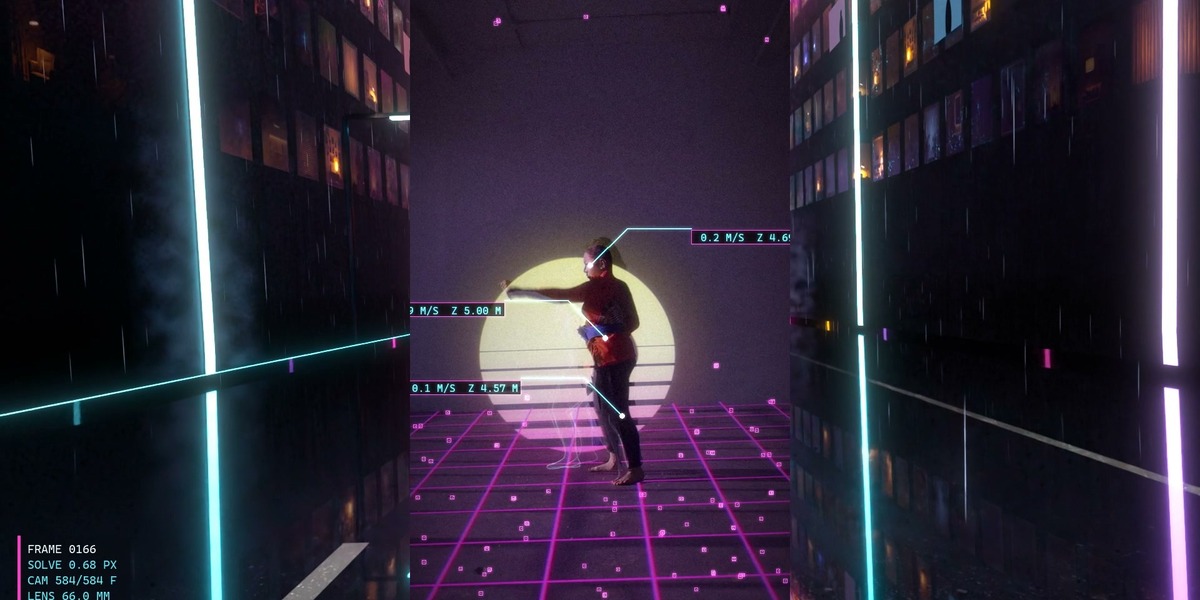
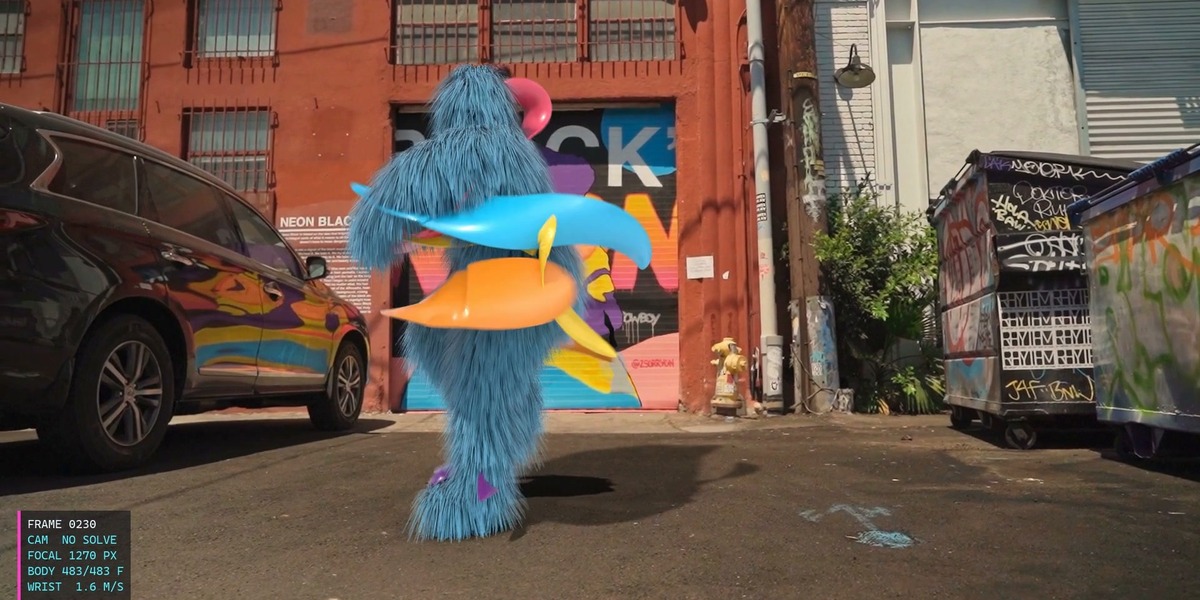
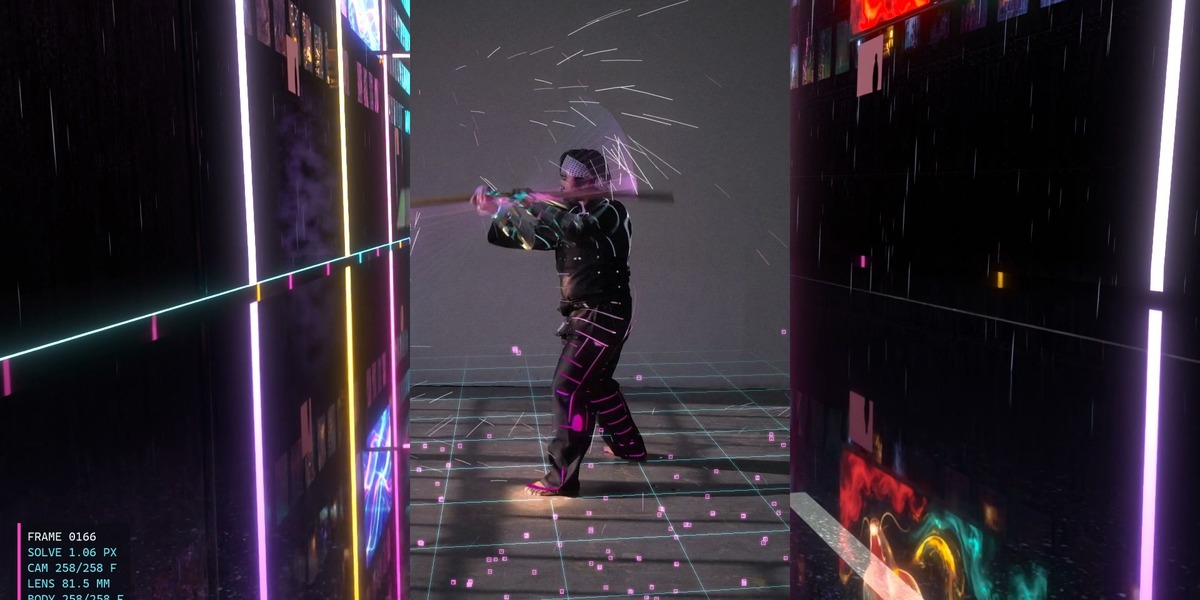
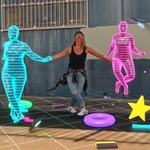
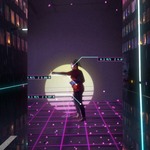
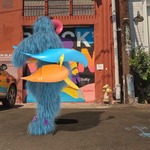
Plain stock clips, no suit, no markers. Each actor was tracked with Body Tracker, then the CG suits, clones, fur and FX were built on the tracked body in Blender. The numbers on screen are the real tracking data.
 Locked to the actor
The CG suit grows on the real dancer and stays on him, frame by frame.
|
 Camera solved
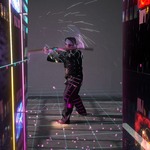
The floor grid and track dots stay put while the camera moves. Clones dance on the real ground.
|
 Real joint data
Head, wrist and knee callouts read the tracked speed and depth on every frame.
|
 CG on the body
A cyborg arm rides the boxer’s real punches, even at full speed.
|
 Your idea here
Fur, cloth, armour, particles: if it should move with a person, the tracked body drives it.
| |
Matchmove + Mocap
One Rotomate click gives you both.
|
MODE 1
Rotomation / Matchmove
A 3D body on the actor, in your shot camera. Shadows, holdouts, CG costume, FX. |
MODE 2
Video Mocap
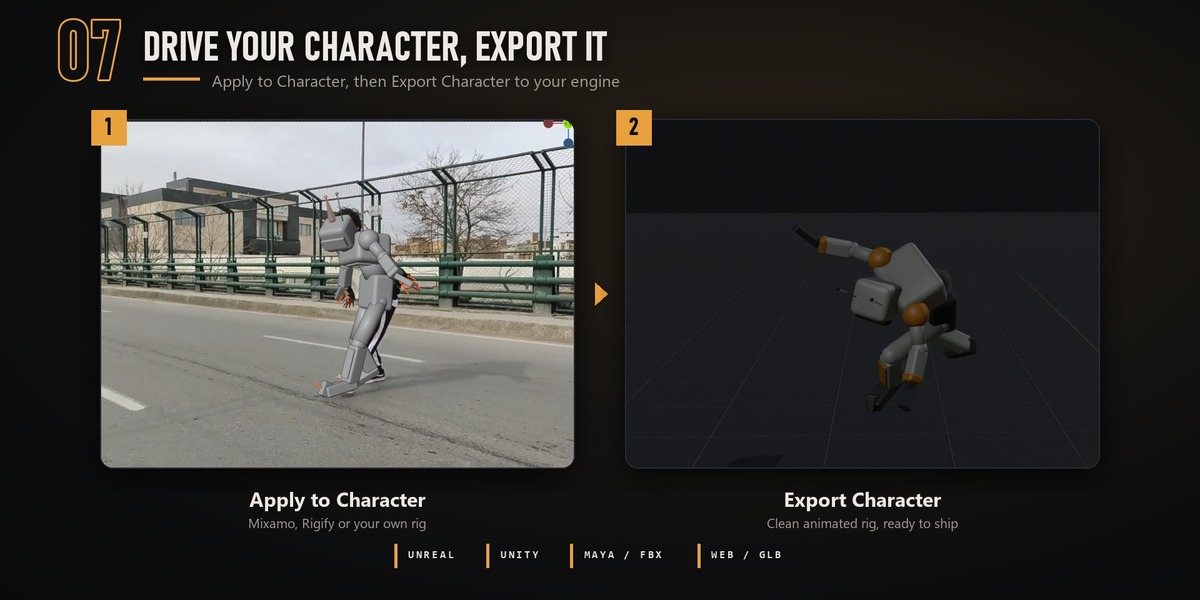
Markerless, no suit: the motion on your Mixamo, Rigify or custom rig. FBX / GLB out. |
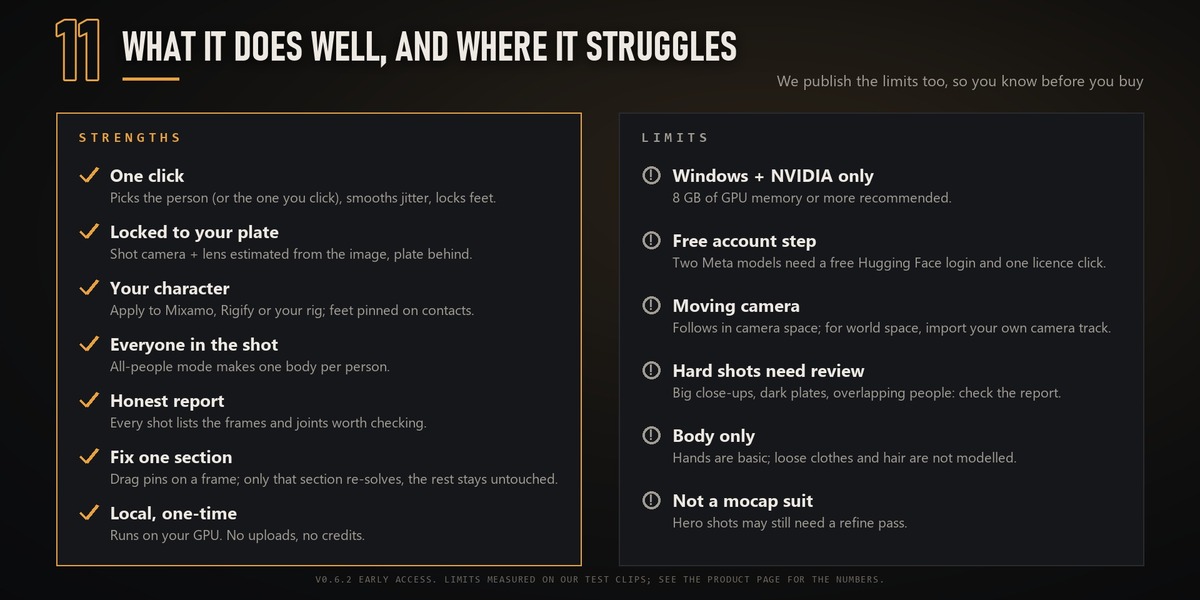
Honest note: markerless AI from one video, not a mocap suit. Very fast moves can jitter more; the report shows which frames to check.
Moving cameras, still feet
|
Track Camera Solves the shot's camera inside Blender, person masked out. |
Align Camera Metres, level, floor at Z = 0. |
|
|
Ground Pass Standing feet stay pinned. No more sliding. |
Auto on moving cameras One Rotomate click runs all three. |
|
|
Edit Foot Contacts Plant or lift a foot on any frame. |
Lock to Ground Levels the floor, keeps pinned feet. |
|
|
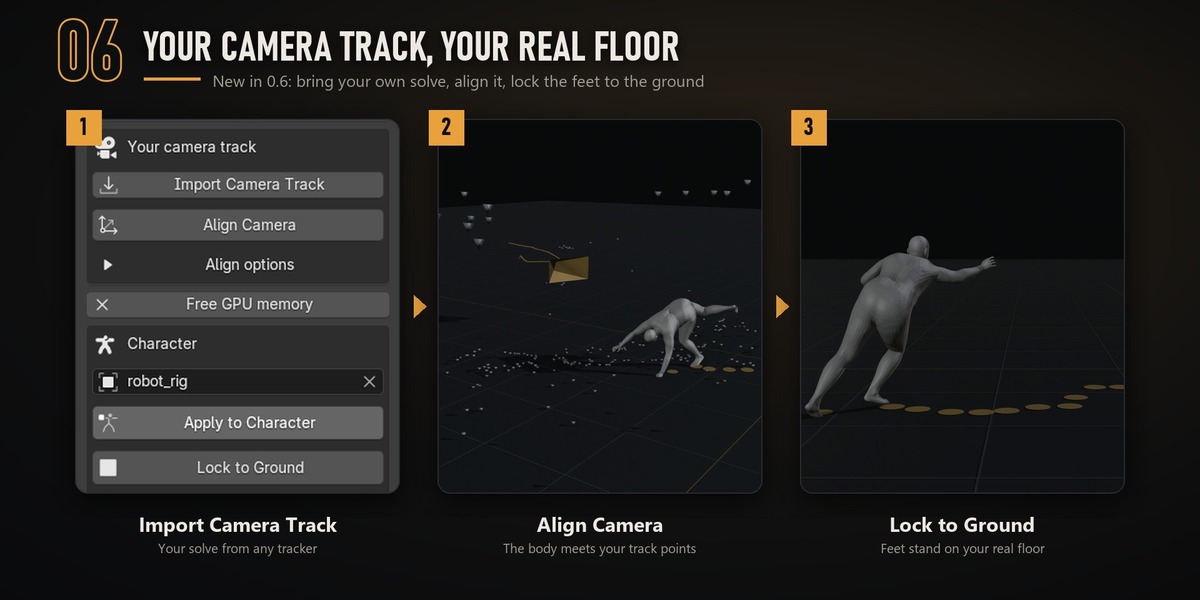
Your camera track Import from any tracker, then Ground Pass. |
Steady locked-off shots No more breathing in and out of the scene. |
|
|
Pinned feet, still camera Standing feet pinned where they stand. |
Close Blender, GPU free A running job stops with Blender. |
|
|
Faster Ground Pass 37 s → 20 s; refine 2.5–3×. |
Linux Separate zip, x64 + NVIDIA. Server-tested, not yet on a desktop. |
|
|
Blender 4.4 – 5.3 Tested on every version in between. |

Measured on one real moving-camera shot (205 frames): standing-foot slide 5.47 → 0.59 mm per frame (median).
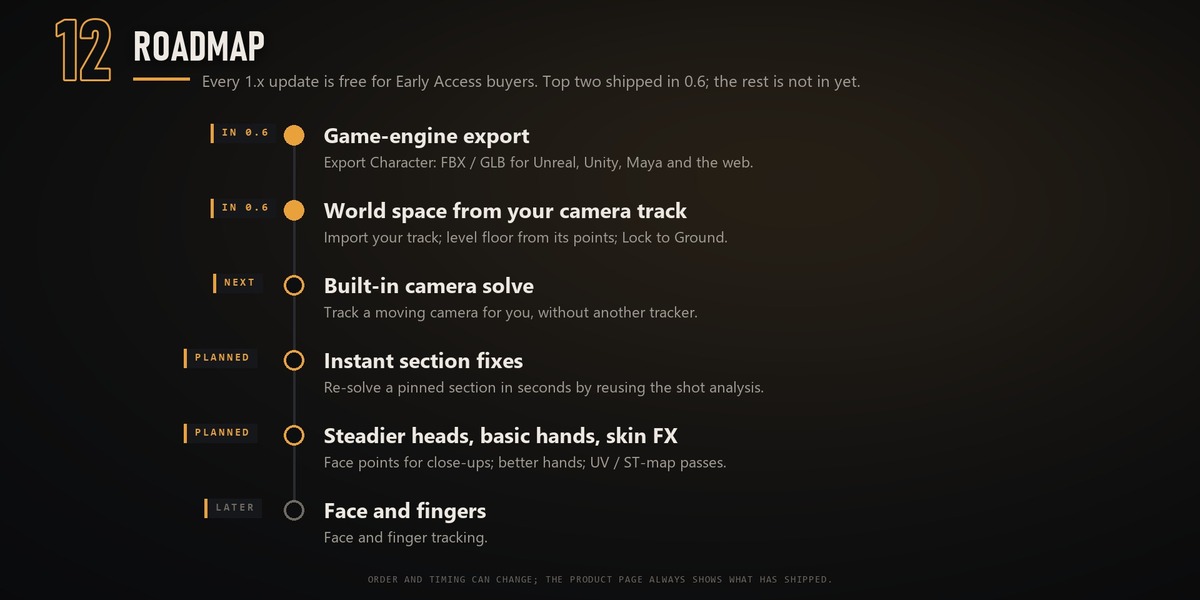
| 0.6.3 | Nov 2026 | Track Camera inside Blender, Ground Pass (feet pinned on moving cameras), steadier locked-off shots, Edit Foot Contacts, Linux beta, Blender 5.3, 2.5–3× faster refine |
| 0.6.2 | Nov 2026 | Setup from inside Blender (no installer), Update / Remove Engine, Downloads tab with SHA-256 checks, 2× faster body stage, update notice |
| 0.6.1 | Nov 2026 | Import Camera Track (Alembic, USD, FBX, .chan), Align Camera to a real-size level world, Lock to Ground |
| 0.6.0 | Oct 2026 | Export Character: FBX / GLB for Unreal Engine, Unity, Blender / Maya and the web, feet on a level floor, in-place loops |
| 0.5.x | Oct 2026 | One-click Rotomate, every person in the shot, Apply to Character (Mixamo, Rigify, custom), fix one section with pins, quality report |
Every change, version by version, is in the Documentation tab under Changelog.
Rotomation means matching a 3D body to the actor in live-action footage, frame by frame, in the shot's own camera. In VFX it is done by hand and takes hours per shot. Body Tracker does it in one click. With a 3D body that sits exactly on the actor, your CG can touch, hide behind and follow a real person.
|
Smoke, fire, magic on the actor
Emit particles from the body mesh so FX wrap around the real person.
|
Shadows and reflections
The body casts the actor's shadow onto CG ground and objects.
|
|
|
CG behind arms and legs
Use the body as a holdout so CG passes behind the actor.
|
Costume, armour, props
Attach CG clothing or gear that moves with the actor.
|
|
|
Debris and particles that hit
Collisions with the body: rain, sparks, dust react to the actor.
|
Replace the actor
Apply the motion to your character, or export FBX / GLB for Unreal and Unity.
|
|
Made for VFX and compositing artists, Blender users adding CG to real footage, filmmakers and YouTubers, and game developers who want motion from video.
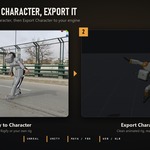
Need the motion on a character instead of on the plate? That is Mode 2, Video Mocap: same click, then Apply to Character or Export Character.
Launch price: $39 until 2 December 2026. After that the price is $89. What you pay today covers every 1.x update.
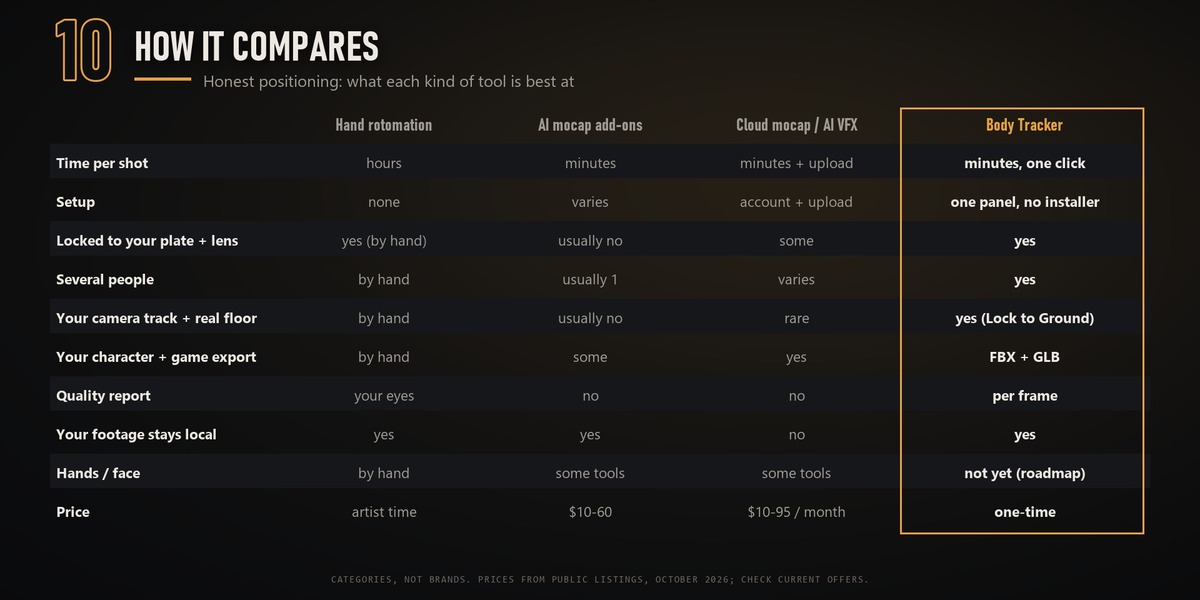
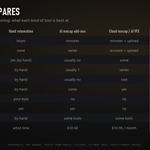
Hours per shot, until now
|
THE OLD WAY
Hand-key a rig to the actor frame by frame, or use AI mocap that floats in its own space, with no camera and no lens, and slides off the plate. Cloud tools want your client footage and a monthly fee. |
BODY TRACKER
One click. The body is solved in your shot camera, with the plate behind it, so it lines up with the actor. You get shadows, holdouts, CG costume and effects that stick. Everything runs on your own GPU. Buy once. |
What you get
|
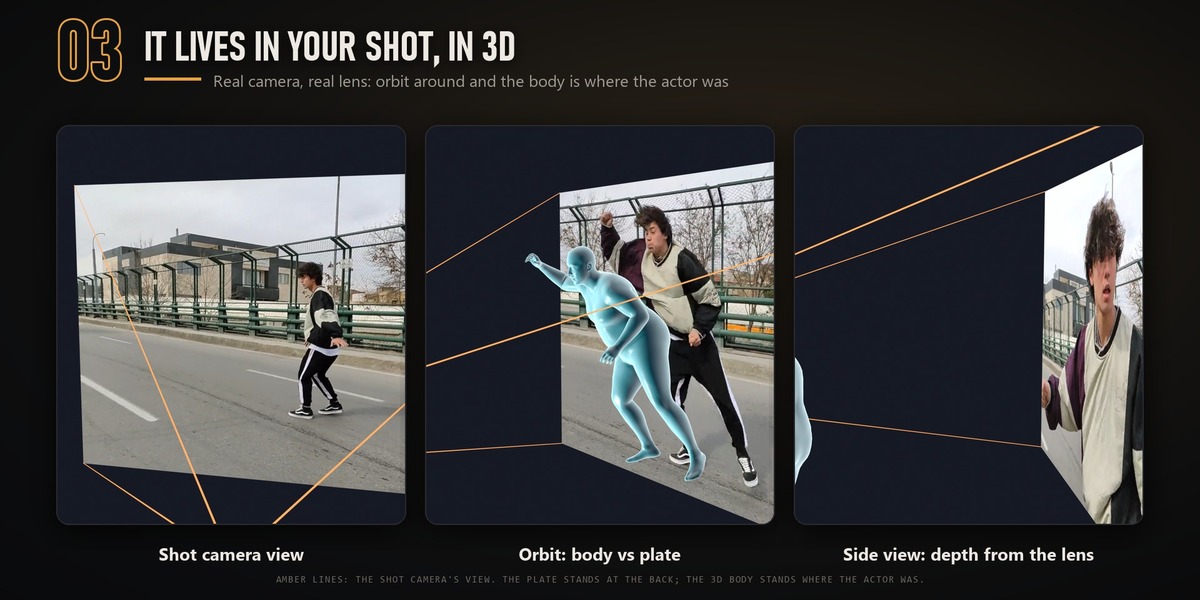
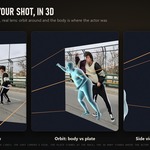
Locked to your plate The body sits in the shot camera with the lens estimated from the image (or type your real lens). Orbit around it: it stands where the actor was. |
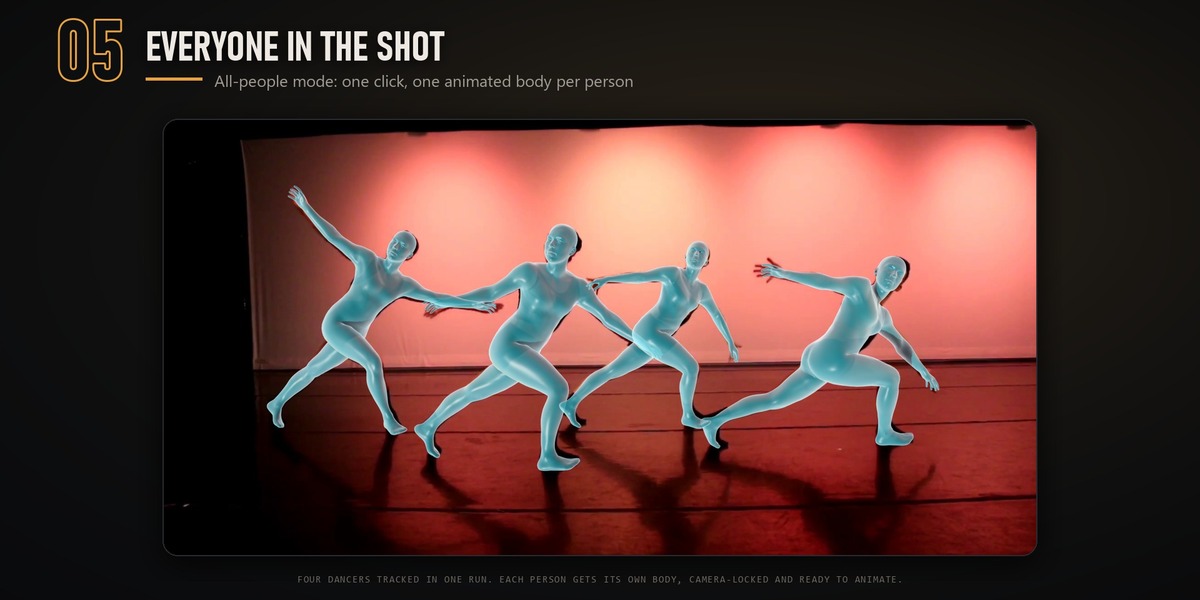
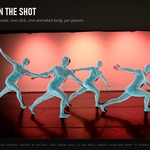
Everyone in the shot All-people mode gives one animated body per person: four dancers, one click. |
|
|
Apply to your character Move the motion onto a Mixamo, Rigify or custom rig. Hips stay on the plate, and planted feet are pinned with IK. |
Clean motion Jitter smoothing that keeps fast moves, foot lock on contacts, and gap filling when the actor is hidden for a moment. |
|
|
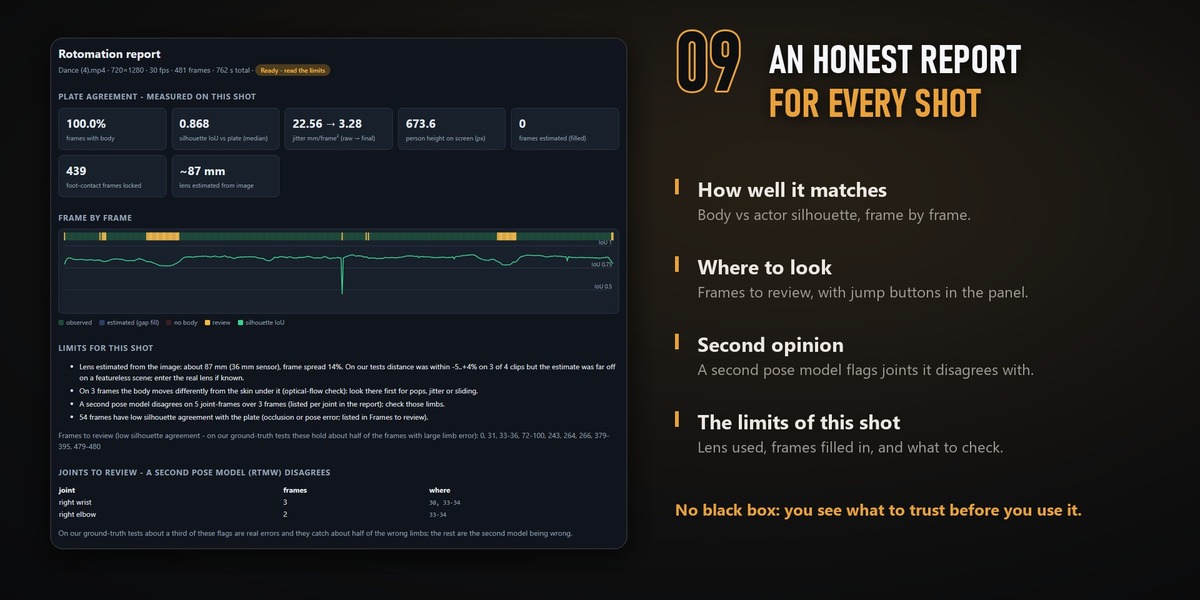
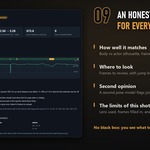
An honest report For every shot: how well the body matches the actor, frame by frame, the frames and joints to review (with jump buttons), and the lens used. |
Fix one section Drag pins on a frame. Only that section re-solves, and the rest of the shot stays exactly as it was. |
Not just a skeleton floating in its own space: a body mesh on the actor, in your shot camera, with the plate behind it.
| SHOT CAMERA + LENS | STILL OR MOVING CAMERA | FEET LOCKED ON CONTACTS | EVERY PERSON IN THE SHOT |
| QUALITY REPORT PER SHOT | ANY CLIP LENGTH | COMMERCIAL USE, EVERY LICENCE | NO ONLINE ACTIVATION |
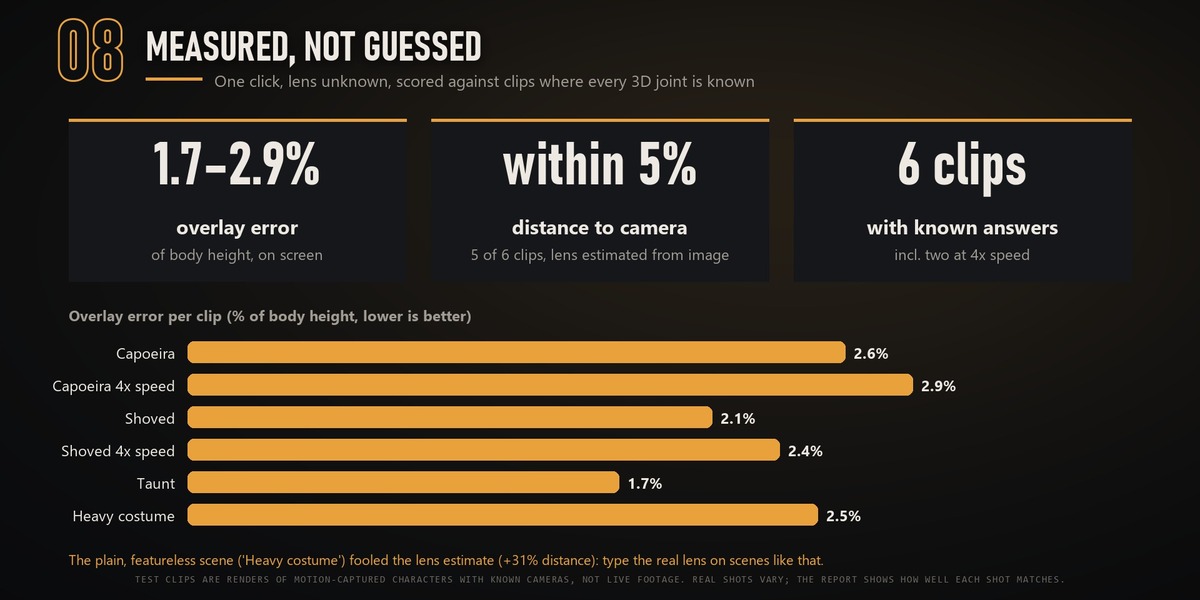
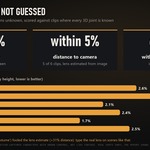
Measured, not guessed
|
1.7–2.9%
OF BODY HEIGHT · OVERLAY ERROR
|
1.2 s
PER FRAME · 8 REAL SHOTS
|
+9%
TIME FOR 4K VS 1080P
|
On test clips where every 3D joint is known (renders of motion-captured characters, lens unknown), the overlay lands within 1.7–2.9% of body height, and distance to camera within 5% on 5 of 6 clips. On a plain, featureless scene the lens estimate misses: type the real lens there.
Speed (RTX 5070 Ti, one click, quality report included): 8 real shots (3,226 frames) took 66 minutes in total, about 1.2 s per frame. 4K takes only about 9% longer than 1080p, with the same result.
Is it for you?
|
MADE FOR
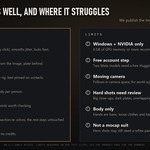
CG and VFX artists who need a body matching the actor: shadows, holdouts, CG costumes, particles, wounds. Rotomation artists who want a fast first pass. Filmmakers replacing an actor with a 3D character. Game devs who want video motion on a Mixamo character. |
KNOW BEFORE YOU BUY
Requires Windows 10/11 (64-bit), or Linux x64 as a beta, and an NVIDIA RTX GPU with 8 GB+ memory. You also need a free Hugging Face account, and you must accept Meta's SAM License for two models (SAM 3D Body and SAM 3) before the add-on can download them. Big close-ups, dark plates and heavy occlusion need a look at the report. Body only: hands are basic, no face, and loose clothes and hair are not modelled. It is markerless video mocap, not a mocap suit. Ground Pass is beta: on some frames the feet can end a few centimetres under the tracked floor (the status text says how many). Track Camera needs a shot with enough texture and parallax; you can also import your own camera track. |
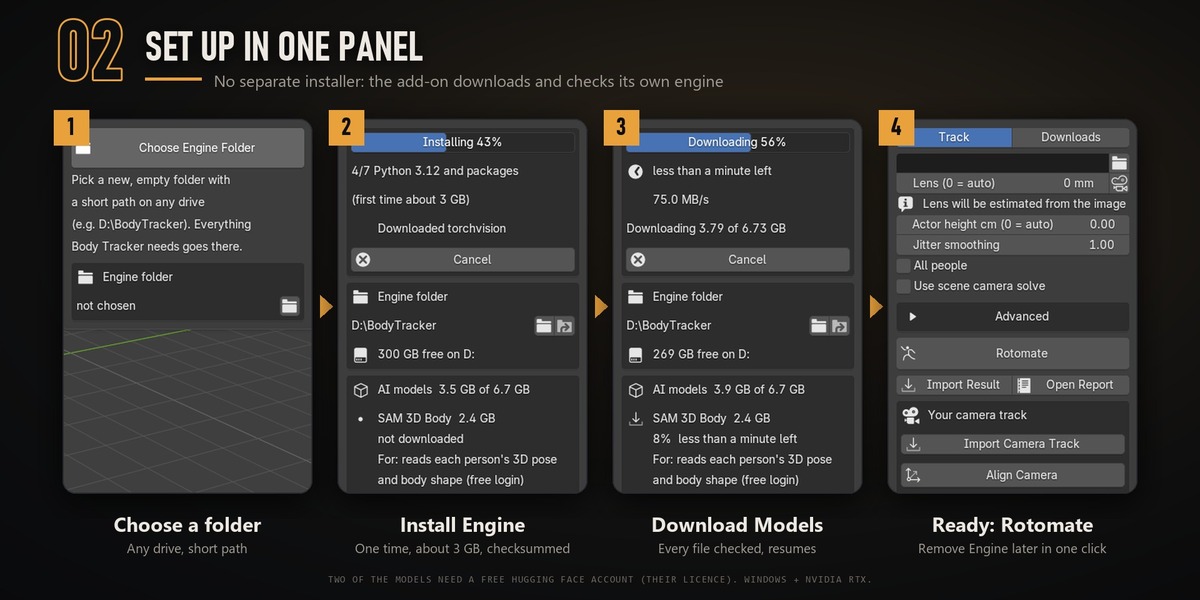
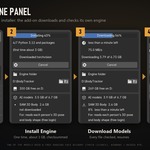
Install the add-on zip, open the Body Tracker panel and press the big button until it says Rotomate: choose an engine folder → Install Engine → log in to Hugging Face → Download Models → Finish Setup. Every download is checked against a SHA-256 that ships inside the add-on. Cancel any time: the next press continues where it stopped. Remove Engine uninstalls it all from the same panel.
Export Character: FBX or GLB for Unreal Engine, Unity, Blender / Maya or the web, feet on a level floor.
Import Camera Track: your SynthEyes / PFTrack / 3DEqualizer / COLMAP camera (Alembic, USD, FBX, .chan), checked in plain words.
Align Camera + Lock to Ground: body and camera in one real-size, level world, the floor from your tracker's points, feet kept on it.
Buy early, pay less, keep it. The launch price is $39 until 2 December 2026; after that it is $89. What you pay today covers every 1.x update, and a 12-month Superhive Support Period is included: we answer within 3 business days, and you can extend support later for 25% of the price. 1.x updates stay free either way.
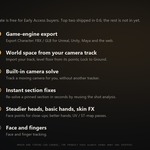
Shipped in 0.6: game-engine export, your own camera track, and in 0.6.3 a built-in camera solve with Ground Pass. Coming next: a one-click Unreal / VRM / MMD skeleton, instant section fixes, steadier heads in close-ups, and Skin FX (UV / ST-map passes for tattoos, wounds and digital make-up).
Demo footage: Pexels (free licence). The people shown do not endorse this product.
System requirements
| OPERATING SYSTEM | Windows 10 or 11, 64-bit · Linux x64 (beta, separate zip; glibc 2.34+, e.g. Ubuntu 22.04+) |
| GPU | NVIDIA RTX with 8 GB+ memory, driver 570 or newer (tested from an RTX 3060 Ti 8 GB) |
| RAM | 16 GB is enough (tested) |
| DISK | about 15 GB for the engine and models, any drive |
| BLENDER | 4.4 – 5.3 (0.6.3 tested on 4.4, 4.5, 5.0, 5.1, 5.2 and 5.3); portable Blender works |
| VIDEO | mp4, mov, avi, mkv; HD to 4K |
| INTERNET | first install only (models download); no online activation, footage never leaves your PC |
| ACCOUNT | free Hugging Face account; accept Meta's SAM License for two models |
Questions or install help: send a message from your Superhive inbox (we answer within 3 business days; 12-month Support Period included).
YouTube: youtube.com/@skyvfxcomp · Website: skyvfx.net
