BooleanBite: 1-Click Procedural Edge Damage for Blender
 Shift4cube


Overview
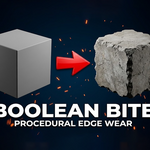
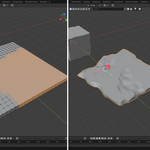
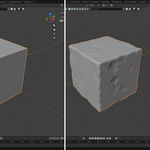
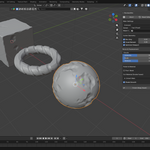
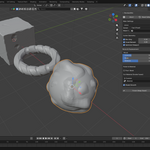
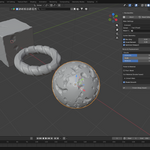
BooleanBite is a Blender add-on designed to quickly add procedural edge damage and wear to hard-surface models using a non-destructive Boolean-based workflow. It allows artists to achieve realistic chipped edges and surface breakup with a single click, while keeping the original mesh editable.
This add-on is ideal for:
-
Hard-surface modeling
-
Game assets
-
Props and environment art
-
Product visualization
Requirements
-
Blender Version: Blender 4.0 or newer
-
Works with mesh objects only
Installation
-
Download the add-on
.zipfile after purchase. -
Open Blender.
-
Go to Edit → Preferences → Add-ons.
-
Click Install, select the downloaded
.zip, and confirm. -
Enable BooleanBite from the add-ons list.
How to Access BooleanBite
-
Select a mesh object
-
Open the 3D Viewport
-
Press N to open the sidebar
-
Navigate to the BooleanBite tab
Basic Usage (1-Click Workflow)
-
Select the object you want to damage.
-
Open the BooleanBite panel.
-
Click Apply Edge Damage.
-
Procedural edge damage is applied instantly using modifiers.
The effect is fully non-destructive and can be adjusted at any time.
Customization Options
BooleanBite provides adjustable parameters to control the look of the damage:
-
Damage Amount – Controls how strong the edge wear is
-
Edge Sharpness – Defines how sharp or rounded the damaged edges appear
-
Random Seed – Generates variation for different damage patterns
-
Boolean Resolution – Controls the quality and accuracy of the Boolean result
All settings update in real time.
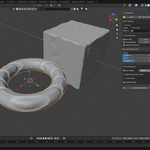
Modifier Stack
BooleanBite works entirely through Blender modifiers:
-
Boolean
-
Bevel
-
Geometry-based masking
You can reorder, tweak, or disable modifiers at any time for full control.
Applying or Removing Damage
-
To finalize the damage, apply the modifiers manually.
-
To remove the effect, simply delete or disable the BooleanBite modifiers from the stack.
Performance Tips
-
For high-poly meshes, adjust Boolean resolution for better performance.
-
Apply modifiers only when the design is finalized.
-
Use viewport display levels while working for smoother interaction.
Limitations
-
Designed for hard-surface meshes (not organic sculpting)
-
Very thin geometry may require manual cleanup
-
Best results on clean topology
Overview
BooleanBite is a Blender add-on designed to quickly add procedural edge damage and wear to hard-surface models using a non-destructive Boolean-based workflow. It allows artists to achieve realistic chipped edges and surface breakup with a single click, while keeping the original mesh editable.
This add-on is ideal for:
-
Hard-surface modeling
-
Game assets
-
Props and environment art
-
Product visualization
Requirements
-
Blender Version: Blender 4.0 or newer
-
Works with mesh objects only
Installation
-
Download the add-on
.zipfile after purchase. -
Open Blender.
-
Go to Edit → Preferences → Add-ons.
-
Click Install, select the downloaded
.zip, and confirm. -
Enable BooleanBite from the add-ons list.
How to Access BooleanBite
-
Select a mesh object
-
Open the 3D Viewport
-
Press N to open the sidebar
-
Navigate to the BooleanBite tab
Basic Usage (1-Click Workflow)
-
Select the object you want to damage.
-
Open the BooleanBite panel.
-
Click Apply Edge Damage.
-
Procedural edge damage is applied instantly using modifiers.
The effect is fully non-destructive and can be adjusted at any time.
Customization Options
BooleanBite provides adjustable parameters to control the look of the damage:
-
Damage Amount – Controls how strong the edge wear is
-
Edge Sharpness – Defines how sharp or rounded the damaged edges appear
-
Random Seed – Generates variation for different damage patterns
-
Boolean Resolution – Controls the quality and accuracy of the Boolean result
All settings update in real time.
Modifier Stack
BooleanBite works entirely through Blender modifiers:
-
Boolean
-
Bevel
-
Geometry-based masking
You can reorder, tweak, or disable modifiers at any time for full control.
Applying or Removing Damage
-
To finalize the damage, apply the modifiers manually.
-
To remove the effect, simply delete or disable the BooleanBite modifiers from the stack.
Performance Tips
-
For high-poly meshes, adjust Boolean resolution for better performance.
-
Apply modifiers only when the design is finalized.
-
Use viewport display levels while working for smoother interaction.
Limitations
-
Designed for hard-surface meshes (not organic sculpting)
-
Very thin geometry may require manual cleanup
-
Best results on clean topology
Have questions about this product?
Login to message
| Sales | 90+ |
| Published | 8 months ago |
| Blender Version | 3.5 - 5.0 |
| Extension Type | N/A |
| Render Engine Used | Cycles, Eevee |
| License | Mit |
Discover more products like this
boolean hard surface edge wear blender addon blender procedural damage