Break It Any Way - Disintegrate: Reversible Disintegration, Shatter & Dissolve Vfx
 Rasheed's Edit




Which versions of Blender does it work on?
Blender 4.5 LTS up to 5.2, in Cycles and Eevee. It installs as a Blender extension: Edit > Preferences > Get Extensions > Install from Disk.
Can it run backwards, so an object builds itself out of debris?
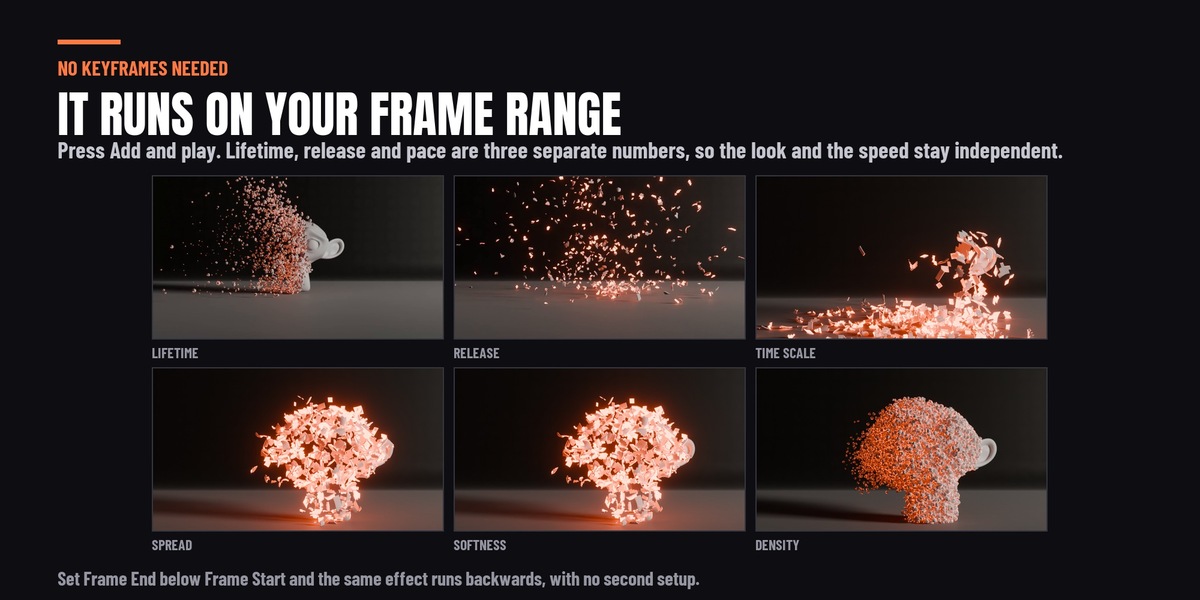
Yes. Set Frame End below Frame Start and the object reassembles out of its own debris: the same effect played in reverse, with no bake and no second setup. With Collision on, use Bake Appear (reversed) in Setup, which writes an Alembic cache that plays backwards.
Does it work on animated and rigged characters?
Yes. A rigged body, a Mixamo export for example, keeps deforming right up to the moment each piece lets go. If the character is made of several meshes, add the effect from its collection so a single front sweeps across all of them.
Why doesn't my debris fall?
A new effect ships with zero gravity, so the pieces drift. Set Gravity in the Motion section, for example (0, 0, -9.8), and give them a Floor or a collider to land on.
Can I use my own material for the debris?
Yes. Pick it in Debris Material in the Look section, or untick Override Material to keep the object's own. Glow Color, Glow Strength, Edge Width and Opacity Curve are read by the included glow material; to use them in a material of your own, read the fx_glow, fx_glow_strength, fx_edge and fx_alpha attributes with Attribute nodes.
-
$15
 Included
Includes 12 months of
- Support from Rasheed's Edit
- Product updates
Extend this product’s Support Period +12 months: 50% of product price
Have questions before purchasing?
Login to message
| Blender Extension Compatible | Yes |
| Published | 3 days ago |
| Blender Version | 4.5 - 5.2 |
| Extension Type | Add-on |
| Render Engine Used | Cycles, Eevee |
| License | GPL |
Discover more products like this
reassemble cell fracture Dissolve debris materialize reverse Disintegrate fracture teleport disintegration shatter thanos