 Kaan S.



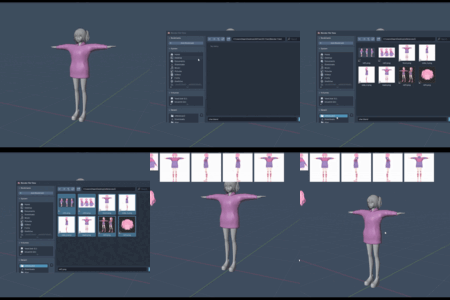
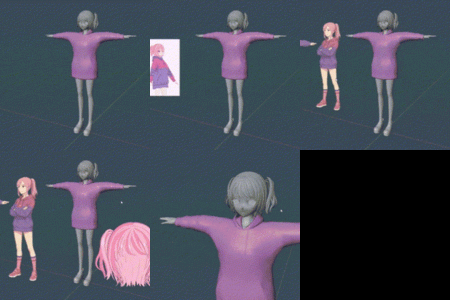
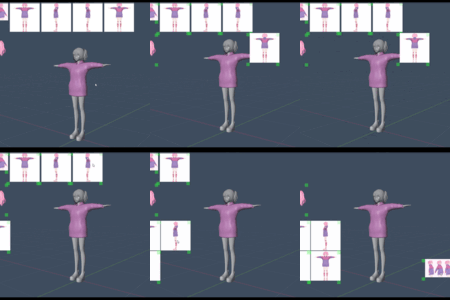
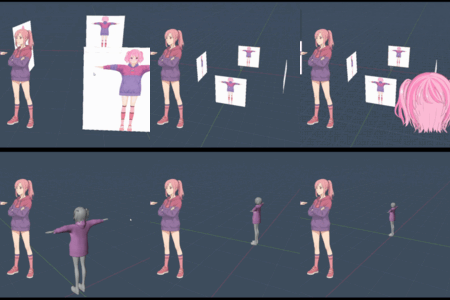
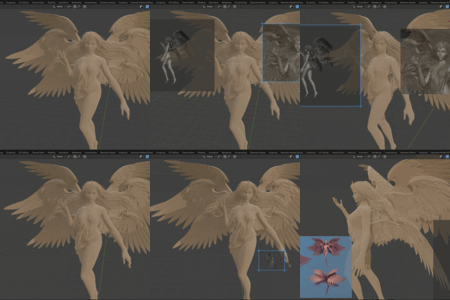
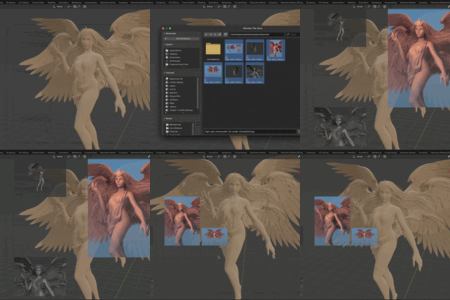
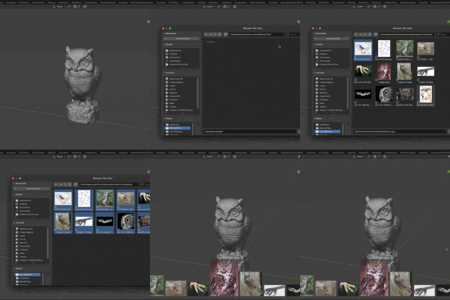
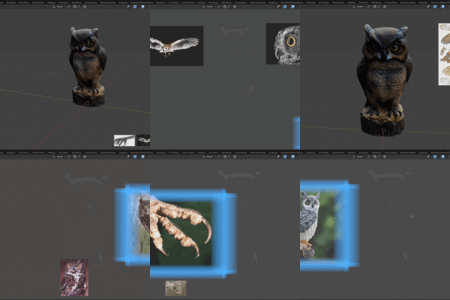

BRef — Layer Based Minimalistic Reference Addon for Blender
BRef is a clean and lightweight addon for managing reference images directly inside the 3D viewport or the scene itself.
Simple, fast, and built for Blender.
Unlike other reference software or addons, it uses layer system and keeps your workspace clean.
Features
Viewport Overlay Images
Add any image into the 3D Viewport, floating on top of everything else.
Drag images freely with mouse in "Drag Mode."
Resize easily while dragging (Drag Green Top Right Corner or Press K while Dragging ).
Lock aspect ratio if needed.
Organize images by layers. Choose to view only the active layer or all layers.
Adjust each image's opacity.
Flip images horizontally or vertically.
Quickly center images with one click.
Manage images through a clean list inside the Sidebar.
Orthographic Scene References
Load images into the 3D scene using Blender Empties.
Automatically place references for Front, Back, Left, Right, Top, and Bottom views.
Adjust size, distance from origin, and transparency per view.
Update or clear all ortho references with one button.
No manual positioning needed — BRef handles rotation and placement automatically.
UI
Fully integrated into the Sidebar under the "BRef" tab.
Minimal and clean panels, easy to understand at a glance.
"Drag Mode" toggle with helpful instructions at the bottom.
Experimental Features
Note: BRef Experimental is currently on development. You can download and use it but it's currently unstable. It will have a lot of new features!
Viewport anchoring: Images can anchor and scale with the viewport.
Changing Layer Numbers: Changing layer numbers and transition to Interactive Mode without going into N Panel.
Resizing With Mouse Wheel: You can now easily resize the images with mouse wheel in Interactive mode.
Advanced image arrangement: New layout modes (horizontal, vertical, grid), alignment options, spacing, margins, and sizing controls.
Addon preferences: Set default alpha, auto-arrange, and customize colors/sizes for frames and handles.
UI overhaul: Panels reorganized into Main, Images, Transform, Arrange, Settings, and Ortho for better usability.
Interactive mode updates: Resize from any corner, distinct visual feedback for selected image, and improved help text.
Drawing optimizations: Faster rendering with shader caching and optimized drawing routines.
Image visibility: Toggle individual image visibility in the list.
Clear all: New operator to remove all reference images at once.
Enhanced grid: Option to show/hide grid overlay in interactive mode.
Improved stability: Internal changes for better performance and update handling.
Controls
To exit Drag / Interactive mode, Press Right Click of your Mouse or ESC
Scaling Images: MouseWheel or Dragging the corners of images
Installation
Download the
.zipfile.Open Blender, go to Edit > Preferences > Add-ons.
Click Install, select the
downloadedfile.Enable "BRef" in the Add-ons list.
Open the Sidebar (press
Nin 3D Viewport), and find the BRef tab.
Notes
All references will be saved with your project file.
Viewport overlays are temporary and meant mainly for workflow, not final renders.
-
Works best with Image Editor-friendly formats like PNG or JPEG.