 Craig Nelson


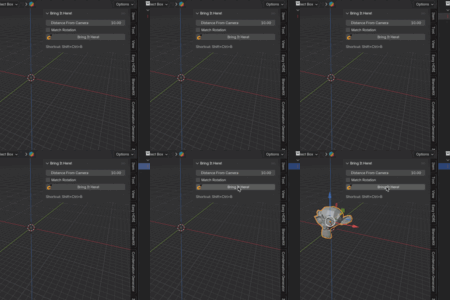
🪝Bring It Here! 🪝
Move any object directly in front of your current view — instantly.
⚙️ What It Does
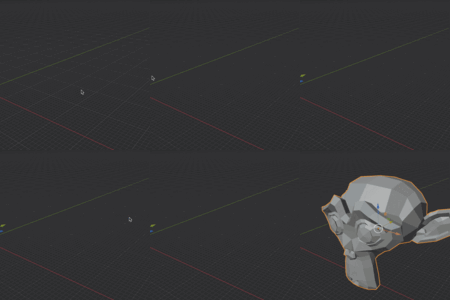
Bring It Here! is a simple but powerful tool that saves you from endlessly dragging objects around in 3D space. With one click (or a shortcut), your selected object jumps right in front of your viewport, perfectly aligned with where you’re looking.
👀 Features At A Glance
🔹 Move objects in front of the current viewport instantly – works with camera and current view
🔹 Adjustable distance setting (positive or negative)
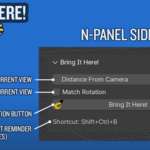
🔹 n-Panel Sidebar tab
🔹 Keyboard shortcut: Ctrl + Shift + B (editable)
🔹 Undo supported
❤️ Why You’ll Love It
✨ Faster workflow — stop fiddling with transforms to get objects into view.
✨ Precise placement — object appears exactly along your line of sight.
✨ Beginner-friendly — no complex setup, just install and go.
✨ Pro-friendly — perfect for quick object positioning and blocking out scenes
📋 Feature Details
✔️ Works in User Perspective, Orthographic, Camera views
✔️ Places the object at a customizable distance (default = 10 units)
✔️ Supports negative values to move objects behind the camera
✔️ Adds a dedicated button in the Sidebar tab (N-panel)
✔️ Also available from the Object menu and via Ctrl + Shift + B hotkey
✔️ Works when selecting multiple objects
✔️ Select objects in the Viewport or Outliner (not currently visible in the Viewport)
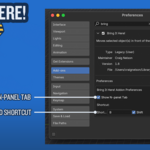
✔️ Show/Hide the n-panel tab in Preferences (if you’ve got too many tabs already)
✔️ Customize the keyboard shortcut in Preferences