 za studio


BSPHERE TOOL
BUILD BASE MESHES FAST - DIRECTLY IN BLENDER
BSphere Tool is a fast and visual base-mesh creation workflow for characters, creatures and stylized forms. Start with a ready preset or a simple base, shape your form with an armature-driven system, then convert it into a clean editable mesh.
TWO POWERFUL WORKFLOWS
BSphere Workflow
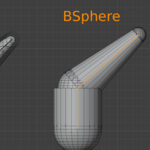
Create volumes from responsive sphere and cylinder-based elements driven by an armature. It is ideal for fast silhouette design, clean proportions and direct control over every part of the form.
BMeta Workflow
Use metaball-based blending for naturally fused, organic shapes. This workflow is excellent for soft transitions, smooth creature forms and fast organic blockouts.
READY-TO-USE PRESETS
Start immediately with included presets:
- Basic
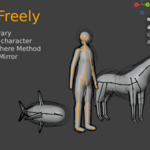
- Human
- Horse
- Dog
- Fish
Each preset provides a practical starting structure that you can freely edit, extend and reshape. You can also save your own custom setups for future projects.
MIRROR WITH FULL AXIS CONTROL
BUILD ONE SIDE - CREATE THE OTHER INSTANTLY
Use Mirror to duplicate your selected construction across the X, Y or Z axis. It is perfect for creating balanced characters and creatures without rebuilding the same structure twice.
LIVE SYMMETRY X
EDIT ONCE. MATCH BOTH SIDES.
Enable Symmetry X to keep your new edits synchronized across the X axis while you work. Extrude, shape and refine one side while BSphere Tool creates the matching side automatically.
Ideal for humanoids, animals, heads, bodies, limbs and any symmetrical design.
SHAPE THE SILHOUETTE
Extend bones to add limbs, tails, horns, necks or any custom form. Adjust endpoint radii to create thick, thin or tapered shapes - from broad torsos to narrow fingers and tails.
The goal is simple: focus on the silhouette first, not on manually placing primitives.
CONVERT TO A CLEAN MESH
FROM LIVE VOLUME TO PRODUCTION-READY GEOMETRY
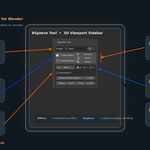
When your blockout is ready, use Convert to join the visual pieces into a unified mesh. BSphere Tool performs a voxel-remesh cleanup and automatically binds the result to the armature.
Use Quad when you need a quad-oriented topology rebuild through Blender's Quadriflow system.
Use Apply at the end to commit the armature deformation and create a standalone mesh for sculpting, detailing, export or a new rig.
SIMPLE WORKFLOW
CREATE → SHAPE → MIRROR / SYMMETRY → CONVERT → QUAD → APPLY
BSphere Tool gives you a fast starting point for characters and creatures while keeping the workflow flexible enough for your own ideas.
Spend less time building primitives. Spend more time designing forms.
Have questions about this product?
Login to message
| Blender Extension Compatible | Yes |
| Sales | 10+ |
| Published | about 2 months ago |
| Blender Version | 4.2 - 5.2 |
| Extension Type | Add-on |
| Render Engine Used | Blender-Internal |
| License | GPL |
Discover more products like this
base mesh Character Creation modeling voxel remesh metaball armature blockout Bsphere symmetry addon Zshpere retopology