Cable Car on Snow Mountains
 blendervacations


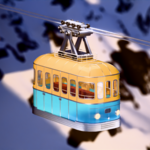
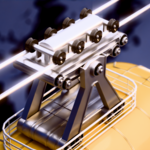
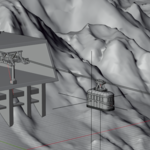
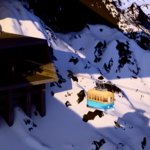
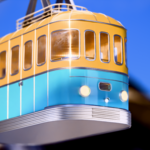
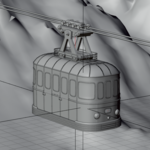
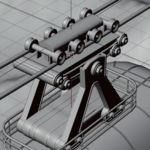
Overview
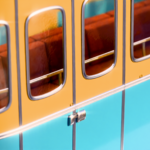
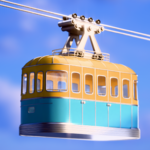
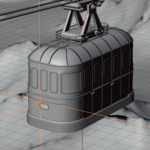
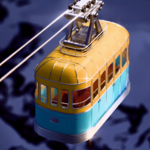
The Cable Car on Snow Mountains 3D Render Setup is a high-quality, production-ready Blender scene featuring a detailed vintage-style cable car traveling across snowy mountain peaks. Designed for realism and visual appeal, it’s ideal for artists, animators, and designers looking to add a cinematic touch to their projects.
Included in the Package
-
✅ Blender (.blend) File — Fully assembled scene with lighting, camera, materials, and render settings
-
✅ FBX and OBJ Files — Exported versions for compatibility with other 3D software
-
✅ Textures & Materials — PBR textures for metal, glass, plastic, and snow materials
-
✅ HDRI Lighting Setup — Natural lighting for realistic reflections and shadows
-
✅ Camera Preset — Ready-to-render camera angle for instant scene rendering
Features
-
High-quality modeling and materials for realism
-
Realistic snow mountain environment with accurate lighting
-
Clean topology and optimized mesh for fast rendering
-
Fully editable materials, lights, and camera
-
Compatible with Cycles and Eevee render engines
-
Scaled to real-world dimensions for easy integration
System Requirements
-
Software: Blender 3.0 or newer (recommended 3.5+)
-
Renderer: Cycles or Eevee
-
Hardware: 8GB RAM minimum, 4GB GPU recommended for smooth rendering
Use Cases
-
3D animations or cinematic travel scenes
-
Architectural visualization and tourism-themed renders
-
Product and commercial backgrounds
-
3D environment design and visual storytelling
-
Educational or training demonstrations
How to Use
-
Open the
.blendfile in Blender. -
Switch between Cycles or Eevee as needed.
-
Adjust lighting, materials, or camera angles to suit your project.
-
Hit Render (F12) for an instant high-quality output.
Have questions about this product?
Login to message
| Published | 11 months ago |
| Blender Version | 4.3 - 4.5 |
| Render Engine Used | Cycles |
| License | Royalty Free |
