CableForge
 Shahzaib A.


Getting Started
- Install the CableForge add-on through Edit → Preferences → Add-ons → Install.
- Enable the add-on.
- Open the 3D Viewport and press N to open the Sidebar.
- Select the CableForge tab.
- Choose one of the following workflows:
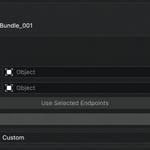
- Select two objects as the cable start and end points.
- Use an existing curve to define the cable path.
- Adjust the settings to customize your cable bundle.
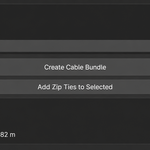
- Click Create Cable Bundle.
Your cable bundle is generated procedurally and can be edited live.
Features
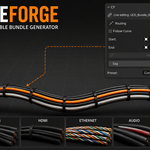
- Procedural cable bundle generation
- Route cables between two objects
- Follow any Blender curve
- Live parameter editing
- Built-in cable presets
- Procedural zip ties
- End boots
- Quality presets
- Organic twist and waviness
- Ethernet pair coloring
- Random color variation
- Non-destructive workflow
$15
Have questions about this product?
Login to message
| Blender Extension Compatible | Yes |
| Published | 3 months ago |
| Blender Version | 4.4 - 5.1 |
| Extension Type | Add-on |
| Render Engine Used | Cycles, Eevee |
| License | GPL |
Discover more products like this
non-destructive Electronics Cable generator product-visualization wire generator hard surface procedural Cable blender addon curve tool procedural cables environment