 BENNODES
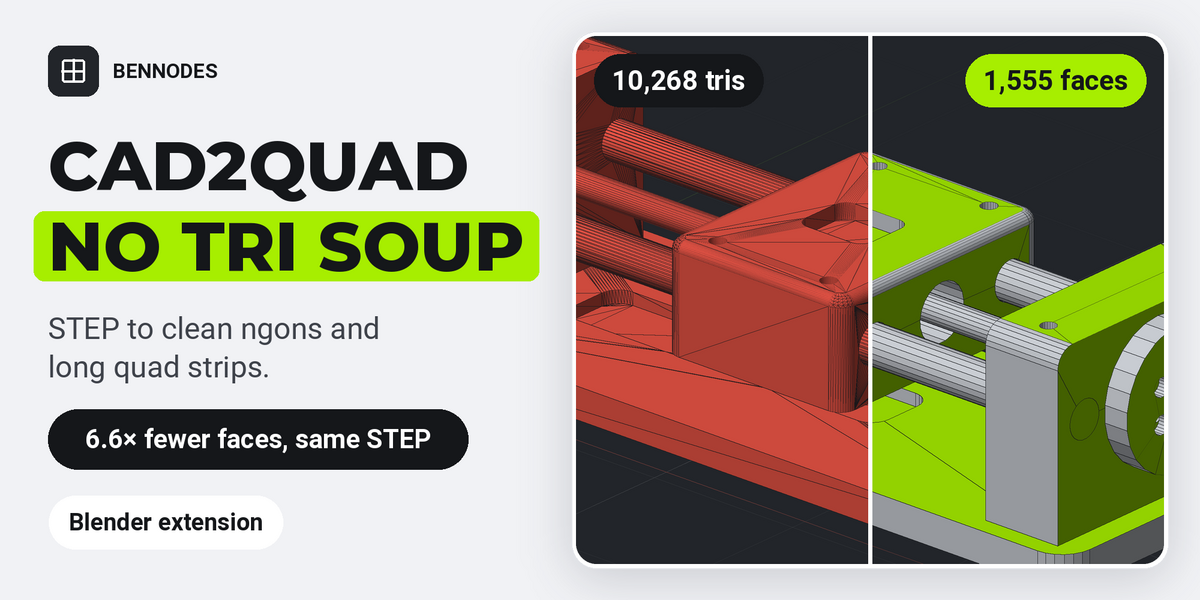

Turn STEP and IGES CAD files into clean, render-ready meshes: flat faces as single ngons, curved faces as tidy quad strips. Blender add-on for Windows.
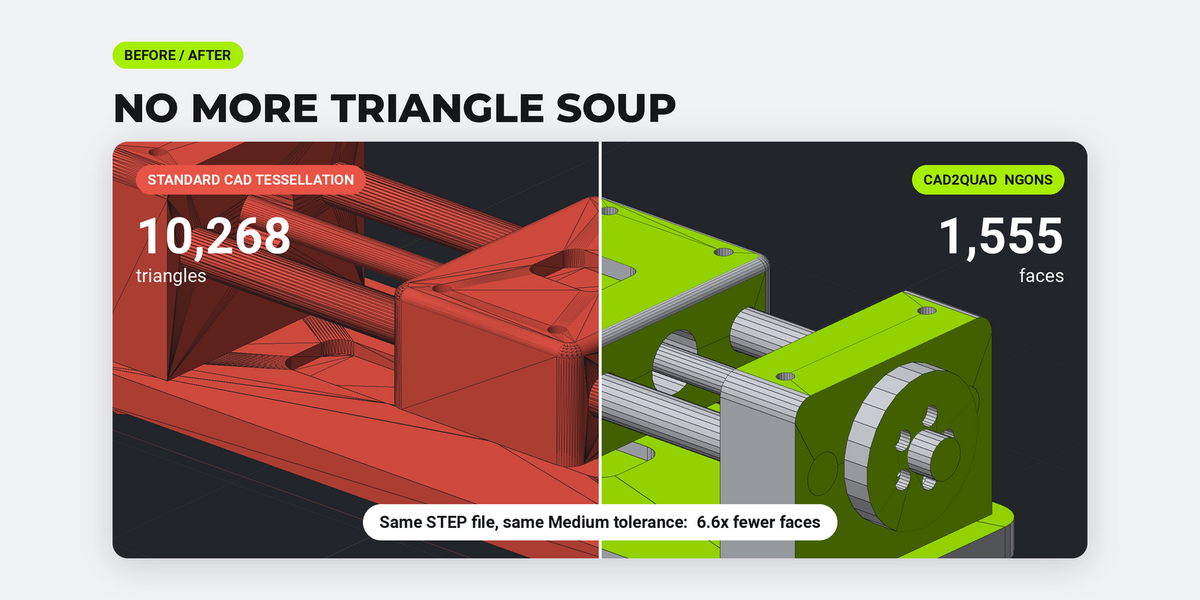
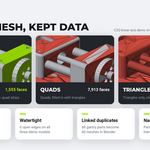
CAD exports usually arrive as triangle soup: thousands of slivers, shading artefacts and edges you can't select. CAD2Quad reads the real CAD surfaces and builds the mesh face by face, the way you would model it by hand.
NEW IN 1.3.0
Clean mesh: works on meshes already in Blender (STL, OBJ, FBX, glTF). Triangle soup becomes flat ngons and quads in one click.
New sidebar: Clean mesh on top, Import CAD with mesh settings below, Bridge last. Light and dark theme.
Bridge hierarchy (Studio): Fusion sub-assemblies arrive as parented empties, repeated parts as shared instances, and joints as pivots you can rotate or slide. Moved joints go back to Fusion.
WHAT YOU GET
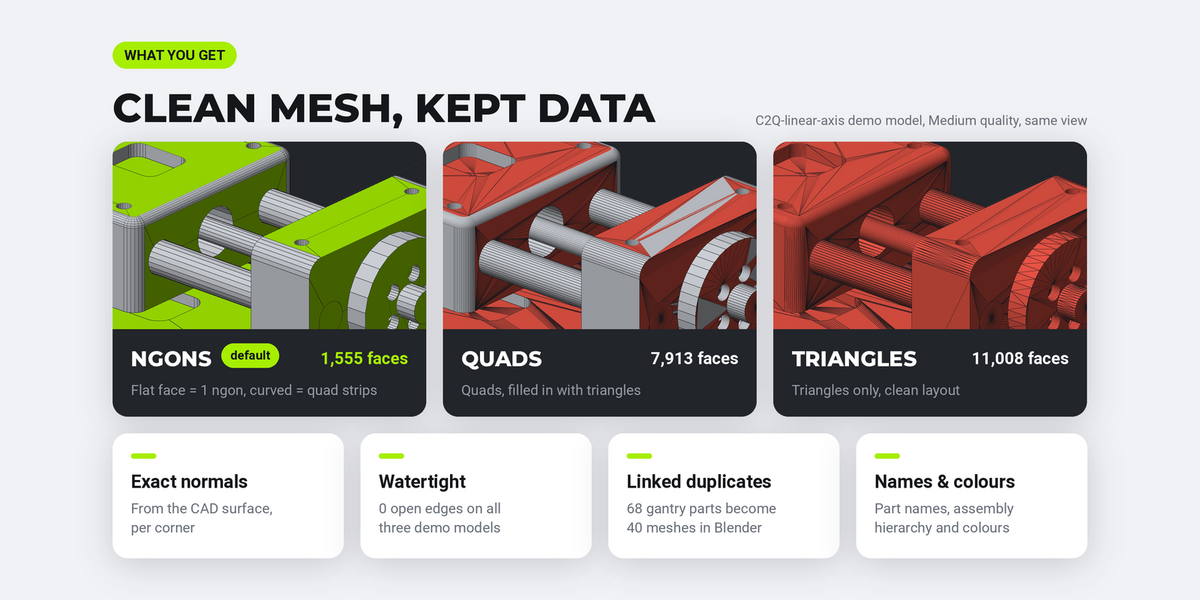
| 1 | Flat faces become one ngon (2–3 only when holes make it necessary). |
| 2 | Cylinders, cones and extrusions become long, clean quad strips that line up with their neighbours. |
| 3 | Exact normals from the CAD surface: smooth where the CAD is smooth, sharp where it has an edge. |
| 4 | Watertight: welded vertices, no cracks between faces. |
| 5 | Assemblies stay organised: part names, hierarchy and colours kept; repeated parts become linked duplicates. |
| 6 | Three output types: Ngons (default), Quads, Triangles. |
HOW YOU USE IT
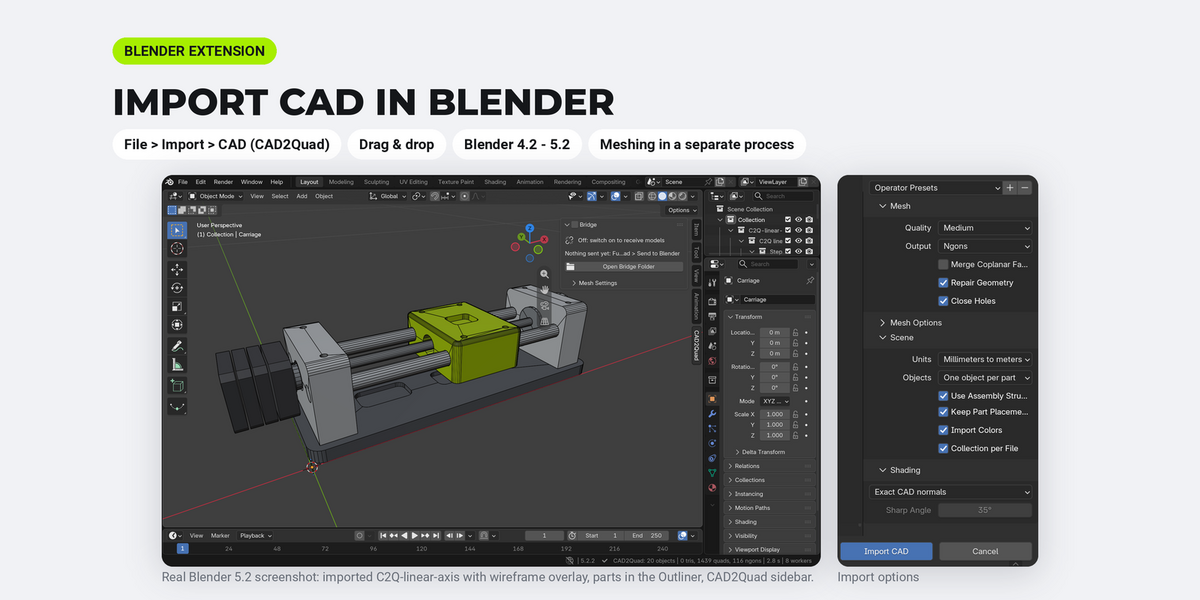
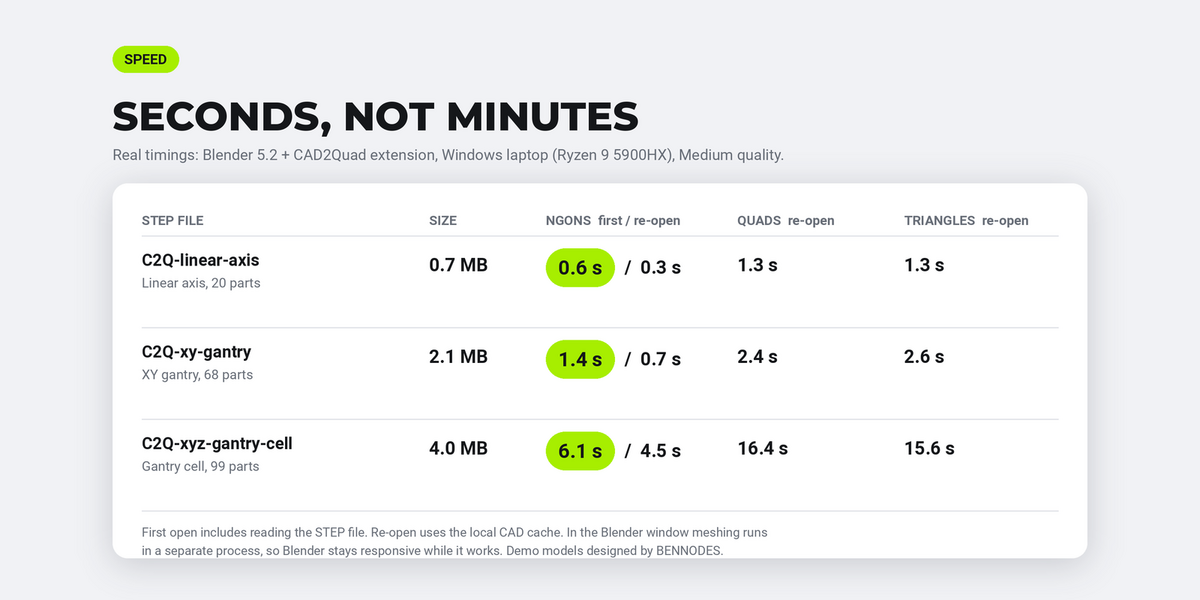
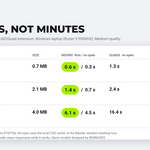
| Blender extension | File › Import › CAD (CAD2Quad) or drag a .step onto the viewport. Meshing runs in a separate process, so Blender stays responsive. |
| Clean mesh | Select meshes that are already in Blender (STL, OBJ, FBX from any CAD tool) and click Clean selected: flat areas become ngons, curved areas quad strips. |
OPTIONS AND FORMATS
Options: Quality (Coarse / Medium / Fine / Custom) · Angle · Weld · Merge coplanar faces · Units mm / cm / m · Y-up · Max/min edge length · Aspect ratio · name suffix (e.g. _medium_ngons).
Input: STEP (.step/.stp), IGES (.iges/.igs), BREP, DXF (3D faces/meshes). From SolidWorks, Fusion, Onshape, Inventor, Rhino and most CAD tools: export as STEP.
STUDIO: BRIDGE FOR FUSION
Send a Fusion design to the open Blender with one click, keep it updated on every save (Live Sync), and send moved part positions back to Fusion. Materials, modifiers, scene and hidden parts stay as you left them in Blender. Since 1.3.0 the full assembly tree comes along: sub-assemblies, instances and joints (revolute, slider, cylindrical, pin-slot, planar, ball) with their limits.
The Bridge is a Fusion add-in (Python scripts, no installer) and is included in the Studio download.
LICENCE TIERS
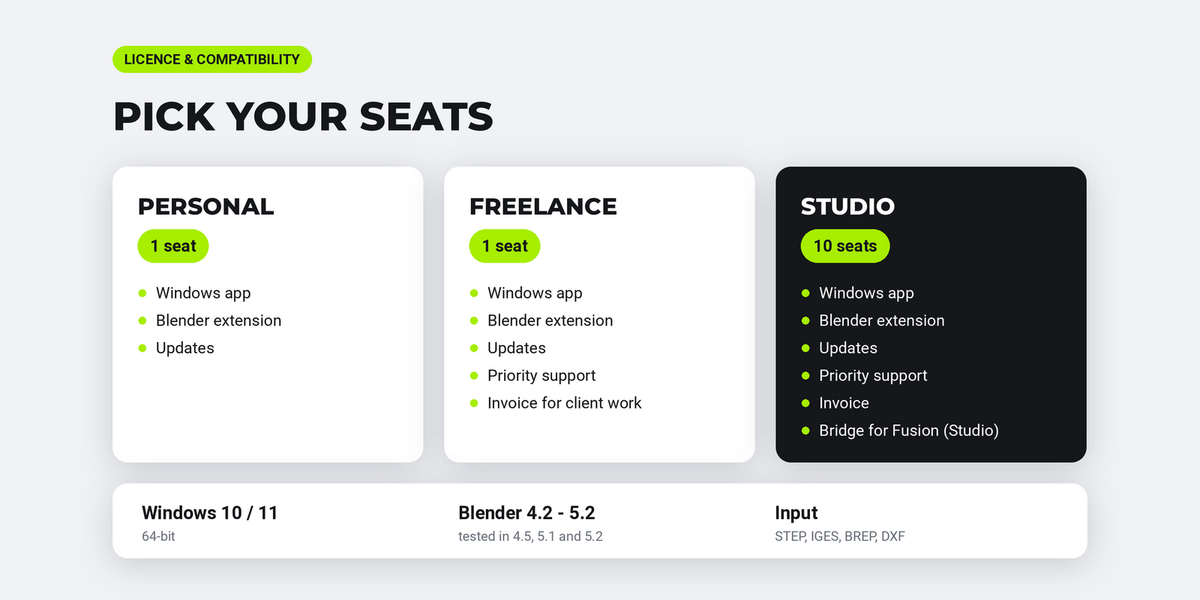
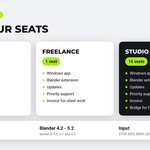
| Personal | 1 seat |
| Freelance | 1 seat, priority support, invoice for client work |
| Studio | Up to 10 seats, Bridge for Fusion, priority support, invoice |
Same add-on in every tier. The code is GPL-3.0, so tiers are seat counts on an honour basis plus the extras above.
COMPATIBILITY
Blender 4.2 – 5.2 (tested in 4.5, 5.1 and 5.2) · Windows 10/11 64-bit only (no macOS or Linux) · GPL-3.0-or-later · Free updates · Runs fully local, nothing is uploaded.
Launch offer: code LAUNCH20 gives 20 % off.
More from BENNODES: Ease Node Group, Parent & Drop, Photo-Match Camera, Scene Performance Analyzer.