CamControl – Camera Setup & Framing Tools
 Domenas


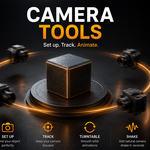
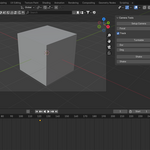
Camera Tools is a small Blender add-on that provides simple helpers for quick camera setup and basic camera animation.
Installation
-
Download the add-on ZIP file
-
In Blender, open Edit → Preferences → Add-ons
-
Click Install… and select the ZIP file
-
Enable Camera Tools
Location
-
View3D → N-panel → CameraTools
Setup Camera
-
Select an object in the scene
-
Click Setup Camera
-
If no camera exists, one is created automatically
-
The camera is positioned around the selected object
-
A target is created and used for Track To if enabled
Track
-
Enables or disables camera Track To behavior
-
When enabled, the camera continuously follows the selected object
Turntable
-
Creates a simple turntable animation
-
Uses an empty controller object
-
Dur defines animation length (frames)
-
Deg defines rotation angle (default 360°)
Shake
-
Adds simple camera shake using rotation keyframes
-
Shake controls the intensity
-
The shake is applied over the specified duration
Requirements
-
Blender 3.0 or newer
Have questions about this product?
Login to message
| Published | 11 months ago |
| Blender Version | 3.0 - 4.5 |
| Extension Type | N/A |
| Render Engine Used | Cycles |
| License | GPL |

Discover more products like this
camera Camera_Animation camera shake addon camera-tools turntable camera animation