Camera Director Pro
 Steven Seidler (Blendscapes3D)



Will it slow down Blender?
No. The addon only runs when you click a button. No background processes, no timers, no scene-graph hooks — zero overhead
when idle.
Does it work with the new Blender 4.x camera extras (bokeh, anamorphic squeeze)?
Yes. The lens presets set sensor + aspect ratio, and you can still tweak bokeh, anamorphic ratio, and DOF after applying a
preset.
What's the license?
GPL-2.0-or-later (required for all Blender addons). This applies to the addon code, it has zero impact on anything you
create with it. Your renders and projects are 100% yours.
Do I get free updates?
Yes. All future 1.x updates are included in your purchase.
Can I use this on commercial projects?
Yes. Use it on films, commercials, shorts, YouTube videos, animated series, games, whatever. No attribution required, no
project restrictions.
Does it support stereoscopic / VR / multi-view cameras?
Yes. Once a camera is created by the addon, Blender's standard stereo/multi-view features work normally on it. The addon
doesn't override camera data types.
Can I save my own presets?
v1.0 ships with a fixed preset library (8 shots, 8 lenses, 5 shakes). Custom preset saving is on the roadmap for a later
update.
Auto-Frame Selection how does it know the right distance?
It calculates the subject's bounding box, then positions the camera using the chosen focal length so the subject fills the
frame according to the preset (tight for Close-Up, loose for Wide, etc.). You can override with the distance multiplier.
Can I use this for VFX / camera tracking?
Yes. The lens presets use physically accurate sensor sizes, so the camera data matches real-world optics. Match-moved tracked
cameras can use the lens library to snap to the right focal length after import.
Will shake ruin my animation?
No , shake is added as modifier noise on top of your existing keyframes. Your animation stays clean underneath. Remove the
shake modifier and your original motion returns exactly.
Can I control shake intensity?
Yes. The quick-buttons (Subtle / Handheld / Vehicle / Earthquake / Explosion) apply sensible defaults, but the "Add Shake..."
dialog gives you an intensity slider and optional frame range with auto blend-in/blend-out.
Does the camera shake work on rendered animations?
Yes. Shake is applied as f-curve noise modifiers on the camera's transform — it bakes into every rendered frame exactly as it
plays in the viewport. Stackable (combine Handheld + Vehicle for a chase scene), non-destructive (remove with one click).
How do I use the multi-cam switcher?
Create several cameras, jump to a frame in the timeline, select the camera you want active there, click Bind Here. Blender
then auto-switches cameras during playback and final render. No manual camera-switching needed.
What's the difference between presets and Blender's built-in cameras?
Blender gives you one generic camera. Camera Director Pro gives you:
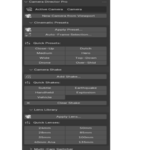
- 8 cinematic shot types with correct focal lengths (Close-Up 85mm, Wide 24mm, Drone 35mm high-angle, Dutch, Low-Angle Hero,
Top-Down, Over-Shoulder, Medium)
- 8 real-world lens presets with accurate sensor + aspect ratio (24, 28, 35, 40mm Anamorphic, 50, 85, 100mm Macro, 135)
- Rule-of-thirds subject placement (left/right/upper/lower intersections)
- All physically correct not just random focal lengths
Can I still tweak the cameras after applying a preset?
Absolutely. Every preset just generates a standard Blender camera, you can edit focal length, DOF, clipping, animation,
constraints, everything. Think of presets as a smart starting point, not a locked template.
Will it mess up my existing cameras?
No. By default it creates new cameras from your presets. If you use the "Apply to Active Camera" option it repositions your
existing camera, but doesn't delete or overwrite any animation unless you explicitly enable "Insert Keyframes"
Does it work with Eevee, Cycles, and Workbench?
Yes, all three. Camera Director Pro only sets camera data (focal length, sensor size, transform) it doesn't care which
render engine you use.
Which Blender versions does this work with?
Blender 4.2 LTS and newer. Tested through Blender 5.1. Works on Windows, macOS, and Linux , pure Python, no compiled
binaries.
$6.49
Have questions about this product?
Login to message
| Blender Extension Compatible | Yes |
| Sales | 10+ |
| Published | 5 months ago |
| Blender Version | 4.2 - 5.1 |
| Extension Type | Add-on |
| Render Engine Used | Blender-Game-Engine |
| License | GPL |