 HanaYou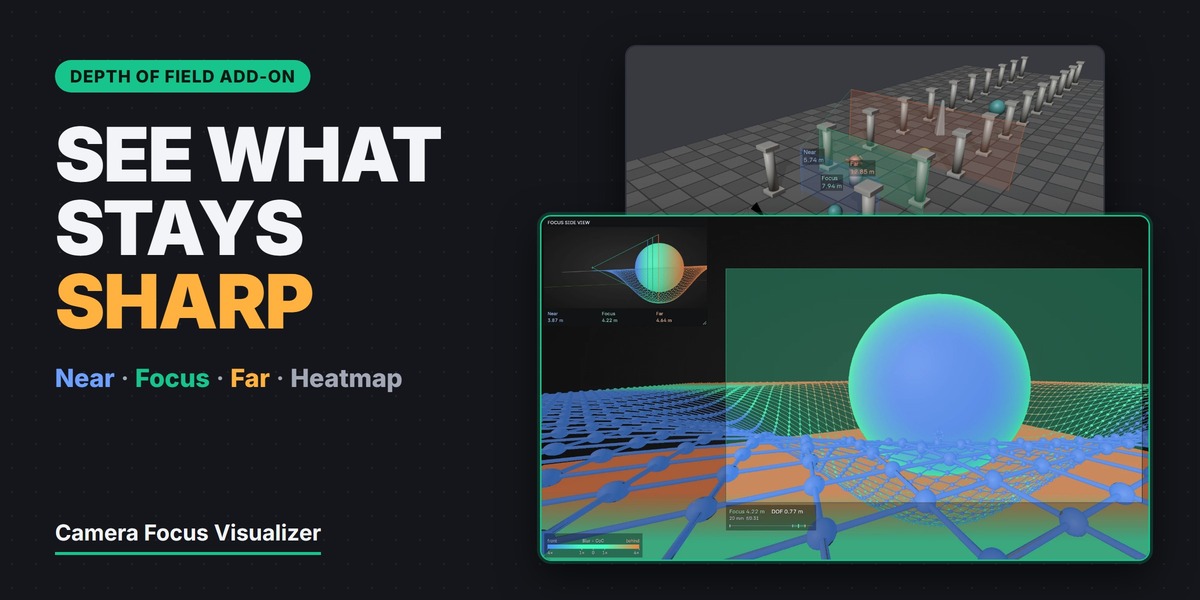
DEPTH OF FIELD ADD-ON
See what your camera
keeps sharp.
Near, Focus and Far planes in the 3D Viewport, a heatmap of the predicted blur on every surface, and a live side view of the focus range inside Camera View. Blender 4.3 to 5.2.
NearFocusFarHeatmap
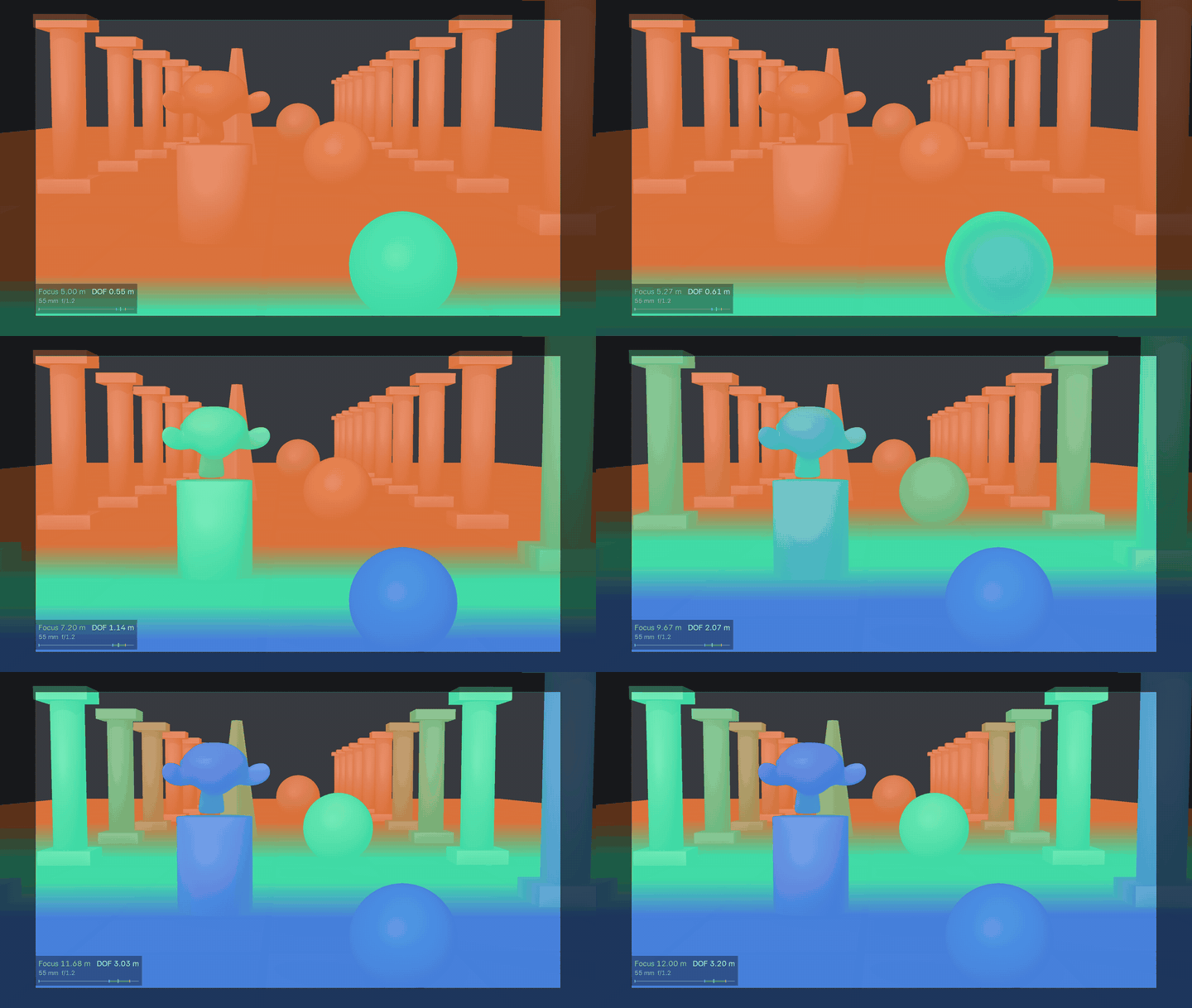
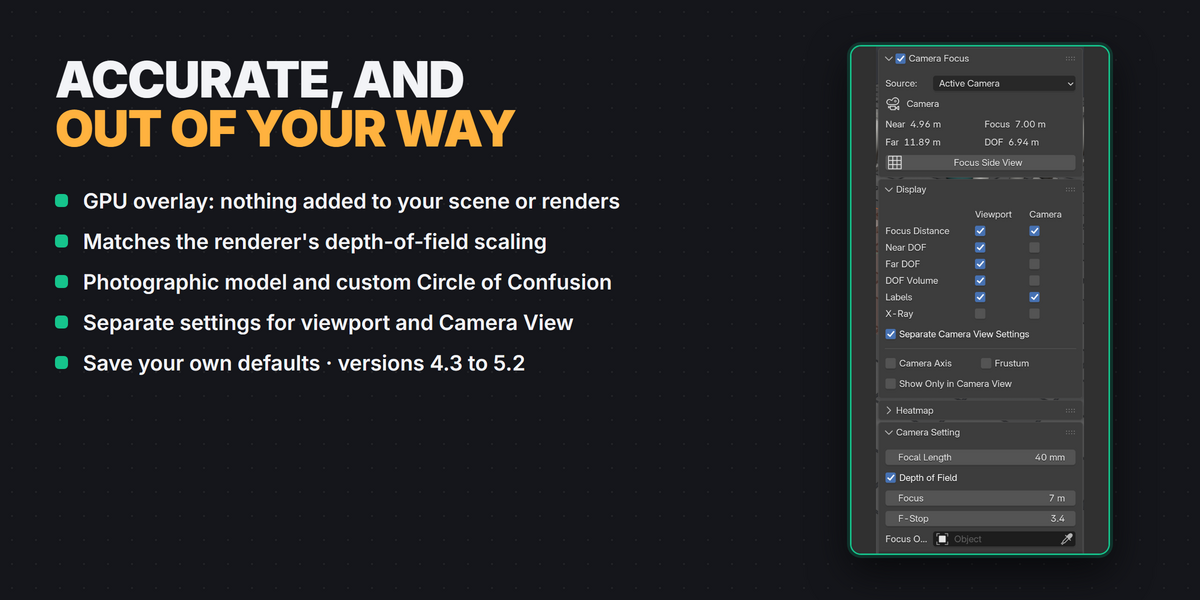
Everything is a GPU overlay: nothing is added to your scene, and nothing shows up in renders.
Is the subject really in focus, or will you only find out after a test render? Camera Focus Visualizer shows the depth of field while you set up the shot. Change the focus distance or the f-stop and everything updates as you drag.
Near · Focus · Far
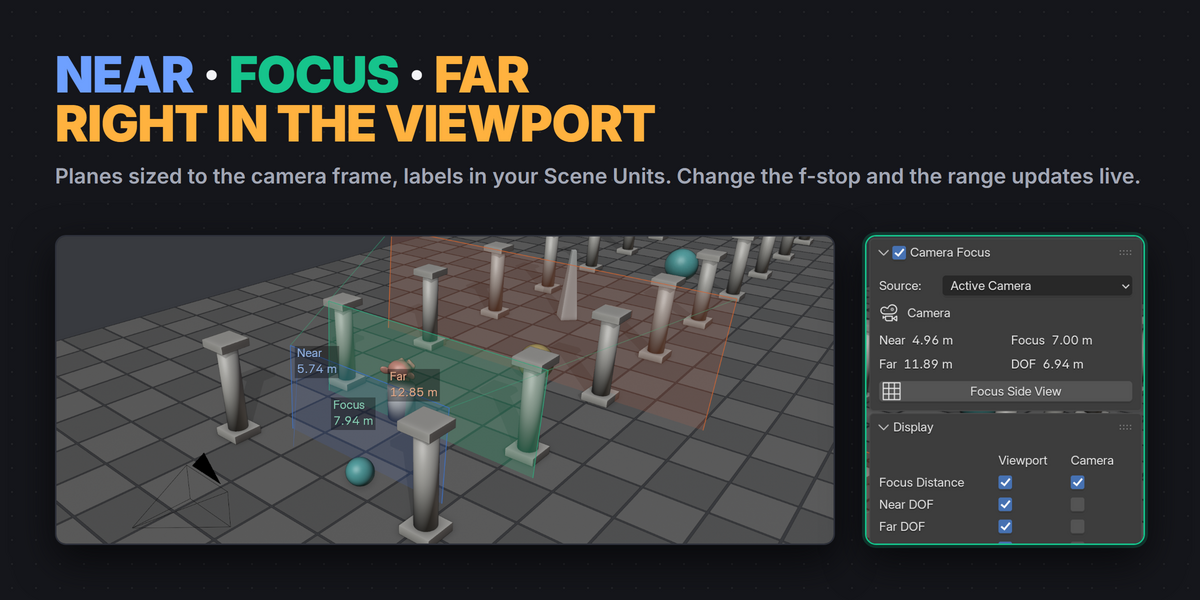
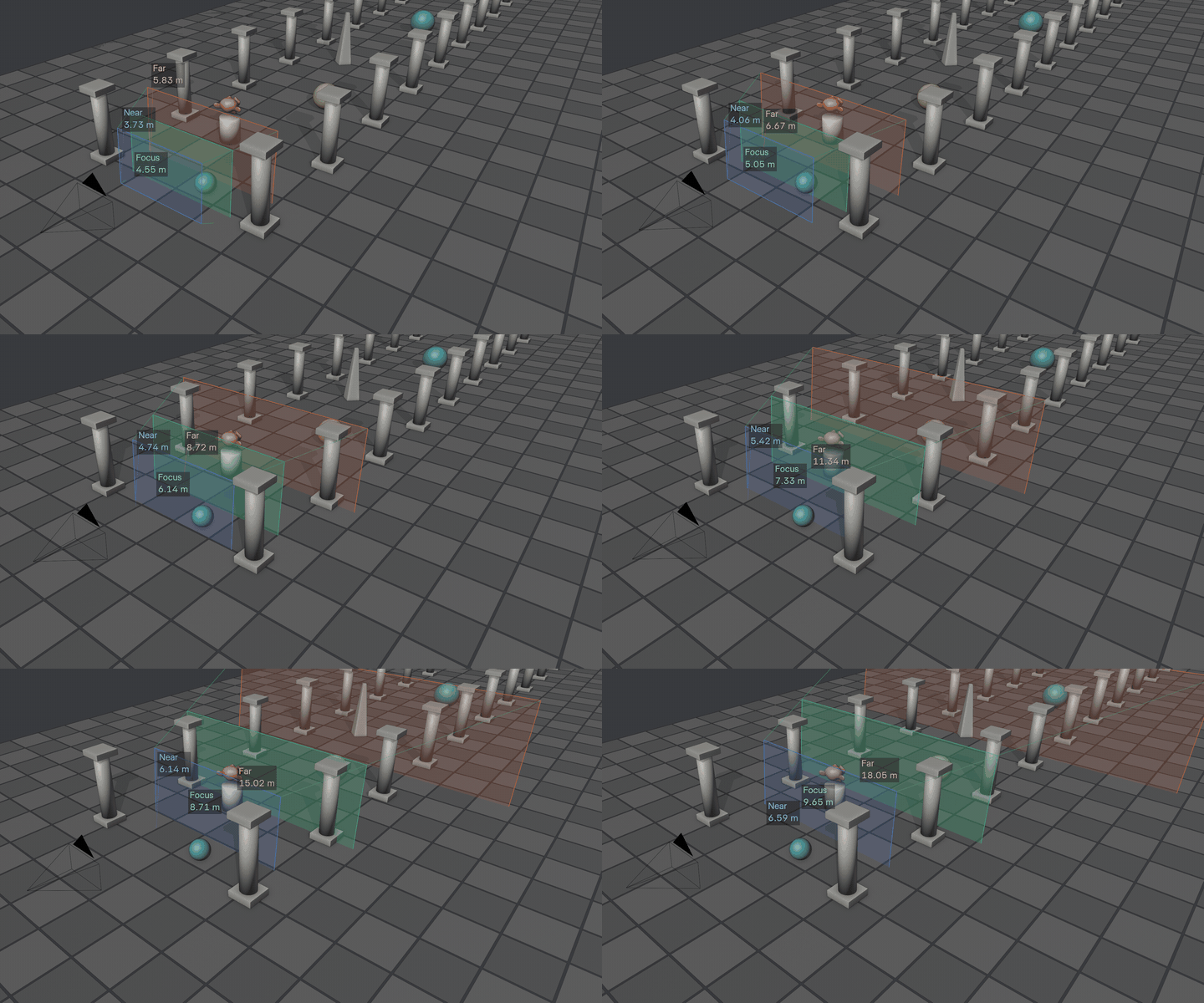
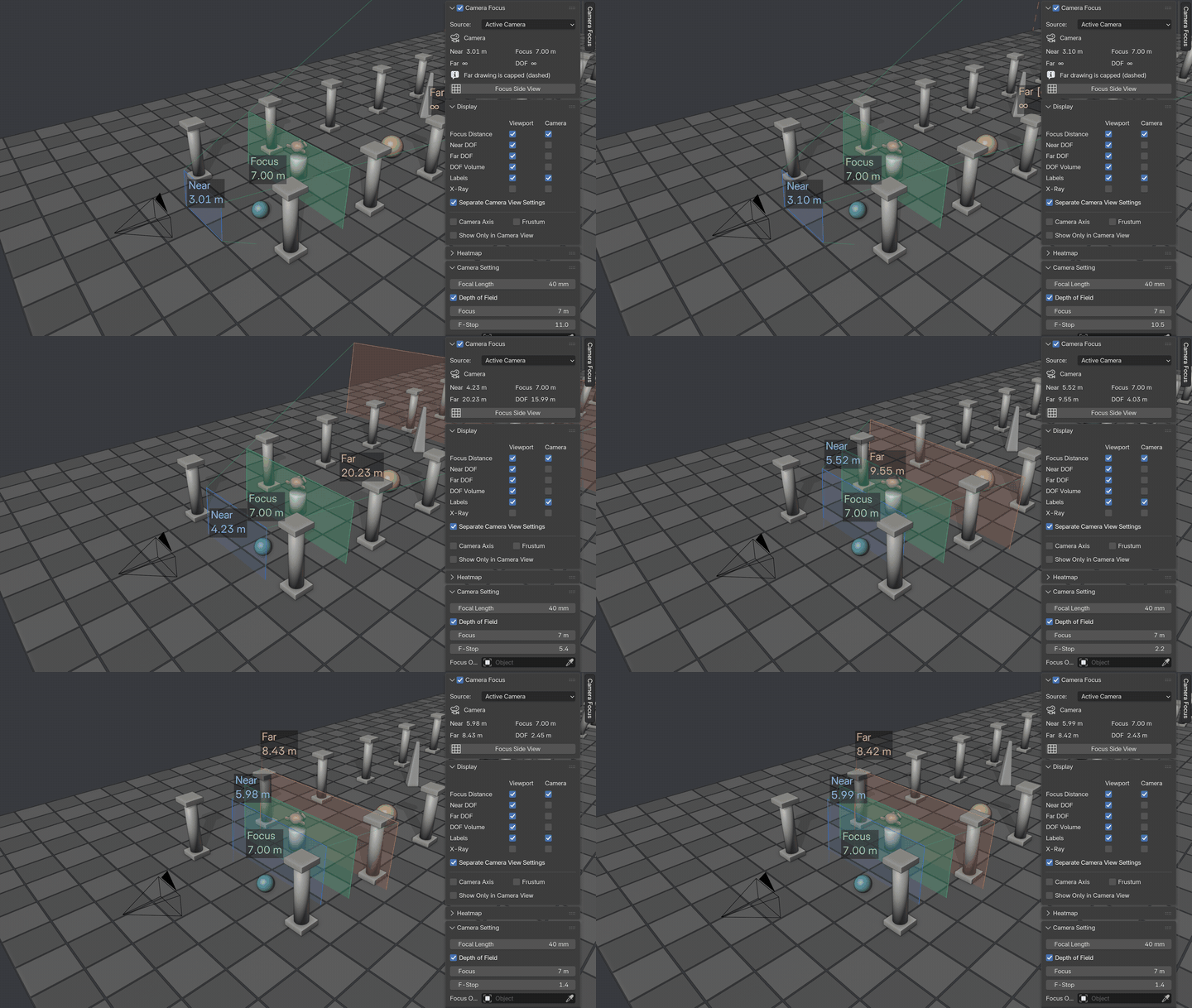
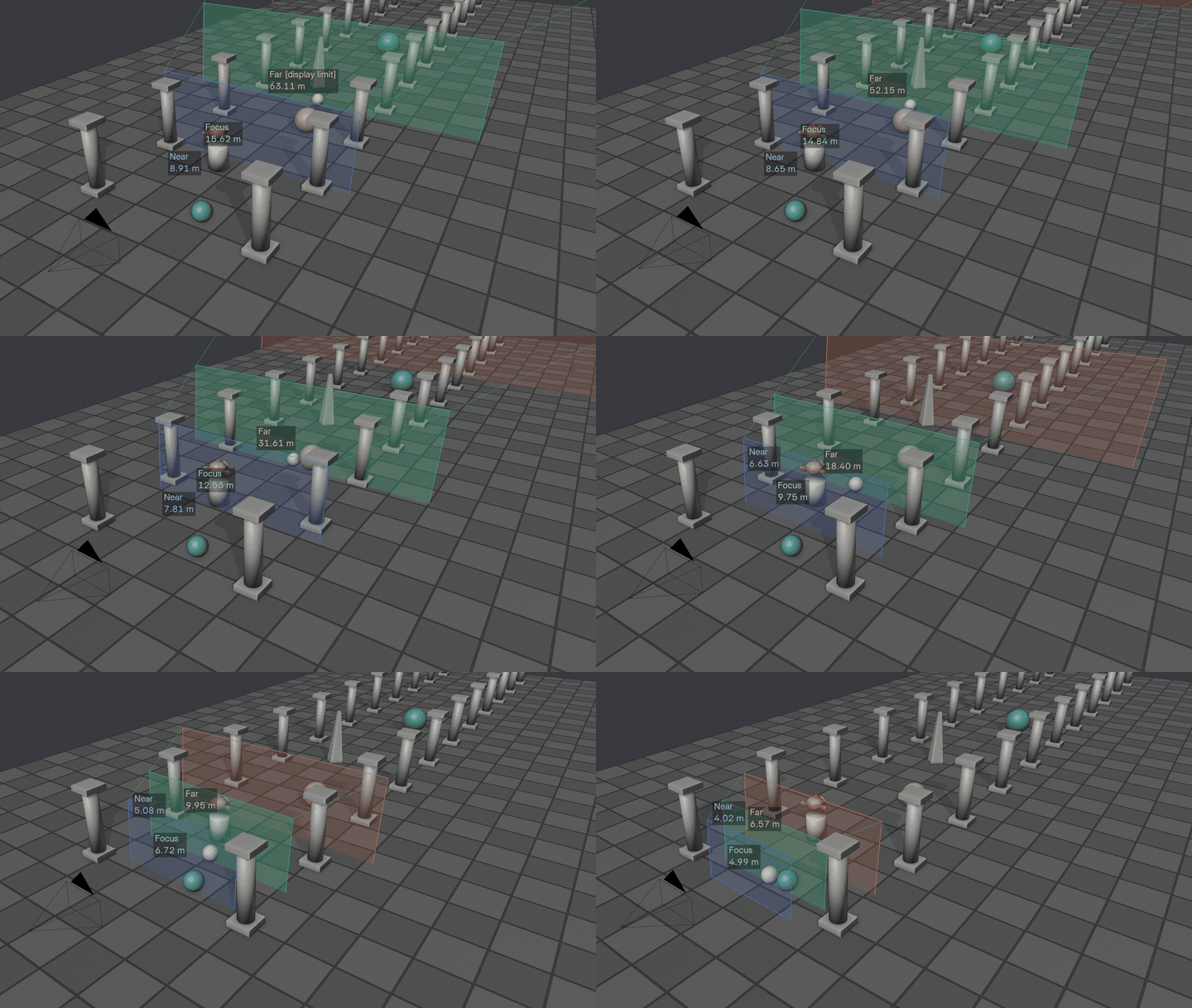
See the focus range in 3D
Planes sized to the camera frame at each distance, with labels in your Scene Units and an optional DOF volume. Green is the focus distance, blue the near limit, orange the far limit.
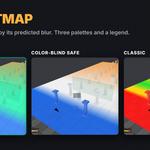
DOF Heatmap
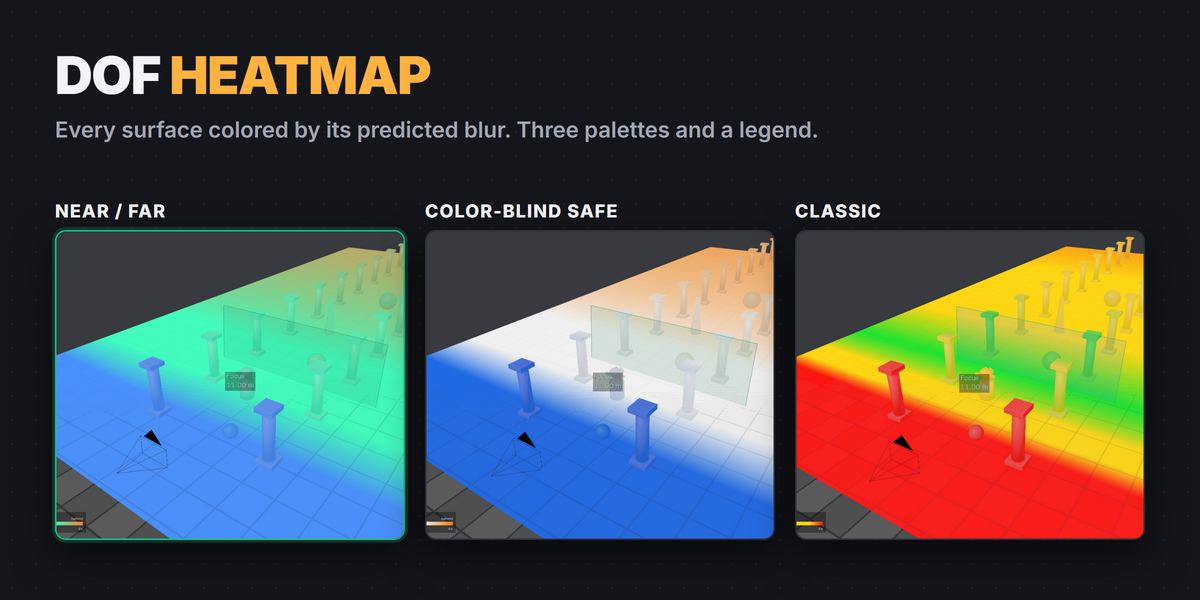
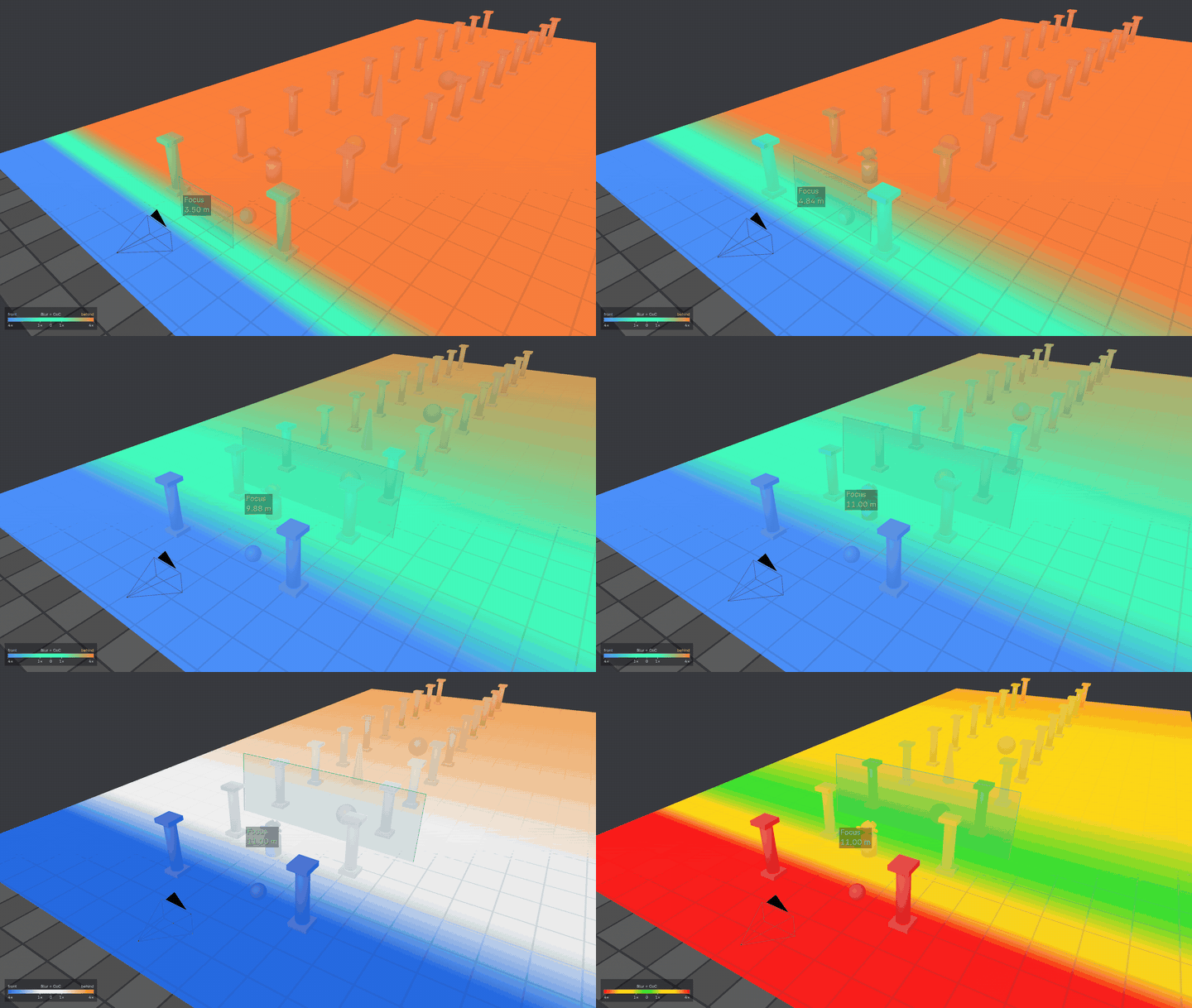
Every surface colored by its blur
Colors visible surfaces by the predicted blur at each point, from the focal length, f-stop, focus distance and Circle of Confusion. Choose Near / Far, Color-Blind Safe or Classic, with a legend in the corner.
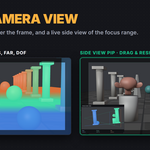
Camera View
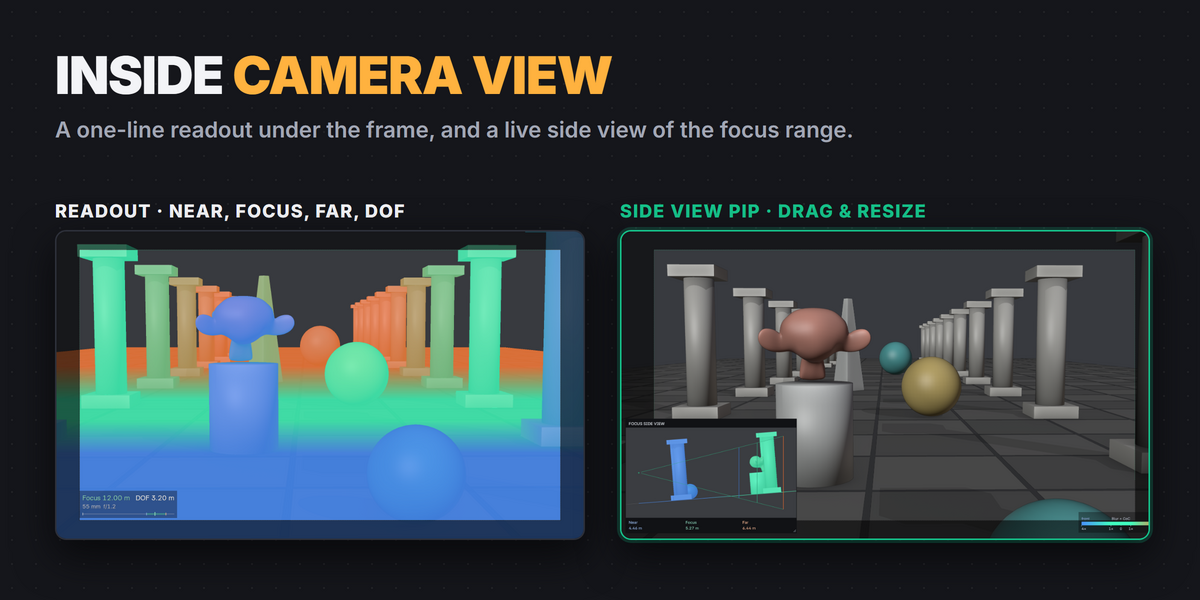
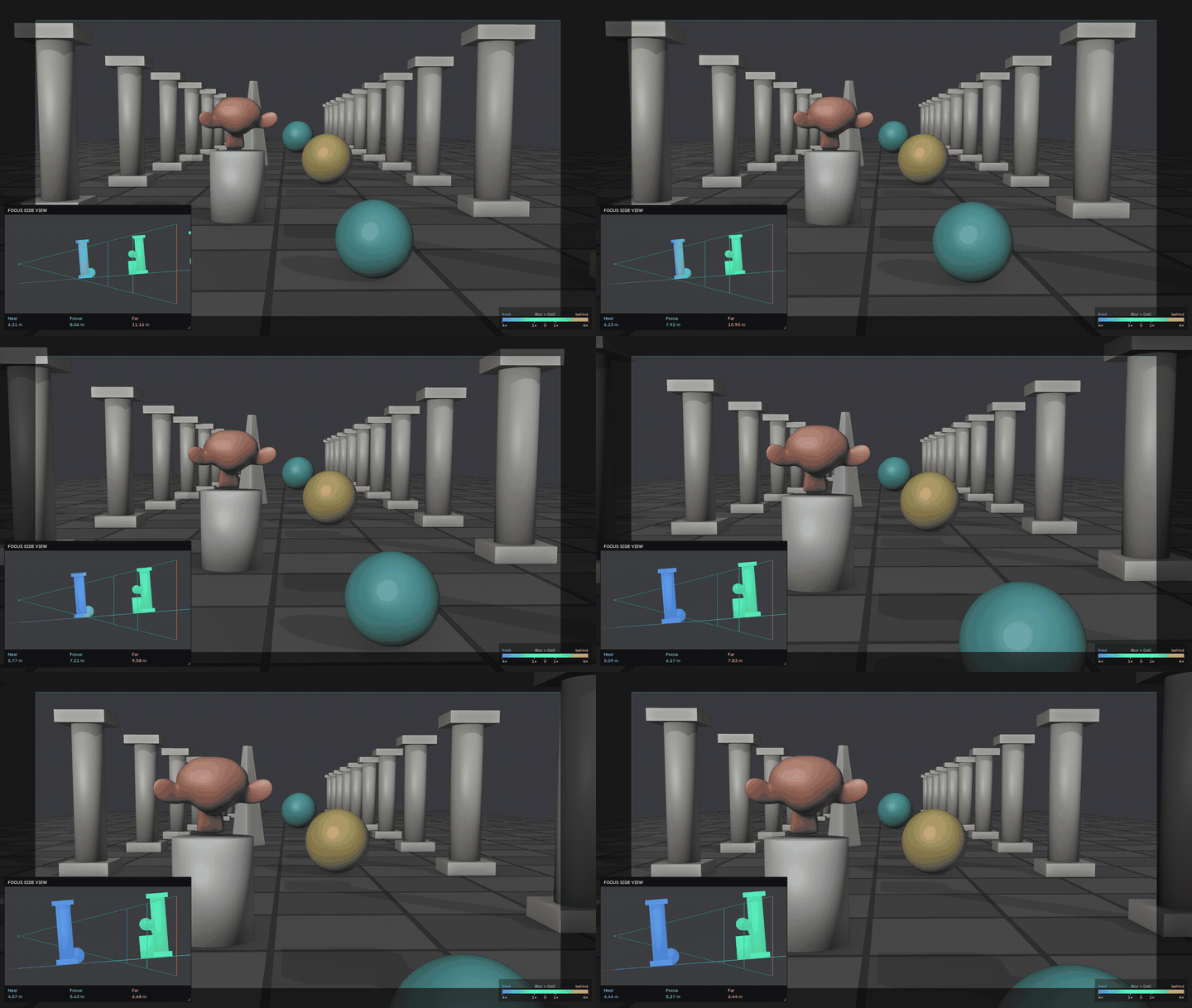
Check focus without leaving the camera
Looking through the camera, the labels become one line under the frame: Near, Focus, Far, DOF, focal length and f-stop with a depth bar. Side View PiP adds a small live side view of the real scene with the focus lines over it. Drag to move it, drag the corner to resize it.
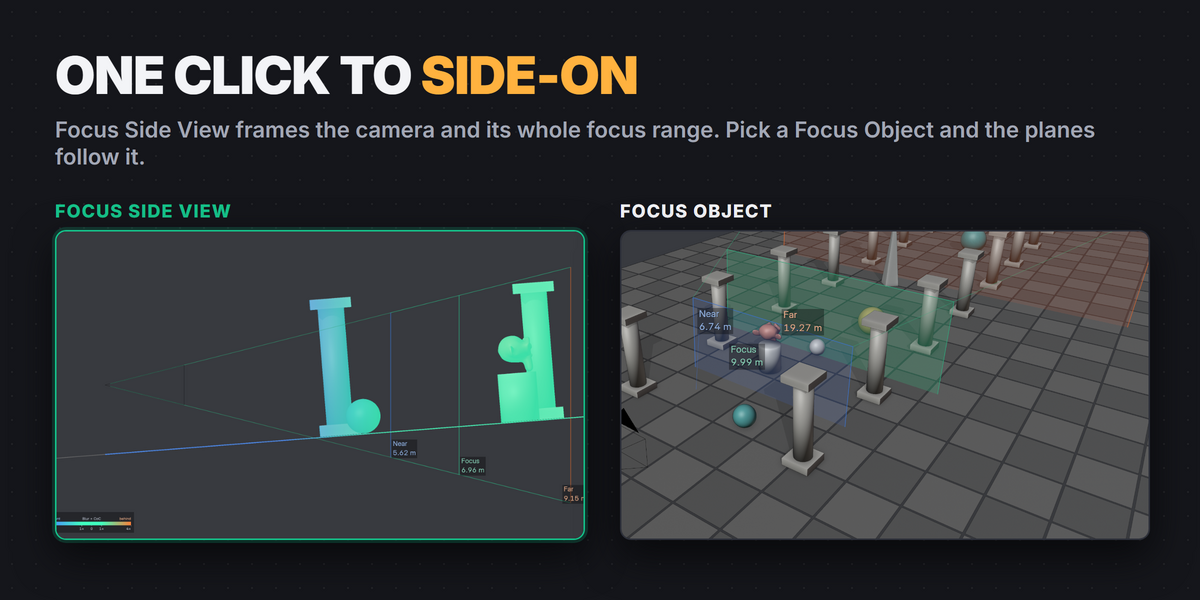
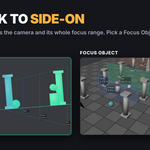
Focus Side View
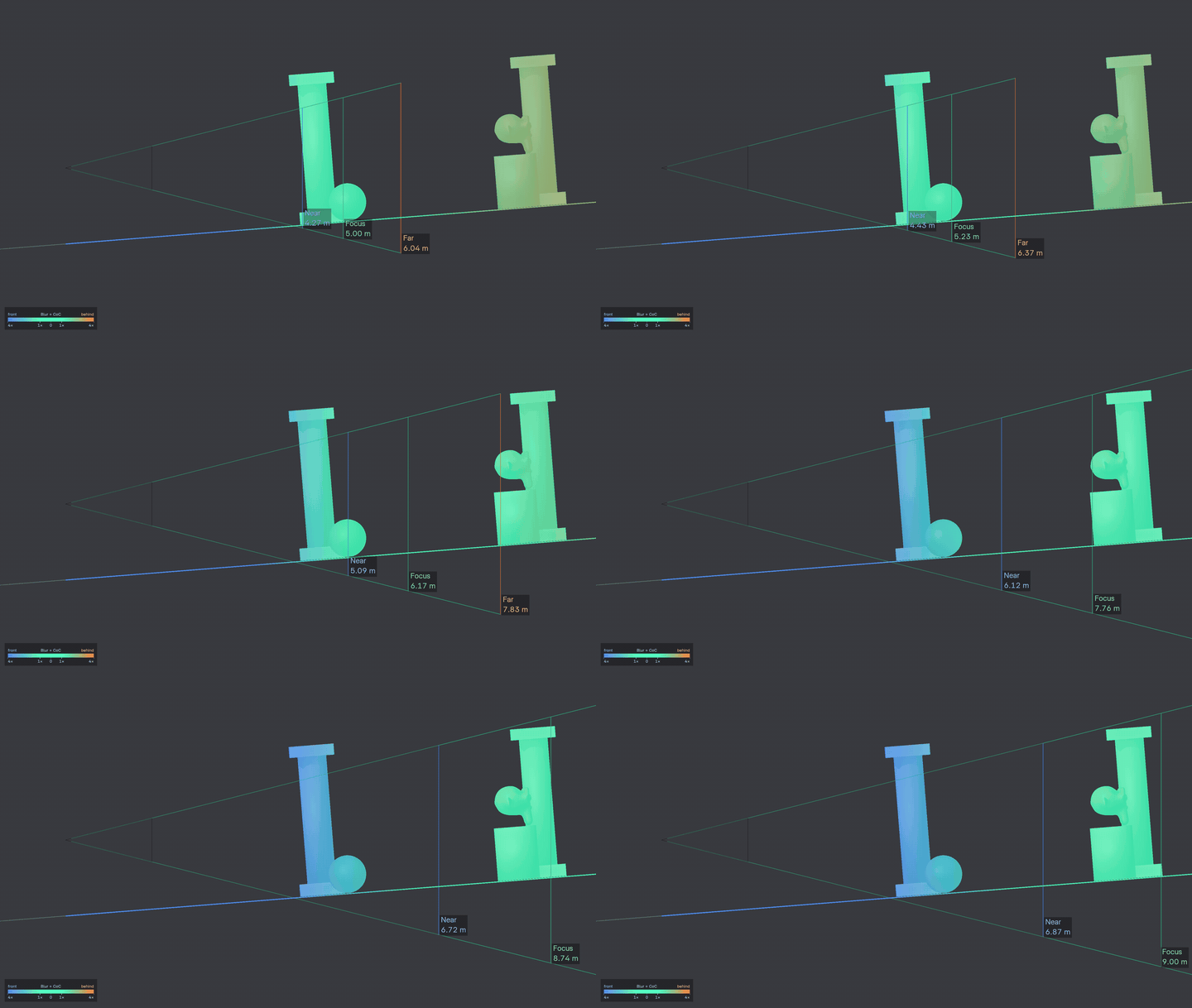
One click to side-on
Switches the viewport to an exact orthographic side view, framed to fit the camera and its whole focus range. One more click brings your previous view back.
Focus Object
The planes follow your subject
Pick a Focus Object, or a bone, with the eyedropper and the planes follow it as it moves. Track To aims the camera at a target from the same panel.
Also included
Compatibility
| Blender | 4.3 to 5.2 |
| Location | 3D Viewport › Sidebar (N) › Camera Focus |
| Tested | Windows with 4.3.2, 4.5.9 LTS and 5.2.2 LTS. macOS and Linux are expected to work but were not part of release testing. |
| Package | Extension package (recommended) and regular add-on ZIP. Install one of them. |
Good to know
- The heatmap is a guide, not a render: it predicts blur from the lens settings and does not account for transparency, volumes or hair.
- Orthographic cameras show the Focus plane only. Panoramic, fisheye and stereo cameras are not supported.
- Heatmap and PiP add GPU cost in heavy scenes. PiP is fastest in Solid mode.
- Full instructions are in the Documentation tab.
Licensed under GPL-3.0-or-later.