 AllanSPK


Camera Guides for Blender
A lightweight Blender addon inspired by the workflow of professional drawing software (such as Clip Studio Paint). It brings a fluid, precise guide-line system directly into your 3D workspace, making it ideal for composition, perspective guidelines, and character proportion layout.
Key Features:
- Drawing Software-Style Guides: Quickly drop vertical and horizontal guide lines to easily structure perspectives, sight lines, and composition.
- One-Click Creation: Add guides instantly from the sidebar panel.
- Precise Positioning: Exact coordinate control for fine-tuning layout positions.
- Normal & Mirror Modes: Symmetrically mirror your guides for balanced, centered compositions.
- Clean Organization: Dedicated options to hide, lock, unlock, or clear all guides at once.
- Dedicated Panel: Neatly integrated into the 3D Viewport Sidebar under its own custom tab.
See it in Action:
Quick Composition & Symmetry:
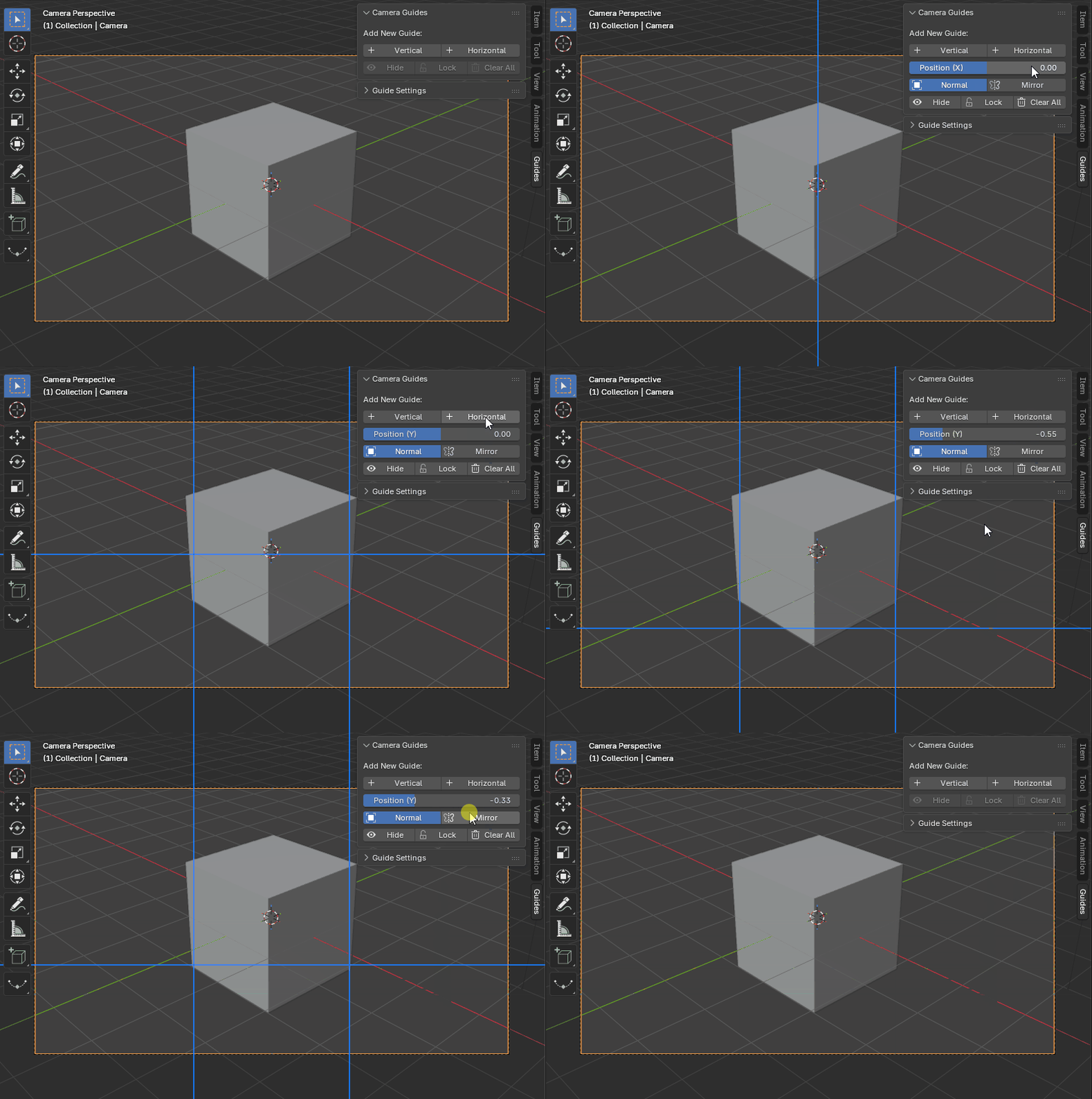
Create precise grid layouts instantly using coordinate values and mirror mode.
Customization (Thickness & Opacity):
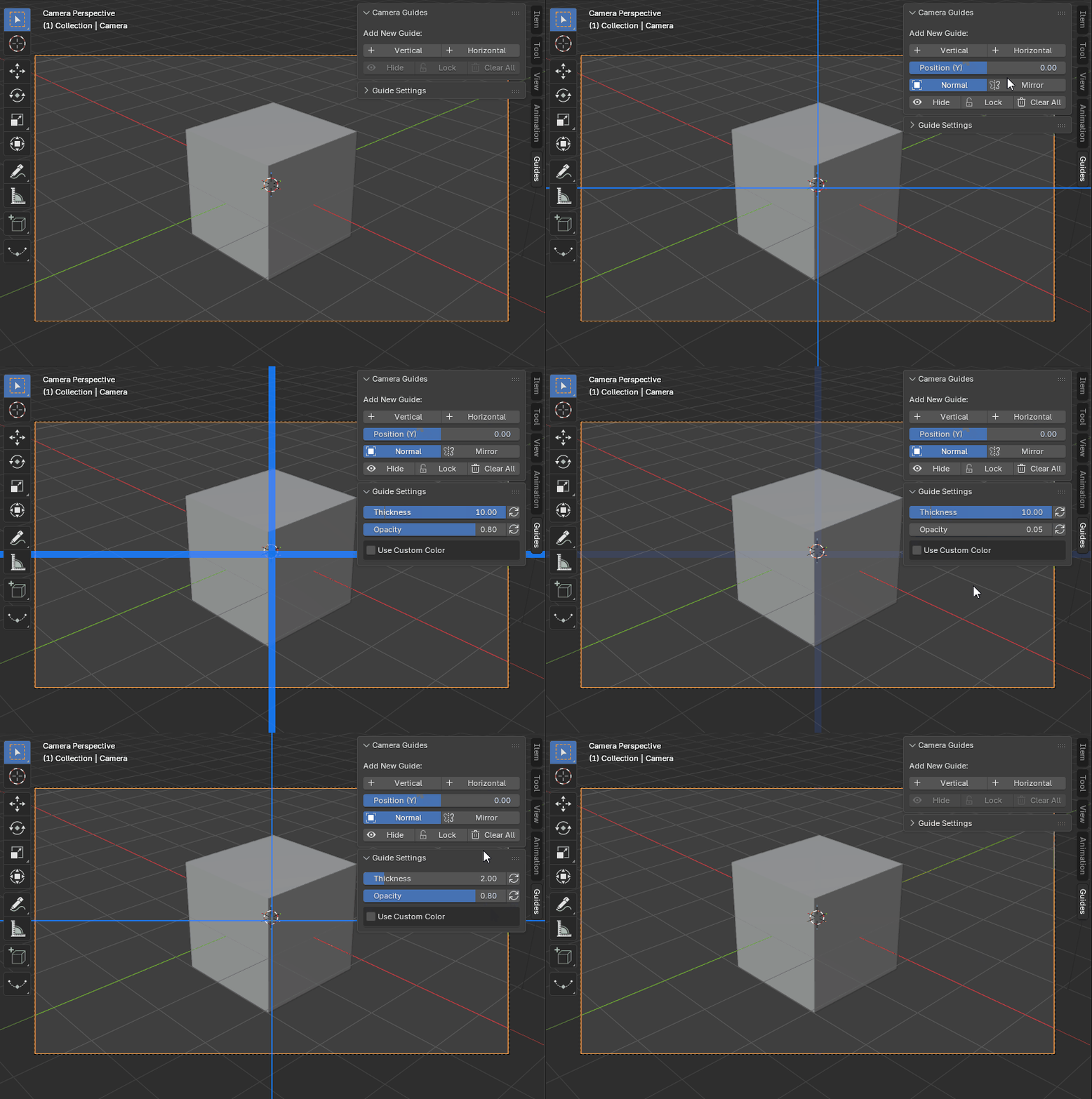
Adjust line thickness and opacity seamlessly to fit your visual preference without distraction.
Global Color Override:
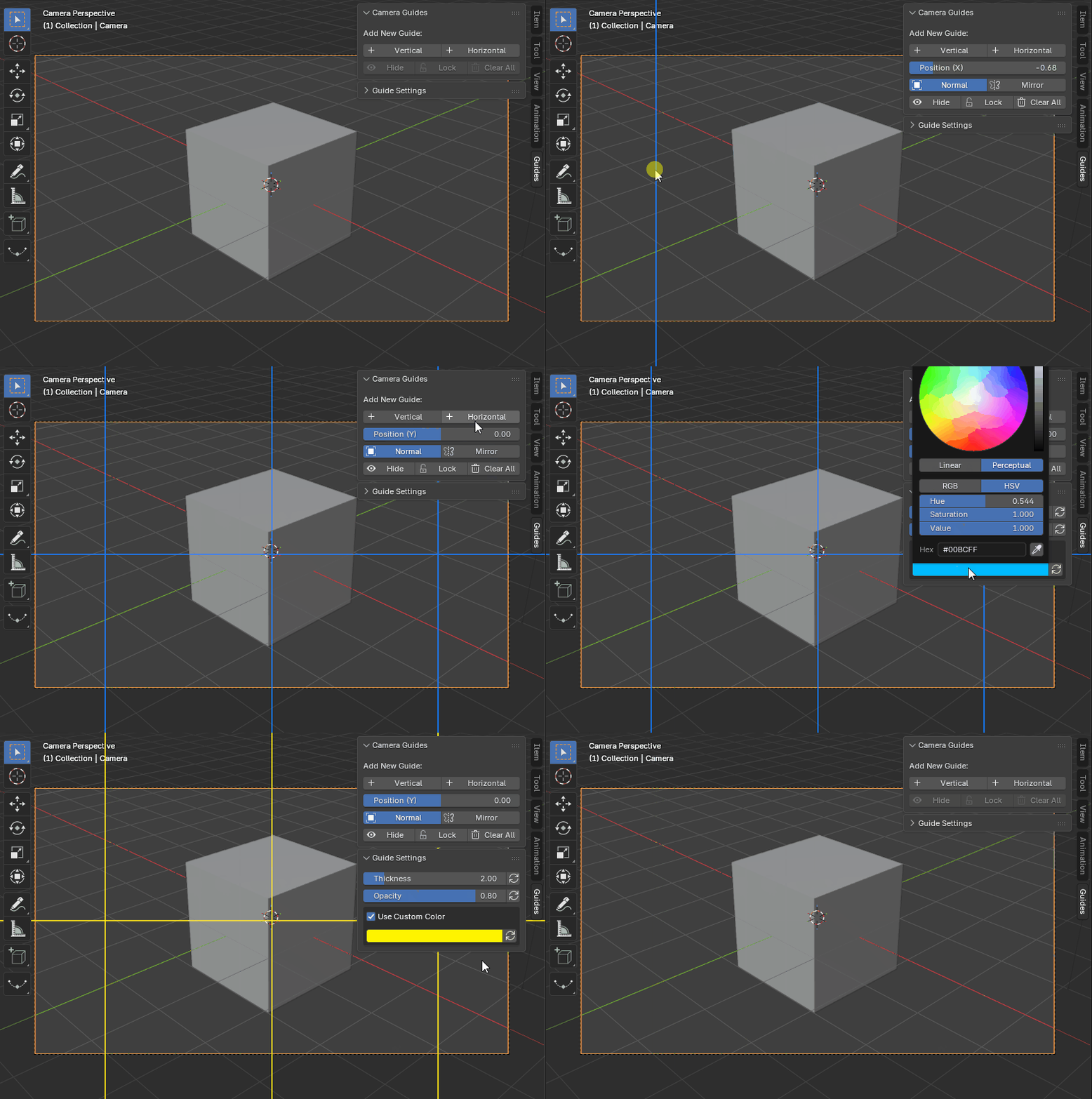
Quickly change the line color globally and temporarily right from the panel, without altering your default addon preferences. Perfect for adapting your guidelines to different project backgrounds on the fly.
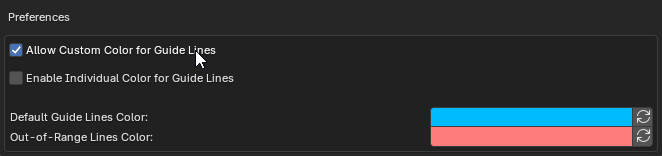
Enable "Allow Custom Color for Guide Lines" in the Add-On preferences to unlock quick on-the-fly global color changes directly from your active panel.
Individual Colors & Easy Deletion:
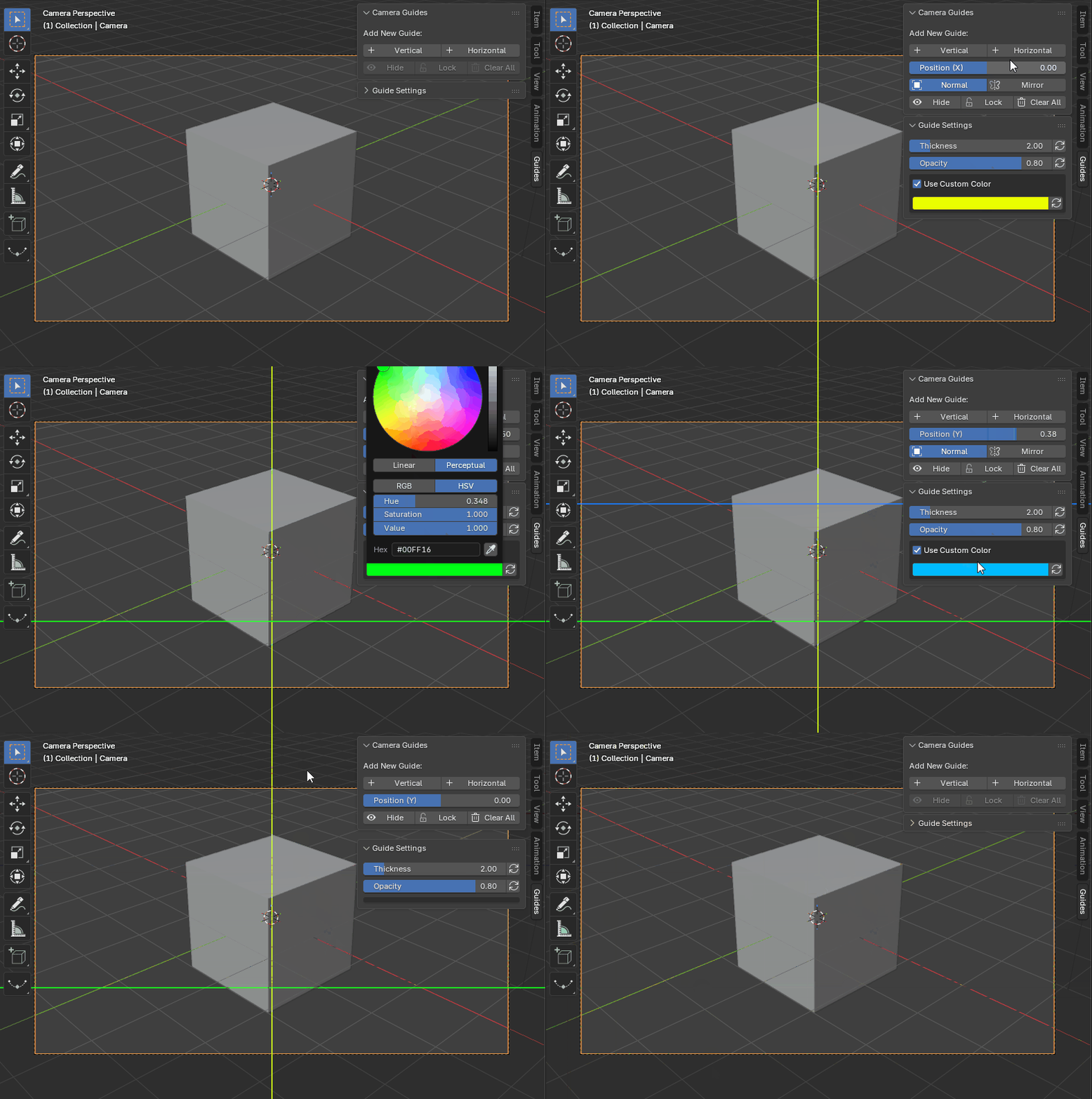
Customize specific lines with individual colors without affecting the rest. Manage your workspace effortlessly by deleting lines either by dragging them to the grey area or by pressing X / Delete while moving them.
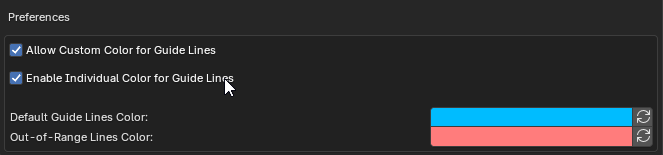
Check "Enable Individual Color for Guide Lines" in the Add-On preferences to unlock custom color pickers for each separate line.
