 ztrztr
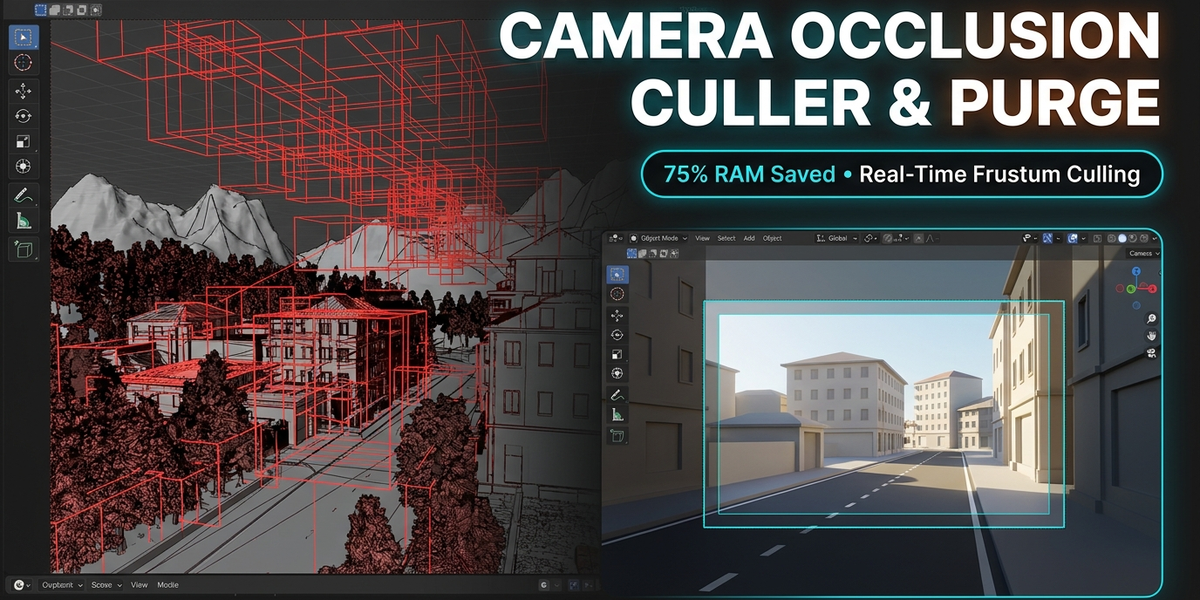
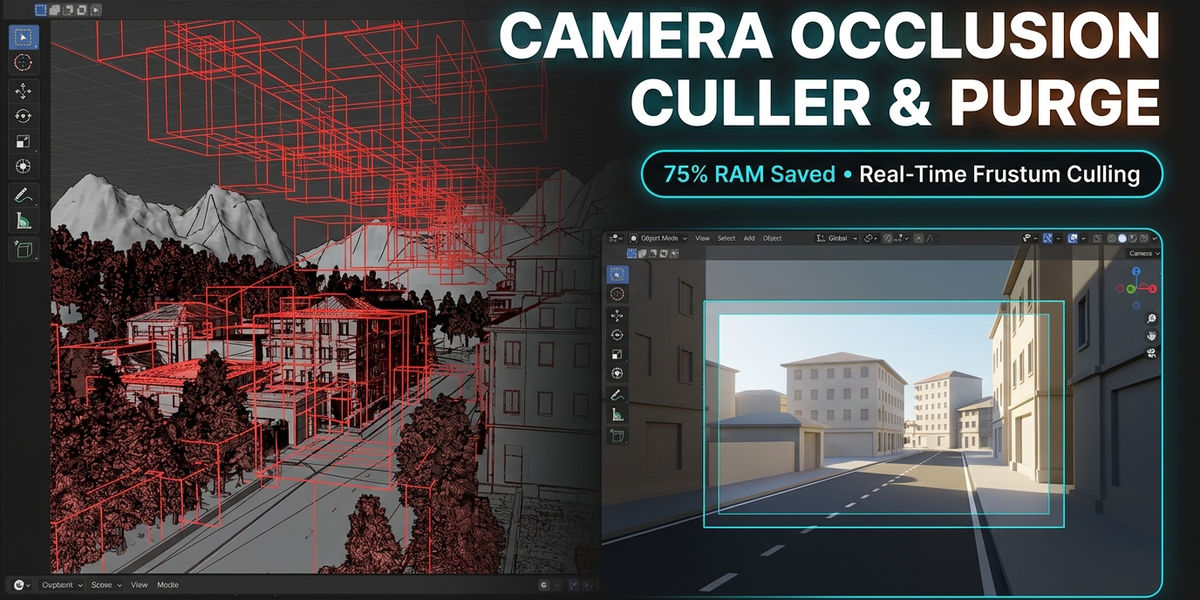

🎥 Camera Occlusion Culler & Purge
Intelligent Frustum Culling, Off-Screen Geometry Elimination & Recursive RAM/VRAM Purge for Blender 4.0 – 5.1+
Never suffer another Cycles "CUDA Out of Memory" crash or a 9 FPS viewport on heavy production scenes.
Why force Blender to compute BVH acceleration trees and push gigabytes of high-poly foliage, background buildings, and 8K PBR textures into GPU memory when they never appear inside your camera lens?
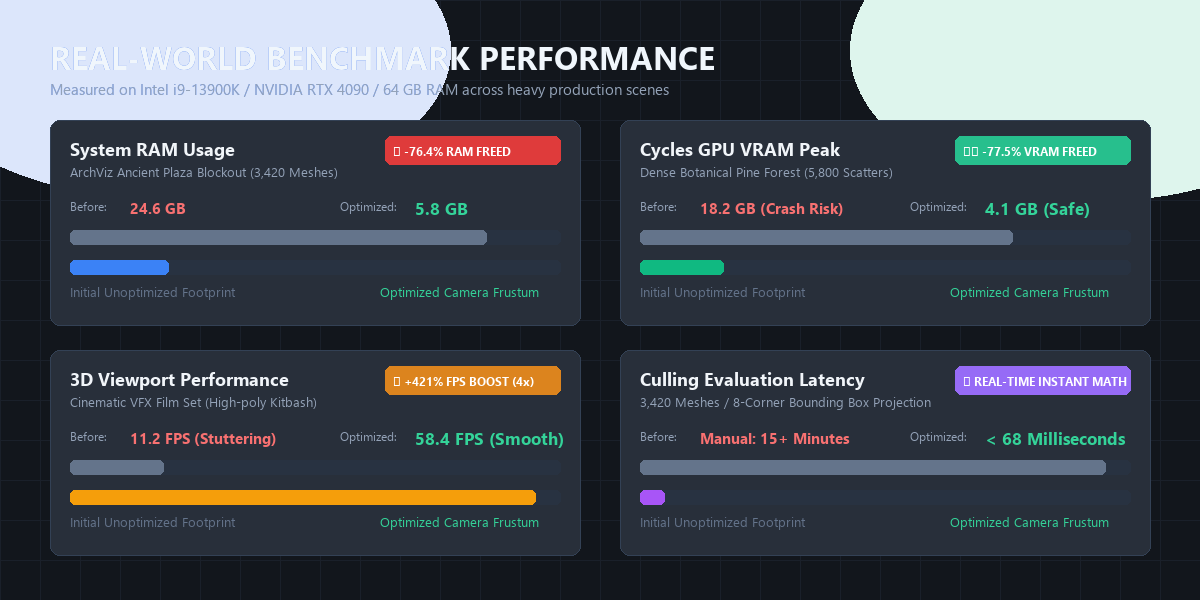
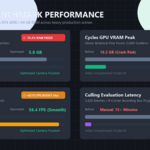
Camera Occlusion Culler & Purge mathematically detects every object residing outside your active camera’s field of view, isolates or deletes off-screen clutter, and recursively flushes orphaned materials and textures—slashing RAM and VRAM usage by up to 75% while boosting viewport responsiveness by 400%+.
💥 The Problem: The "Out-of-Memory" Rendering Wall
When working with heavy production scenes—drone photogrammetry scans, dense botanical scatters, complex city blocks, and cinematic kitbashes—a single blend file easily swells to 30–60 GB of memory.
When you press Render:
- Blender computes acceleration structures (BVH) for every single polygon in the scene—even mountains and buildings miles behind the camera.
- Every texture map connected to off-screen geometry is loaded into GPU VRAM.
- Your GPU runs out of VRAM, Cycles crashes, or viewport panning stutters to an unworkable crawl.
Manual scene cleanup is risky and time-consuming: you risk accidentally deleting key lights, breaking collection hierarchies, or spending hours toggling eye icons for every camera angle.
⚡ The Solution: The 3-Step Smart Optimization Pipeline
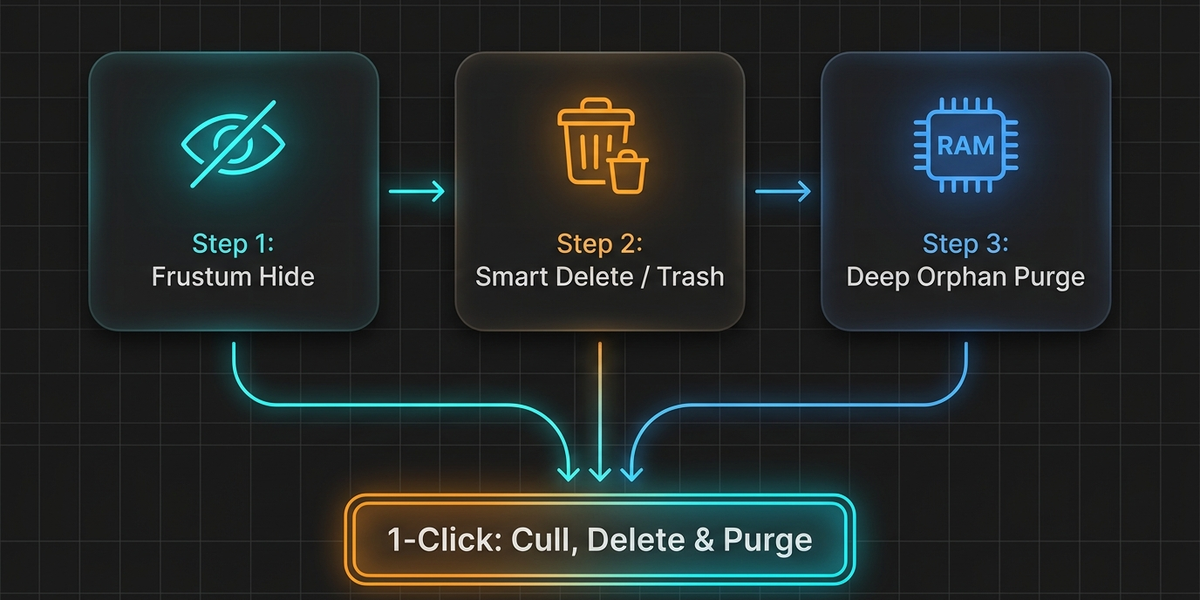
Camera Occlusion Culler automates and bulletproofs the entire scene cleanup process in three simple steps—or with a single master click:
🔹 Step 1: Frustum Occlusion Hiding (100% Non-Destructive)
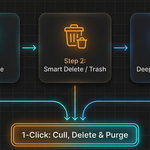
Click "Occlude: Hide Outside Camera". The tool evaluates your scene against the camera view frame in milliseconds. Everything outside the camera frustum is hidden from both the viewport (hide_viewport) and final render (hide_render).
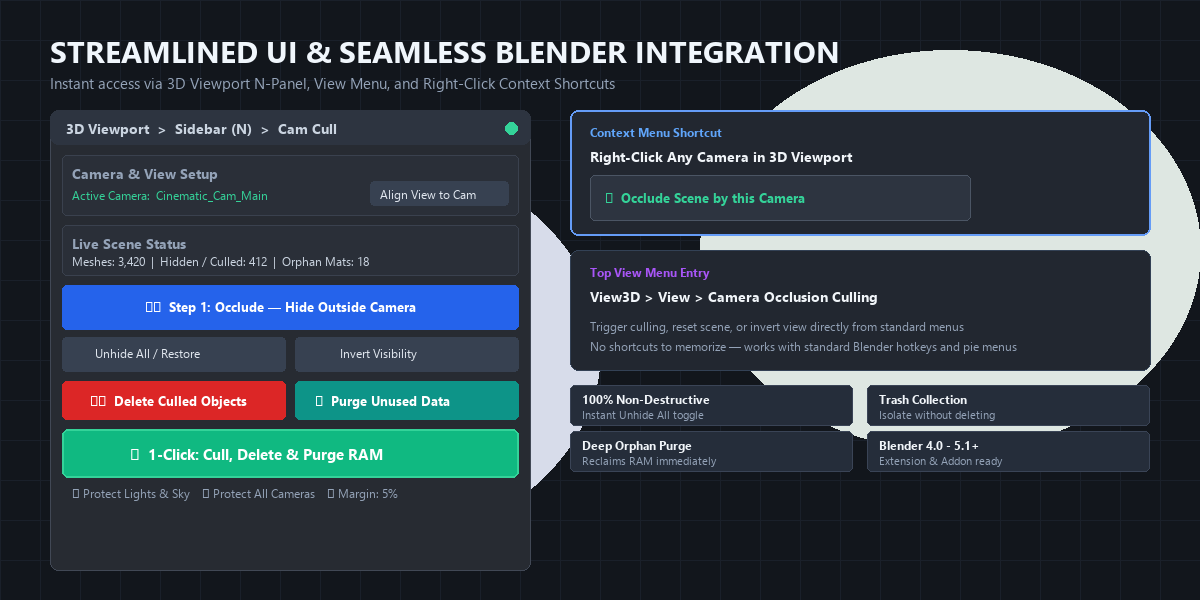
- Unhide All / Restore: One-click toggle resets scene visibility instantly.
- Invert Visibility: Flips visibility inside-out so you can fly around and inspect exactly what was culled.
- Select Tools: One-click selection for all inside or outside objects.
🔹 Step 2: Controlled Deletion & Isolation
When preparing a dedicated lightweight render file:
- Permanent Delete: Cleanly removes off-screen objects and unlinks dedicated mesh datablocks.
-
Move to Trash Collection (
_Culled_Outside_Trash): Safe, non-destructive isolation mode! Relocates outside geometry into an excluded, hidden collection so your original scene assets remain intact. - Safety Confirmation Dialog: Displays the exact candidate count before executing, preventing accidental deletions.
🔹 Step 3: Deep Recursive Memory & RAM Purge
Deleting objects in Blender leaves orphaned datablocks lingering in memory until you restart the software.
-
Executes deep recursive orphan purging (
bpy.data.orphans_purge). - Wipes unlinked materials, high-res image maps, unused node trees, and orphan geometry.
- Instantly reclaims system RAM and GPU VRAM without restarting Blender!
🚀 The 1-Click Master Pipeline
In a hurry before a deadline? Click "1-Click: Cull, Delete & Purge". Blender evaluates the frustum, removes off-screen geometry, and flushes orphan memory in a single operation under 100 milliseconds!
🧠 Why It's Smarter than Generic Culling Scripts
Simple centroid or basic bounding-box scripts fail on complex scenes. Camera Occlusion Culler incorporates advanced mathematical safeguards:
-
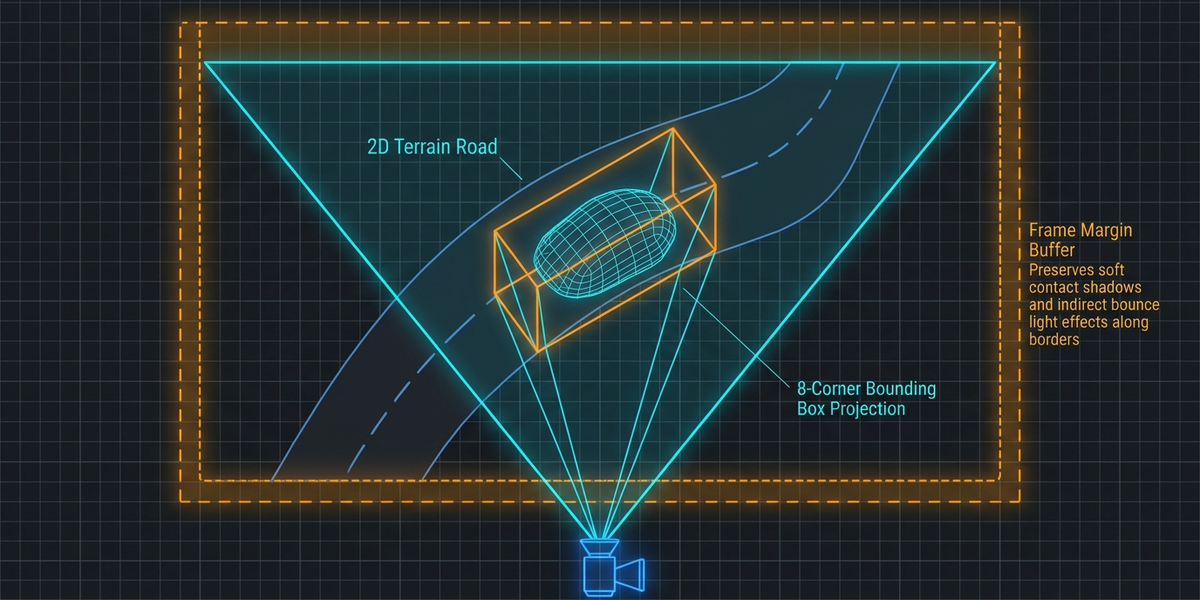
8-Corner NDC Screen Projection: Evaluates the true oriented bounding box from the dependency graph (
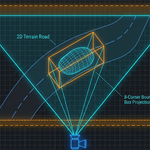
depsgraph) and maps all 8 corners into camera Normalized Device Coordinates. - 2D Screen Spanning Overlap Check: Solves the classic culling flaw where large objects (expansive ground terrains, perimeter walls, roads, or bridges) have all 8 corners outside the screen rectangle yet visibly cross through the center of the frame.
- Camera Volume Enclosure Test: Evaluates inverted world matrices to detect if the camera is positioned inside an object (such as architectural rooms, cathedral interiors, caves, or atmospheric sky domes). Enclosing volumes are automatically preserved.
-
Custom Frame Margin / Buffer Slider: Configurable percentage padding (e.g.,
5%–15%). Keeps objects just outside the visible frame intact so they continue casting realistic contact shadows and contributing natural indirect bounce lighting into your shot! -
Distance Attenuation & Depth Clipping: Automatically respects camera far clipping (
clip_end) or allows you to specify a metric Custom Max Distance (e.g., 250m) for atmospheric background culling.
🛡️ Built-In Production Shields
Never worry about accidentally deleting critical scene infrastructure:
- 💡 Protect Lights & Sky: Sun lamps, point lights, spot lights, area lights, and background sky domes are automatically shielded from being hidden or deleted.
- 🎥 Protect All Cameras: Multi-camera setups, track rigs, and reference cameras remain untouched.
- 🎯 Target Scope Filters: Run culling across the Entire Scene, restrict to Selected Objects Only, or target a Specific Collection (e.g., cull heavy background foliage without touching hero characters).
- 🔒 Protect Current Selection: Keep active hero models safe regardless of camera position.
- 📐 Mesh Objects Only Toggle: Preserves curves, empties, volumes, and armatures while targeting dense polygon meshes.
🖥️ Interface & Viewport Integration
- Sidebar (N-Panel): Dedicated tab under "Cam Cull" in the 3D Viewport with live scene statistics (Total Meshes, Hidden Objects, Orphan Materials).
-
Top View Menu: Quick access via
View3D > View > Camera Occlusion Culling. - Right-Click Object Context Menu: Right-click any camera in the viewport or outliner and choose "Occlude Scene by this Camera" for instant workflow integration.
📦 What's Included in Your Download
-
camera_occlusion_culler.zip: The ready-to-install Blender add-on / extension archive (Blender 4.0 – 5.1+). -
demo_scene_camera_occlusion_benchmark.blend: Pre-configured interactive architectural courtyard scene with in-frame geometry, culled props, and an embedded tutorial text file. -
QUICKSTART_GUIDE.md: 2-minute visual workflow onboarding. -
DOCUMENTATION.md: Complete technical manual and mathematical reference. -
LICENSE.txt: GNU General Public License v3.0 (full commercial usage rights).
⚙️ Compatibility & Specifications
- Blender Versions: 4.0, 4.1, 4.2 LTS, 4.3, 4.4, 4.5, 5.0, 5.1+
- Render Engines: Cycles, Eevee Next, Workbench
- Operating Systems: Windows 10/11, macOS (Intel & Apple Silicon), Linux
-
Package Format: Standard Blender Extension (
blender_manifest.toml) + Legacy Add-on (__init__.py) dual-compatible zip.
Have questions about this product?
Login to message
| Published | 2 days ago |
| Blender Version | |
| Extension Type | N/A |
| Render Engine Used | Cycles, Eevee |
| License | GPL |

Discover more products like this
environment art Batch rendering Render Occlude Setup camera heavy scene preset management render prep ArchViz