Camera Pilot
 Mr. Steve 3D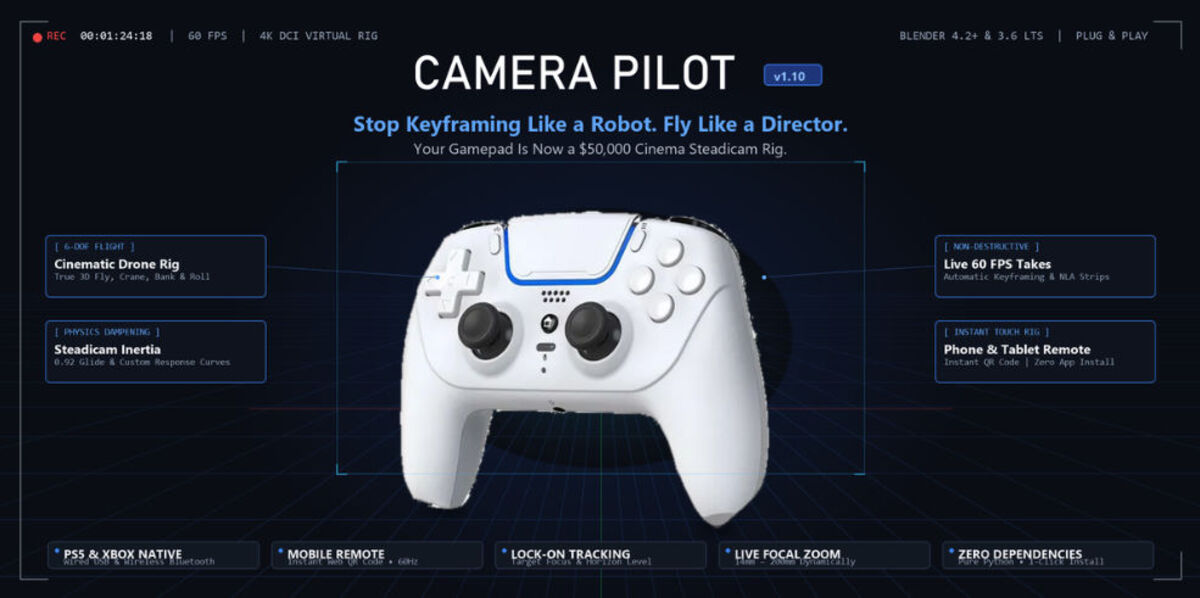
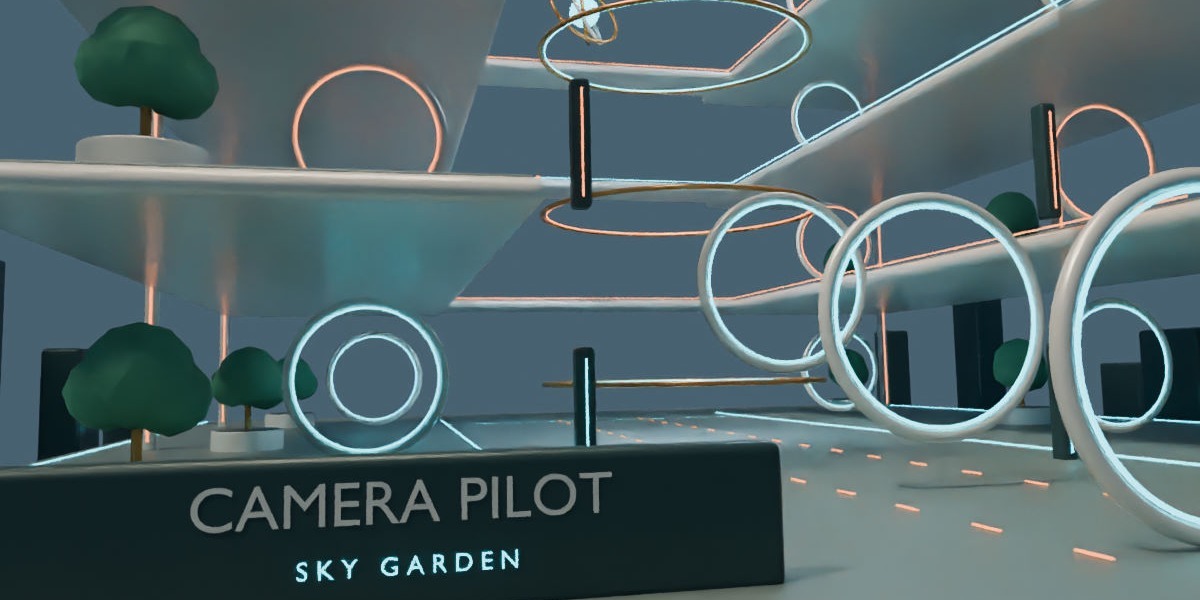
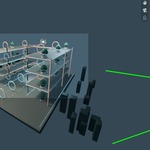
Camera Pilot
v1.10Real-time virtual cinematography, cinematic drone flight, orbit tracking, and live 60 FPS keyframe recording for Blender. Drive scene cameras organically with PlayStation, Xbox, or mobile touch controls.
▶ 60-Second Quick Start Guide
Connect Controller
Plug in any PlayStation 5 DualSense, PS4, Xbox Series/One controller via USB cable or Bluetooth. Zero driver configuration required for standard XInput/DirectInput devices.
Launch Camera Pilot
In any 3D Viewport, press Shift + Alt + C or open the Camera Pilot tab in the sidebar (press N) and click Start Camera Pilot.
Pilot & Record Live
Use the left stick to glide and right stick to look. Pull R2 to crane up and L2 to crane down. Tap Circle (B) to record a live take, or Cross (A) to drop single keyframe snapshots.
★ Why Camera Pilot? Key Benefits
Eliminate Robotic Camera Curves
Hand-crafting F-Curves with mouse and gizmos leads to mechanical, lifeless motion paths. Camera Pilot records organic operator nuances, real micro-adjustments, and natural momentum that make 3D scenes feel cinematic and grounded.
10x Faster Scene Scouting & Blocking
Fly through architectural visualizations, complex environments, or character shots at the speed of thought. Use the high-speed Scouting Preset to explore angles, then switch to Slow Cinematic to nail the final shot.
True Steadicam Physics Engine
Built-in configurable dampening filters out jitter, micro-shakes, and abrupt stops. Set inertia up to 0.98 for an ultra-smooth Hollywood Steadicam glide, or dial it back for an authentic handheld documentary camera feel.
No Controller? Use Your Smartphone
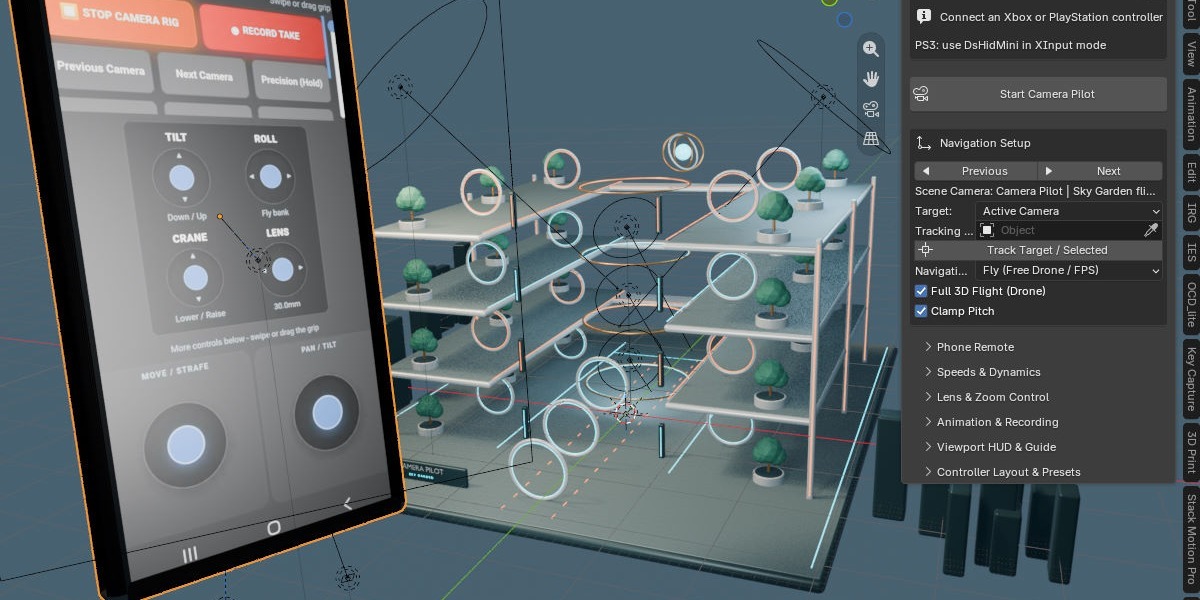
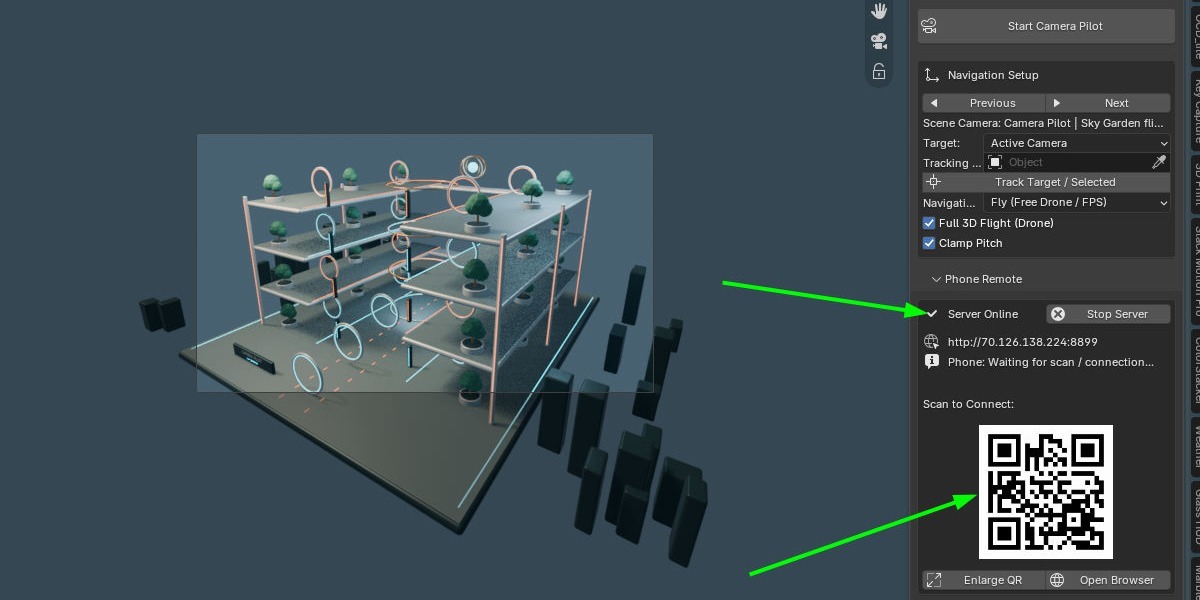
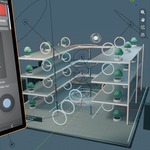
Scan the QR code displayed directly in your Blender 3D viewport or sidebar. Your iPhone, iPad, or Android phone immediately becomes a dual-joystick wireless camera rig with real-time crane, tilt, roll, and focal length sliders.
Multi-Take Production Pipeline
Record multiple takes without overwriting previous work. Camera Pilot packages each performance into clean, manageable takes with dedicated tools to retime, stretch, isolate camera transform channels, or push straight to NLA tracks.
Zero External Python Dependencies
No pip install hassles, no binary wheel compilation issues, and no extra background apps. Uses native Windows XInput, WinMM, and standard library WebSockets. It simply works out of the box.
⚙ Core Features & Navigation Modes
Fly Mode (6-DOF Drone / FPS)
Square / XUnconstrained six-degrees-of-freedom camera flight relative to current view orientation. Perfect for interior walkthroughs, aerial fly-throughs, chase scenes, and expansive landscape exploration.
- Full 3D Flight Toggle: Fly directly toward crosshairs or lock to horizontal walk plane.
- Pitch Clamp: Protects cameras from accidental gimbal lock / flipping upside down.
- Horizon Leveling: Press Triangle (Y) at any point to reset bank/roll to zero.
Orbit Mode (Target / Turntable)
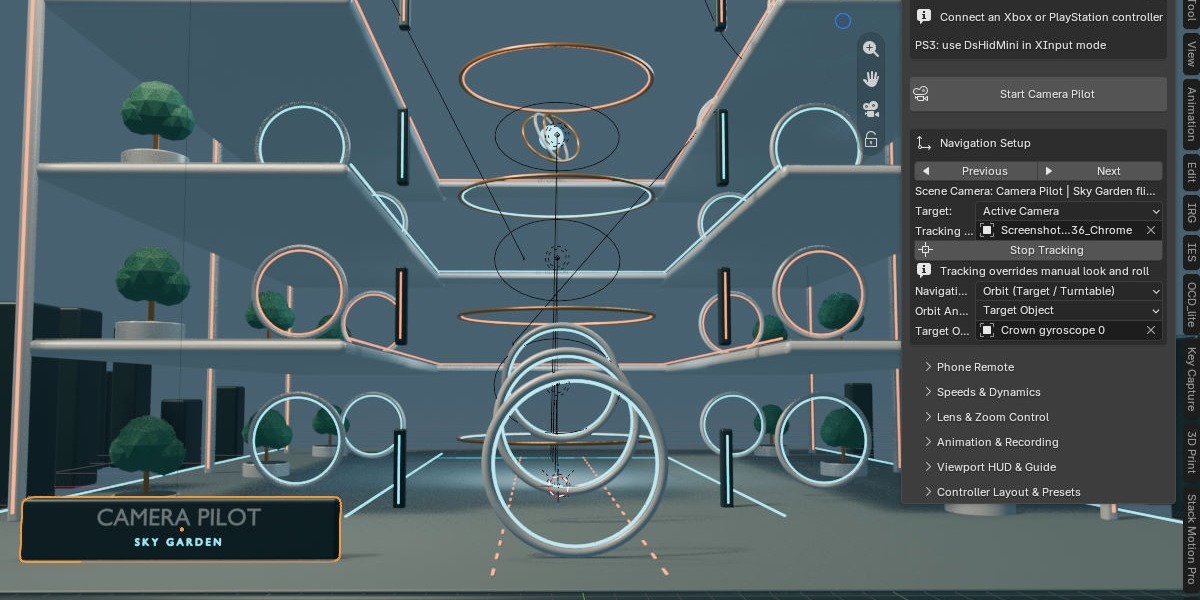
Square / XLocks focal interest onto an anchor point while providing orbital pan, tilt, and dolly controls. Essential for product showcases, vehicle turntable renders, and character circling shots.
- Flexible Orbit Anchors: Pivot around the Active Object, 3D Cursor, or a Custom Empty.
- Independent Dolly Speed: Smoothly push in or pull back radius without drifting off center.
- Instant Pivot Switching: Select any object in the 3D scene and lock onto it immediately.
Keep your camera locked onto moving subjects while freely flying anywhere in 3D space. One click on Track Selected automatically calculates look-at orientation every frame, allowing you to focus 100% on complex flight paths.
Zoom in and out on the fly using D-Pad Left/Right or the touch slider on your phone. Adjust minimum and maximum focal boundaries (14mm wide to 200mm telephoto) with automated keyframe recording into the camera's lens channel.
Need to traverse an entire city or zoom in for a microscopic macro shot? Click L3 to toggle Turbo (up to 10x speed multiplier), or hold R3 for micro-precision creeping at 0.2x speed.
Cycle through all scene cameras alphabetically with single button clicks. Switches the active scene camera, viewport camera view, and pilot controls simultaneously without breaking workflow.
Switch instantly between Slow Cinematic (high inertia 0.92, tight curve), Handheld (quick snappy 0.45 inertia), and Fast Scouting (12m/s translation speed). Save and share custom JSON presets.
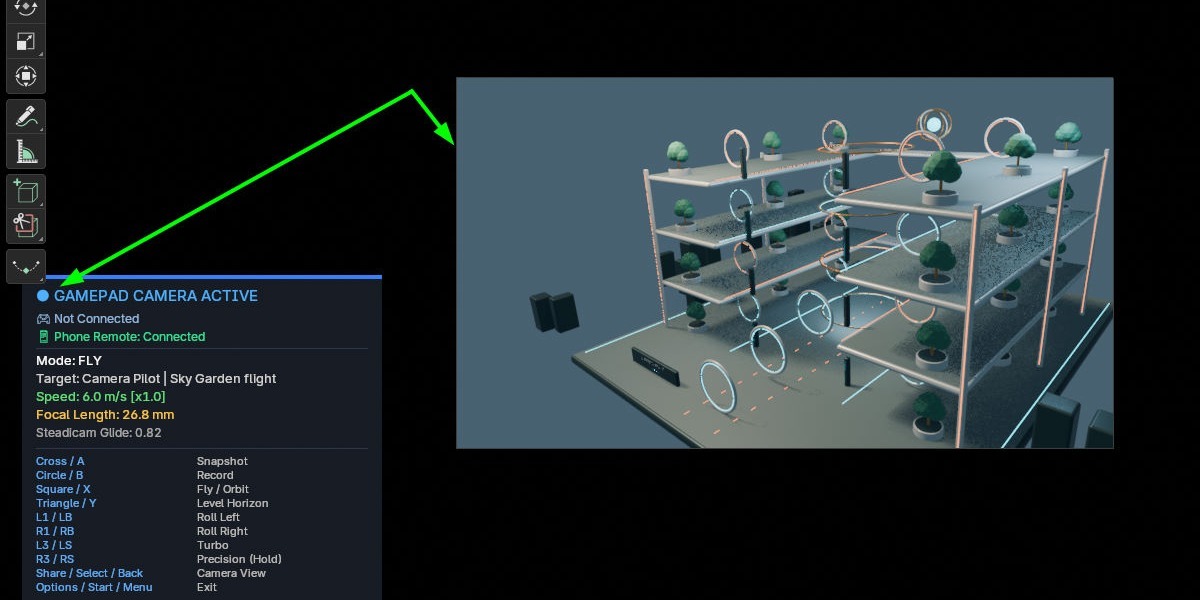
Clear on-screen telemetry showing active camera name, flight mode, current speed multiplier, live lens mm, recording status indicator, and on-demand button shortcut legend (toggle with key H).
🎮 Controller Button Layout & Default Mappings
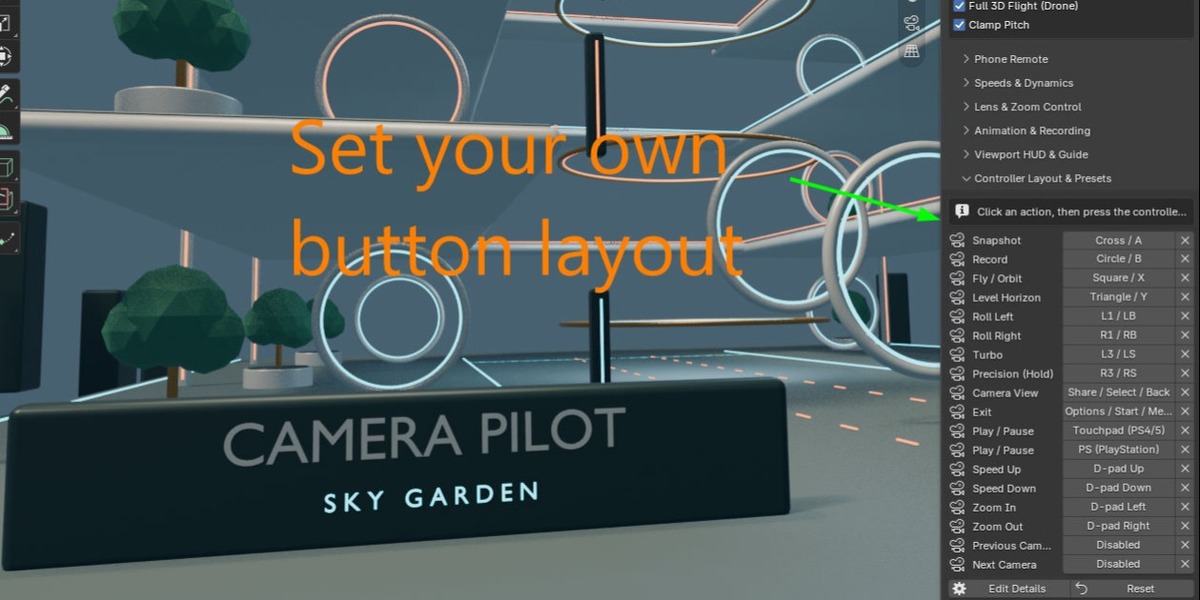
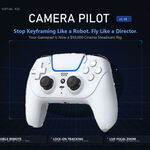
Camera Pilot comes pre-configured with intuitive dual-stick flight controls inspired by cinema drones and modern video games. Every button can be easily rebound or customized via the Controls & Layout panel.
| PlayStation (PS5 / PS4) | Xbox (Series / One / 360) | Action | Details |
|---|---|---|---|
| Left Stick (L) | Left Stick (LS) | Move Forward / Back / Strafe | Translation in camera plane |
| Right Stick (R) | Right Stick (RS) | Look Pan & Tilt | Yaw and pitch look rotation |
| R2 Trigger (Analog) | RT Trigger (Analog) | Crane Up (Elevation +Z) | Pressure-sensitive smooth climb |
| L2 Trigger (Analog) | LT Trigger (Analog) | Crane Down (Elevation -Z) | Pressure-sensitive smooth descent |
| R1 Bumper | RB Bumper | Roll Right (Bank Clockwise) | Inertial roll banking |
| L1 Bumper | LB Bumper | Roll Left (Bank Counter-Clockwise) | Inertial roll banking |
| Circle (●) | B Button | Record Live Take (Toggle) | Starts/stops 60 FPS animation record |
| Cross (✕) | A Button | Snapshot Keyframe | Drops keyframe at current frame |
| Square (■) | X Button | Toggle Fly / Orbit Mode | Switches between 6-DOF & Turntable |
| Triangle (▲) | Y Button | Level Horizon | Resets bank/roll angle back to 0° |
| L3 Click (Stick Press) | LS Click (Stick Press) | Turbo Boost (Toggle) | Multiplies speed by Turbo Factor |
| R3 Click (Stick Press) | RS Click (Stick Press) | Precision Clutch (Hold) | Slows to 20% speed for fine control |
| D-Pad Up / Down | D-Pad Up / Down | Speed Step Up / Down | Steps through speed multiplier ladder |
| D-Pad Left / Right | D-Pad Left / Right | Zoom Lens (Focal Length) | Changes mm dynamically |
| Touchpad / PS Button | View / Xbox Button | Timeline Play / Pause | Toggle Blender animation playback |
| Share / Create | Back / Change View | Toggle Camera View | Equivalent to Numpad 0 |
| Options / Start | Menu / Start | Exit Camera Pilot | Safely exits modal operator (or press ESC) |
📱 Phone & Tablet Touch Remote (Zero App Install)
Camera Pilot embeds a lightweight, high-performance local web server directly within Blender. Anyone on your local Wi-Fi network can control cameras from an iPhone, iPad, Android phone, or secondary laptop screen without installing any third-party app.
How to Connect in Seconds:
- In Blender's sidebar panel, expand Phone Remote (Touch Screen).
- Click Start Phone Server (default port:
8899). - A QR code instantly displays in your sidebar and in the 3D Viewport HUD.
- Open your smartphone camera, scan the code, and tap the link!
Mobile Touch Console Features:
- Dual Virtual Thumbsticks: Smooth multi-touch translation and pan/tilt controls with haptic-ready visual feedback.
- Dedicated Precision Sliders: Vertical mini-sticks for Crane (elevation), Tilt fine-trim, and Roll angle.
- Touch Dynamic Focal Slider: Zoom camera focal length fluidly in real time.
- Full Action Deck: Start Rig, Record Take, Snapshot, Track Target, and Precision Clutch buttons right at your fingertips.
🎬 Takes, Animation & Keyframe Editing Pipeline
Camera Pilot provides a non-destructive take management workflow designed for real visual effects and feature animation productions.
1. Live 60 FPS Take Recording
Press Circle / B while in flight. Blender timeline plays and captures every nuance of your translation, rotation, and focal length. Pressing Circle again automatically seals the take into an organized Take list.
2. Pose-to-Pose Snapshot Keyframing
Prefer traditional keyframe blocking? Fly the camera into position, tap Cross / A, and Camera Pilot records a single keyframe. Set Snapshot Step to automatically advance the timeline by 10, 24, or 48 frames after each snapshot!
3. Synchronized Take Timing & Retiming
Click Adjust Take Timing to slide or stretch recorded takes across the timeline. Transform keyframes and camera lens keyframes stay strictly locked together so your framing never goes out of sync.
4. Non-Linear Animation (NLA) Integration
Push takes directly into Blender's NLA tracks with Advanced NLA Clips. Blend different controller takes, layer procedural camera shakes on top of smooth performances, or arrange sequences seamlessly.
⚒ Motion Settings & Physics Tuning Guide
Controls camera momentum dampening. Default is 0.82. Set to 0.92+ for heavy cinema cranes and Steadicam glides; set to 0.40 for snappy hand-held responsiveness.
Exponential sensitivity curve. Default is 1.6. Higher values allow ultra-fine micro-adjustments near stick center while preserving maximum speed at full stick deflection.
Filters out analog stick drift. Default is 0.10. Increase if your controller drifts when untouched; decrease to 0.05 for brand new Hall-effect or DualSense controllers.
The global speed multiplier while holding the Precision Clutch (R3 / RS). Default is 0.20 (20% speed) for pinpoint framing.
❓ Frequently Asked Questions & Hardware Compatibility
Which controllers are officially supported?
Camera Pilot supports PlayStation 5 DualSense, DualShock 4, Xbox Series X/S, Xbox One, Xbox 360, Switch Pro, and standard DirectInput / XInput USB and Bluetooth gamepads. For legacy PS3 controllers, install the open-source DsHidMini utility configured in XInput mode.
Do I need to be in Camera View to use Camera Pilot?
No! You can set the target to 3D Viewport to fly around your scene freely without affecting any camera objects, or set it to Active Camera / Specific Camera. If no camera exists in the scene, Camera Pilot automatically creates one for you aligned to your exact view.
My phone cannot open the Phone Remote link. How to fix?
Make sure your phone and computer are connected to the same Wi-Fi network. Also ensure Windows Firewall allows incoming local connections on port 8899. If prompted by Windows Security when starting the server, click "Allow access on private networks".
Can I use both my physical gamepad and phone touch controls at the same time?
Yes! Camera Pilot features an intelligent input merger. A second operator can handle crane elevation and focal length zoom on an iPad while a camera operator steers flight with a PS5 or Xbox controller.
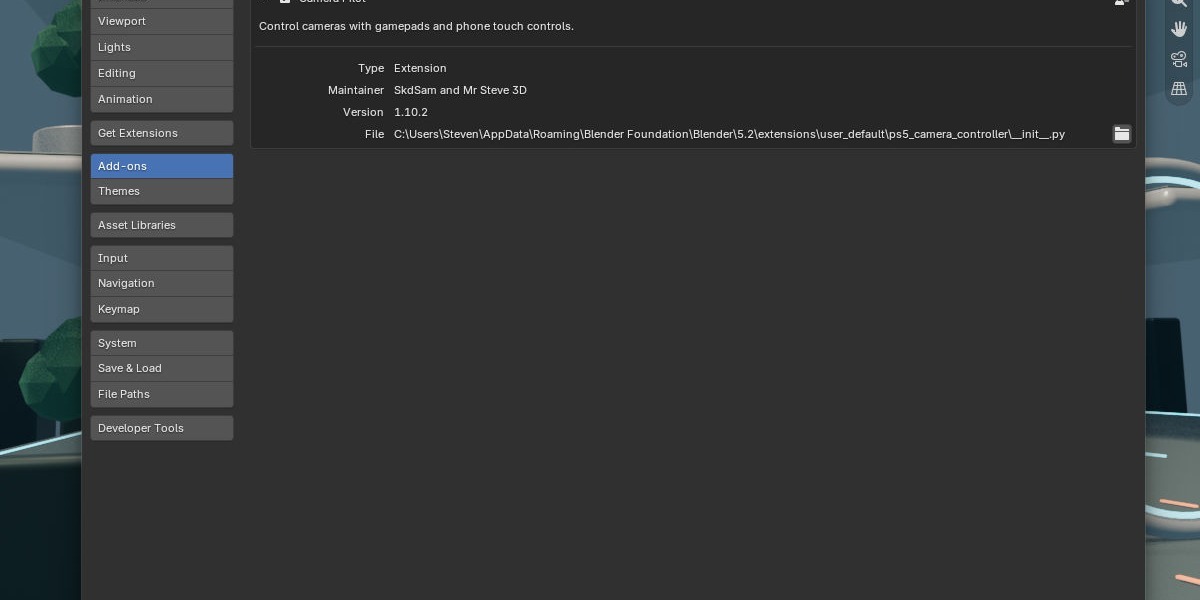
Camera Pilot • Created by SkdSam & Mr Steve 3D
Designed for Blender 3.6 LTS, 4.0, 4.1, 4.2+ and beyond. Free updates and dedicated support.
Have questions about this product?
Login to message
| Blender Extension Compatible | Yes |
| Dev Fund Contributor | |
| Published | about 8 hours ago |
| Blender Version | 3.6 - 5.2 |
| Extension Type | Add-on |
| Render Engine Used | Blender-Internal, Blender-Game-Engine, Cycles, Eevee, Octane |
| License | GPL |