 blenderVfxMaster
Give your highlights a finishing pass
Camera Post FX adds bloom, directional star glare, lens ghosts and chromatic fringes to a finished Blender render or a loaded image. Adjust the look without re-rendering the scene, and keep the original image untouched.
This release is tested on Blender 5.2.2 for macOS Apple Silicon.
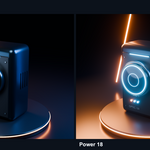
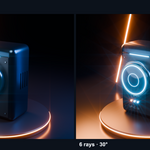
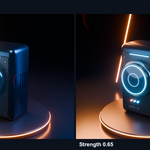
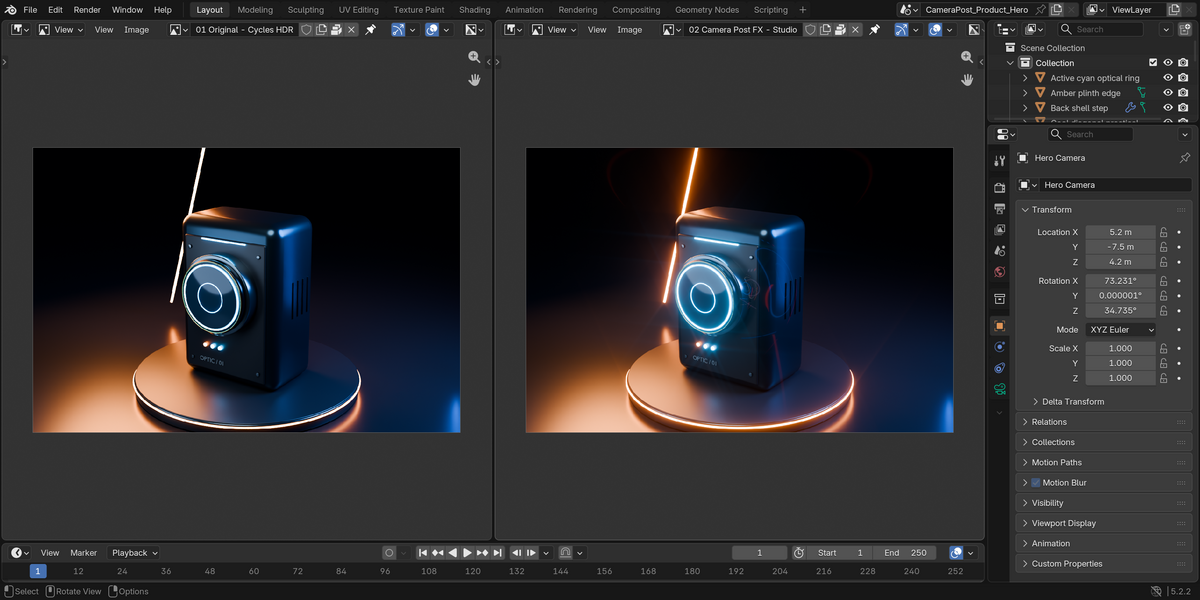
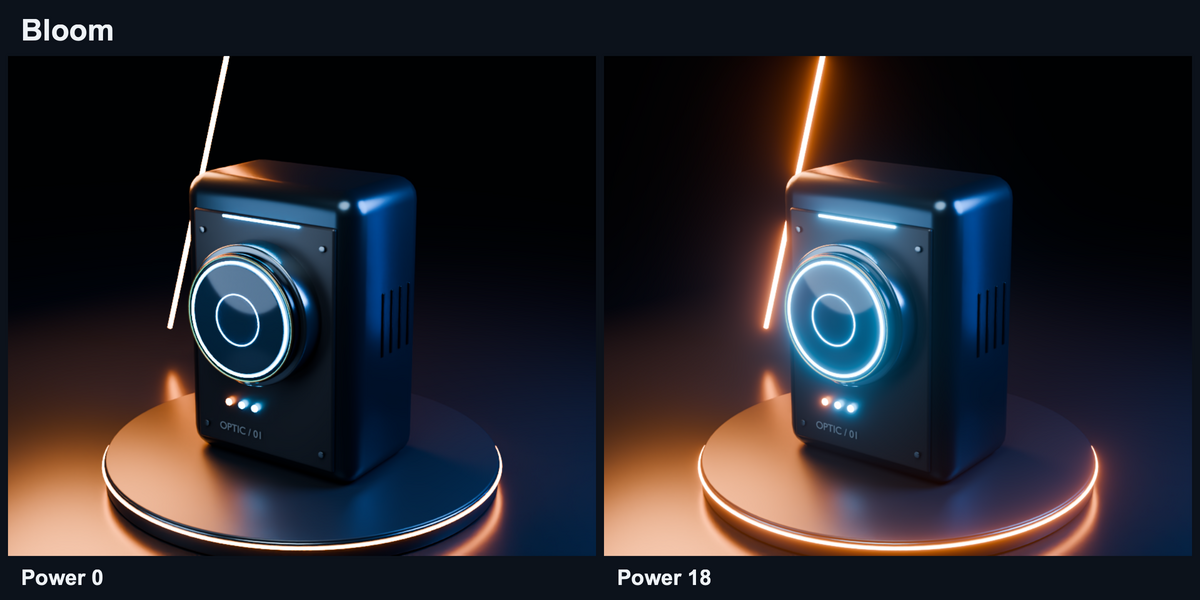
The same render, with and without the effect
The comparison uses the same scene, camera and display settings. The add-on works with the existing highlights; it does not replace your lighting or render the geometry again.
Bloom, streaks and lens character
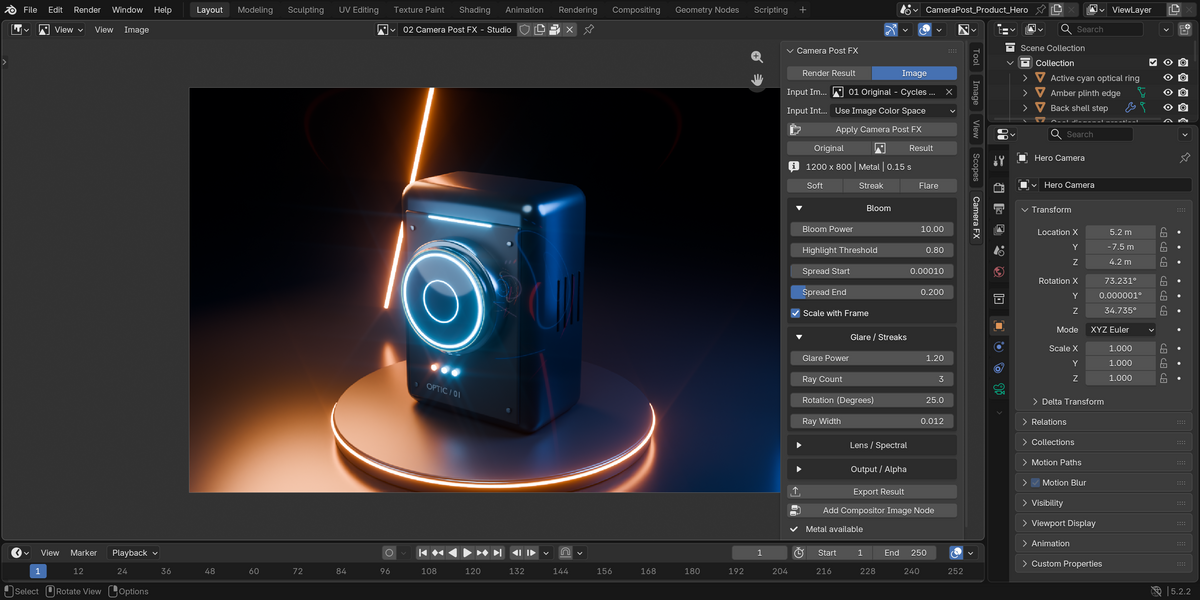
- Bloom: control highlight threshold, intensity and spread.
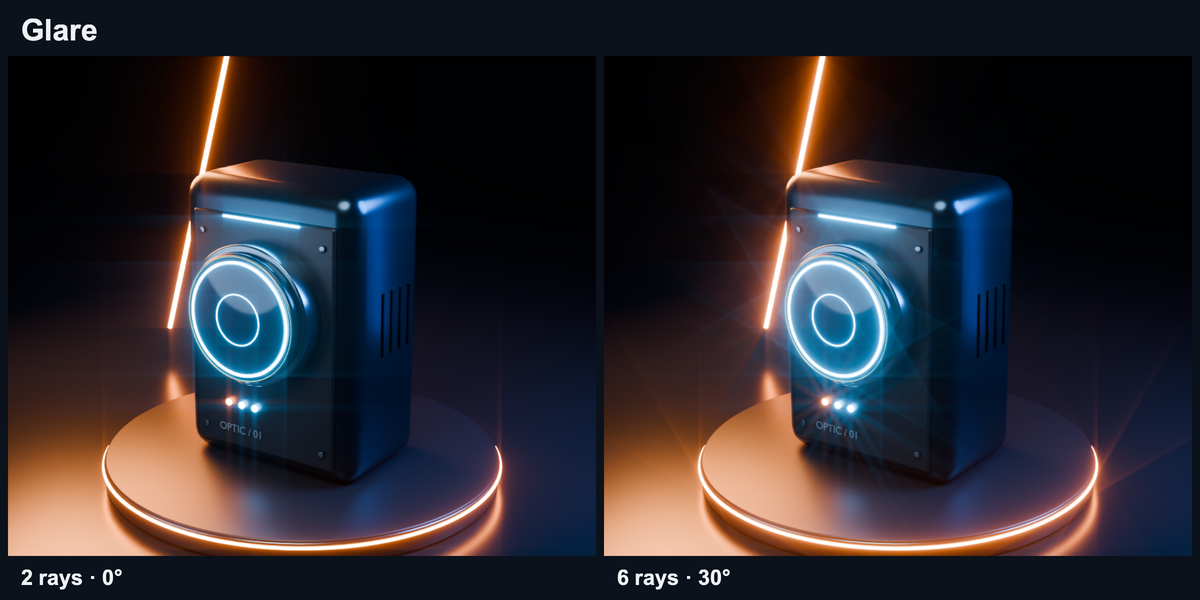
- Glare: adjust ray count, direction and blur for star-shaped highlights or studio streaks.
- Lens effects: add ghost highlights and chromatic fringes, then balance the result with Mix.
- Starting presets: Soft, Streak and Flare provide a quick starting point, with every setting still editable.
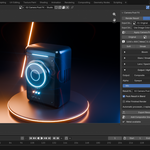
All controls live in the Camera FX sidebar in the Image Editor or 3D Viewport.
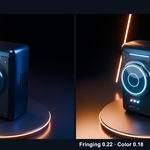
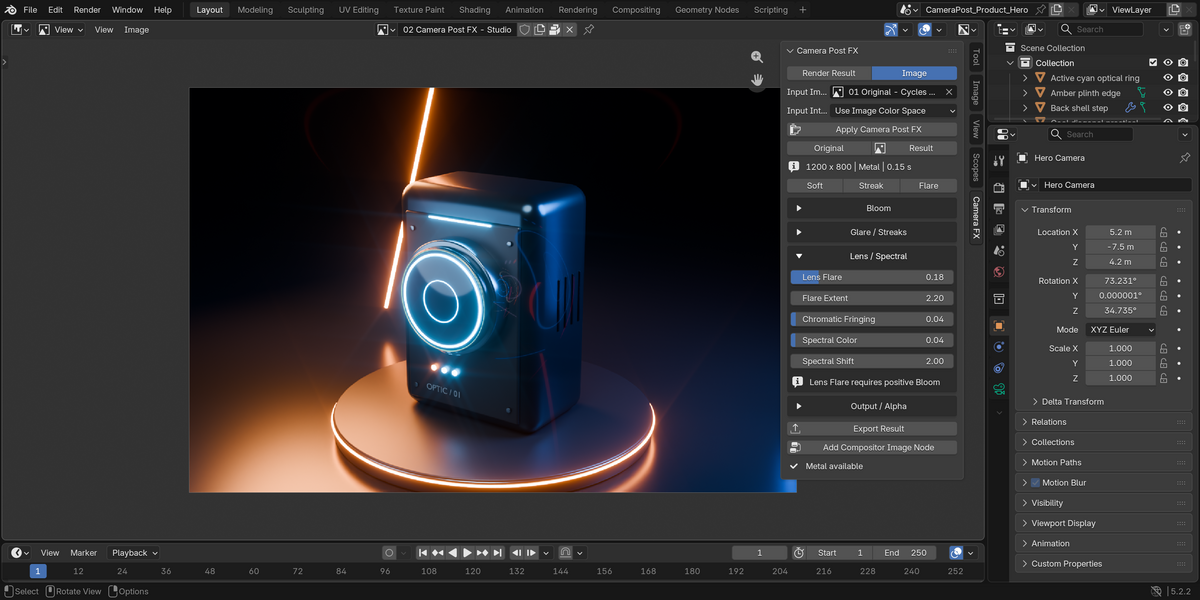
Lens and spectral controls
Keep it subtle or explore a stronger lens character. Adjust ghost extent and chromatic fringing separately from the bloom and glare.
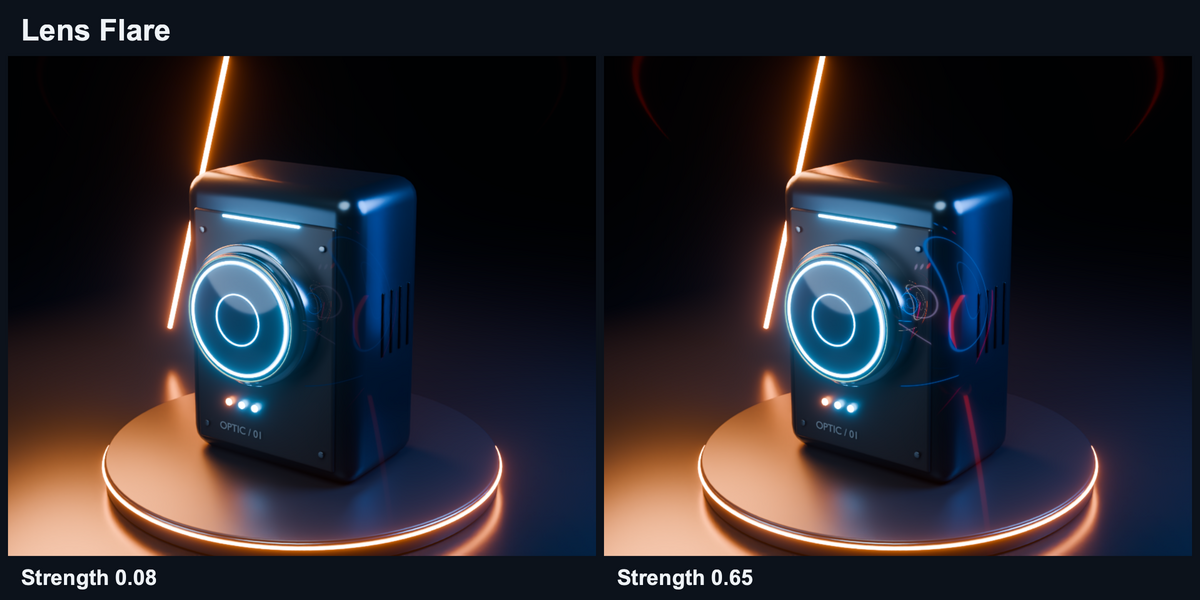
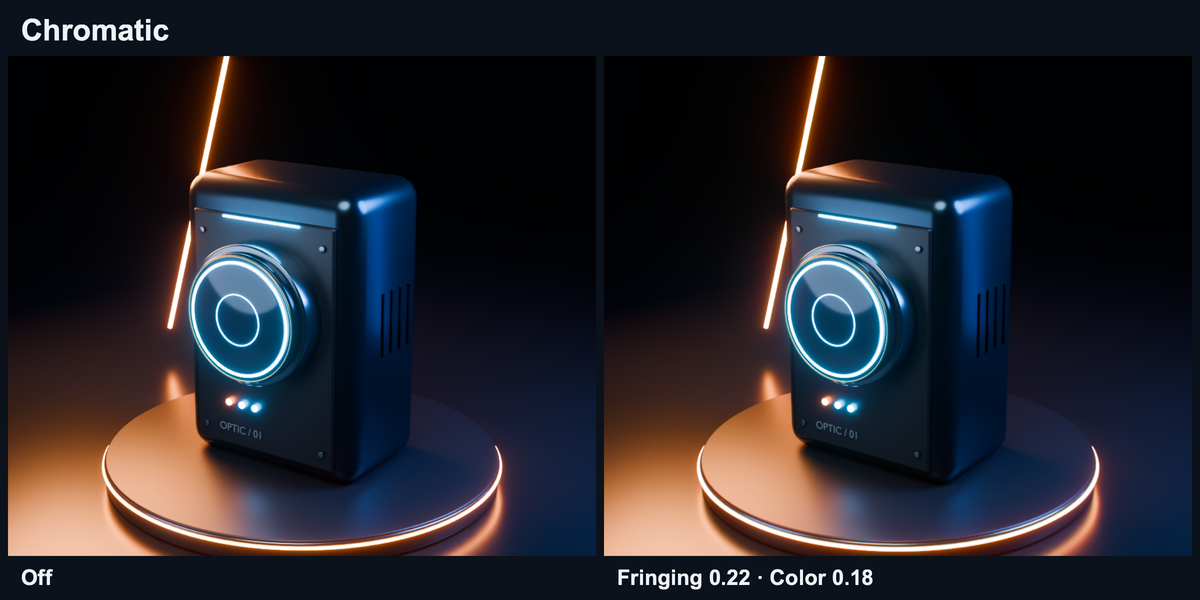
Separate results, reusable HDR output
Camera Post FX creates a new float image rather than overwriting Render Result. Export linear HDR OpenEXR or a PNG using your current scene view. Choose how glow affects alpha, adjust the mix, or output an Effects Only difference for compositing.
You can pack the result into your blend file and add a result image node to the compositor without changing existing links.
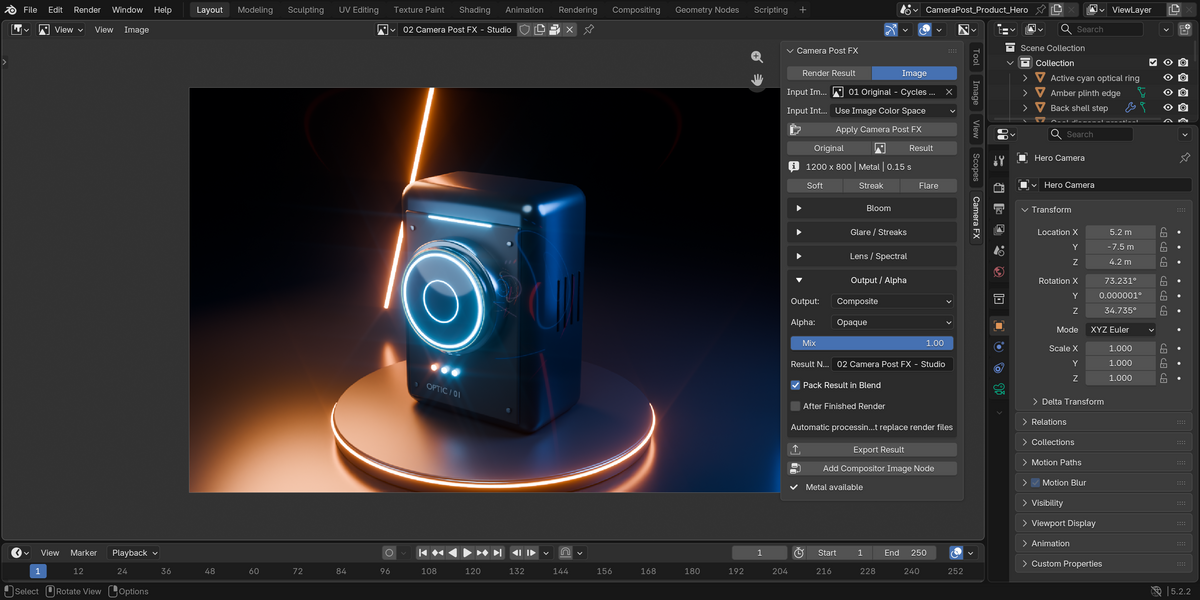
A self-contained add-on
No external renderer, account or subscription is needed. The tested Apple Silicon build includes accelerated processing, with a CPU option available in preferences.
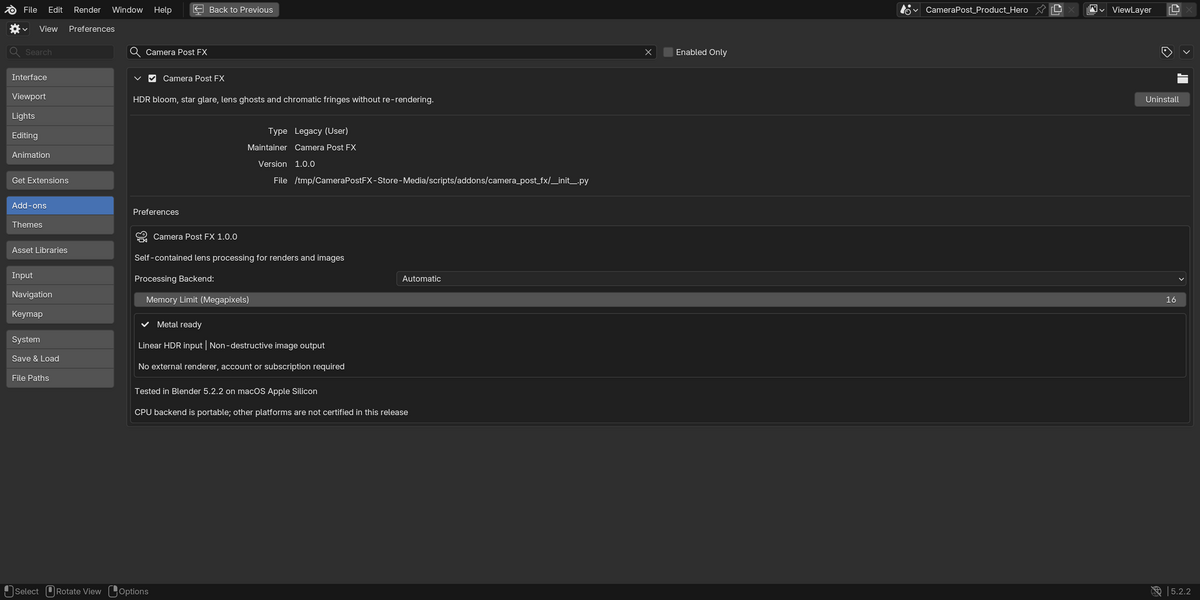
What you get
- Camera Post FX 1.0.0 installable Blender add-on ZIP.
- Bloom, glare, lens flare, chromatic controls and three starting presets.
- Image and single-frame render workflows, HDR export and alpha controls.
- English user guide, complete source and GPL-3.0-or-later license.
Compatibility and limits
- Tested: Blender 5.2.2, macOS Apple Silicon. Accelerated processing requires macOS 14 or newer.
- Windows, Linux and Intel Mac are not certified for this release.
- This is an on-demand image effect, not a live viewport effect.
- Optional after-render processing supports a single-frame job. Multi-frame animation jobs are skipped; original animation files are not replaced.
- The default image limit is 16 megapixels. Large HDR images need sufficient memory, and chromatic processing is slower on CPU.
- One fully loaded image or frame at a time. Multi-layer/pass selection and stereo are not included.
The cover is illustrative artwork. Effect comparisons use actual add-on output, with matching crops and the same view transform.
Questions? Send a message through Superhive product support.