 MarkoPetrush


Camera & Render Suite v1.0
Professional tools for Lights, Animation, Camera Control & Batch Rendering
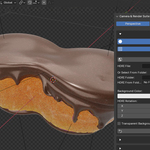
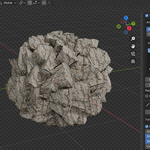
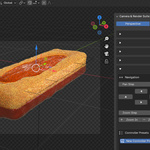
A comprehensive suite for camera control, cinematic animation, studio lighting, and automated batch rendering. Turn Blender into a professional photography studio. Divided into 7 powerful modules to handle every step of your workflow.
01. Studio Setup
🏖️
Environment & Materials
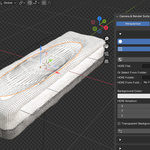
- • Clay Render Mode: Override scene materials with a clean clay shader to test lighting logic. Includes a toggleable Wireframe Overlay for technical presentations.
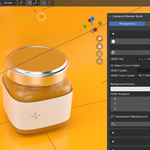
- • HDRI Management: Load HDRI maps from files or folders (with auto-preview list), rotate the environment, and adjust background colors/strength directly from the panel.
- • Shadow Catcher: One-click toggle to turn any object into a shadow catcher for compositing.
- • Transparent Film: Quickly toggle background transparency for PNG renders.
- • Background Control: Separate Color and HDRI rotation controls.
02. Light Tools
💡
Interactive Lighting
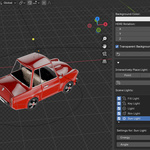
- • Interactive Placement: Modal placement - Click on your model to place Point, Spot, Area, or Sun lights directly on surface normals. Scroll to adjust distance and size, click again to lock and rotate.
- • 3-Point Lighting: Instantly generate a professional Key, Fill, and Rim setup targeted at your active object.
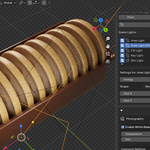
- • Scene Light List (Unified UI): A dedicated list to manage all scene lights. Select, delete, or toggle visibility without digging through the Outliner.
- • Quick Adjustments: Tweak Energy, Radius, Shape (Disk/Rectangle/Ellipse), and Beam Angle (Cone Angle) for selected lights directly in the UI.
- • Kelvin Temp: Use real-world temperature values for light color.
03. Photography
📷
DSLR Camera Controls
- • Real Exposure Triangle: Control lighting using ISO, Aperture (f-stop), and Shutter Speed values.
- • White Balance: Set temperature in Kelvin and Tint with a live color preview to correct or stylize your scene.
- • Depth of Field: Toggle DOF and use "Focus on Active" to snap the focus plane to your subject instantly. Also supports manual distance.
- • Motion Blur: Automatically linked to your Shutter Speed setting for realistic motion blur.
04. Object Rotation
🔄
Precision Positioning
- • Precision Sliders: Rotate objects on Yaw, Pitch, and Roll axes relative to the camera view. Precise product positioning.
- • Instant Reset: Quickly revert selected objects to their original orientation.
05. Camera Control
🎮
Navigation & Presets
- • Viewport Navigation: Pan and Zoom the camera directly from the UI panel.
- • Standard Views: Buttons to snap the camera to Top, Front, or Right views while keeping the subject framed.
- • Resolution Presets: Switch aspect ratios instantly (16:9, 9:16, 1:1, 4:5, etc.).
- • Controller Presets (Save States): Save camera positions and object transforms into presets to quickly restore specific angles. Non-destructive swapping between setups.
06. Animation
🎬
Procedural Animation & Tracking
Templates & Rigging
- • One-Click Rigs: Instantly create animation pivots/rigs for selected objects.
- • Cinematic Templates: Pre-built styles including Slow Dolly In, Spinning, Spin to Stop, Spiral Up and Shake.
- • Animation Modes:
- Group Mode: Animates the selection as a whole unit.
- Individual Mode: Animates each selected object around its own origin.
- Nested Rigs: Support for complex hierarchies.
- • Motion Controls: Toggle Clockwise/Counter-Clockwise and define Total Rotation.
- • Smart Updates: Update animation settings without breaking hierarchy.
Smart Tracking & Paths
- • Constraint System: Easily attach rigs to Bezier curves. NEW
- • Orientation Modes: Fixed Position or Follow Curve.
- • Boomerang Flip: Auto-flip object 180° on return (ideal for loops).
- • Track Target: Link camera rotation to an Object or Collection.
- • Auto-Focus on Pivot: Links DOF distance to center of rotation.
- • Auto Frame on Create: Auto-frames view to animation bounds.
Camera Sequencer & Timing HOT
The system calculates keyframes automatically based on the Speed Multiplier.
- Timeline Binding: Bind cameras to markers with one click.
- Mirror Binds: Create seamless loops (A -> B -> A).
- Timing Pro-Tip: With 3 cameras on a 120-frame timeline, avoid dividing by 3. Since the first camera starts at frame 1, divide the sequence by 2 (e.g., set markers at frame 50 and 100). This ensures proper spacing and leaves a buffer for the final shot.
- Re-Calculate: If you change speed, simply update the rig; frames adjust automatically.
Stability Tip
If you change templates, axes, or settings and the animation behaves unexpectedly, simply click Delete Animation and then Create Animation again to reset the rig state.
07. Batch Render Manager
🖥️
Queue & Output Management
- • Interactive Crop: Draw a selection box (crop set view) in the viewport to instantly frame the camera/set resolution to that area.
- • Render Queue: Multi-camera queue. Sync scene cameras to a list, select which ones to render, and process in bulk.
- • Dual Render Modes: Support for IMAGE (single frame) and ANIMATION (frame range) batching.
- • Format Control: Manage output settings including file prefixes, auto-indexing, and FFmpeg options (Container, Codec, Quality, Speed, Audio).
- • Render Presets: Save entire scene states (Camera, Light, Object positions) to restore specific setups.
What's Included?
- • The Complete Add-on: Camera & Render Suite (.zip)
- • Full Preset System: Pre-configured Animation & Render settings.
- • Customer Support: Direct help with any issues or questions.