 Zubaryev


CameraPlus Studio PRO v1.1.4 — Update Overview
CameraPlus Studio PRO has received a major stability, workflow, and usability update focused on cleaner camera behavior, better PRO-mode ergonomics, safer lighting workflows, and more responsive animation controls.
This update improves the add-on’s day-to-day production experience while preserving the original CameraPlus workflow: fast cinematic camera presets, studio lighting setups, HDRI controls, target tracking, and PRO animation tools.
Key Improvements
Cleaner Camera Preset Workflow
Camera presets now behave more predictably. Applying a new Camera or PRO Camera preset replaces the previous CameraPlus camera rig instead of leaving old CameraPlus cameras in the viewport.
This keeps the scene clean and prevents confusion when testing multiple camera moves.
Live Camera Distance Control
The Camera Distance slider is now a real-time control for the active CameraPlus camera rig.
Instead of creating or reapplying cameras, the slider adjusts the existing camera distance immediately. Existing camera animation keyframes are also rescaled, so the camera move keeps its structure while changing distance from the target.
Improved PRO Mode Layout
PRO Mode has been redesigned to reduce visual clutter.
Classic Camera Presets and Classic Light Presets are now collapsed by default when PRO Mode is enabled. They can still be opened when needed, but the main PRO interface stays cleaner and easier to scan.
Use Selected as Target
A new “Use Selected” target workflow was added.
Users can now select an object in the viewport and assign it as the CameraPlus target with one click, making setup faster and more natural during look development.
Configurable Animation Frame Range
Camera animations now support custom Start and End frame controls.
Instead of always forcing fixed frame ranges, users can define the desired animation range before applying camera presets.
Live Handheld Camera Jitter
The Handheld Jitter feature has been rebuilt.
It now works as a live toggle for PRO camera rigs and can be enabled or disabled after applying a preset. A new Handheld Strength control allows users to adjust the intensity of the handheld motion.
The system now manages noise modifiers cleanly, avoiding duplicate stacked noise effects.
Improved Lighting Workflow
The previous Safe Apply behavior has been refined and renamed to “Keep Previous Lights.”
This option now applies only to light rigs. When enabled, new light presets are added without deleting previous CameraPlus light setups, making it easier to compare multiple lighting variations in the same scene.
Camera presets are no longer affected by this option.
Enhanced PRO Lighting Presets
PRO Light presets now add dedicated accent and reflector lights on top of their base lighting setups.
This gives PRO lighting presets a more distinct look and makes them more useful for cinematic product shots, glossy reflections, rim lighting, neon setups, and high-key studio scenes.
Safer Add-on Behavior
Several internal reliability improvements were added:
Safer icon loading when optional icon files are missing.
More reliable cleanup of CameraPlus camera rigs.
Internal tagging of CameraPlus-created cameras.
Better version alignment between add-on metadata, manifest, and README.
Cleaner reload behavior with visible error reporting.
Removal of unreachable legacy code.
Compatibility
The update was tested with Blender 5.0 in background validation tests, including:
add-on registration and unregistration;
camera preset replacement;
live Camera Distance control;
PRO camera preset application;
PRO lighting preset application;
live Handheld Jitter toggle and strength control.
🔥 NEW PRO FEATURE — Smart Target Switch
Cinematic Focus Control Without Breaking Motion
Smart Target Switch (PRO) introduces a professional-grade way to redirect camera focus during motion, without rebuilding rigs, resetting animations, or breaking your shot continuity.
This feature adds two dedicated PRO-only controls directly under Remove Target Constraint:
🔁 Switch Target (PRO)
Smoothly transfers the camera’s focus from the current target to any other selected object over time, using a cinematic blend instead of an instant snap.
• No camera jumps
• No animation resets
• No rig recreation
• Motion, DOF, and camera path remain intact
Perfect for:
product reveals
multi-object scenes
cinematic storytelling
detail callouts during camera movement
🔁 Blend Back (PRO)
Seamlessly returns the camera focus to the previous target using the same smooth transition.
This allows you to:
shift attention to secondary objects
highlight details
return to the main subject
—all within a single continuous shot.
🎬 Why This Is PRO
Unlike basic “re-target” tools, Smart Target Switch uses a blended constraint transition, creating a natural, cinematic re-aim rather than a mechanical snap.
This is a technique commonly used in film pipelines — now available directly inside Blender.
⚠️ Important Blender 5 Installation Note
For correct operation in Blender 5.x, you must remove the previous version of the add-on before installing this update.
Steps:
Open Edit → Preferences → Add-ons
Disable and Remove the existing CameraPlus Studio PRO
Install the new version ZIP
Enable the add-on again
This ensures a clean registration of all PRO operators and avoids conflicts with Blender 5’s updated API.
Included in this update:
✔ Smart Target Switch (PRO)
✔ Slow cinematic focus blending (smooth, non-aggressive transition)
✔ No changes to existing presets, UI layout, or workflow
✔ Fully compatible with Blender 4.0–5.x
🚀 CameraPlus Studio PRO — The Ultimate Cinematic Camera & Lighting System for Blender 4–5
 4
4
CameraPlus Studio PRO is a professional-grade toolset that transforms your workflow in seconds.
Whether you create product visuals, industrial renders, cinematic shots, or e-commerce images, this add-on gives you ready-to-use studio camera rigs, dynamic animation presets, and lighting systems that instantly elevate your work.
One click → Full studio.
Zero setup → Perfect framing.
Instant animation → Cinematic motion.
🎥 1. Instant Camera Presets (20 Classic + 20 PRO)
Classic Camera Presets
20 handcrafted animation paths including:
-
Orbit 360°
-
Dolly
-
Crane
-
Parallax
-
Spiral
-
Macro Push
-
Drone Flyover
Every preset:
✔ perfectly frames your target
✔ generates a clean 1–121 animation
✔ uses Blender-5-safe keyframing
✔ instantly ready for render
🔥 PRO Cinematic Camera Presets (20 Presets)
Advanced multi-keyframe trajectories:
-
S-curves
-
Diagonal sweeps
-
Cinematic arcs
-
Close-up macro spins
-
Compound spirals
-
Slow-mo push-ins
-
Ultra-close orbit
BONUS:
✔ Reverse Mode (reverse the entire animation with one click)
✔ Handheld Jitter (natural handheld feel)
✔ Auto DOF (dynamic depth-of-field locked to target)


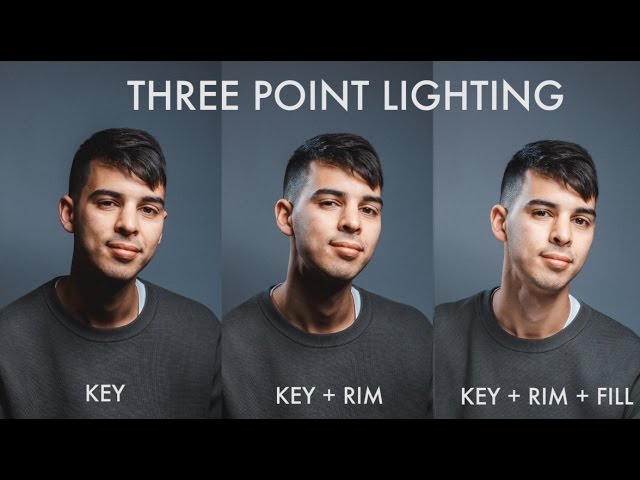
💡 2. Complete Studio Light System (20 Classic + 20 PRO)
 4
4
Create perfect lighting instantly:
Classic Studio Lights
-
Softboxes
-
Rim lights
-
Fill/Key lights
-
Top/side area lights
-
Accent spotlights
Softboxes
Rim lights
Fill/Key lights
Top/side area lights
Accent spotlights
PRO Lighting Presets
-
Cinematic contrast setups
-
Industrial highlights
-
Dramatic dual-rim compositions
-
Moody product light arcs
Cinematic contrast setups
Industrial highlights
Dramatic dual-rim compositions
Moody product light arcs
Light Controls
✔ Light Distance Slider — push/pull entire light rig
✔ Light Intensity — non-destructive power multiplier
✔ Rotate-Z — instant studio rim rotation
✔ Auto-tracking to your target object
🌅 3. HDRI Live Control Panel
 4
4
Control HDRI lighting directly from the panel:
-
Rotate XYZ
-
Move XYZ
-
Strength
-
Instant reset
All updates apply live in the viewport without lag.
🔁 4. Camera to View (Safe Mode)
A heavily optimized, Blender-5-compatible rewrite.
-
Turn ON → camera sticks to viewport
-
Reposition freely
-
Turn OFF → addon safely offsets all keyframes
-
No deformation
-
No corrupted animation
-
Works with every classic and PRO preset
🌐 5. EN / RU Smart Language Toggle
Switch the entire UI instantly:
✔ All labels
✔ All buttons
✔ All sections
✔ All tooltips
Ideal for international teams.
⚙️ Technical Excellence
CameraPlus Studio PRO is engineered for real production:
-
Fully Blender 4.0–5.0 compatible
-
Uses new Blender 5 layered F-Curve API
-
Smart fcurve extraction (legacy + 5.0+)
-
Safe parenting & matrix inversion
-
Clean collection management
-
Non-destructive sliders
-
NO viewport clutter
-
NO unnecessary objects
📦 What You Get
✔ 20 Classic Camera Presets
✔ 20 PRO Camera Presets
✔ 20 Classic Light Presets
✔ 20 PRO Light Presets
✔ Auto Distance
✔ Light Distance
✔ Light Intensity
✔ Auto DOF
✔ Reverse Motion
✔ Handheld Jitter
✔ Camera-to-View Safe Mode
✔ HDRI Control Panel
✔ EN/RU Toggle
✔ Clean UI
✔ Blender 5-Ready Core
✔ Full Documentation
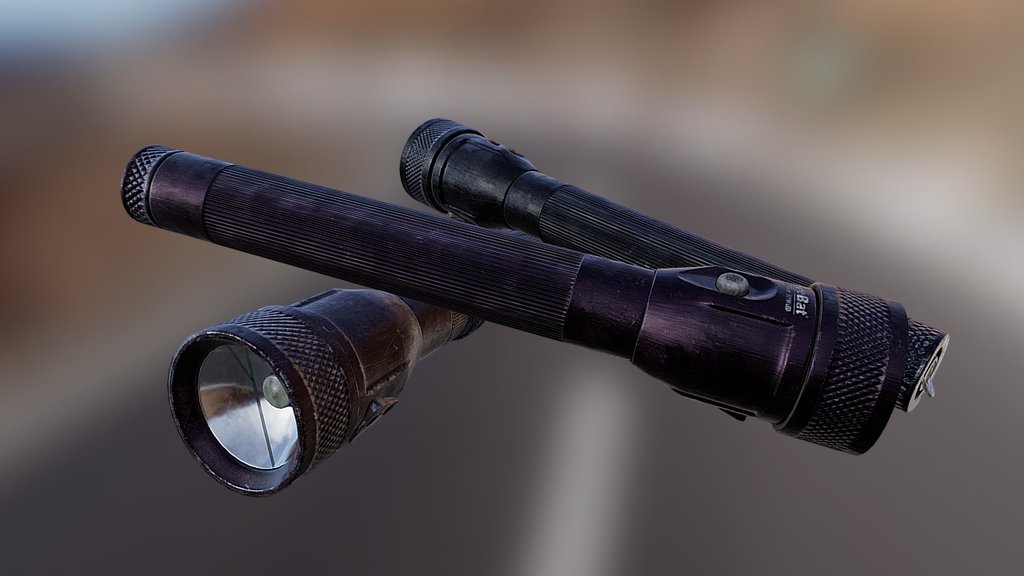
🖼 Gallery Examples

 4
4
 4
4
🧩 Why Artists Love It
-
Zero setup time
-
Automatic perfect framing
-
Cinematic motion in 1 click
-
Massive time savings
-
Clean, predictable results
-
Ideal for:
✔ Tech
✔ Industrial
✔ Hard-surface
✔ E-commerce
✔ Motion Design
✔ Products
✔ Marketing visuals
Zero setup time
Automatic perfect framing
Cinematic motion in 1 click
Massive time savings
Clean, predictable results
Ideal for:
✔ Tech
✔ Industrial
✔ Hard-surface
✔ E-commerce
✔ Motion Design
✔ Products
✔ Marketing visuals
🛒 Ready to use on SuperHive
This description is already formatted for your product page.