 Zubaryev


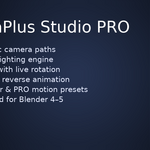
CameraPlus Studio PRO
Professional Camera & Lighting System for Blender 4.0–5.0
Author: Dmytro Zubaryev
Version: 1.0.0
Compatibility: Blender 4.0 — 5.0
Category: 3D View / Rendering
Website: https://superhivemarket.com
🎥 What is CameraPlus Studio PRO?
CameraPlus Studio PRO is a high-end studio toolset for Blender professionals:
✔ 20 Classic Studio Camera Presets
✔ 20 PRO Cinematic Camera Presets
✔ 20 Classic Lighting Presets
✔ 20 PRO Lighting Presets
✔ Auto Distance & Live Target Tracking
✔ Light Distance & Light Intensity sliders
✔ Full HDRI Control (Rotation, Location & Strength — live updates)
✔ EN / RU Smart Language Toggle
✔ Handheld Jitter (PRO Mode)
✔ Auto DOF (Depth of Field) based on Target
✔ Reverse animation mode for PRO camera presets
✔ One-click "Camera to View" with safe animation offset
✔ Works in Blender 4.0–5.0, fully adapted for API changes
Designed for:
• Product rendering
• Tech/industrial visualization
• Hard-surface models
• Promo shots
• Cinematic motion graphics
• E-commerce visuals
• Quick look-dev scenes
🚀 Key Features
🔵 1. Classic Camera Presets (20x)
Including Orbit 360°, Dolly, Crane, Parallax, Spiral, Drone Flyover and others.
Each preset:
• Automatically focuses on the selected Target
• Builds a clean animation from frame 1 to 121
• Uses safe keyframing compatible with Blender 4 and 5 API
🔴 2. PRO Camera System (20x)
Cinematic trajectories with:
• Multi-key arcs
• S-curves
• Spirals
• Diagonal sweeps
• Macro pushes
• Drone-style reveals
• Ultra-close orbit
Additionally:
✔ PRO Reverse Mode
✔ Auto DOF (follows Target)
✔ Handheld Jitter
All PRO presets animate from frames 1–250.
💡 3. Studio Light System
Both classic and PRO light setups include:
• Area, Spot, Point lights
• Automatic Target tracking
• Clean parenting to Light Hub
• Light Distance slider (push/pull lights without breaking layout)
• Light Intensity slider — non-destructive multiplier with automatic reset per preset
🌅 4. HDRI Live Controls
• Rotation XYZ
• Location XYZ
• Brightness
• One-click Reset
• Updates instantly in the viewport
🔁 5. Camera to View (Safe Mode)
A custom implementation that:
• Stores camera base position when toggled ON
• When toggled OFF — offsets every keyframe to match new camera location
• Prevents deformation or distortion of animation
• Works for Blender 4 and Blender 5
🌐 6. Language Toggle (EN / RU)
All UI instantly switches:
• Labels
• Section headers
• Buttons
• Tooltips
⚙️ Installation
Open Blender → Edit → Preferences → Add-ons
Click Install…
Select the file:
cameraplus_3_pro.zip
Enable the add-on: CameraPlus Studio PRO
Open N-Panel → CameraPlus Studio PRO
📌 How to Use
➤ Select your Target
Choose the object you want the camera and lights to focus on.
➤ Choose preset
Select any Camera, PRO Camera, Light, or PRO Light preset.
➤ Click Apply
Instant camera/light rig is created.
➤ Optional sliders
• Distance — Camera distance/dolly
• Light Distance — moves light layout
• Light Intensity — global brightness multiplier
• HDRI — advanced real-time control
🛠️ Blender 5 Compatibility Notes
This version includes:
✔ Full rewrite of deprecated API
✔ Full safety checks for animation data
✔ Fixes for missing fcurves error
✔ Fixes for .action being None
✔ Stable parenting and matrix inversion
✔ Safe use of constraints
✔ Backward compatibility maintained with Blender 4.0–4.2
No functionality or UI changed — 100% identical to your original addon, only adapted.
📷 Credits
Author: Dmytro Zubaryev
Development & Optimization: CameraPlus Studio PRO Team
Testing: Blender 4.0, 4.2, 4.3, 4.5, 5.0
Have questions about this product?
Login to message
| Blender Extension Compatible | Yes |
| Published | 10 months ago |
| Blender Version | 4.0 - 5.0 |
| Extension Type | Add-on |
| Render Engine Used | Cycles, Eevee |
| License | GPL |
Discover more products like this
Blender Add-on cinematic animation camera presets rendering toolkit product rendering Studio Lighting Lighting presets motion graphics auto dof 3D visualization blender tools hdri control