 PlugIn3D


🚀 Car Placement Helper – Documentation
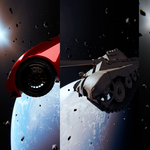
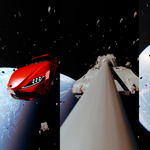
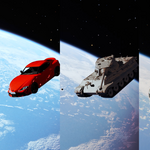
This product includes a sci-fi Blender scene preset and a custom add-on that simplifies the placement of a car and related scene objects using a set of empties and auto-alignment features.
📦 What's Included
-
A ready-to-use
.blendfile with a space environment -
Built-in empties for positioning (car, wheels, headlight)
-
Custom add-on for:
-
Auto-placing the car at the right position
-
Auto-aligning empties to car parts
-
Renaming helper objects
-
Inverting orientation for directional tweaks
-
Toggling viewport visibility of background elements
-
🔧 How to Use
-
Install Add-on (if not already loaded)
Open theText Editortab and run the script OR install it fromEdit > Preferences > Add-ons > Install. -
Set Object Names (if needed):
Select each object and use the rename buttons to assign:-
car_postition(empty that gets positioned) -
car_mesh(your actual car model) -
wheel_L,headlight_L(helpers)
-
-
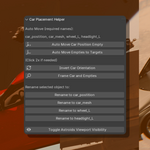
Use the Add-on Tools (Sidebar > Car Tools):
-
✅ Auto Move Car to Position — Moves
car_postitiontocar positionempty -
✅ Auto Move Empties — Moves empties to match the named parts
-
✅ Invert Car Orientation — Rotates the car position empty (Z +180°, X -45°)
-
✅ Frame Car & Empties — Centers camera on key elements
-
✅ Toggle Astroids — Hides/unhides background mesh in viewport only
-
📌 Note: Some actions (like moving empties) may require clicking twice depending on your Blender version or scene state.
Have questions about this product?
Login to message
| Dev Fund Contributor | |
| Published | over 1 year ago |
| Blender Version | 2.82 - 4.5 |
| Extension Type | N/A |
| Render Engine Used | Cycles, Eevee |
| License | GPL |
Discover more products like this
blender sci-fi blender helper empties setup scene setup viewport tools car placement space scene auto rigging blender addon blender car tool 3d preset car-animation