Catpin Blender Add-On
 Alex Sokol


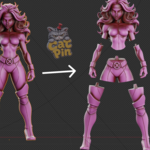
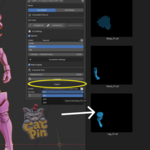
Yes. Draft Mode allows you to plan, edit, disable or remove cuts before building the final parts. CatPin preserves the original source model, so you can revise the cutting plan without permanently damaging your original mesh.
-
$24 $30
One-person license for hobby and professional work.
-
$36 $45
The complete add-on with a one-person license, a personal thank-you and creator Instagram highlight.
-
$80 $100
The complete add-on with a business license for up to five members of one studio or production team.
 Included
Includes 12 months of
- Support from Alex Sokol
- Product updates
Extend this product’s Support Period +12 months: 25% of product price
Have questions before purchasing?
Login to message
Discover more products like this
keyed joint connector slicer figurine 3d-model-for-printing split fdm cut STL 3d printing parts resin