 atticus_id


Current version: 0.3.1
Current version: 0.3.1
Fast CGAL-powered booleans for Blender, built for dense meshes, multi-cutter workflows, and cleaner production results.
CGAL Boolean is more than a one-shot boolean button. It provides an editable result-object workflow with layer stacks, Live Update preview, multi-object booleans, and Self Union for cleaning disconnected components inside one mesh.
Key Features
CGAL-backed Union, Difference, and Intersection
Editable result-object layer stack
Multi-object boolean workflows
Live Update for source/cutter transform and mesh geometry changes
Result pinning and cutter collection organization
Self Union for disconnected components inside one object
Post-processing/output controls: triangle-to-quad conversion, boolean edge attributes, boolean edge selection
Native Windows x64 and macOS Apple Silicon / arm64 support
English and Simplified Chinese UI
CGAL-backed Union, Difference, and Intersection
Editable result-object layer stack
Multi-object boolean workflows
Live Update for source/cutter transform and mesh geometry changes
Result pinning and cutter collection organization
Self Union for disconnected components inside one object
Post-processing/output controls: triangle-to-quad conversion, boolean edge attributes, boolean edge selection
Native Windows x64 and macOS Apple Silicon / arm64 support
English and Simplified Chinese UI
Editable Layer Stack
Create a CGAL result object, then keep editing its boolean stack instead of rebuilding the setup from scratch.
You can add, remove, reorder, enable, and disable Union, Difference, and Intersection layers. Layers can reference objects or collections, and multiple selected cutters can be added at once through shortcut buttons.
Internally, compatible neighboring layers are optimized into larger CGAL stages, so the editable stack can still benefit from multi-object acceleration.
Live Update Preview
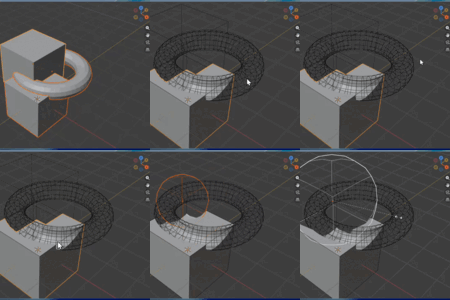
Live Update automatically rebuilds the result stack while you edit participating objects.
It reacts to:
source object transforms
cutter / operand transforms
mesh geometry changes
layer setting changes
For performance, Live Update is designed as a fast preview path. Post-processing options such as triangle-to-quad conversion, boolean edge attributes, and boolean edge selection are not applied during Live Update. Use a manual/final rebuild when those outputs are needed.
Self Union
Self Union unions disconnected mesh components inside a single object.
Useful for:
kitbash cleanup
merging overlapping chunks inside one object
imported mesh cleanup
scan / CAD cleanup workflows
Self Union is a dedicated operation and is not stored as a stack layer.
Why It Differs From Blender Native Boolean
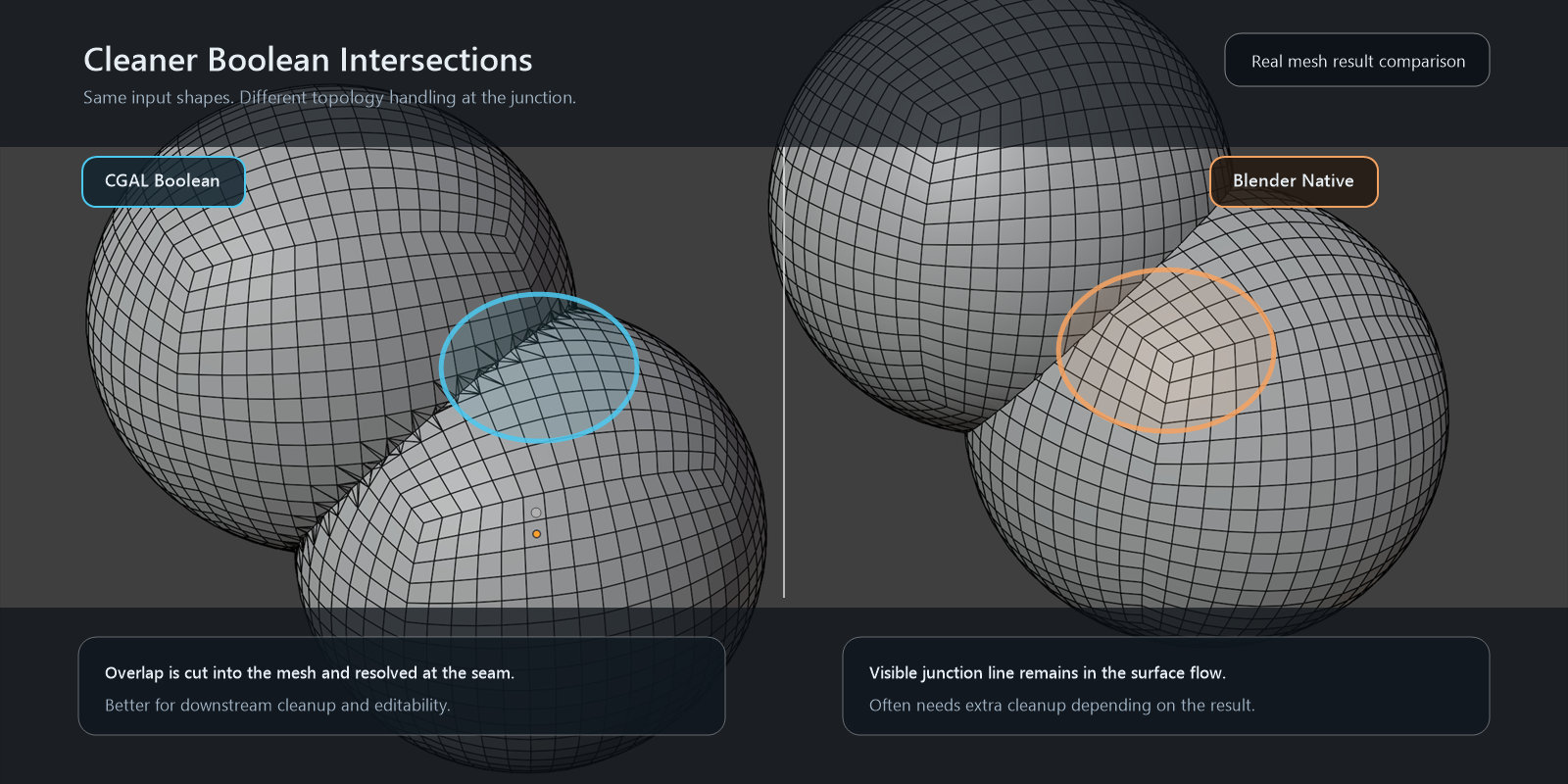
Blender native booleans are modifier-based and are great for simple, live, non-destructive setups. CGAL Boolean takes a different approach: it is a result-object workflow designed for heavier boolean editing and cleanup.
Compared with Blender's native boolean solvers:
Compared with Float: CGAL is designed to be more reliable on complex intersections where floating-point-only workflows may become unstable.
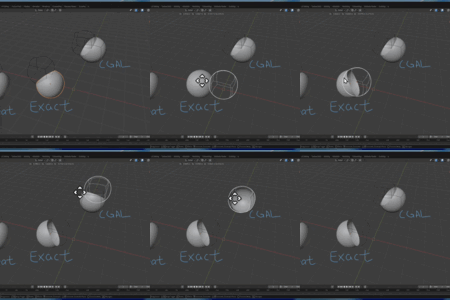
Compared with Exact: CGAL is often faster in dense-mesh benchmark cases while still targeting robust boolean results.
Compared with Manifold: CGAL can sometimes work with meshes that are not perfectly manifold, but this is not a guarantee. Closed, valid meshes are still strongly recommended.
The workflow differences are also important:
Layer stack instead of one-off execution: keep source and cutters organized as editable boolean layers.
Multi-cutter workflow: add many cutters quickly, reorder them, disable them, or group them through collections.
Internal optimization: compatible neighboring layers can be merged into larger CGAL stages, and repeated rebuilds can benefit from caching.
Live Update preview: move or edit participating objects and preview the rebuilt CGAL result without manually pressing rebuild each time.
Self Union: clean disconnected overlapping components inside a single object, which is not the same workflow as a standard two-object boolean modifier.
Cleaner boolean-edge cleanup: boolean edge attributes, edge selection, and triangle-to-quad conversion are available for final/manual rebuilds.
In short, Blender native boolean is ideal as a general-purpose modifier. CGAL Boolean is aimed at dense meshes, many cutters, iterative cleanup, and cases where the final boolean result matters more than keeping every step as a native modifier.
Benchmark Summary
Compared with Blender native Boolean Modifier using the EXACT solver:
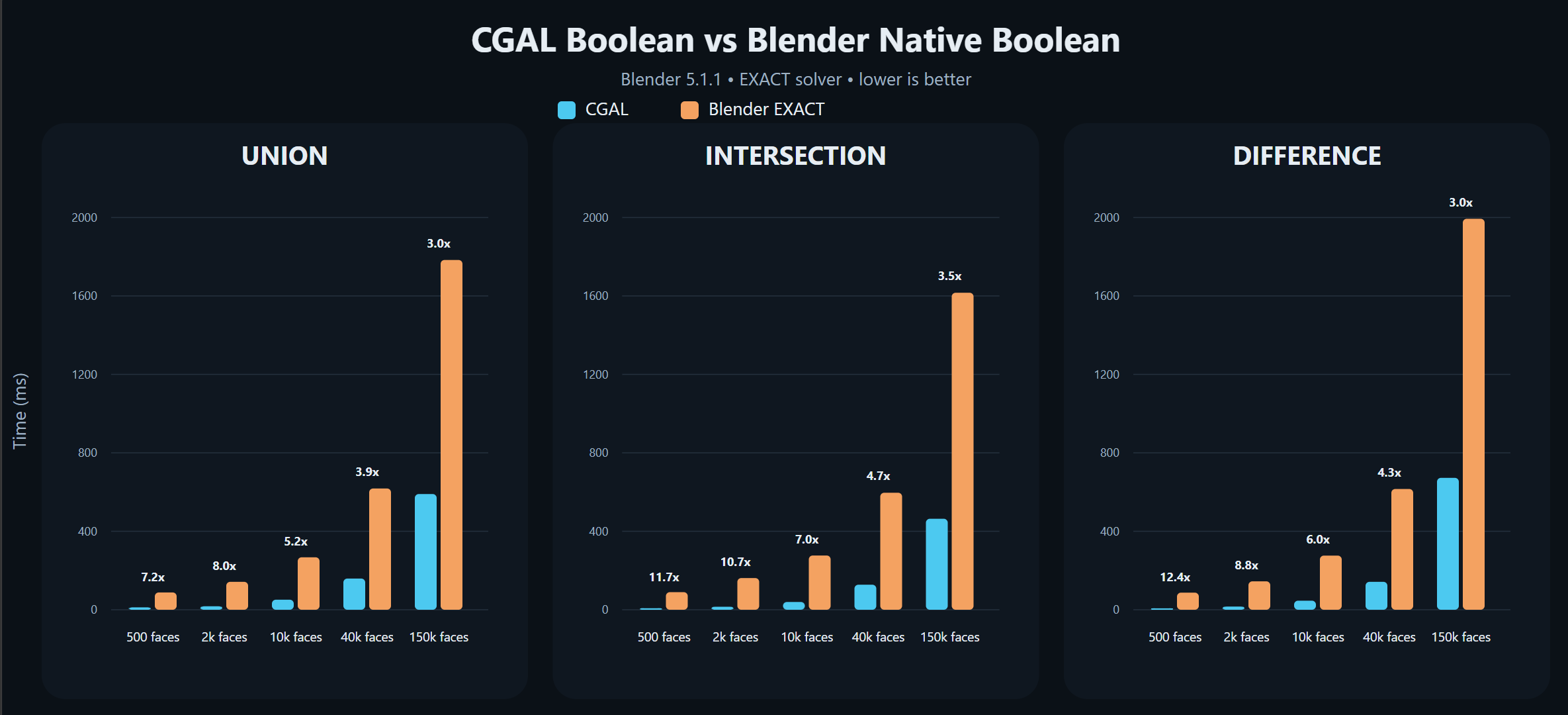
Small to medium meshes often show around
5x ~ 12xspeedupAround
150k faces per object, results remain near3xin the benchmark sceneTiming includes result creation and write-back into Blender
Repeated stack rebuilds can also benefit from internal caching
Recent Changes
v0.3.0
Added macOS Apple Silicon support for M-series Macs.
Added macOS Apple Silicon support for M-series Macs.
v0.2.x
Added editable layer-stack boolean workflow.
Added Live Update for stack rebuild preview while editing inputs.
Added mesh geometry change detection for Live Update.
Added result pinning and cutter organization.
Added post-processing and live preview output controls.
Improved repeated stack rebuild speed with caching.
Improved English and Simplified Chinese UI text.
Added editable layer-stack boolean workflow.
Added Live Update for stack rebuild preview while editing inputs.
Added mesh geometry change detection for Live Update.
Added result pinning and cutter organization.
Added post-processing and live preview output controls.
Improved repeated stack rebuild speed with caching.
Improved English and Simplified Chinese UI text.
v0.1.1 Baseline
CGAL-backed boolean operations.
Multi-object workflows.
Self Union.
Boolean edge output metadata.
Benchmarking and profiling tools.
CGAL-backed boolean operations.
Multi-object workflows.
Self Union.
Boolean edge output metadata.
Benchmarking and profiling tools.
Good Fit For
hard-surface modeling
kitbash workflows
complex boolean assembly
iterative cutter layout editing
imported mesh cleanup
consolidating overlapping components inside one object
artists who want an alternative to Blender native EXACT boolean
hard-surface modeling
kitbash workflows
complex boolean assembly
iterative cutter layout editing
imported mesh cleanup
consolidating overlapping components inside one object
artists who want an alternative to Blender native EXACT boolean
Limitations
Supported Blender versions: 4.5 ~ 5.1
Supported platforms: Windows x64 and macOS Apple Silicon / arm64
Best suited for closed, valid meshes with clear volumetric meaning
Open meshes are not supported as reliable boolean inputs
Severely self-intersecting, non-manifold, or heavily degenerate meshes cannot be guaranteed to work
Self Union is for one object containing multiple disconnected components; it is not a universal repair tool for arbitrary self-intersecting shells
Live Update rebuilds the CGAL result stack and does not run post-processing options for performance
Supported Blender versions: 4.5 ~ 5.1
Supported platforms: Windows x64 and macOS Apple Silicon / arm64
Best suited for closed, valid meshes with clear volumetric meaning
Open meshes are not supported as reliable boolean inputs
Severely self-intersecting, non-manifold, or heavily degenerate meshes cannot be guaranteed to work
Self Union is for one object containing multiple disconnected components; it is not a universal repair tool for arbitrary self-intersecting shells
Live Update rebuilds the CGAL result stack and does not run post-processing options for performance