Cgal Boolean
 atticus_id


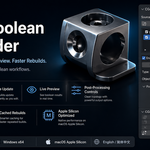
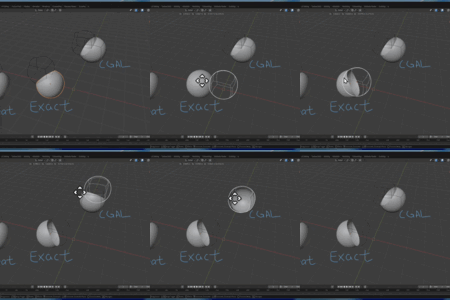
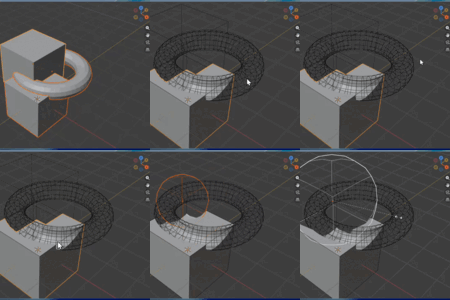
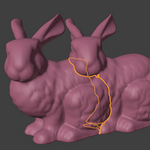
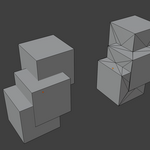
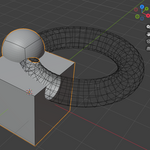
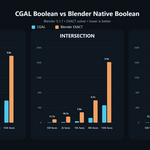
CGAL Boolean is a Blender extension for robust mesh boolean operations powered by CGAL.
It is designed for artists who want cleaner boolean intersections and faster boolean performance in many practical cases than Blender's native EXACT workflow.
Current operations:
Union
Intersection
Difference
Self Union
Supported Blender Versions
Blender 4.5 to 5.1
Windows x64 only
Installation
Download the extension
.zipfile from your purchase.In Blender, open
Edit > Preferences > Get Extensions > Install from Disk.Select the downloaded
.zip.Enable CGAL Boolean.
No extra manual DLL setup is required in the current release.
Quick Start
Select the mesh objects you want to process.
Open the CGAL Boolean panel in the 3D View.
-
Choose the operation:
Union
Intersection
Difference
Self Union
Run the operator.
A new result object will be created.
The source objects are left unchanged.
How It Works
CGAL Boolean evaluates the selected mesh objects, sends their geometry to the bundled CGAL backend, computes the requested boolean operation, and creates a new Blender mesh object from the result.
This tool is focused on geometry result quality and workflow practicality.
Operations
Union
Combines the selected meshes into one boolean result.
Intersection
Creates a mesh from the overlapping volume shared by the selected meshes.
Difference
Subtracts the other selected mesh from the active mesh.
Self Union
Attempts to union overlapping disconnected pieces inside a single selected mesh object.
Result Behavior
The result is created as a new mesh object
The source objects are not modified
Geometry is generated from evaluated mesh input
Result naming includes the source object name
Optional quad restoration may be available depending on settings
Important Limitations
Please read this before purchasing:
Closed, reasonably valid meshes work best
Open meshes, self-intersecting meshes, or severely broken geometry may fail
This tool focuses on geometry only
Materials, UVs, custom attributes, and advanced data transfer are not preserved in the current version
Windows x64 only in the current release
If a boolean fails, the extension reports a clearer diagnostic message where possible, but it does not automatically repair invalid input geometry.
Best Use Cases
CGAL Boolean is especially useful for:
hard-surface boolean workflows
cleaner intersection handling
production cases where Blender native booleans may require extra cleanup
users who want a dedicated CGAL-powered boolean option inside Blender
Support
If you run into a problem, please include:
Blender version
operation used
whether the input meshes are closed
a screenshot or short description of the issue
This makes troubleshooting much faster.
Update Notes
Updates may improve performance, diagnostics, and supported workflows over time.
-
$24
for solo artists
-
$59
for small teams up to 3 users
-
$149
for studios up to 10 users
Have questions about this product?
Login to message
| Blender Extension Compatible | Yes |
| Published | 5 months ago |
| Blender Version | 4.5 - 5.1 |
| Extension Type | Add-on |
| Render Engine Used | Cycles |
| License | GPL |