 Vikky3D


Blender Add-on Workflow Tools
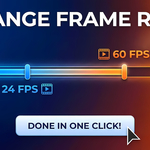
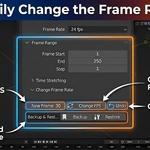
Effortlessly Change Frame Rate
Convert Blender 3D Projects' FPS quickly in seconds.
Stop Doing The Math!
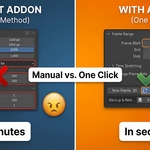
❌ The Hard Way: Manually calculating "Time Stretch" ratios, multiplying frame ranges, and hoping you didn't miss a decimal point.
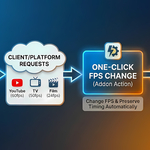
✅ The One-Click Way: Type your new FPS and click Change. The add-on handles the math, scaling, and scene updates instantly.

Key Features
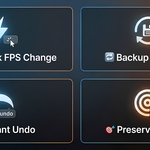
⚡ One-Click Conversion
Handles FPS, Time Stretching, and Frame Range automatically.
⏱️ Preserves Timing
Your 10-second animation stays 10 seconds long, regardless of the new FPS.
↩️ Smart Undo
Instantly revert settings if you change your mind.
💾 Backup System
Store and restore scene settings safely while experimenting.
Workflow
Integrated directly into your Output Properties panel for seamless access.

Technical Details
VERSION
1.0.1
BLENDER VERSION
3.6+
CATEGORY
Scene Tools
LOCATION
Output Properties