CheckMate Pro | Your Pro-Tier Task Management Pipeline
 Pixel Vampire


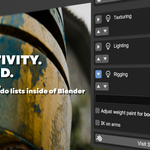
Can I send tasks in .blend files to other artists?
Yes you can. Checkmate Pro bakes all tasks and categories into the .blend file, allowing artists to see what has been ticked off and what is still outstanding between versions.
Does it save tasks between sessions?
Yes! your tasks and categories are saved per project file, so your workflow stays consistent and organized each time you reopen a scene.
How does it work?
CheckMate Pro adds a sidebar panel and pop-up shortcut menu where you can:
- Create and manage tasks and categories.
- Mark items complete via the pop-up checklist.
- Keep track of progress across projects, all inside Blender’s UI.
How do I use the pop-up menu?
Press the assigned hotkey (configurable in Preferences, by default it is SHIFT + T) to open a quick checklist overlay. From there, you can tick tasks off or switch categories without touching the sidebar. Perfect for speed, or when the sidebar is already in use.
Can I organize tasks into categories?
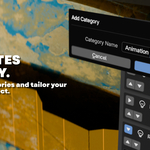
CheckMate Pro lets you split your to-dos into custom categories, so you can separate modeling, lighting, rendering, or feedback. Whatever fits your workflow.
Who is CheckMate Pro for?
Artists, animators, and developers who want better project focus inside Blender. If you juggle multiple tasks, notes, or iterations, CheckMate Pro helps you stay on track.
Have questions about this product?
Login to message
| Sales | 10+ |
| Dev Fund Contributor | |
| Published | about 1 year ago |
| Blender Version | 4.0 - 5.2 |
| Extension Type | N/A |
| Render Engine Used | Cycles, Eevee, Freestyle, Luxrender, Mental-Ray, Octane, Vray, Yafaray |
| License | GPL |
Discover more products like this
Workflow 3DPipeline To Do List to do to-do Tasks pipeline 3dartistproductivity Blender Professional Tools creative professionals 3D workflow 3DEfficiency organisation