Chromabridge - For After Effects
 TheFridge
Setup guide
Everything needed to get ChromaBridge running, in order.
A few steps only happen once per machine. Everything else happens on every project. That difference matters, so it stays clearly separated below. If something isn't working, the first thing worth checking is whether the one-time setup was actually done for the specific After Effects version currently open, not just done at some point on some version.
One-time setup
1. Install the add-on in Blender
A standard Blender add-on install. Edit > Preferences > Add-ons > Install, point it at the add-on's .zip file, enable it. Nothing unusual here.
2. Point the add-on at After Effects
In Blender: Edit > Preferences > Add-ons > AE Bridge, set the After Effects Executable path.
- Left blank, the add-on looks for common install locations the first time it's needed, then remembers whatever it finds.
- With more than one AE version installed, this sets which one gets launched when Transfer to After Effects is clicked.
- This is remembered across Blender sessions automatically, so it only needs setting once.
3. One-time setup inside After Effects
This is the step that's easiest to miss, especially when a new AE version gets installed alongside an existing one. Each AE version needs this done separately, it doesn't carry over from one install to another. Two scripts, both in the add-on's ae_scripts folder, both run the same way: inside After Effects, File > Scripts > Run Script File.
3a. install_startup_hook.jsx
Installs the script that automatically picks up and imports whatever Blender just exported, whenever After Effects launches or is already running. Without this, After Effects opens normally when Transfer to After Effects is clicked, but nothing actually imports. That's the sign this step is missing.
If AE is installed under Program Files, which is the default location for most modern AE versions, this script needs to write into a folder Windows locks down for regular users. If an alert says it couldn't write to the Scripts/Startup folder, close AE, relaunch it as Administrator, and run the script again from that elevated session. This is only needed once. After the file exists there, normal launches pick it up fine.
3b. setup_preserve_rgb.jsx
Patches a file called Interpretation Rules.txt so EXR files default to After Effects' Preserve RGB interpretation on import, instead of needing that box ticked by hand on every footage item. This lives in AE's own preferences folder, not Program Files, so it doesn't usually need admin access, even on installs where step 3a did.
After Effects has to be fully quit and restarted before this takes effect. It's read once at startup, the same way a few other AE settings work. Running the script and continuing in the same session won't show any difference yet.
These two scripts don't depend on each other, run them in either order, just both, once, per AE install.
Every project, from here on
Once the setup above is done for a machine and AE version, day to day use is short:
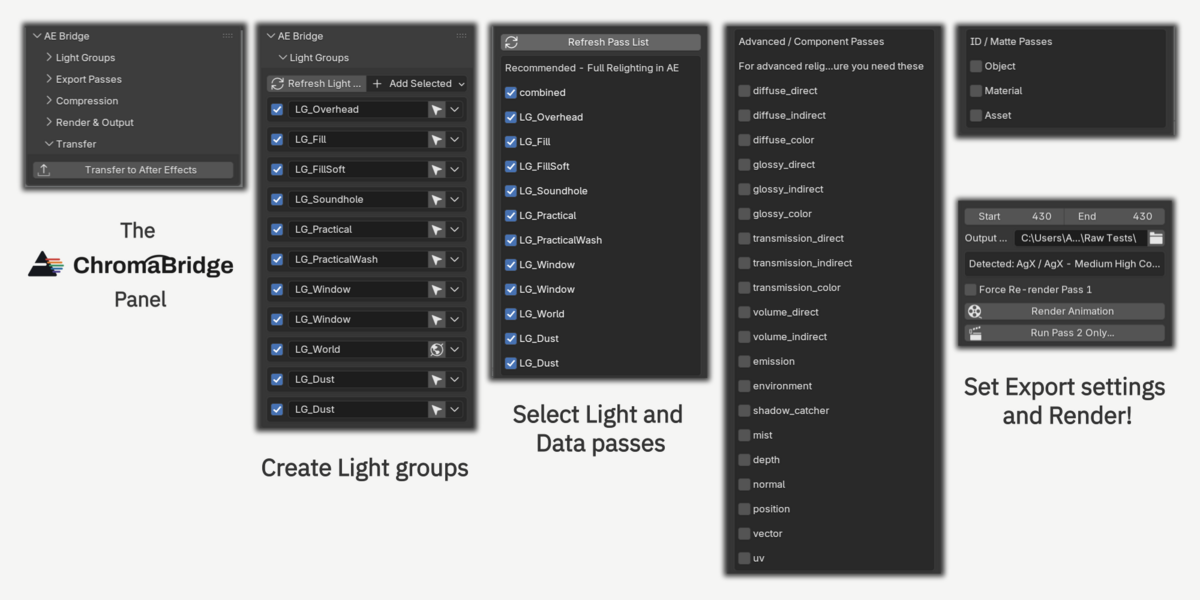
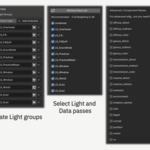
- In Blender, set up light groups, choose the passes to export, click Render Animation.
- Click Transfer to After Effects.
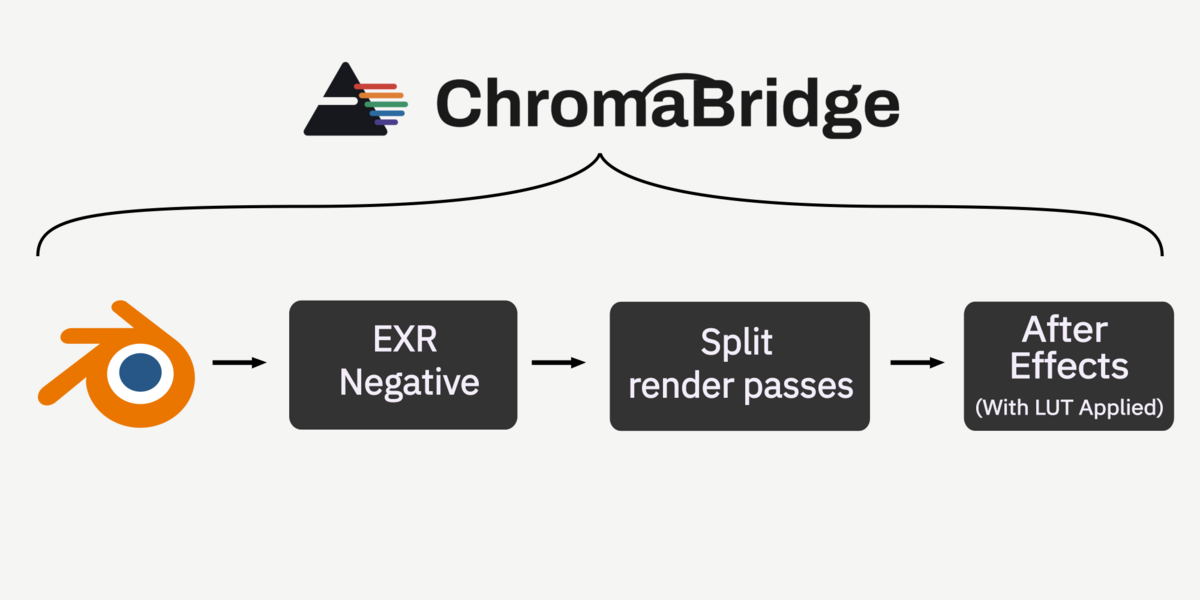
- After Effects opens, or comes to the front if it's already running, and builds the composition on its own: footage imported, light group layers stacked in Add mode, LUT adjustment layer added.
One step stays manual, every project: the LUT file itself needs linking by hand, once, through Apply Color LUT's own Choose LUT file picker in Effect Controls. After Effects has never allowed this to be set by script, confirmed back to CS 5.5. It's a real limit of the platform, not something left unfinished here. To switch to a different LUT or view transform later, change the selection in Blender and click Transfer to After Effects again. Re-rendering isn't needed, but re-transferring is, since each look has its own tuned colour settings that get sent as part of the transfer.
Uninstalling
To remove ChromaBridge's After Effects hooks, run uninstall.jsx from the same ae_scripts folder, the same way as the setup scripts. It cleanly reverses both one-time changes:
- The startup hook is deleted from AE's Scripts/Startup folder.
- The Preserve RGB rule is removed from Interpretation Rules.txt, just the one line ChromaBridge added, not a full restore, so any other edits made to that file since setup stay untouched.
Same permission rule as installing: if AE is under Program Files, removing the hook needs the same elevation adding it did. If a needs admin message appears, close AE, relaunch as Administrator, and run uninstall.jsx again from that session. Without elevation, nothing gets touched, the script fails cleanly rather than partway.
This only affects whichever AE installation it's run in, same as the setup scripts. Running it in one version doesn't touch any other AE version ChromaBridge is hooked into.
Troubleshooting
| Symptom | Likely cause |
|---|---|
| AE opens to a blank or default project, nothing imports | install_startup_hook.jsx hasn't been run for this AE version |
| "Could not write to Scripts\Startup" alert | AE is installed under Program Files, rerun the setup script as Administrator |
| Composite looks washed out despite the correct LUT | setup_preserve_rgb.jsx either wasn't run, or AE wasn't restarted after running it |
| Colours look close but slightly off from the Blender render | Check Interpret Footage > Preserve RGB is actually ticked on every footage item, not just some |
Frequently asked questions
Everything worth knowing before buying, and a few things worth knowing once it's installed.
Before you buy
Which software versions does this support?
Built and tested against Blender 5.2 and After Effects CC 2015 (13.5) and CC 2023. Any Blender 5.x version, and any After Effects version in between these two, is expected to work as well. If something doesn't work correctly on your version, please get in touch, we're happy to help sort it out.
What Blender version do I need?
Built and tested on Blender 5.2. Any Blender 5.x version is expected to work as well. If something doesn't work correctly on your version, please get in touch, we're happy to help sort it out.
Does this work on Mac?
No. This is Windows only, and Mac support isn't planned.
Does this support Cryptomatte?
Cryptomatte passes export correctly as their own separate files. Whether they're usable inside After Effects depends on the specific plugins available in your AE install.
Can I process a render I already made, from before I had this add-on, or from a render farm?
Yes. Render Pass 2 Only accepts any multilayer EXR sequence shaped like a ChromaBridge negative, not just ones this add-on rendered itself. Point it at the file and it validates and splits it.
Can I control how large the exported files are?
Yes. A simple Balanced or Maximum Quality choice controls compression on the general passes. ID and Cryptomatte passes are always kept lossless, whichever one is picked.
Setup and everyday use
Do I need to repeat setup for every project?
No. A short one-time setup happens once per machine, or once per AE version if more than one is installed. Everything after that is a couple of clicks per project.
Why do I have to manually link the LUT file every project?
After Effects has never exposed a scripting property for setting a LUT file's path, confirmed back to CS 5.5. It's a permanent limitation of the platform, not something this add-on failed to automate.
I got a "could not write to Scripts\Startup" error, what do I do?
Close After Effects, relaunch it as Administrator, and run install_startup_hook.jsx again from that elevated session. This is only needed once. Normal launches work fine after that.
Why didn't Preserve RGB turn on automatically the first time?
Two likely causes. Either setup_preserve_rgb.jsx hasn't been run yet for this specific AE version, or it has, but AE wasn't fully quit and restarted afterward. This setting is only read once, at startup.
Can I uninstall this cleanly?
Yes. A dedicated uninstall script removes the After Effects startup hook and reverses the one colour management change made during setup, leaving everything else on your machine untouched.
Support
Stuck on something? Here's the fastest way through it.
Start with the Documentation and FAQ tabs
Most setup issues are covered there, including the two most common ones: an admin permissions error during first-time setup, and Preserve RGB not defaulting on until After Effects has been fully restarted. The Troubleshooting table in Documentation matches symptoms directly to causes and fixes.
Still stuck? Send a message
Message through this product's Superhive page directly, or email [email protected]. Include what you tried, what happened instead, and which Blender and After Effects versions are involved, that's usually enough to sort out most issues quickly without a lot of back and forth.
-
$15.99
10 colour profiles: AgX only
-
$39.99
22 colour profiles: AgX, Filmic, ACES
-
$49.99
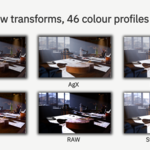
All 46 colour profiles included
-
$99.99
Commercial use, up to 5 seats
Have questions about this product?
Login to message
| Published | 12 days ago |
| Blender Version | 5.1 - 5.2 |
| Extension Type | N/A |
| Render Engine Used | Cycles, Eevee |
| License | GPL |
Discover more products like this
light groups LUT relighting ae color management extractor aftereffects cryptomatte after effects exr Compositing agx