Chubby Cartoon Tiger Rigged Stylized Character
 Salman Animator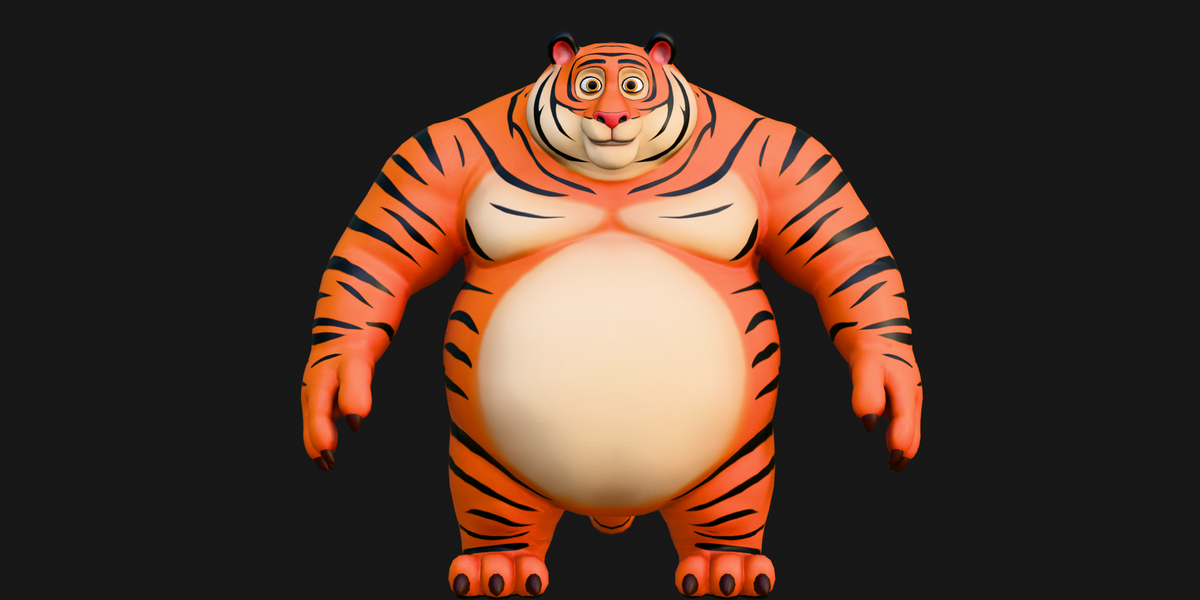
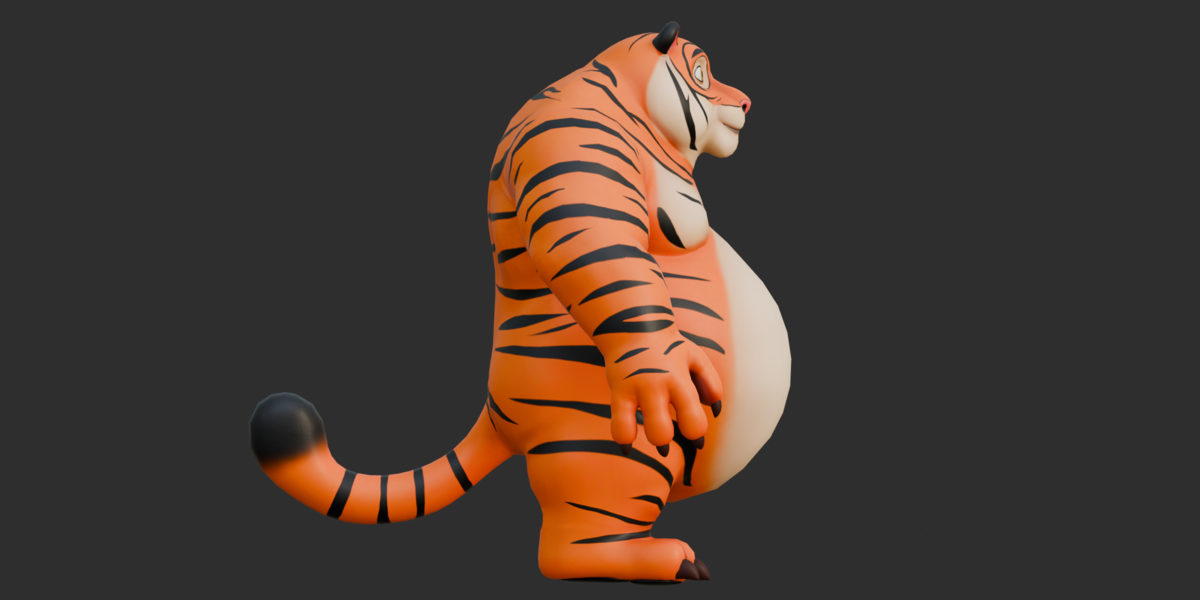
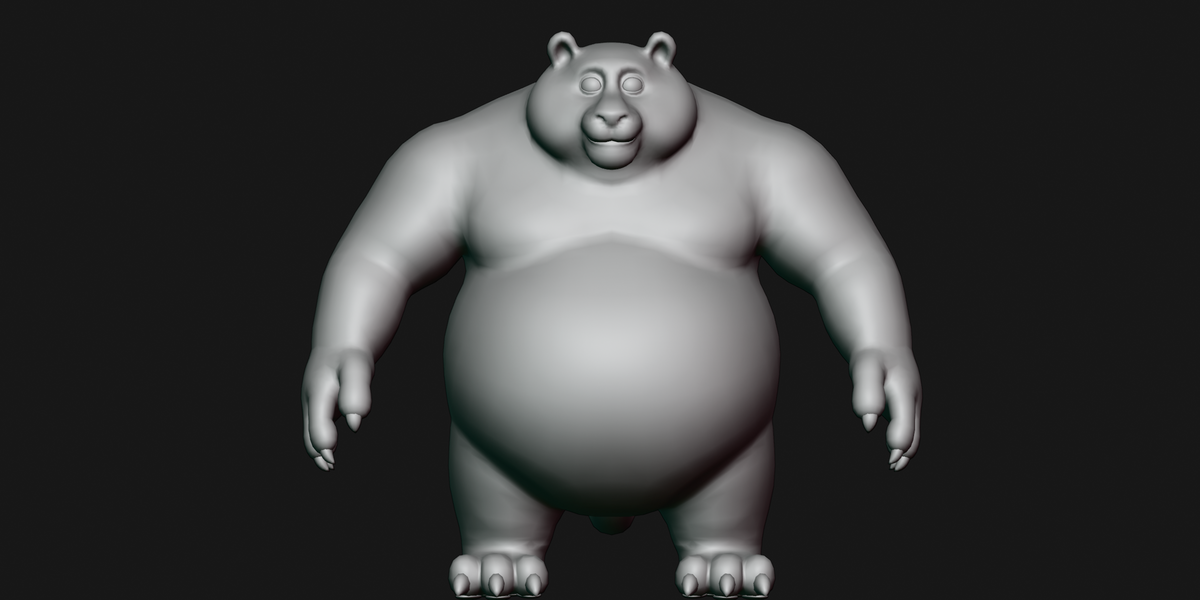
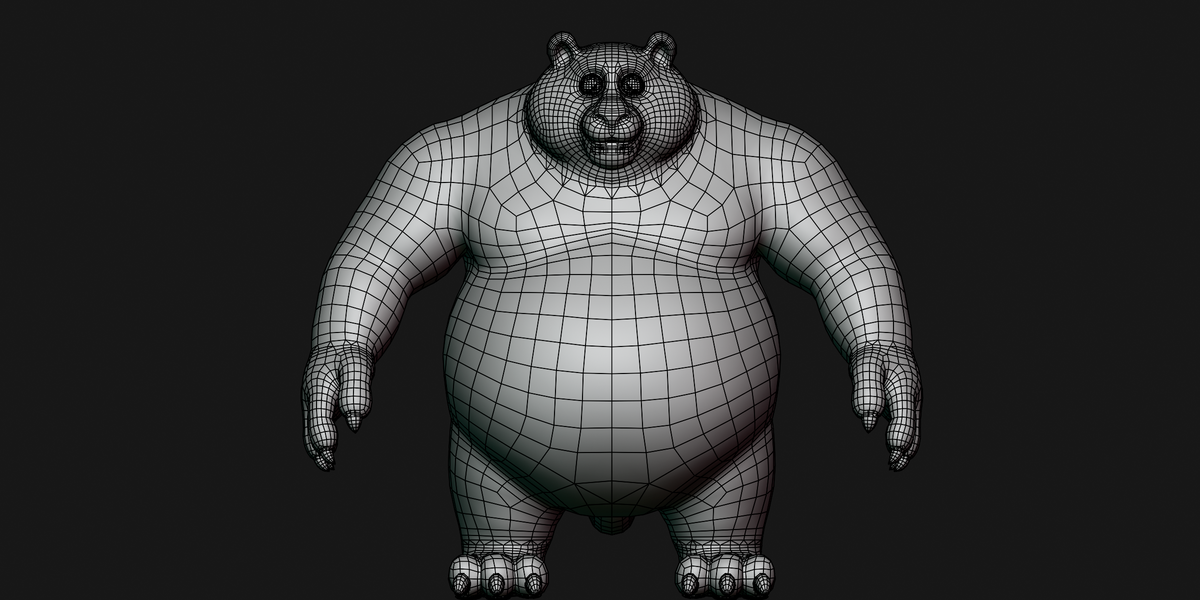
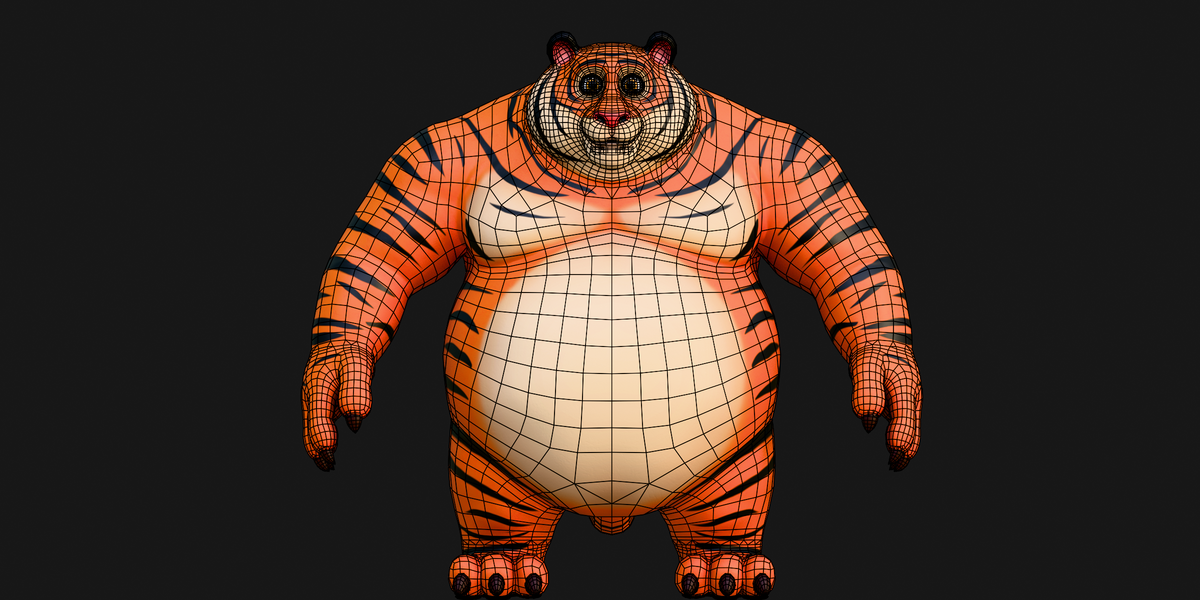
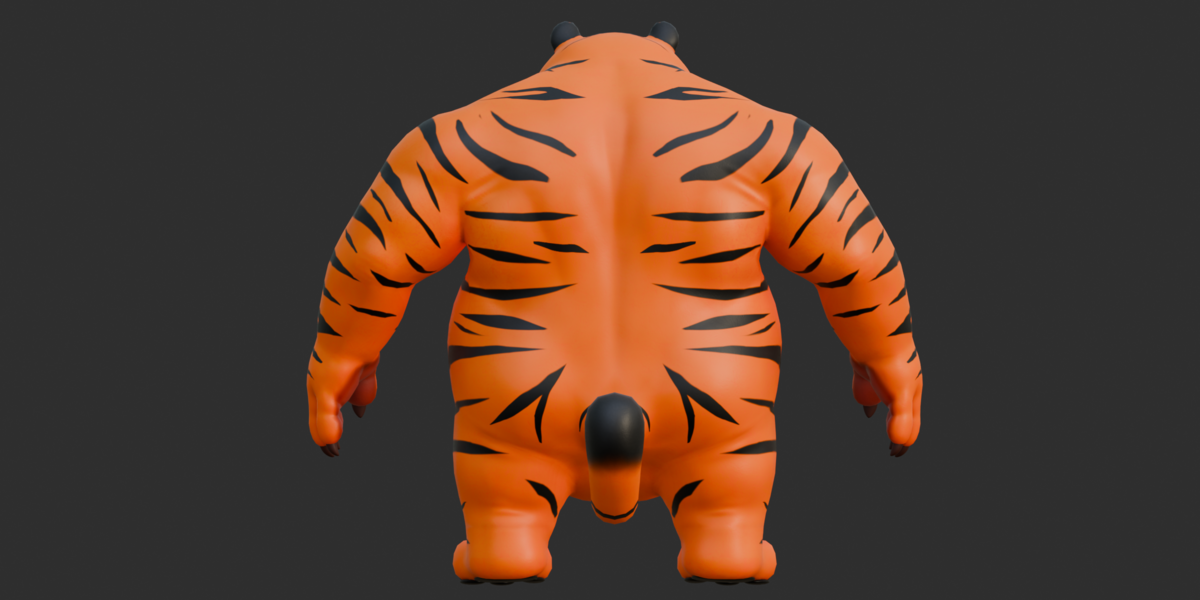
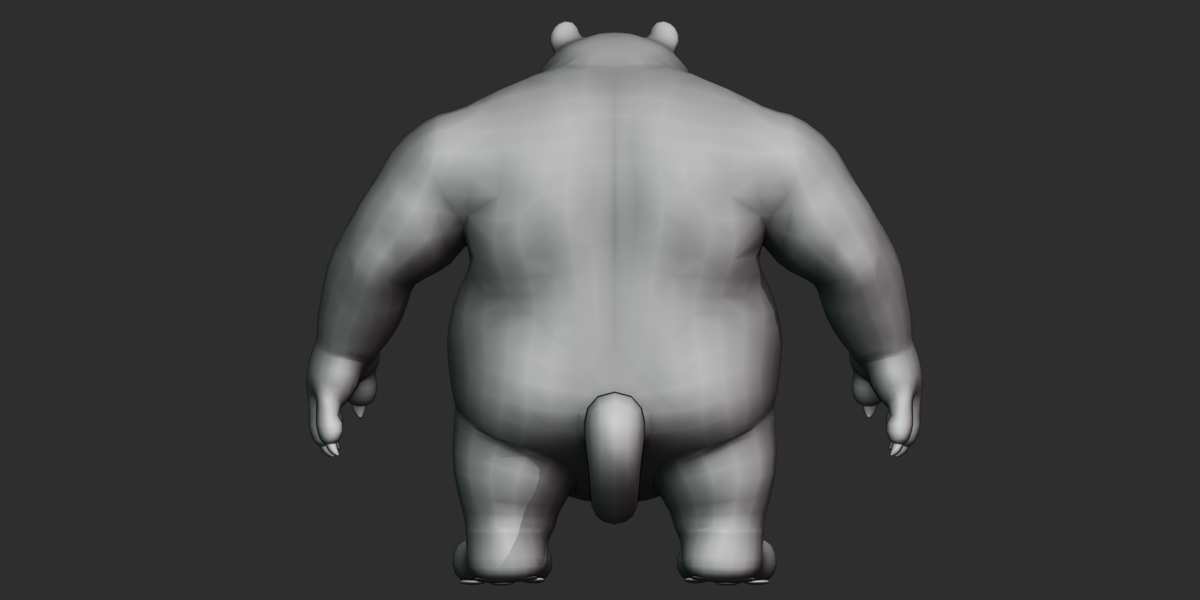
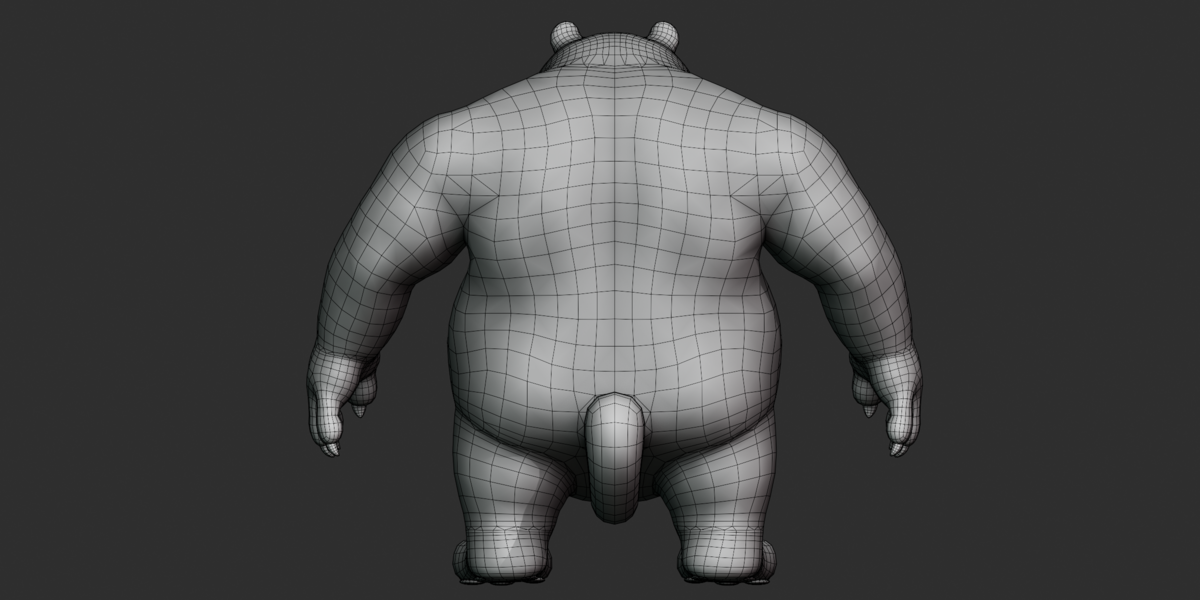
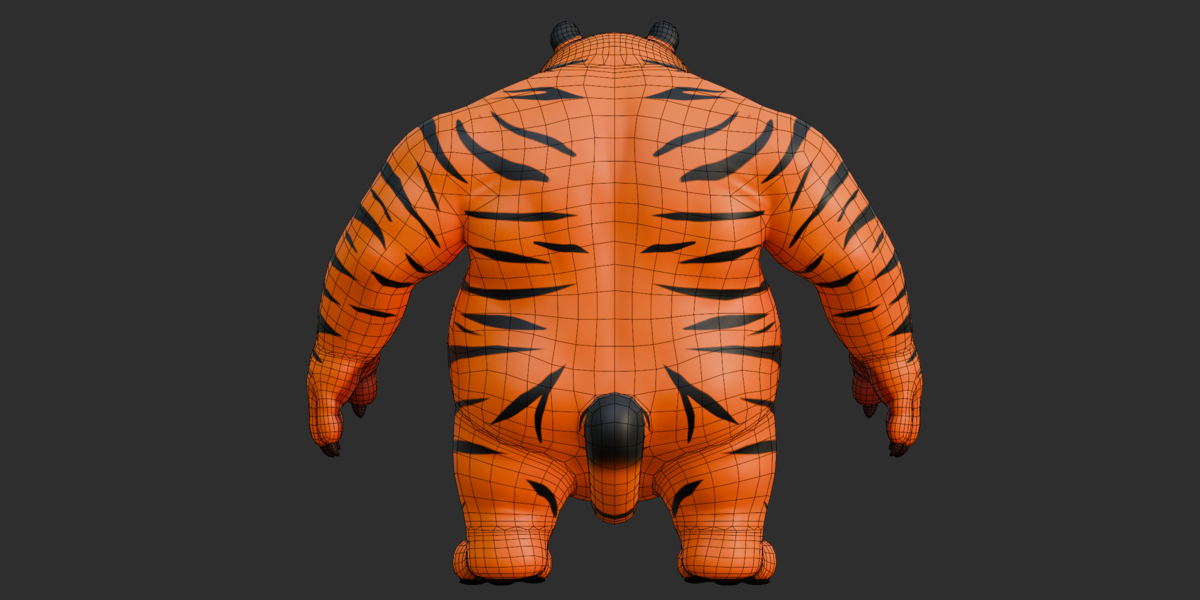
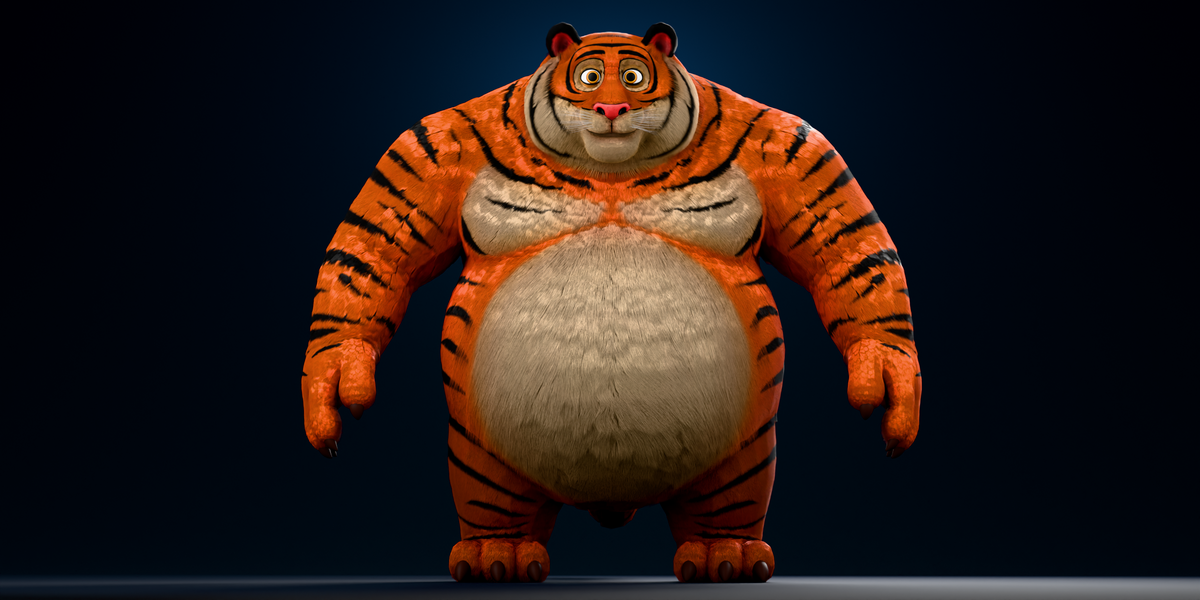
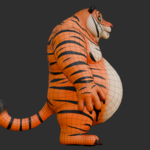
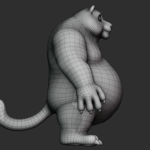
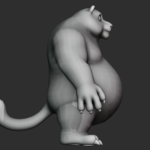
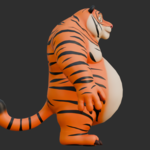
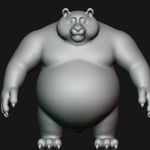
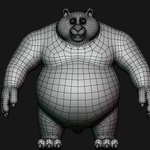
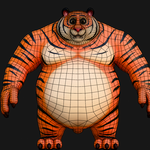
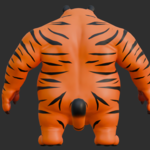
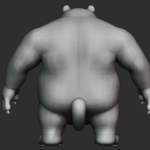
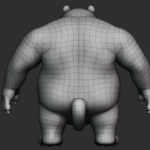
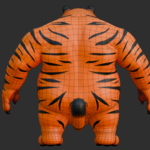
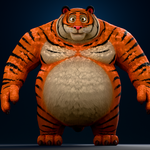
Chubby Cartoon Tiger 3D Model — Documentation
Key Features
Stylized, high-volume chubby cartoon tiger character.
Six main character meshes: body, secondary NURBS-derived mesh, eye, upper teeth, lower teeth, and tongue.
Approximately 15,530 vertices and 15,124 faces across the six character meshes.
Full-body and facial rig with 760 verified skin-deforming joints and 1,168 total bone-type nodes.
FK/IK arm and leg controls, 8-segment tail, 4-segment spine, and detailed eyelid/lip facial controls.
Three separate 2048×2048 PNG textures: body Base Color, body OpenGL Normal, and eye Base Color.
Includes
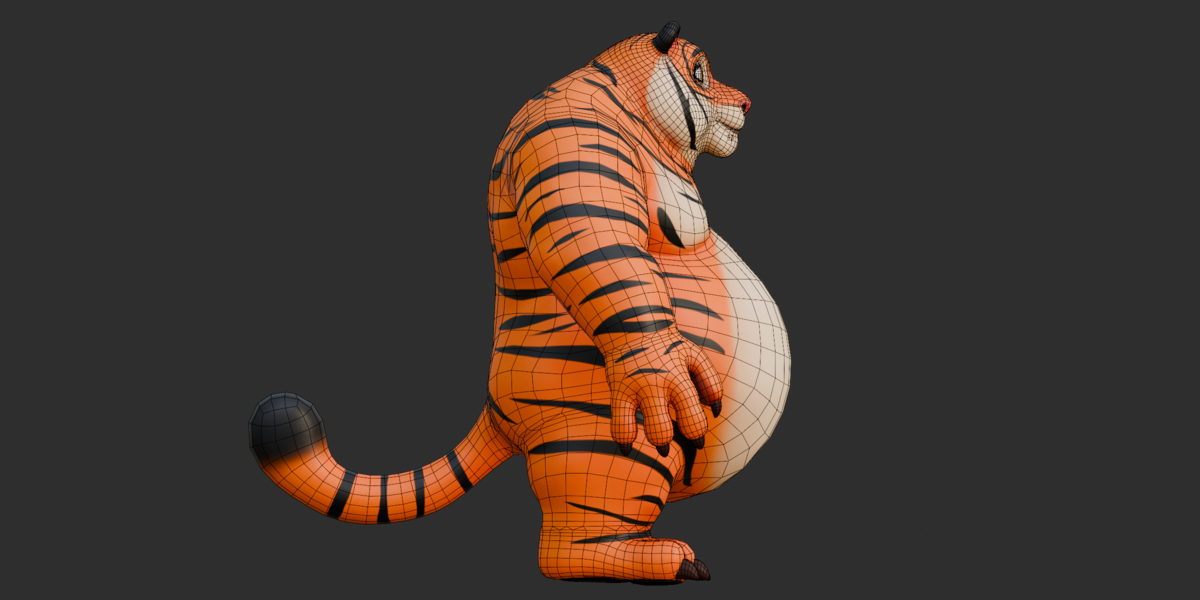
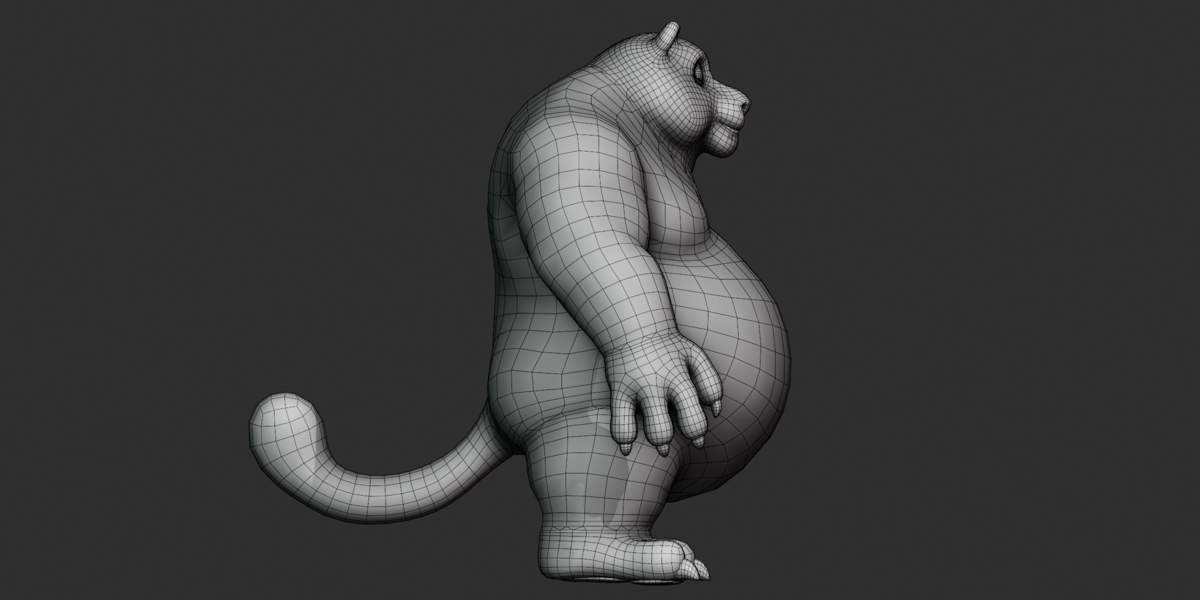
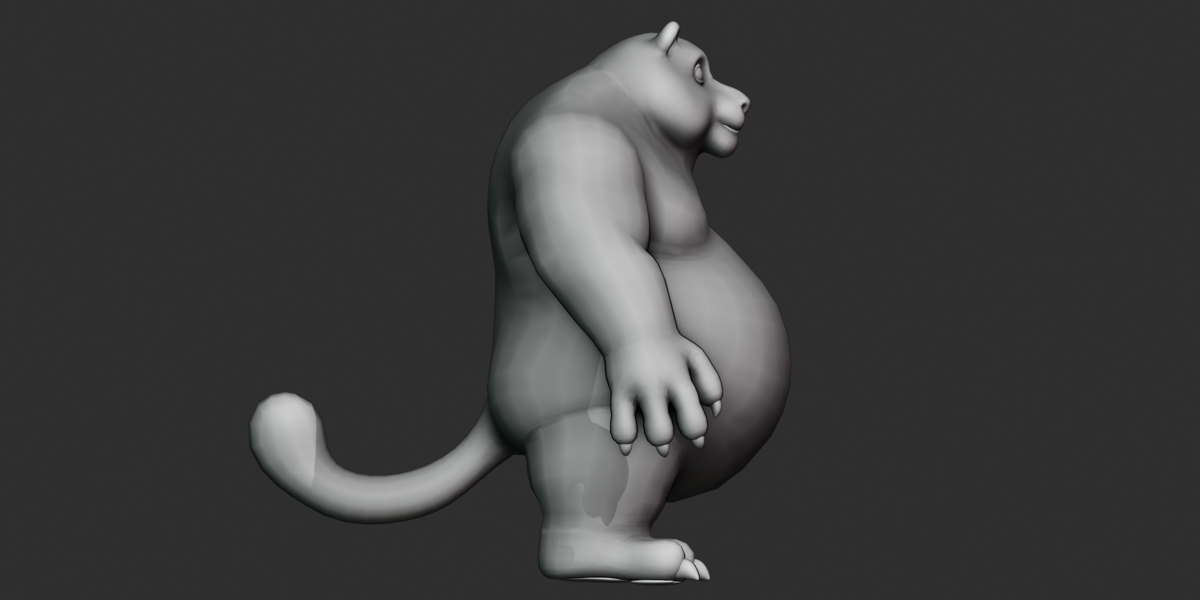
.blend,.fbx,.glb, and.obj/.mtlformats.26 reference renders across the supplied render folders, including beauty, clay, clay-wireframe, and textured-wireframe views.
One UV map per character mesh.
No shape keys or blendshapes.
Fully posable rig, but no usable baked animation is included.
Included Files
| File | Format | Purpose |
|---|---|---|
tiger.blend |
Blender binary | Original editable source scene |
furry tiger.fbx |
FBX 7400 | Rigged/skinned character with materials and rig data |
furry tiger.glb |
glTF 2.0 | Rigged character with embedded textures |
furry tiger.obj |
Wavefront OBJ | Static character geometry |
furry tiger.mtl |
Wavefront MTL | Material definitions for the OBJ |
textures.zip |
ZIP | Three supplied PNG textures |
No separate README, changelog, or written documentation file was included.
Formats
Blender — .blend
tiger.blend is the original Blender source file with the BLENDER-v400 binary header.
The source file could not be opened directly in Blender during inspection, so its internal scene data was cross-checked through the supplied FBX, GLB, and OBJ files and binary inspection.
FBX — .fbx
furry tiger.fbx is a binary FBX 7400 file exported using Blender's stable FBX exporter.
It contains the six character meshes, materials, skin binding to the 760-joint rig, and approximately 150 additional rig-control-shape mesh objects.
The FBX also contains animation-track data, but the supplied tracks do not provide a usable animation.
GLB — .glb
furry tiger.glb is a glTF 2.0 binary file generated with Blender's glTF exporter.
It contains the six character meshes, PBR-style material data, embedded textures, the 760-joint skin, and 11 animation clips. The animation tracks are described in the Animation section.
OBJ + MTL
The OBJ contains static geometry, UVs, normals, and material assignments.
It does not contain:
Rig
Skin weights
Animation
Body Base Color texture
Body Normal texture
The companion .mtl file should remain with the OBJ when importing.
Materials
The supplied furry tiger.mtl defines 11 materials, with 6 actively assigned to OBJ faces.
| Material | Used On | Notes |
|---|---|---|
furry_tiger |
Main body | Uses Base Color and Normal textures in the GLB |
eye |
Eye | Uses eye_Base_Color.png
|
Material |
Upper/lower teeth | Flat reddish-orange color |
Material.001 |
Upper/lower teeth | Flat grey color |
Material.006 |
Secondary mesh | Flat-color material; OBJ and GLB contain a verified color difference |
tong |
Tongue | Flat dark-red material |
Five additional materials are defined in the MTL but are not assigned to OBJ faces:
Material.002Material.003Material.004furry_tiger_hairwhite
These may relate to Blender-only material slots or fur/hair setup, but their exact purpose could not be verified without opening the source scene.
The FBX also contains six additional materials used only by rig-control widget objects.
The character-facing materials use non-metallic PBR-style values where verified, with roughness values around 0.5–0.6.
Textures
Three texture files are supplied, all verified at 2048×2048 PNG resolution.
| Texture | Type | Resolution | Use |
|---|---|---|---|
furry tiger_Base_Color.png |
Base Color | 2048×2048 | Main body |
furry tiger_Normal_OpenGL.png |
Normal Map | 2048×2048 | Main body |
eye_Base_Color.png |
Base Color | 2048×2048 | Eye |
The body Base Color and OpenGL Normal maps are directly connected to the GLB material.
No separate texture maps were found for:
Roughness
Metallic
Ambient Occlusion
Height/Displacement
Emission
Opacity/Mask
Roughness and metallic properties are represented by numeric material factors rather than dedicated texture maps.
Rig
The character includes a full body and facial armature.
1,168 total bone-type nodes
760 verified skin-deforming joints
Six character meshes are skinned to the rig.
Rig root:
tiger rig_rigFK and IK controls for arms and legs
IK pole targets and foot controls
4-segment spine
8-segment tail
Detailed facial controls
The naming structure uses c_ control prefixes, _ref reference suffixes, and .l, .r, and .x side/center suffixes. This is consistent with an Auto-Rig Pro-style Blender rig, although the exact rig-generation add-on could not be independently confirmed.
Bones
Root and Spine
The rig contains root controls and a 4-segment spine system.
Examples include:
root.xc_root.xc_root_master.xspine_01.x–spine_03.x
Tail
The tail contains 8 segments, with corresponding reference and control bones:
tail_00_ref.x–tail_07_ref.xc_tail_00.x–c_tail_07.xc_tail_master.x
Arms
The arms include FK chains, IK hand controls, and pole targets.
Examples:
forearm.l/.rhand.l/.rc_hand_ik.l/.rc_arms_pole.l/.r
Legs and Feet
The leg system includes IK foot controls, roll/bank controls, and pole targets.
Examples:
c_foot_ik.l/.rc_leg_pole.l/.rc_foot_bank_01.r
Fingers
The character has four fingers per hand:
Thumb
Index
Middle
Ring
No dedicated pinky/fifth-finger bone was found.
Each finger has three joints, with reference and control chains.
Facial Rig
The facial system includes controls for:
Jaw
Lips
Eyelids
Eyes
Eyebrows
Cheeks
Nose
Chin
Ears
Tongue
Teeth
The eyelid system includes seven numbered upper and seven numbered lower eyelid segments per side, along with additional base, corner, and master controls.
Animation
Animation track data exists in both FBX and GLB, but no usable keyframed animation is included.
The FBX contains 155 animation stacks. Most have zero duration.
The GLB contains 11 animation clips.
| Animation | Duration | Result |
|---|---|---|
tiger rig_rigAction |
~0.08 sec | Extremely short; not a usable animation |
walk cycle |
0 sec | Static pose only |
9 cs_user_c_*Action tracks |
0 sec | Rig-widget placeholder tracks |
The scene frame rate is 25 FPS.
Despite the walk cycle name, all of its keyframes occur at the same time, so it does not contain an actual walking animation.
Conclusion: the character is supplied as a static but fully posable rig. Buyers will need to create their own animation.
Shape Keys / Blendshapes
No shape keys or blendshapes were found.
All six verified character meshes were checked and reported zero blend-shape deformers.
Facial expressions therefore need to be created using the available facial bone controls.
UV
Each of the six character meshes contains exactly one UV map, named UVMap.
Verified:
1 UV map per mesh
No secondary UV channel
No UDIM setup
OBJ contains 5,677 combined UV coordinate entries
UV overlap, stretching, and packing efficiency were not visually verified because no UV layout image was supplied.
Geometry
The six main character meshes were verified directly from the OBJ export.
| Object | Vertices | Faces |
|---|---|---|
Extract4 — main body |
7,682 | 7,836 |
NurbsPath — secondary mesh |
4,494 | 4,340 |
eye |
772 | 768 |
upper_teeth |
1,234 | 1,028 |
lower_teeth |
1,186 | 992 |
tong — tongue |
162 | 160 |
| Total | 15,530 | 15,124 |
Combined topology is predominantly quad-based:
404 triangles
14,714 quads
6 five-sided n-gons
Approximately 150 additional cs_ mesh objects are rig-control widgets and are not part of the renderable character.
Dimensions and Scale
Verified OBJ character bounds are approximately:
X: 2.218 scene units
Y: 2.031 scene units
Z: 1.953 scene units
The FBX contains a 0.01 unit-scale factor, following Blender's standard FBX export convention.
The exact real-world character height could not be independently confirmed because the source .blend was not opened directly. Do not treat the OBJ bounding box as a verified real-world measurement.
Scene frame rate: 25 FPS.
Object Structure
The renderable character consists of six main mesh objects:
Main body
Secondary mesh
Eye
Upper teeth
Lower teeth
Tongue
These are parented/skinned to the tiger rig_rig armature.
FBX and GLB also contain approximately 150 small rig-control-shape objects used as viewport widgets. These are not part of the character's renderable geometry.
Collections
Binary inspection of the Blender source confirmed:
CollectionScene Collection
The source scene is named Scene, with a world datablock named World.
The exact object membership of each collection could not be verified without opening the .blend in Blender.
Modifiers
No specific Blender modifier stack could be verified.
FBX, GLB, and OBJ contain exported/evaluated geometry rather than an inspectable copy of the original Blender modifier stack.
The topology appears suitable for subdivision-style workflows, but no specific Subdivision Surface or other modifier is claimed as confirmed.
Constraints
Blender constraint stacks were not directly verifiable from the supplied exports.
The rig clearly contains FK/IK control structures, but the exact native Blender constraint setup was not independently inspected.
Drivers
No drivers could be verified from the supplied files.
Drivers are Blender-internal data and were not available for direct inspection in this verification process.
Scene Setup
The Blender source contains one confirmed scene named Scene and one world datablock named World.
Render-engine settings, samples, resolution settings, and other detailed scene settings were not independently verified.
Cameras and Lights
No camera objects were found in the FBX or GLB.
Camera count: 0
No light objects were found in the FBX or GLB.
Light count: 0
The supplied preview renders therefore come from a separate render setup rather than cameras and lights included with the character exports.
Import Workflow
Blender
Open
tiger.blendin a compatible Blender 4.x environment.If textures are missing, extract
textures.zip.Use File → External Data → Find Missing Files and select the extracted texture folder.
Locate
tiger rig_rigand the six character meshes.Enter Pose Mode to test the rig.
FBX
Import
furry tiger.fbx.Enable skeleton/armature and skin import.
Check the imported scale.
Relink the three PNG textures if they are not automatically found.
Avoid relying on the imported animation takes because the supplied animation tracks contain no usable motion.
OBJ
Import
furry tiger.obj.Keep
furry tiger.mtlin the same location.Extract
textures.zip.Manually assign the required body and eye textures if needed.
Remember that OBJ is static geometry only and contains no rig or skin weights.
GLB
Import
furry tiger.glbinto a glTF-compatible application.The three supplied textures are embedded in the GLB.
The 760-joint skin should import where supported.
Do not expect the
walk cycleor other supplied tracks to provide usable motion.
Software / Version
Verified metadata indicates the files were produced using Blender 4.5.5 LTS-related exporters:
FBX exporter: Blender Stable FBX IO 4.5.5 LTS
GLB generator: Khronos glTF Blender I/O v4.5.49
OBJ/MTL header: Blender 4.5.5 LTS
.blendheader:BLENDER-v400
These are metadata findings, not functional compatibility tests.
Engine Workflow
No engine-specific setup is included.
The FBX and GLB can be used as starting points in software supporting those formats, but material conversion, scale checking, rig behavior, and facial setup may require adjustment.
No Unity, Unreal, Godot, or other specific engine workflow was independently tested.
Customization
The verified customization options include:
Recoloring materials
Replacing the supplied textures
Reposing the full character
Creating facial expressions with facial controls
Animating the existing rig
Adjusting the tail and body pose
There are no shape keys, pre-built usable animations, or verified facial slider systems included.
Rig Workflow
Select
tiger rig_rig.Enter Pose Mode.
Use the
c_control bones rather than reference bones where applicable.Test the FK/IK arm and leg controls.
Adjust the spine and 8-segment tail.
Use the facial controls for the jaw, eyelids, lips, eyebrows, cheeks, nose, and other facial areas.
Create your own keyframes when building animation.
The mirrored .l and .r naming makes left/right controls easier to identify.
Texture Workflow
The texture archive contains:
furry tiger_Base_Color.pngfurry tiger_Normal_OpenGL.pngeye_Base_Color.png
For Blender or OBJ workflows:
Extract
textures.zip.Point the material texture paths to the extracted files.
Use Blender's Find Missing Files feature if necessary.
Reload the images after relinking.
For GLB, the three textures are already embedded.
The body normal map uses the OpenGL convention. Some applications using DirectX-style normal maps may require the normal map's green channel to be inverted.
Material Workflow
For the full textured material setup, FBX or GLB is preferred over OBJ.
In Blender:
Open the supplied source scene.
Locate the character material.
Check the Base Color and Normal texture connections.
Relink missing textures if necessary.
Adjust material values such as roughness or metallic factors as required.
The OBJ/MTL format provides only a simplified representation of the materials and should not be treated as equivalent to the full Blender/GLB material setup.
Troubleshooting
Model appears incomplete
Check that all six character meshes were imported. FBX and GLB also contain rig-control widget objects that may appear as additional small meshes.
Textures are missing
Extract textures.zip and relink the files. GLB already contains the three textures internally.
OBJ looks grey or incorrectly textured
This is expected because OBJ/MTL does not preserve the complete node-based body material. Use FBX or GLB for the more complete textured setup.
Animation does not play
The supplied animation tracks are not usable. The walk cycle is a static pose despite its name.
Rig controls behave unexpectedly
Use the c_ control bones for posing rather than reference/helper bones.
Scale looks incorrect
Check the target application's FBX unit conversion. The supplied FBX uses a 0.01 unit-scale factor.
Extra small objects appear
The FBX and GLB include approximately 150 rig-control-shape meshes. These are viewport control widgets rather than character geometry.
Material.006 looks different between formats
A verified difference exists between the OBJ/MTL and GLB representations of Material.006. This is contained in the supplied exports and is not necessarily an importer problem.
Known Limitations
No usable baked animation is included.
The
walk cycletrack is a static pose.OBJ is static and contains no rig or skin data.
OBJ/MTL does not preserve the full body texture setup.
A color discrepancy exists for
Material.006between OBJ/MTL and GLB.No shape keys or blendshapes are included.
No cameras or lights are included in FBX/GLB.
Five MTL materials are not assigned to exported OBJ faces.
Exact Blender modifier, constraint, and driver setups were not directly verified.
Exact real-world scale could not be confirmed from the source
.blend.Engine-specific compatibility was not tested.
Compatibility Notes
The FBX 7400, GLB 2.0, and OBJ/MTL files were successfully parsed during inspection, confirming that the supplied files contain valid structured mesh and related data.
Format support does not guarantee identical results in every application. Rig behavior, PBR materials, texture paths, scale, and animation-track handling depend on the importing software.
No specific game engine or third-party animation package was functionally tested.
Quick Start
Extract
textures.zipfor Blender or OBJ workflows.Open
tiger.blend, or import the FBX/GLB.For the most complete rigged workflow, use FBX or GLB.
Confirm the three textures are correctly linked.
Locate
tiger rig_rig.Test the FK/IK controls and facial controls.
Create your own animation if required.
Use OBJ only when static geometry is needed.
Recommended Workflow
Import → Scale → Textures → Materials → Rig → Customize → Animate
Choose FBX or GLB for rigged workflows.
Confirm scale and orientation.
Verify or relink textures.
Check the material setup.
Test the rig and skin deformation.
Customize the character.
Create your own animation because no usable animation is included.
Important Notes
This product is a static, fully posable rigged character.
The rig contains 760 verified skin-deforming joints and 1,168 total bone-type nodes.
The package does not include a usable walk cycle or other finished animation.
FBX and GLB are recommended when the rig and skinning are required.
OBJ is intended for static geometry workflows.
Keep the supplied texture files available for Blender and OBJ workflows; GLB already embeds them.
Exact real-world scale, Blender modifier stacks, constraints, and drivers were not independently verified.
Have questions about this product?
Login to message
| Published | 5 days ago |
| Blender Version | 2.6x - 5.2 |
| Render Engine Used | Cycles, Eevee, Freestyle |
| Misc Data | Rigged, Textured |
| License | Royalty Free |
