Cineflow
 Elliot Clark


CINEFLOW – Blender Camera Cinematic System
Author: Elliot Clark
Version: 1.0.1
Blender Version: 4.0+
Category: Camera
VERSION 1.0.1 - UPDATE!
- Now fixed the bug where the view3D keyframes became invisible in blender version 5.1
Overview
CINEFLOW is a highly advanced cinematic camera system for Blender designed to simulate drone style camera motion for filmmaking, animation, and virtual cinematography.
It allows artists to:
- Fly cameras in real time
- Record cinematic motion
- Capture snapshot waypoints
- Edit camera paths visually
- Apply smoothing and stabilization
- Track objects dynamically
- Convert recordings into clean animation curves
Key Features
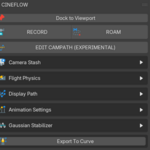
Real Time Camera Recording
Fly the camera like a drone and record motion directly into animation keyframes.
Snapshot Waypoints
Capture key camera positions during recording that act as editing anchors.
Cinematic Flight Physics
Camera movement includes:
- inertia
- acceleration
- velocity smoothing
This creates natural cinematic motion.
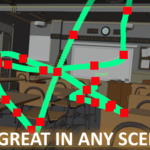
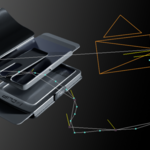
Path Visualization
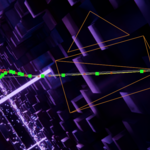
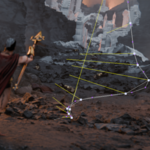
The system draws camera paths directly in the viewport.
You can see:
- snapshots
- generated keyframes
- camera view direction
CamPath Editor ( Currently Experimental)
Allows interactive editing of recorded snapshots.
You can:
- select snapshots in the viewport
- adjust smoothing
- rebuild segments
- delete snapshots
- refine motion fidelity
Gaussian Stabilization
Smooths camera motion using gaussian filters.
Useful for removing jitter in handheld-style movement.
Anchor Tracker
Dynamically track a target object while maintaining cinematic motion.
Camera Stash System
Record multiple camera takes and switch between them.
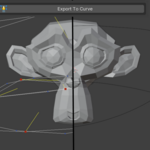
Export To Curve
Convert recorded camera motion into a clean follow-path rig.
What Makes CINEFLOW Different?
Most Blender camera tools focus on traditional keyframe animation or simple camera rigs.
CINEFLOW approaches cinematography differently it is designed around performance based camera operation, similar to how real world camera operators capture shots.
1. Real Time Cinematic Recording
Unlike traditional animation workflows that rely on manually placing keyframes, CINEFLOW allows you to fly the camera in real time and record the motion directly.
This enables:
• natural camera movement
• faster shot creation
• intuitive filmmaking workflows
Instead of thinking like an animator placing keyframes, you can think like a camera operator capturing a shot.
This dramatically speeds up shot creation.
2. Snapshot Based Path Editing
Most camera addons only allow editing individual keyframes.
CINEFLOW introduces Snapshot Anchors, which allow you to:
• capture important camera positions
• edit them directly in the viewport
• rebuild motion between them
This gives artists the ability to refine a shot without destroying the original performance.
Snapshots behave like cinematic control points, making adjustments far more intuitive than editing hundreds of keyframes.
3. Cinematic Flight Physics
Camera motion in CINEFLOW includes a flight physics system with:
• inertia
• acceleration smoothing
• velocity blending
This prevents the camera from moving in a robotic way.
Instead, the camera behaves more like:
• a drone
• a Steadicam operator
• a floating cinematic rig
The result is naturally cinematic movement with very little effort.
4. Visual Path Editing in the Viewport
Many camera tools require editing curves inside the Graph Editor.
CINEFLOW allows you to see and interact with the camera path directly inside the viewport.
You can visualize:
• the entire motion path
• snapshot anchors
• generated keyframes
• camera viewing direction
This gives artists a much clearer understanding of the shot's motion.
5. Intelligent Path Reconstruction
When editing snapshots, CINEFLOW automatically rebuilds motion between them using:
• interpolation
• smoothing
• fidelity control
• keyframe decimation
This means the system can regenerate clean cinematic motion automatically, without requiring manual curve editing.
6. Built In Motion Stabilization
Most camera addons rely on manual curve editing to smooth motion.
CINEFLOW includes a Gaussian stabilization system that can:
• remove jitter
• smooth handheld-style shots
• refine recorded motion
This is similar to stabilization systems used in professional filmmaking software.
7. Dynamic Anchor Tracking
CINEFLOW includes a target tracking system that allows the camera to dynamically track objects during the shot.
This makes it easy to create shots such as:
• orbit shots
• character tracking shots
• cinematic reveal shots
The tracker blends smoothly into existing motion.
8. Camera Stash System
Recording multiple takes is common in filmmaking.
CINEFLOW includes a Camera Stash system that lets you:
• store recorded cameras
• switch between takes
• bake them into final keyframes
This makes it easy to experiment with different shots without losing previous recordings.
9. One Click Curve Conversion
CINEFLOW can convert recorded camera motion into a clean follow-path rig.
This allows artists to:
• refine motion using curves
• integrate with existing rig systems
• maintain clean animation data
10. Designed for Cinematic Workflows
CINEFLOW is not just a camera controller.
It is designed to support cinematography workflows, including:
• scouting shots
• capturing takes
• refining motion
• converting to animation
This workflow mirrors how real-world camera operators work on film sets.
Have questions about this product?
Login to message
| Blender Extension Compatible | Yes |
| Sales | 10 |
| Published | 6 months ago |
| Blender Version | 4.5 - 5.1 |
| Extension Type | Add-on |
| Render Engine Used | Blender-Internal, Blender-Game-Engine, Cycles, Eevee |
| License | GPL |
Discover more products like this
drone-camera stabilization motion graphics FPV simulator camera rig camera-tools cinematography Path Editing real-time control animation VFX blender addon