Clay Magnet - Animate Invisible Rigs.
 Ali Amirdivan


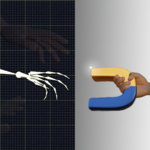
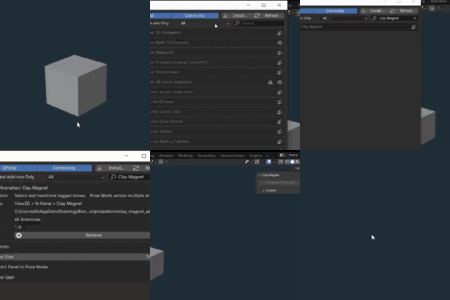
Clay Magnet is a Blender addon designed to streamline bone selection and tagging for animators. Tag bones, select or transform them with F/Shift+F, and toggle Gizmo User mode if you don't prefer the G transform in Blender. Built for tired animators digging through complex rigs, with the base version being basic, it's got a long way to go, it currently supports multiple armatures in Pose Mode.
Author: Ali Amirdivan
Version: 1.0
Blender: 4.1
License: GNU GPL v3
Support: Contact me here or at [email protected] , Here is preferred.
Installation
Download: Purchase from Superhivemarket and Download it.
-
Install:
In Blender, go to Edit > Preferences > Add-ons.
Click Install, select clay_magnet_addon.zip, and enable “Clay Magnet” by checking the box.
Check: Look for the “Clay Magnet” tab in the 3D Viewport’s N-panel (press N). There? Awesome, you got it.
Usage
1. Accessing the Panel
Find the “Clay Magnet” tab in the N panel when pressing N in blender 3D Viewport. Can't find it ?, Make sure you’re in Pose Mode, if it only shows up there, uncheck “Restrict Panel to Pose Mode” in addon preferences.(addon preferences is the window where you installed the addon and made sure it was activated by a checkbox.)
2. Tagging Bones
Switch to pose mode for one or more armatures (The rig of the characters with rigs)
-
Tag Bones:
Select one or more bones.
With the bone(s) selected and highlighted, Click “Tag Bone(s)” to tag them for hover selection.
You can click “Untag” to remove tags from selected bones.
You can see “Find Tagged” button after selecting all bones. That button deselects all untagged bones from your 'Select all' selection , keeping only tagged ones in selection. Useful for when you want to quickly find and untag all of the bones for a character.
Note: Tags are stored per armature and persist across sessions.
3. Selecting and Transforming
F Key: Hover over a tagged bone and press F to Grab it (or just select if “Gizmo User” checkbox is On).
Multi Select: Press Shift + F to add a tagged bone to the selection, With Shift held down, the F button doesn't enter transform mode and leaves the bones simply selected so you can select more.
-
Gizmo User Mode:
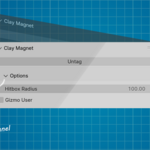
Enable in the “Options” subpanel (N-panel > Clay Magnet > Options).
When checked, F only selects (no transform), ideal for gizmo-based workflows and maya peasants.
4. Addon Settings
-
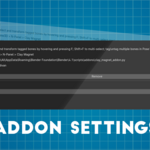
In Edit > Preferences > Add-ons > Clay Magnet > Preferences:
Hitbox Size: Set pixel radius for bone hover detection (default: 100, range: 10-100).
Restrict Panel to Pose Mode: Show panel only in Pose Mode (default: off).
Gizmo User: Select only with F, no transform (default: off).
5. Multi-Armature Support
Select multiple armatures before entering Pose Mode, or click “Switch to Pose Mode” to set all to Pose Mode.
Tag and select bones across armatures seamlessly.
Troubleshooting
-
Panel Missing:
Ensure you’re in Pose Mode or disable “Restrict Panel to Pose Mode” in preferences.
Check addon is enabled (Edit > Preferences > Add-ons).
-
F/Shift+F Not Working:
Verify bones are tagged (use “Find Tagged” to check).
Check for keymap conflicts (Other addons that use F or Shift might interfere, The ability to change keymap is coming soon).
- Armature must be active in Pose mode.
- Remember Pressing Shift F while the G transform is already active does not work.
-
Encountering Bugs or Errors:
Open Blender console (Window > Toggle System Console).
Report errors to me with or even without console input.
License and Copyright
Clay Magnet Addon for Blender
Copyright © 2025 Ali Amirdivan. All rights reserved.
Licensed under the GNU General Public License v3.0 or later.
Download only from Superhivemarket to regard my ownership. Source code is freely available on GitHub.
https://github.com/aliamirdivan/ClayMagnet
If you are gonna use this product even once , Please threat it as an item you see on a shelf at a store. Support Blender and the addon by purchasing it. It was made to save your time and ease and whiten your reddish tired eyes (Teeth whitening updates are coming soon).
Support
For questions, bugs, or feature requests, contact me here or at my email address already written in this document. don't wanna dig through the document to find my email ? Press CTRL + F and in the field that shows up in your browser, type yahoo and it will find the text for you.
I could just write me email here but i enjoy sharing/teaching useful things that I've accidentally discovered last week.
Thank you for supporting Clay Magnet, Let's make this thing into a Renaissance for all of us in the future updates.
Discover more products like this
3D rigging character posing blender3d 3d animation Efficient Animating