 Blendaddons


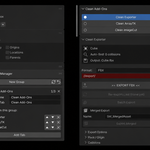
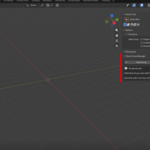
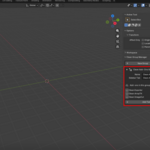
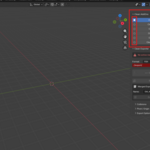
🗂️ Group Your Sidebar Tabs Too many add-on tabs cluttering your N-panel? Pull several add-ons into a single shared tab. One tab instead of ten — your sidebar stays clean.
🎚️ One-Click Toggles A row of buttons sits at the top of your grouped tab, one per add-on. Click a name to show only that add-on's settings. Everything else stays hidden so the UI never gets overwhelming.
👁️ Show One at a Time Selector mode keeps a single add-on visible at once. Click another name and the view switches instantly — no endless scrolling through stacked panels.
🧩 Works With Any Add-on No need to edit the add-ons you're grouping. Clean Group Manager moves their panels for you, including nested sub-panels, and leaves their code untouched.
🔄 Refresh & Restore Installed a new add-on mid-session? Hit Refresh to pick it up. Want everything back where it started? Restore All puts every tab back to its original place.
💾 Persistent Setup Your groups, tab names, and member order are saved in preferences — they survive file changes and restarts. Reapplied automatically on load.
🧹 Clean & Non-intrusive Hidden add-ons are simply not drawn, never uninstalled or modified. Nothing is lost, nothing breaks.
Blender 4.2+, 5.0 · No dependencies · Single file install
